Is there a configuration or setting to force users to do a recount on the mobile device if they enter a value other than what is on-hand?
Example steps:
On hand inventory = 7 ea
User enters 6 ea for the location
Mobile device prompts that this value is incorrect and needs to be recounted
After the second entry the user may continue with the count
Best answer by ShoKetchum
Hi @aslagle96 !
From my review, there isn’t a standard function to have the user confirm the Quantity of items on a Physical Inventory Count.
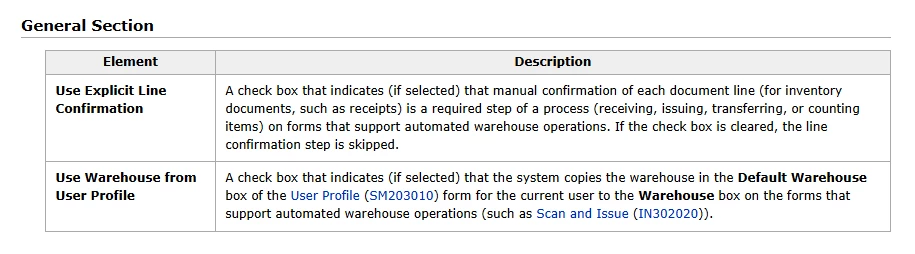
In “Inventory Preferences” > Warehouse Management Tab, there is the field “Use Explicit Line Confirmation” (Inventory Preferences).
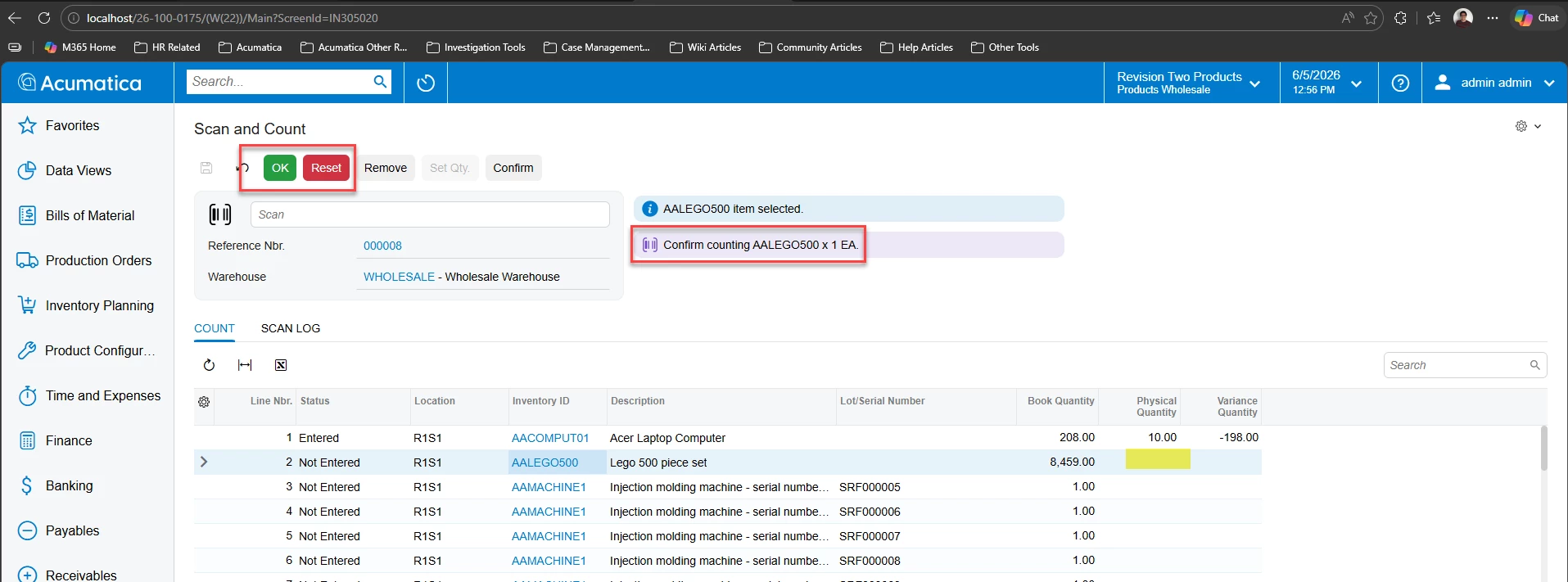
This is close to what you’ve described, but on the Physical Inventory Count process, this function only requires the user to confirm after scanning the Item initially:
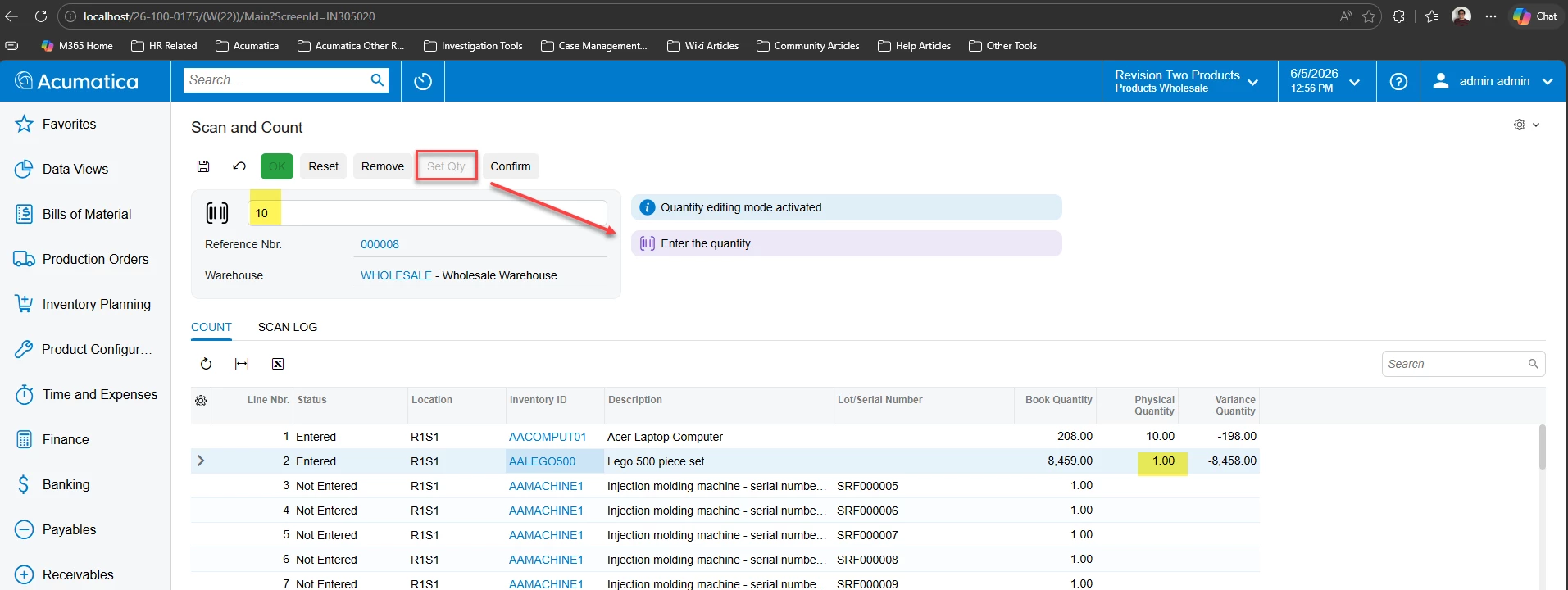
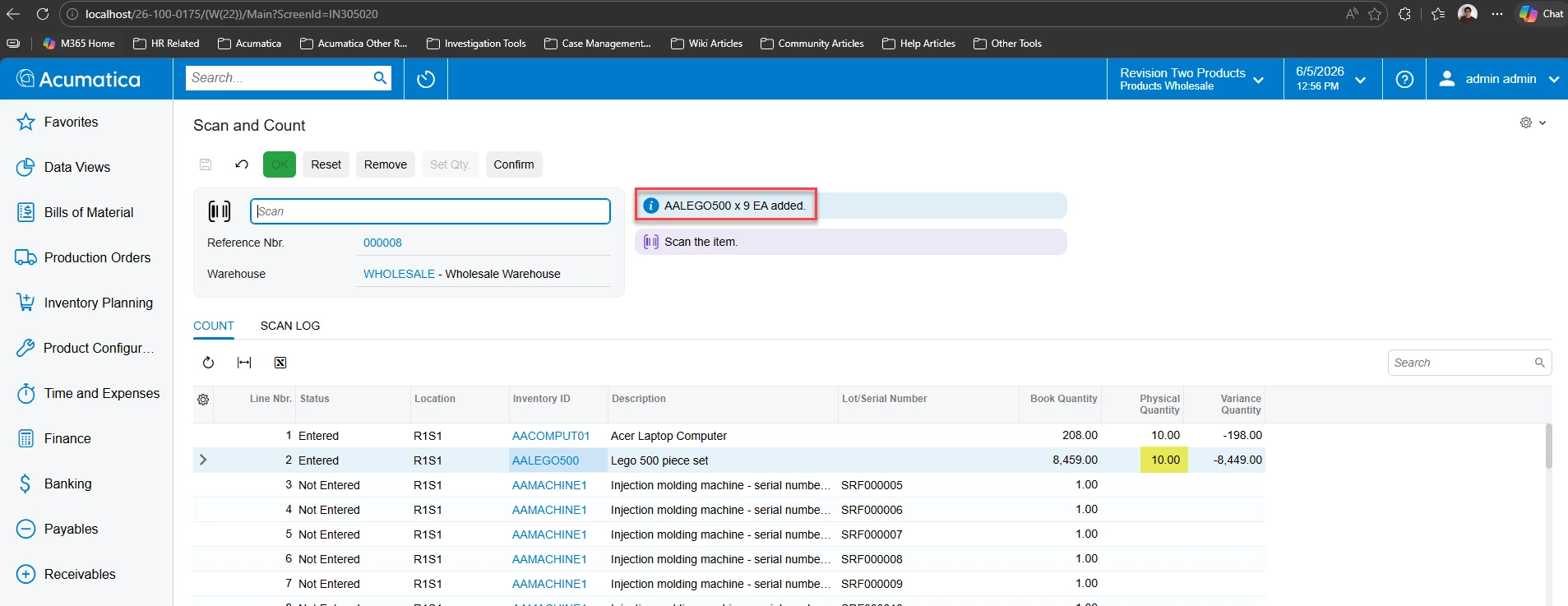
If the User uses “Set Quantity”, there is no additional confirmations:
(screenshots from 2026R1)
From my check, this is the current expected behavior of the “Use Explicit Line Confirmation” setting.
The best way to communicate with our dev team that Acumatica should update the existing “Use Explicit Line Confirmation” function or introduce a new standard function for your need is to create an Ideas post!
From my review, there isn’t a standard function to have the user confirm the Quantity of items on a Physical Inventory Count.
In “Inventory Preferences” > Warehouse Management Tab, there is the field “Use Explicit Line Confirmation” (Inventory Preferences).
This is close to what you’ve described, but on the Physical Inventory Count process, this function only requires the user to confirm after scanning the Item initially:
If the User uses “Set Quantity”, there is no additional confirmations:
(screenshots from 2026R1)
From my check, this is the current expected behavior of the “Use Explicit Line Confirmation” setting.
The best way to communicate with our dev team that Acumatica should update the existing “Use Explicit Line Confirmation” function or introduce a new standard function for your need is to create an Ideas post!