

I’ve come across an issue and want to confirm if I’m missing something in the configuration, or if I’ve found a bug in how Matrix Item creation handles segmented key separators for the new Inventory IDs.
As far as I can see, this should be possible but I’m seeing strange behaviour when creating the Matrix Items.
The end goal is a 2 segment Inventory ID, that correctly creates Matrix Items with valid Inventory IDs.
(The reason I need 2 segments is because the first segment will be Auto-Numbered. I’ve been able to replicate the issue both with and without auto-numbering, so for simplicity I’ll detail below without auto-numbering applied)
Expected Behaviour
- Manually created, standalone Stock Items, Non-Stock Items and Template Items, should be created with the first segment populated, and the second segment left blank.
- Matrix Items should be generated from the Template Item, with the Template ID as the first segment, and the Attribute Value as the second segment.
Example
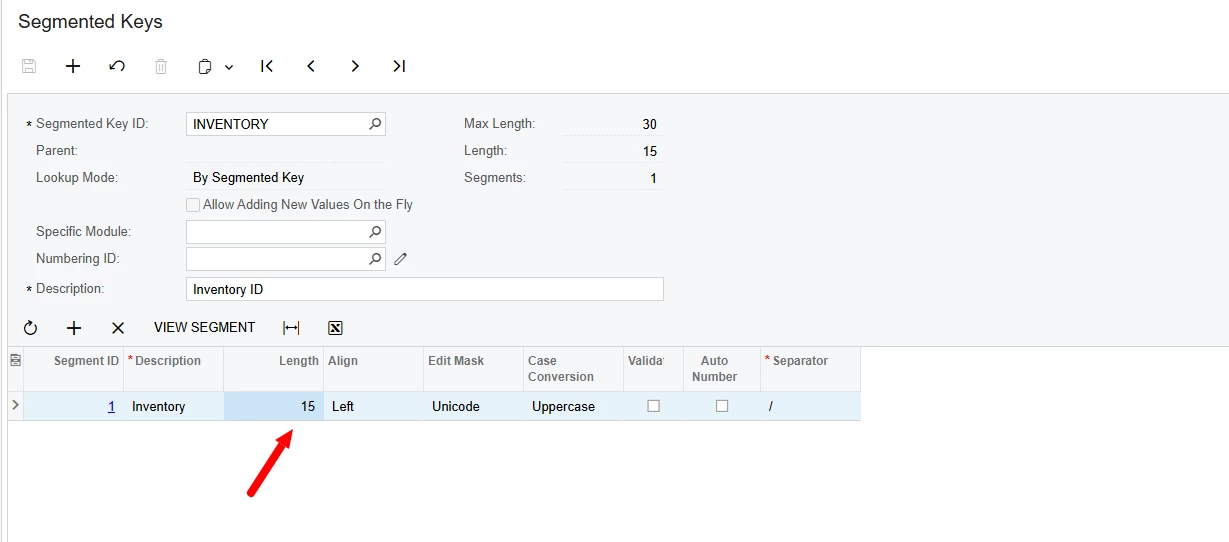
Segmented Key
- Inventory - Length 6
- Variant - Length 4
Note: I’ve purposely changed the Separator to / here to help distinguish it from Template config separators later.

Using the above Segmented Key, a Stock Item can be successfully created manually with a 6 character Inventory ID.

Also, using the above Segmented Key, a Template Item can be successfully created manually with a 6 character Template ID.
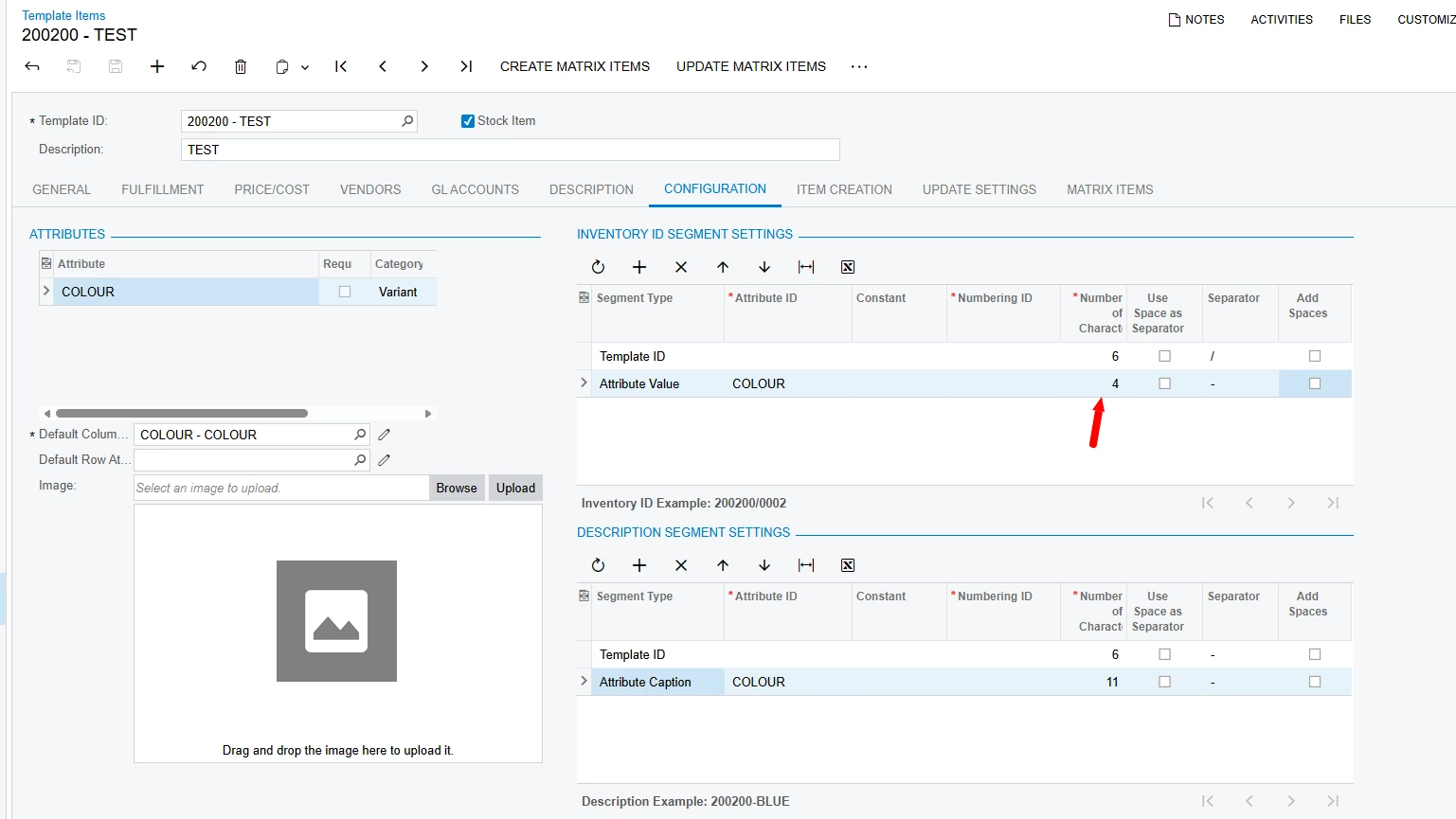
Template Item
Template ID: 200200-____ (4 blank unused spaces)

Attribute
Attribute ID: COLOUR
Values/Captions: 0002/BLUE, 0003/DARK BLUE, 0004/LIGHT BLUE

The Issue
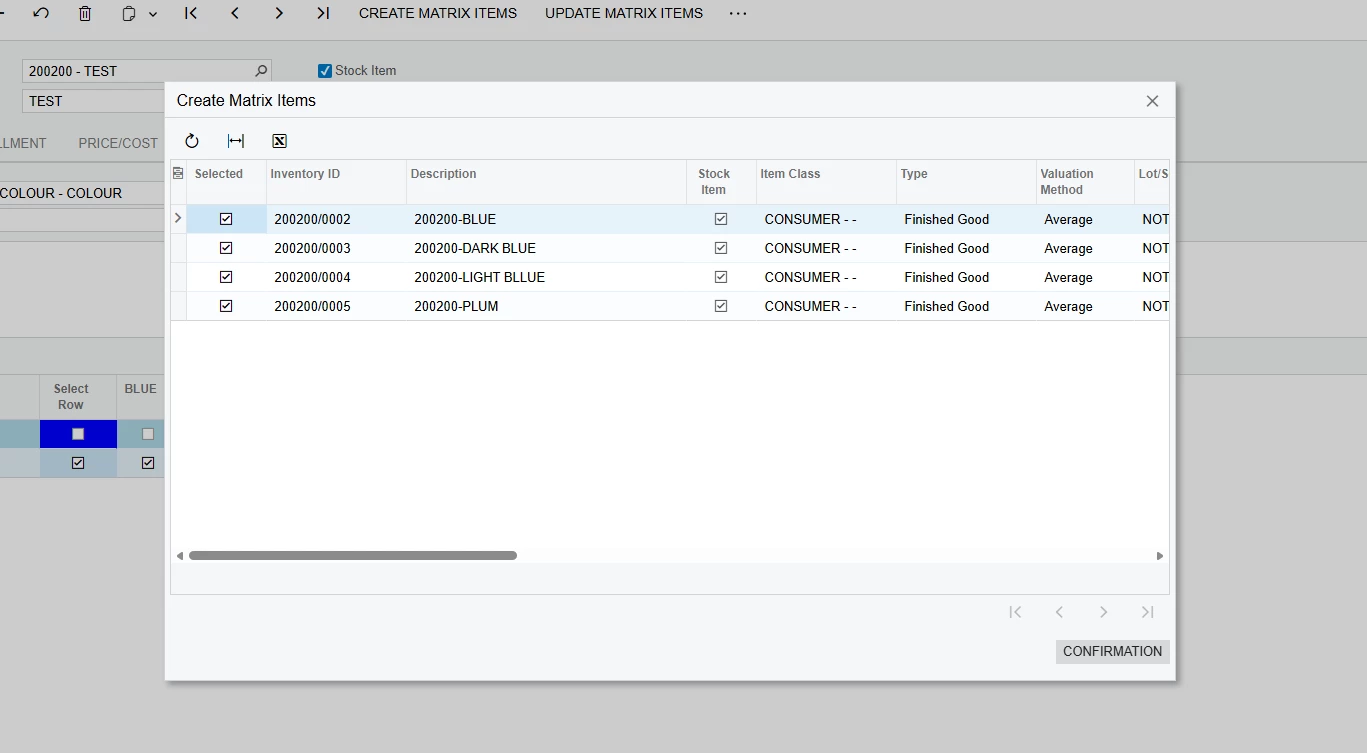
After configuring the Template Item to use the appropriate parts of the Template and Attribute for the Matrix Item’s Inventory ID, the Create Matrix Items process correctly uses the 6 characters from the Template ID, but shows an extra / separator from the Segmented Key, which only leaves 3 spaces for the 4 character Attribute Value, resulting in it being truncated.
In this example only 3 of the 4 chars from Attribute Values 0002, 0003 and 0004 were transferred meaning they are incorrect (and duplicated in this case)

Continuing with the process create duplicate items that cannot be opened /edited.
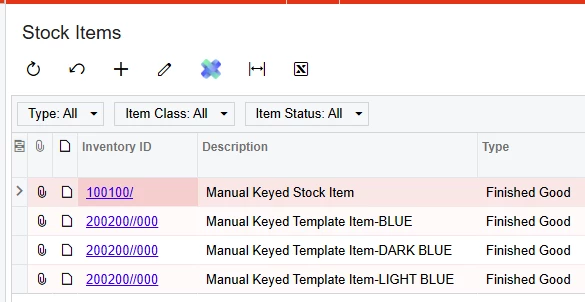
I also tried to workaround by increasing the size of segment 2 of the Inventory ID key to 5, allowing an extra space for the duplicate separator.
This did create unique IDs for each Matrix Item with all 4 chars from the Attribute.
However, any generated Matrix Items are still broken as they either error when trying to open, or they appear to open, but any changes made result in another item being saved. Pointing to broken linking/IDs.