Question

Missing "File Upload" button on the Invoice (SO303000) screen

  • October 19, 2026
  • 1 reply
  • 20 views
  • Translate All

nhatnghetinh
Captain II
Forum|alt.badge.img+14

Dear ALL,

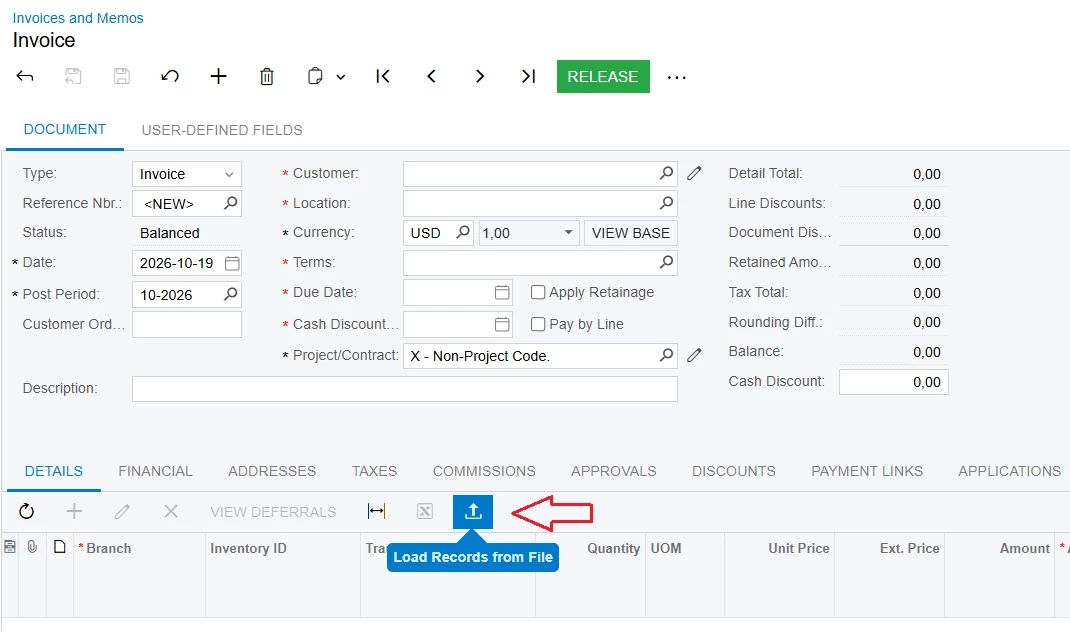
I am wondering why the "File Upload" button is missing from the Invoice (SO303000) screen.
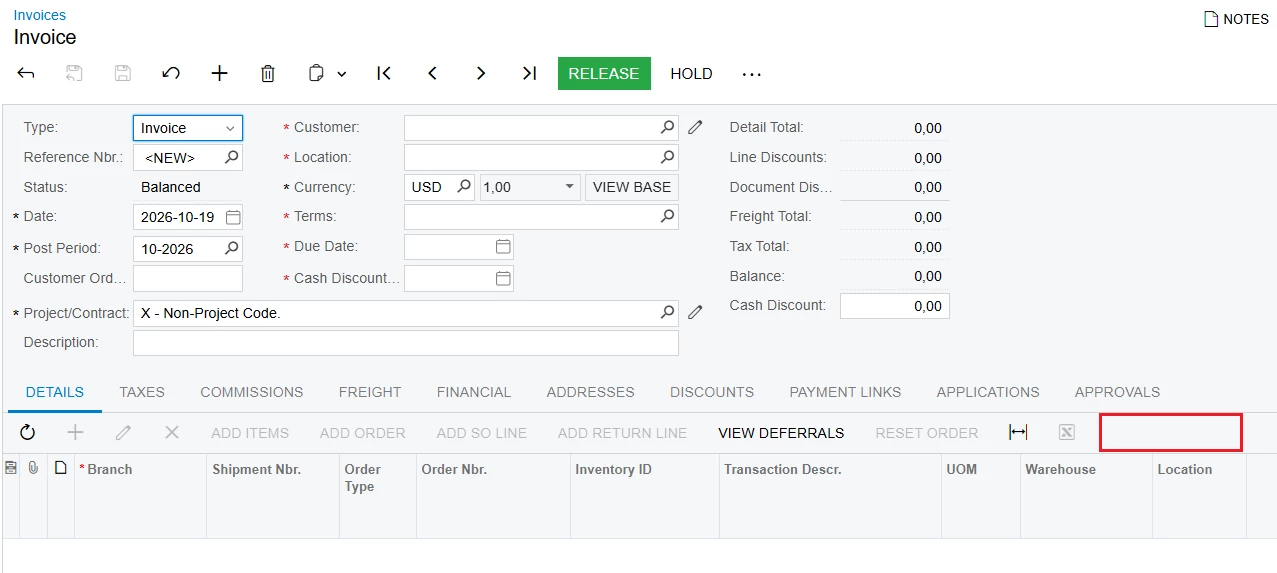
 

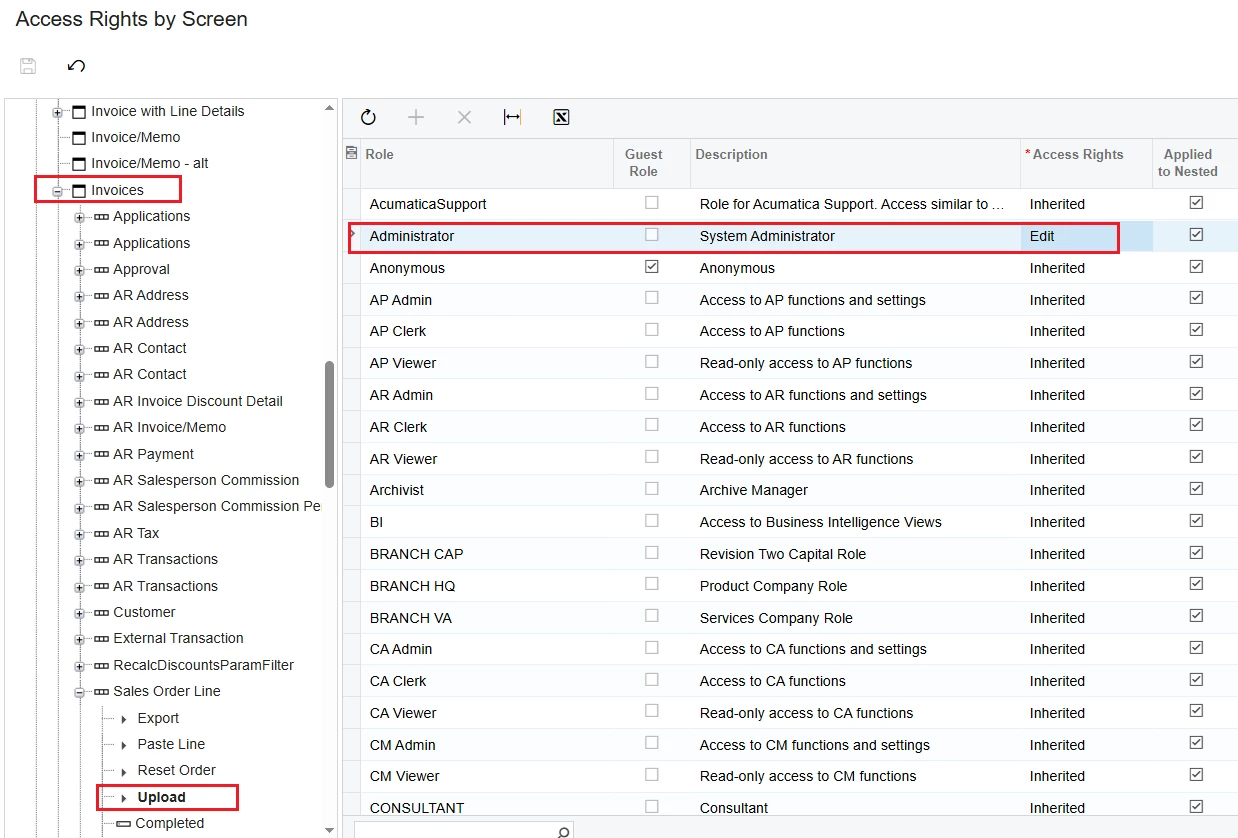
I checked the Access Rights by Screen settings for this screen and I still see the "Upload" feature.
 

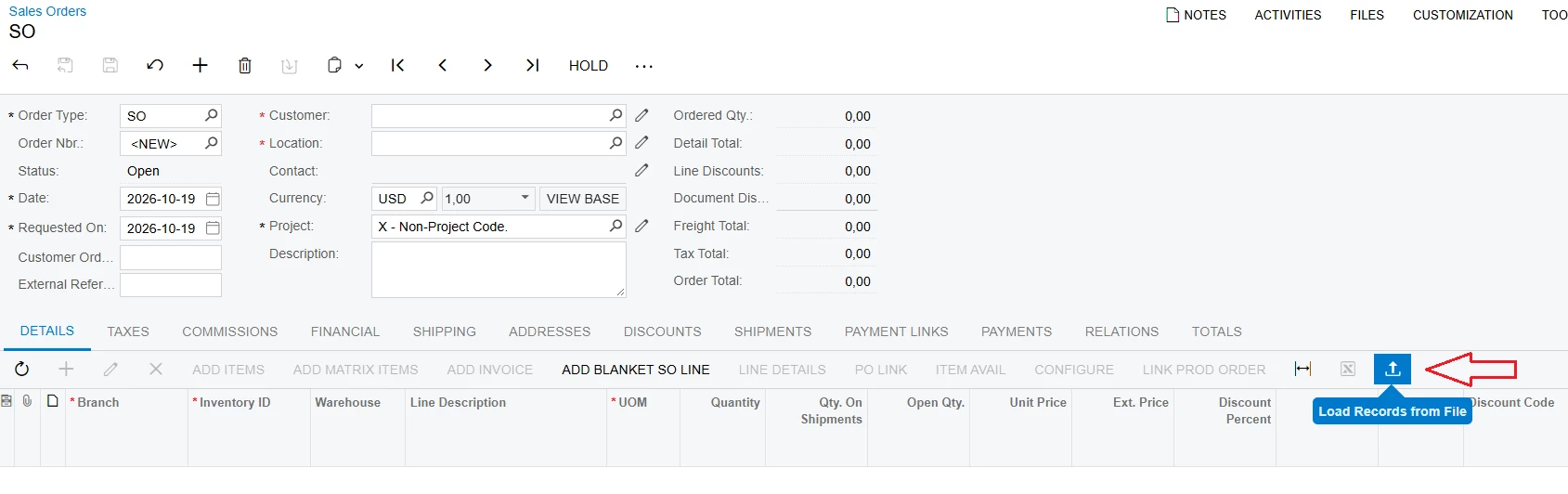
Meanwhile, other screens like Sales Order, Invoice and Memos have a File Upload button.


Best Regards,

NNT

1 reply

Forum|alt.badge.img+1

Hi ​@nhatnghetinh,

What you’re seeing is expected behavior. On the Invoice (SO303000) screen, the Load Records from File button only appears on the Details grid toolbar when the grid supports file import. If the grid is not configured to allow uploads, the button will not appear.

In Acumatica, this button is controlled by the grid property:

  • AllowUpload = True → the Load Records from File button appears
  • AllowUpload = False → the button is hidden

This setting is configured in the grid’s Layout Properties → Mode → AllowUpload during customization.

Therefore, the difference you’re seeing between screens (like Sales Orders vs. Invoices) is usually because the Invoice grid does not have this property enabled by default.

If you require this functionality, you can enable the AllowUpload property through a customization project for the corresponding grid.


I hope this helps clarify the behavior.

Translate