Hi All
How do I setup wireless thermal label printing from the Mobile App? Will I also need Device Hub? If so, how do I setup Device Hub on the Mobile App.
Hi All
How do I setup wireless thermal label printing from the Mobile App? Will I also need Device Hub? If so, how do I setup Device Hub on the Mobile App.
Best answer by ShoKetchum
Hello
I understand that you want to print labels from your Acumatica Mobile app to Thermal printers.
Ultimately, this depends on numerous factors. I recommend reviewing this thread How to Print .ZPL files from Android OS | Community where a community member explains in great detail some things to consider with printing from a mobile device.
DeviceHub is one method to print reports from Acumatica via mobile device, however, the reports available for print from the standard Mobile app are limited (essentially only Shipment Labels can be automated for printing through the Mobile app). Printers: General Information
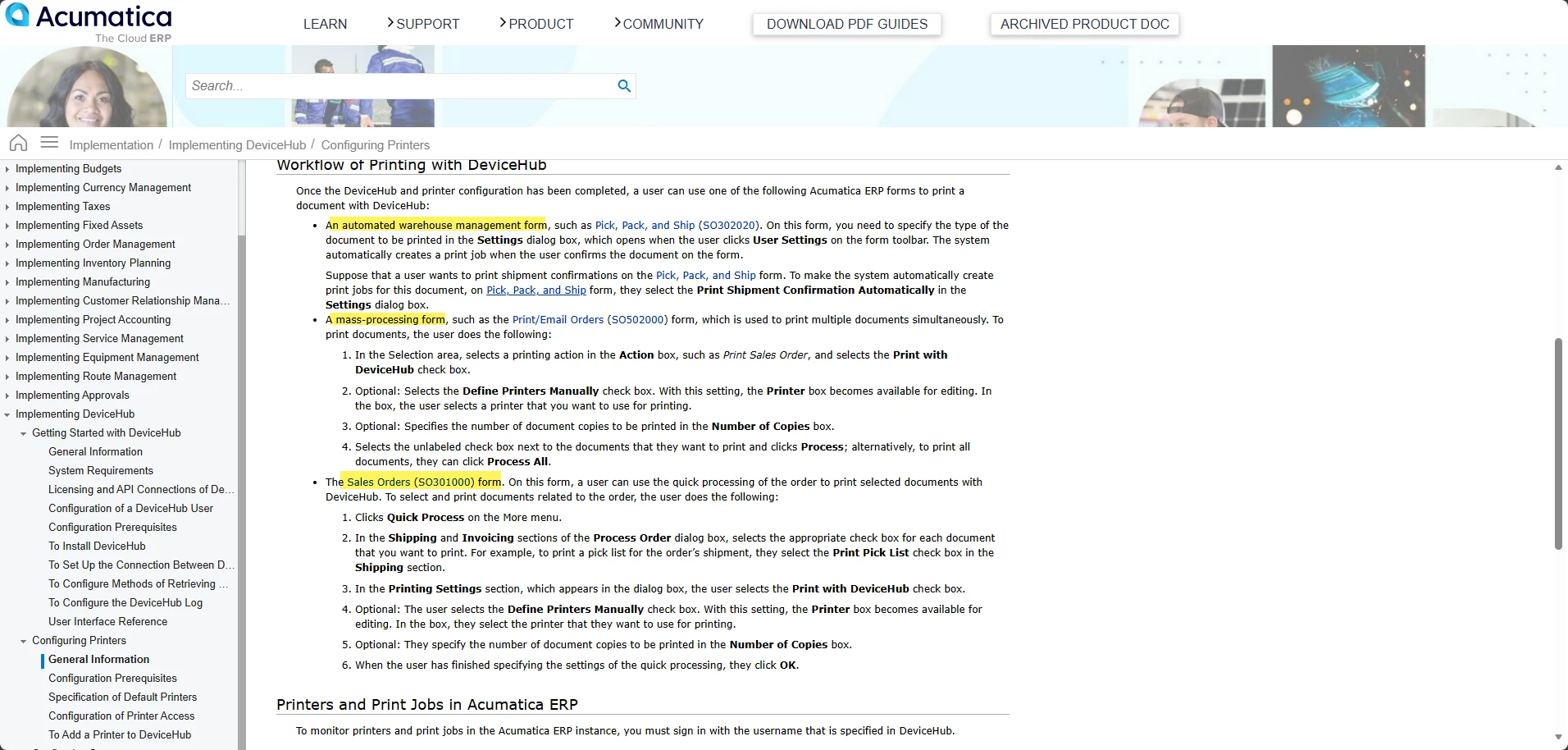
Additionally, for Thermal reports you may need further processing, as the standard Reports in Acumatica would not create a .ZPL or .TPL file (usually needed for thermal printing).
Ultimately, based on your description, you would likely need customization of some kind to print specific labels (likely a report) from the mobile app. I think the solution provided in How to Print .ZPL files from Android OS | Community would be a good way to print labels from the Mobile app.
I also recommend Printing Inventory Labels with Zebra Thermal Printer from a MacBook Pro | Community and How can I use a mobile scanner to scan a barcode and then print out our own label from a printer? | Community for some more information regarding printing labels with DeviceHub/through Acumatica.
I hope this information helps!
Enter your E-mail address. We'll send you an e-mail with instructions to reset your password.