Solved

Is there away to do physical inventory without auto inventory adjustment?

  • October 21, 2026
  • 2 replies
  • 22 views
  • Translate All

Forum|alt.badge.img+6

Our operations team wants to run physical inventory counts for key items, but they do not​ want the system to adjust inventory automatically after the count is completed.

The reason: when there is a variance, they need time to investigate it. But they don't want to freeze inventory while the investigation is open.

So what they actually want is to use Physical Inventory purely as a record​ — to capture:

  • when an item was counted
  • when the last count took place
  • what the situation was at that moment

All inventory adjustments should be done manually, later, only after a user has reviewed and confirmed the variance.

Is there any configuration or setup that supports this workflow in Acumatica?
Best answer by nhatnghetinh

Hi ​@ray20 

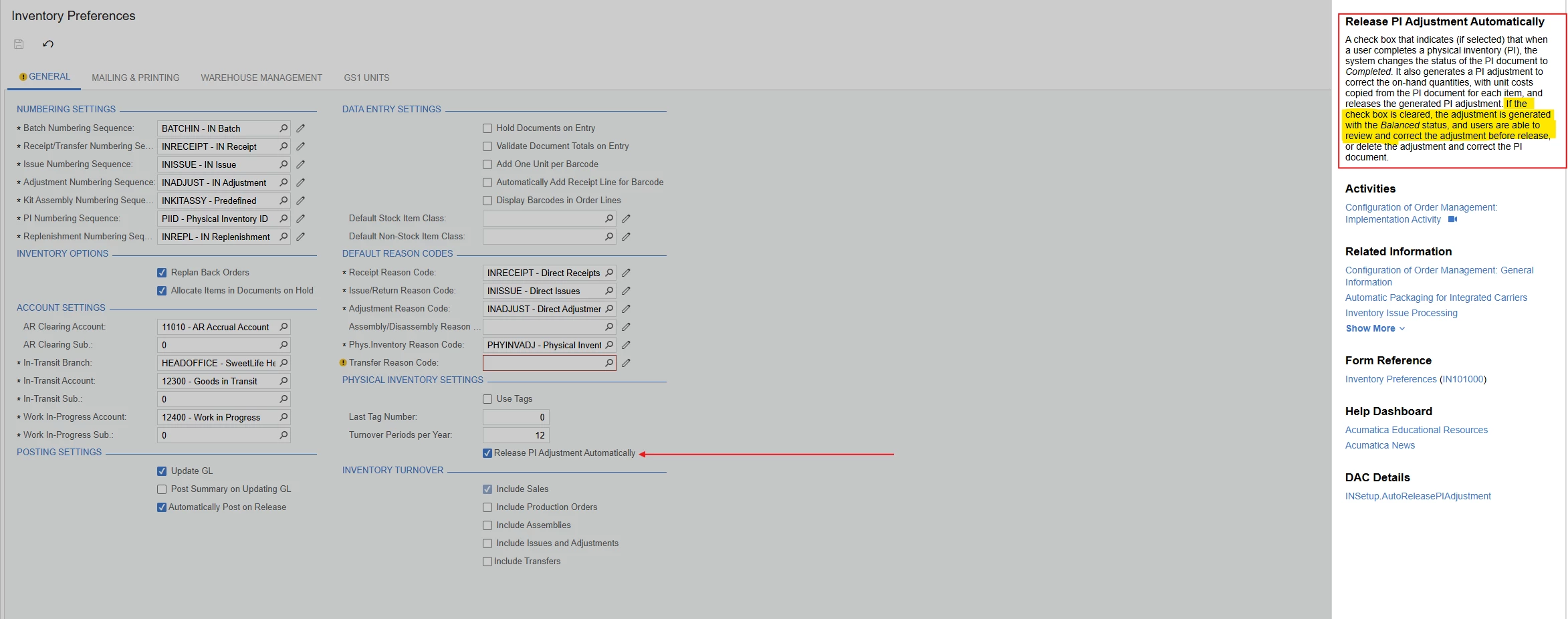
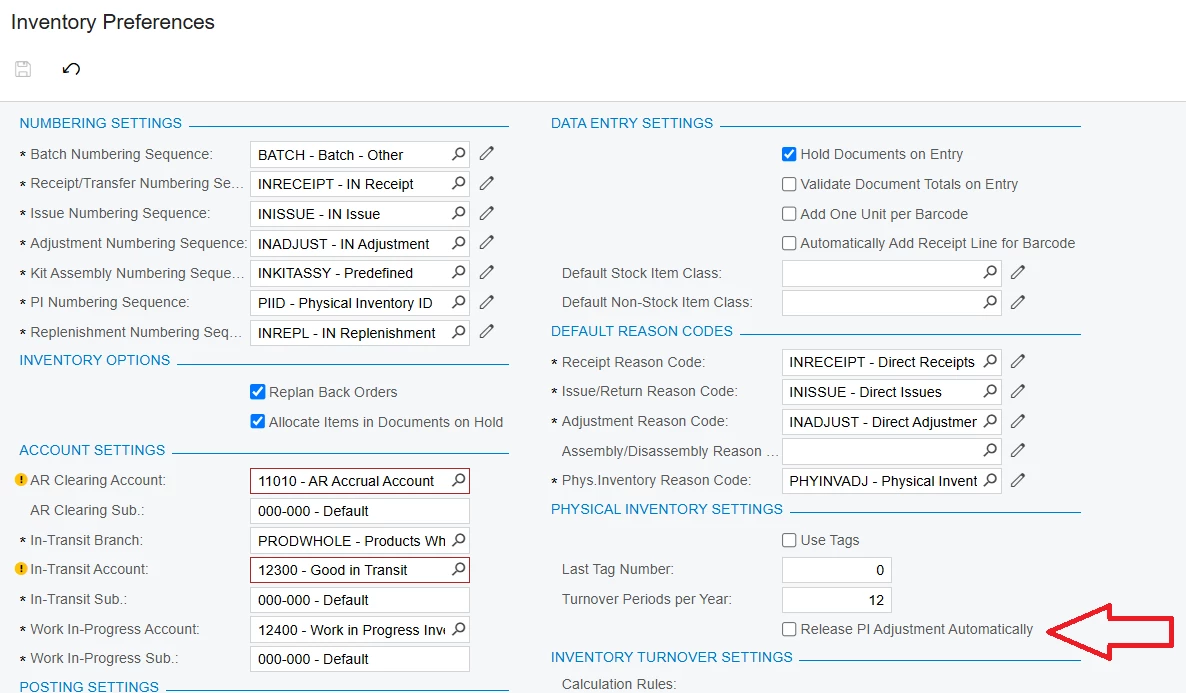
Open Inventory Preferences (IN101000) and locate the Release PI Adjustment Automatically option. Uncheck this option.

When you click Complete PI on the Physical Inventory Review (IN305000) screen, the system creates an Inventory Adjustment with the status Balanced and changes the physical inventory document status to In Review. Users can then review the adjustment before releasing it.


Best Regards,

NNT

View original

2 replies

nhatnghetinh
Captain II
Forum|alt.badge.img+14

Hi ​@ray20 

Open Inventory Preferences (IN101000) and locate the Release PI Adjustment Automatically option. Uncheck this option.

When you click Complete PI on the Physical Inventory Review (IN305000) screen, the system creates an Inventory Adjustment with the status Balanced and changes the physical inventory document status to In Review. Users can then review the adjustment before releasing it.


Best Regards,

NNT

Translate

Forum|alt.badge.img+1

Hi ​@ray20,

Yes — this workflow is supported in Acumatica. You can run physical inventory without automatic adjustments by adjusting one setting.

Key setup:

  • Go to Inventory Preferences (IN101000)
  • Clear the Release PI Adjustment Automatically checkbox.

What happens then:

  • When you complete the physical inventory, the document status becomes In Review.
  • An adjustment document is created with Balanced status.
  • The adjustment is not released automatically, so inventory quantities are not changed yet.

Your team can then:

  • Review the variances
  • Investigate discrepancies
  • Manually edit or delete the adjustment before releasing it

This allows the physical inventory to act as a record of the count, while adjustments are handled later after review.


Optional: you can also enable Unfreeze Stock When Counting Is Finished so warehouse operations continue while the investigation is ongoing

Translate