Answer

Increase Qty on Shipment

  • December 22, 2021
  • 6 replies
  • 437 views

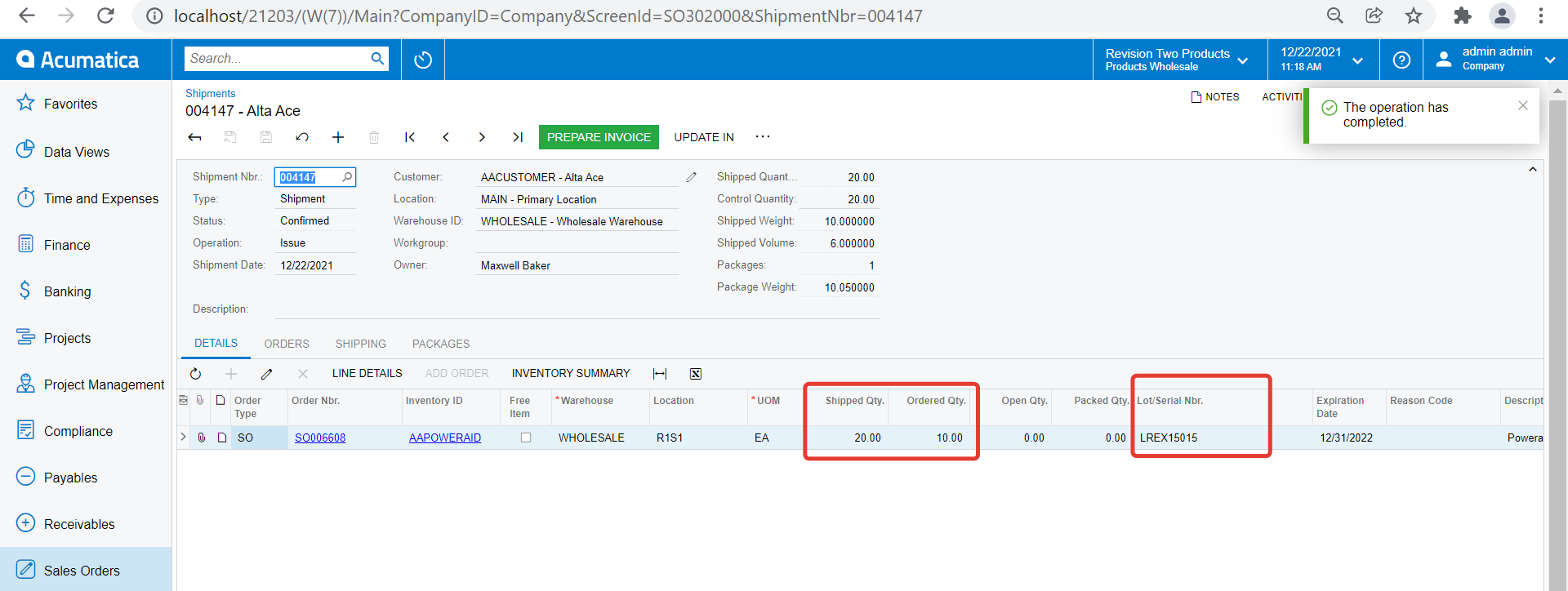
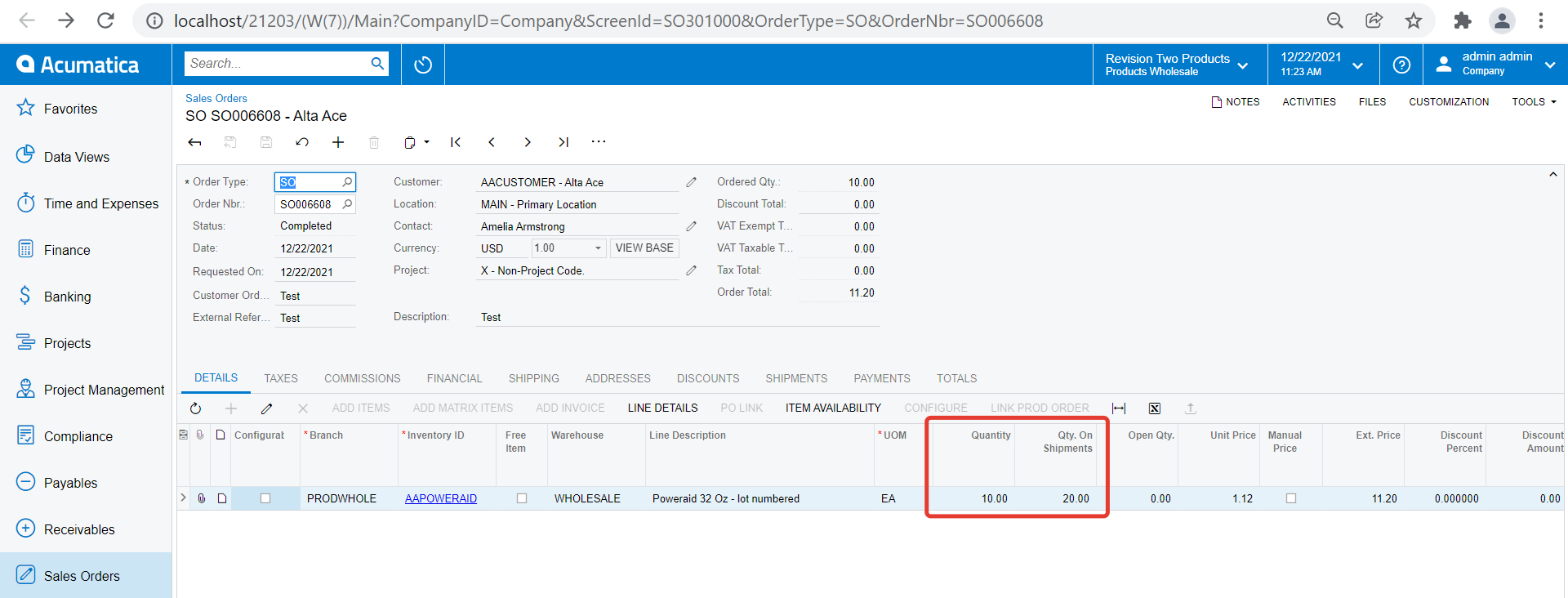
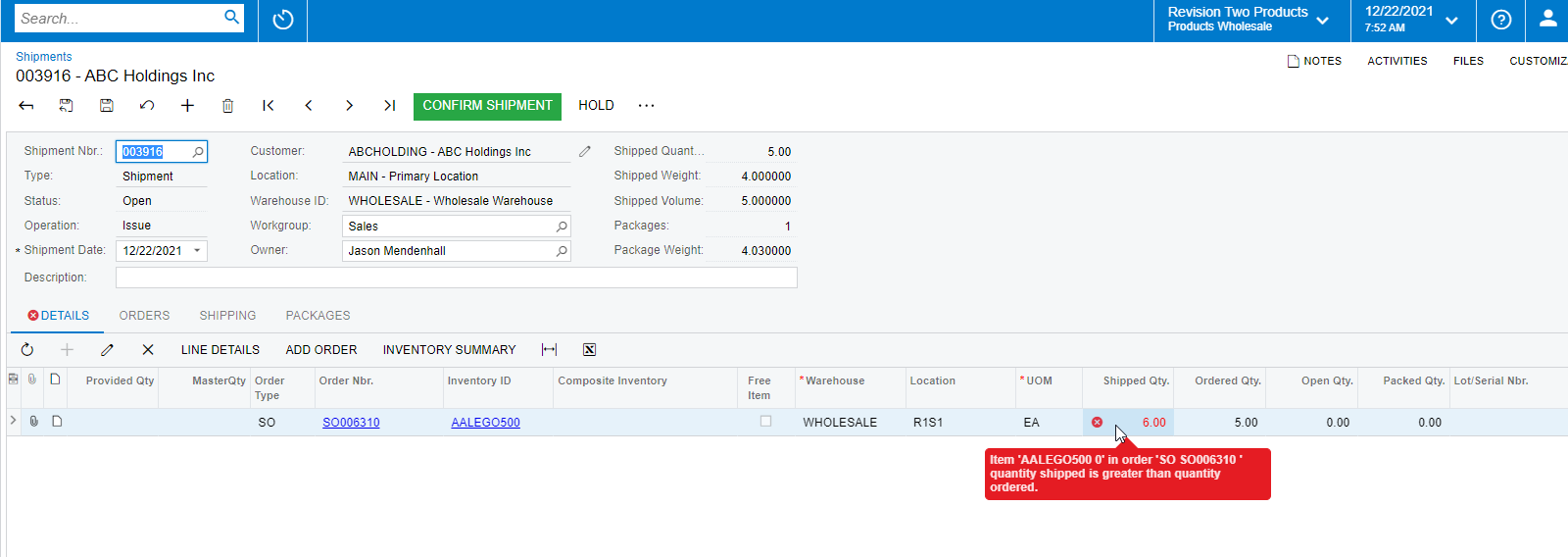
Is there a way to increase the qty shipped on a shipment record without first having to edit the original sales order?

Best answer by csilvestri15

I actually found the option. On the sales order screen there is an overship threshold % field that defaults to 100%. If I change to 110%  the system will allow me to change the quantity shipped in the shipment to 10% more than what was ordered. Cool feature. This is good for customers shipping weighted items like sand and gravel.

6 replies

jinin
Pro I
Forum|alt.badge.img+11
  • Pro I
  • December 22, 2021

Hi @csilvestri15 

I think we cant do this . We will get the validation message.


Naveen Boga
Captain II
Forum|alt.badge.img+19
  • Captain II
  • December 22, 2021

Hi @csilvestri15  We can not ship the goods more than that we ordered :wink:

Can you please let us know the business scenario?


  • Author
  • Freshman II
  • Answer
  • December 22, 2021

I actually found the option. On the sales order screen there is an overship threshold % field that defaults to 100%. If I change to 110%  the system will allow me to change the quantity shipped in the shipment to 10% more than what was ordered. Cool feature. This is good for customers shipping weighted items like sand and gravel.


Naveen Boga
Captain II
Forum|alt.badge.img+19
  • Captain II
  • December 22, 2021

Hi @csilvestri15  Yes this is great and thanks for letting us know.

Just to inform you that I also just checked that this feature will not be applicable for an items with serial or lot numbers specified;

For the lot serial items should be shipped in the precise quantities in which they are ordered at Sales Order.


  • Author
  • Freshman II
  • December 22, 2021

Thank you @Naveen B !


Forum|alt.badge.img+12
  • Acumatica Support Team
  • December 22, 2021

Hi @Naveen B 

It should work for Lot tracked items as well. 

Regards,