Answer

Import Scenario to Change Sales Account Not Making Changes

  • February 27, 2025
  • 11 replies
  • 120 views

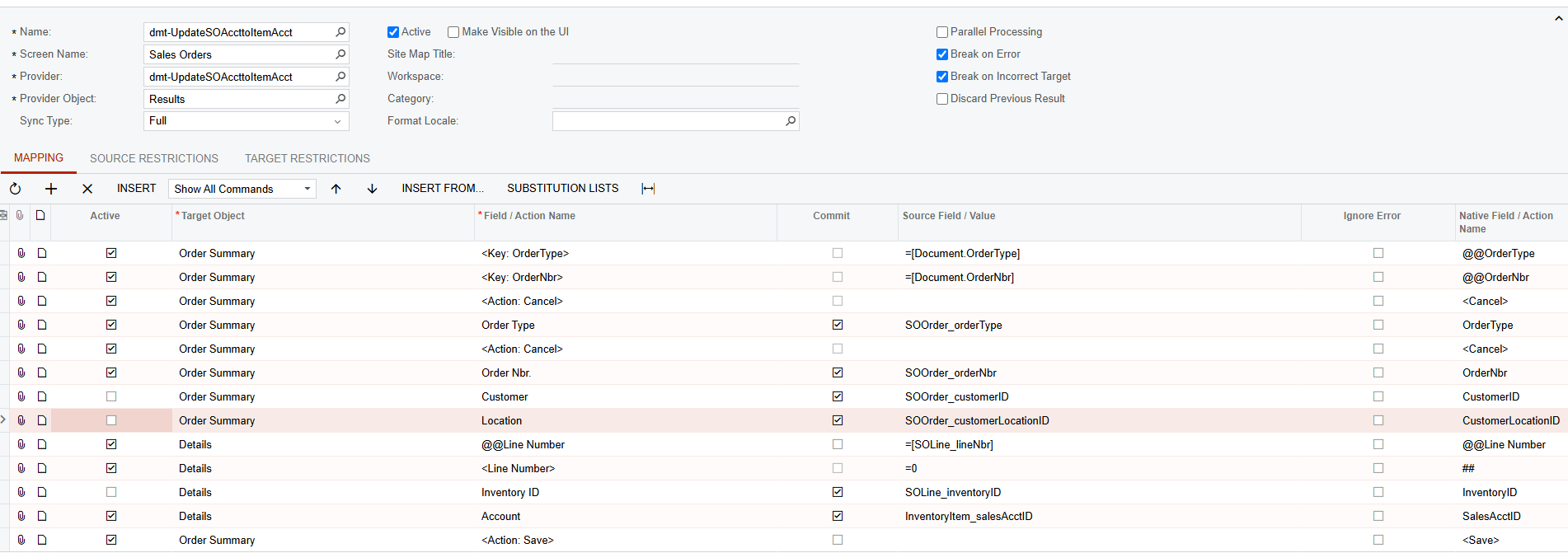
We have a GI-based Import Scenario to change the sales account on the sales order lines that says it’s completing, but is not actually making the change. I have tried changing different things (looking for line number rather than inventory id & vice versa, or selecting/deselecting commit on different fields), and cannot get the change to actually happen. What am I missing here?


Best answer by dcomerford

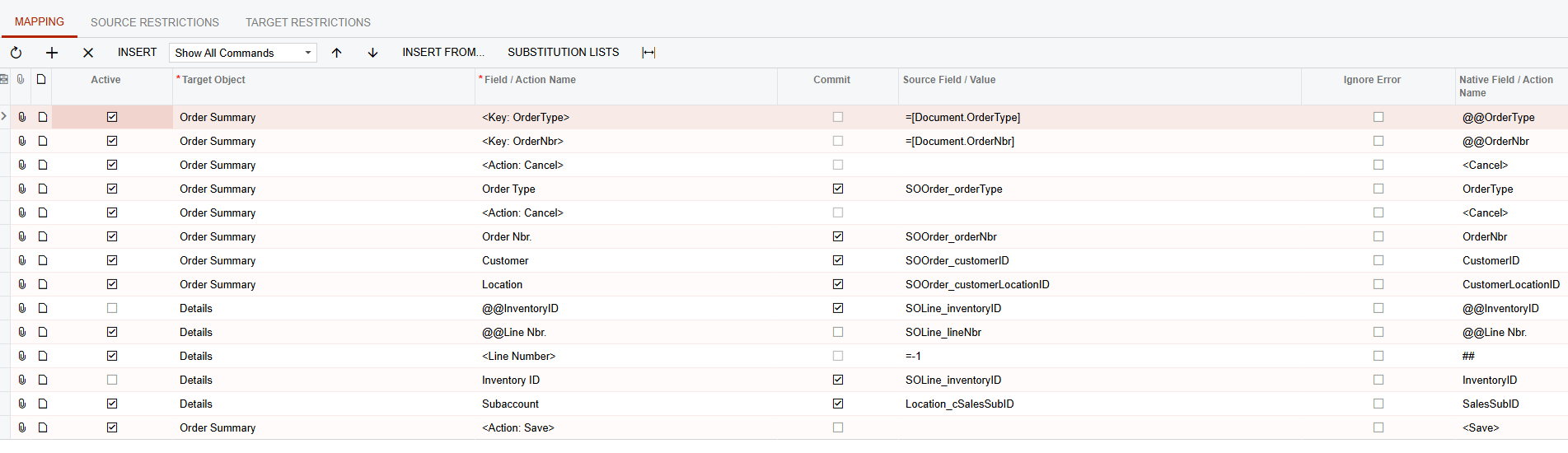
@DMT Try this now


11 replies

dcomerford
Captain II
Forum|alt.badge.img+15
  • Captain II
  • February 27, 2025

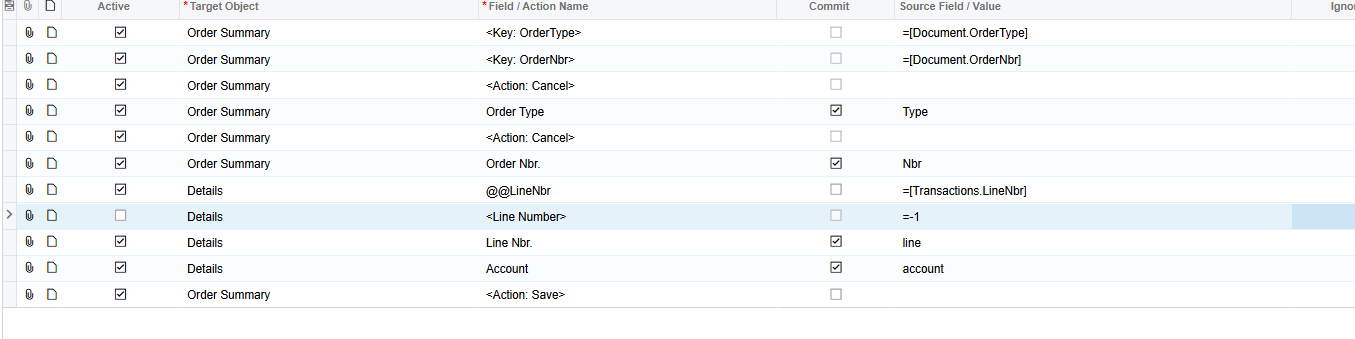
@DMT This is one i did for Purchase Receipts

Your <Line Number> should be  = 0

Remove Inventory and also you dont need Customer and Locations


  • Author
  • Freshman I
  • February 27, 2025

Thanks ​@dcomerford. I made the changes you suggested, and when I deactivate customer & location, I get the “x items have not been processed successfully. View name: Document” error.  When I just made the change to the line number and deselected inventory id, it still did not make the change (but said it did). 


dcomerford
Captain II
Forum|alt.badge.img+15
  • Captain II
  • February 27, 2025

@DMT Can you share the screen shot of the import scenario


  • Author
  • Freshman I
  • February 27, 2025

@dcomerford , sure. Thank you!


dcomerford
Captain II
Forum|alt.badge.img+15
  • Captain II
  • February 27, 2025

@DMT This line should be Line Nbr to Line Nbr as per my screen shot


  • Author
  • Freshman I
  • February 28, 2025

@dcomerford , I made the change, and when the Line Nbr line is inactive (like screenshot below), it’s the same issue--says it changed but it didn’t. When I select it, it gives me an error of the unit conversion is missing.


dcomerford
Captain II
Forum|alt.badge.img+15
  • Captain II
  • March 1, 2025

@DMT Can you share me the import scenario will test it on my local pack as that sounds like it is adding not updating a line


Forum|alt.badge.img+8
  • Captain II
  • March 3, 2025

HI ​@DMT 


Have you tried deactivating the <Line Number> line?


Aleks


  • Author
  • Freshman I
  • March 3, 2025

@dcomerford , here’s the XML. Thank you for your help so far on this. I appreciate it.


  • Author
  • Freshman I
  • March 3, 2025

@aiwan , I did. It still does not make the change.


dcomerford
Captain II
Forum|alt.badge.img+15
  • Captain II
  • Answer
  • March 10, 2025

@DMT Try this now