Question

I have problem when create shipment in order type RR

  • June 12, 2026
  • 6 replies
  • 90 views
  • Translate All

Forum|alt.badge.img


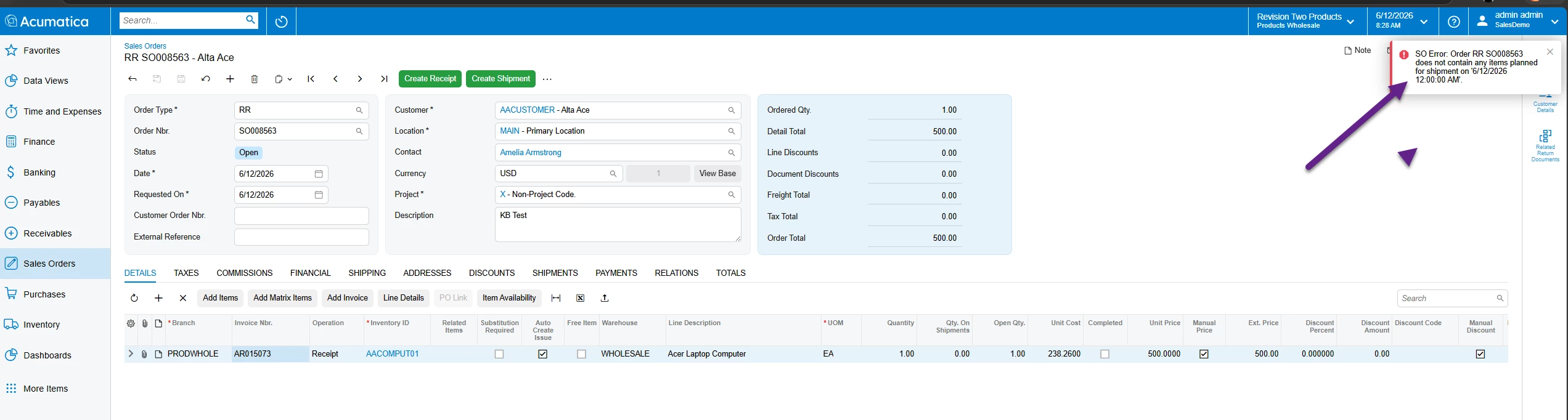
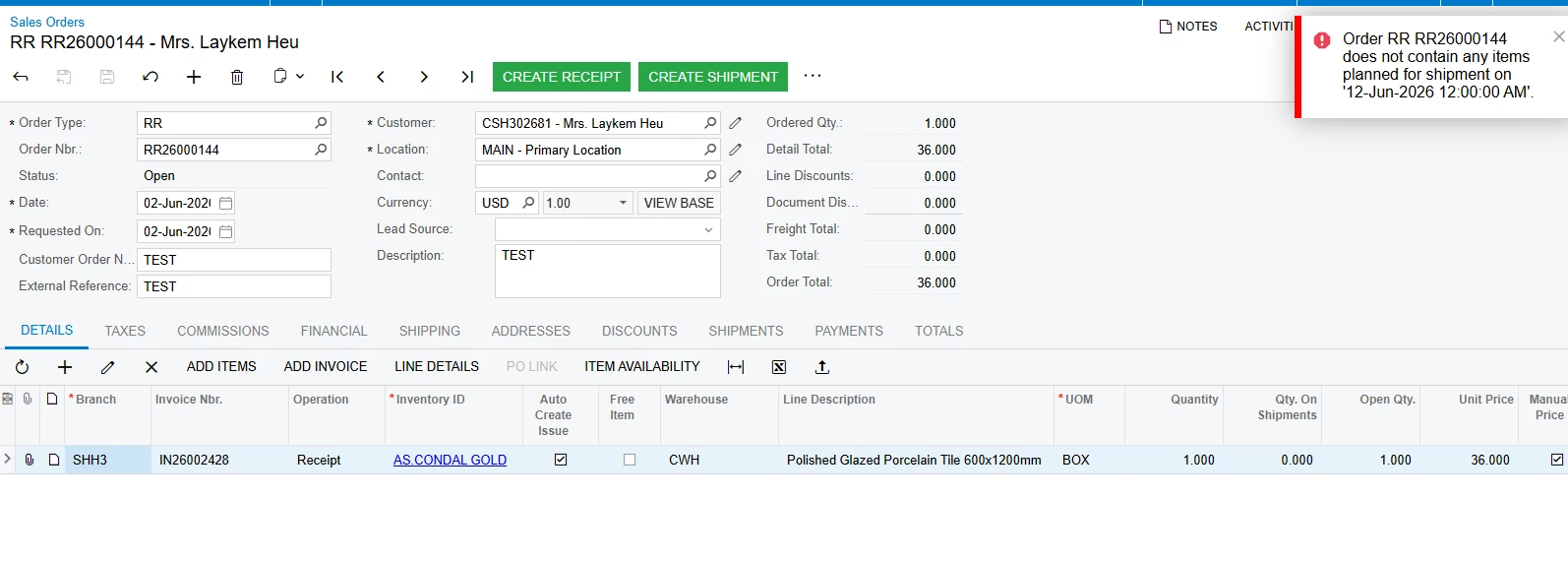
when I try to create shipment on this order, I have the problem “Order RR RR26000144 does not contain any items planned for shipment on '12-Jun-2026 12:00:00 AM'.” It causes the problem only order RR.

6 replies

Forum|alt.badge.img+11
  • Captain II
  • June 12, 2026

​@vannakheng 

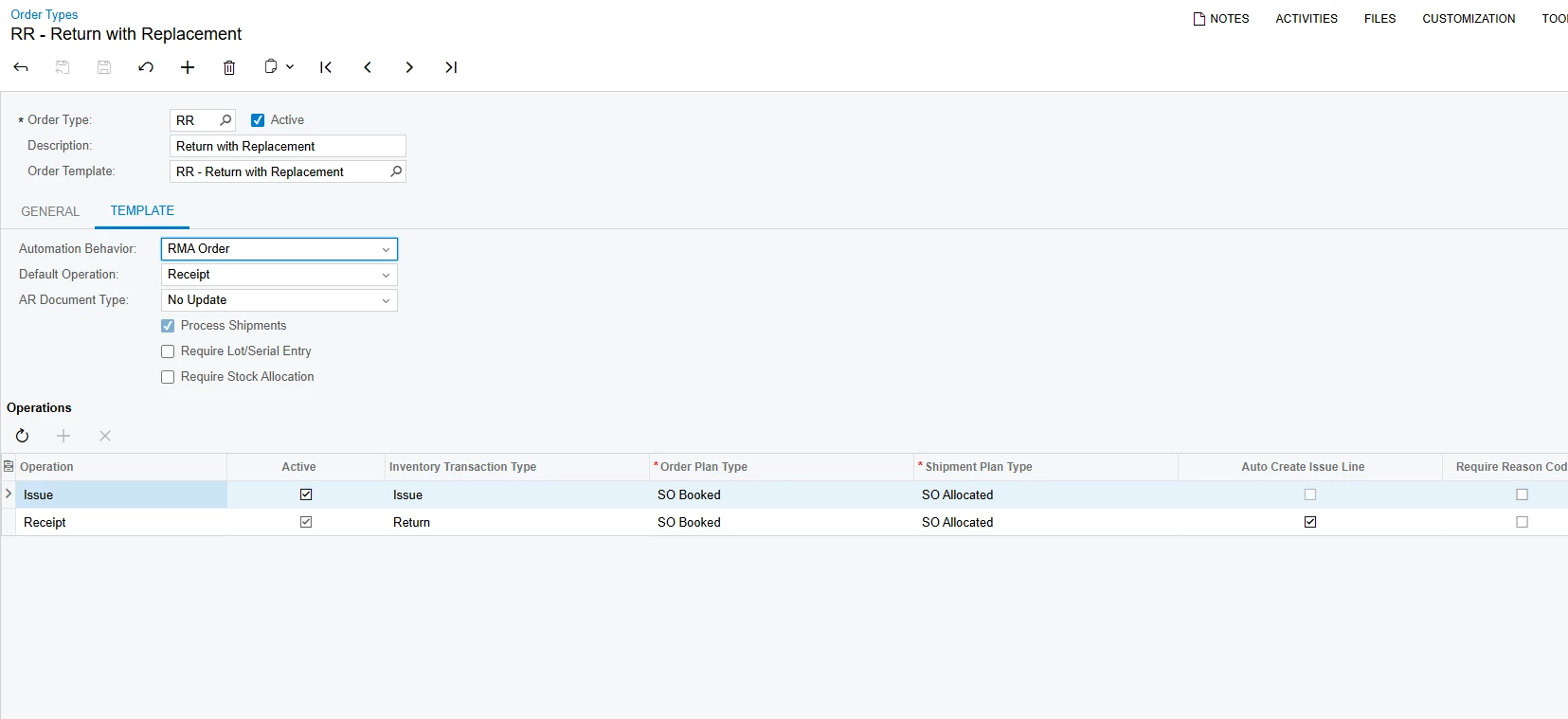
I think that is because you need to create a receipt operation type Shipment.


The line on the Sales Order states the operation as Receipt.

Translate

Forum|alt.badge.img

Hi ​@vannakheng ,

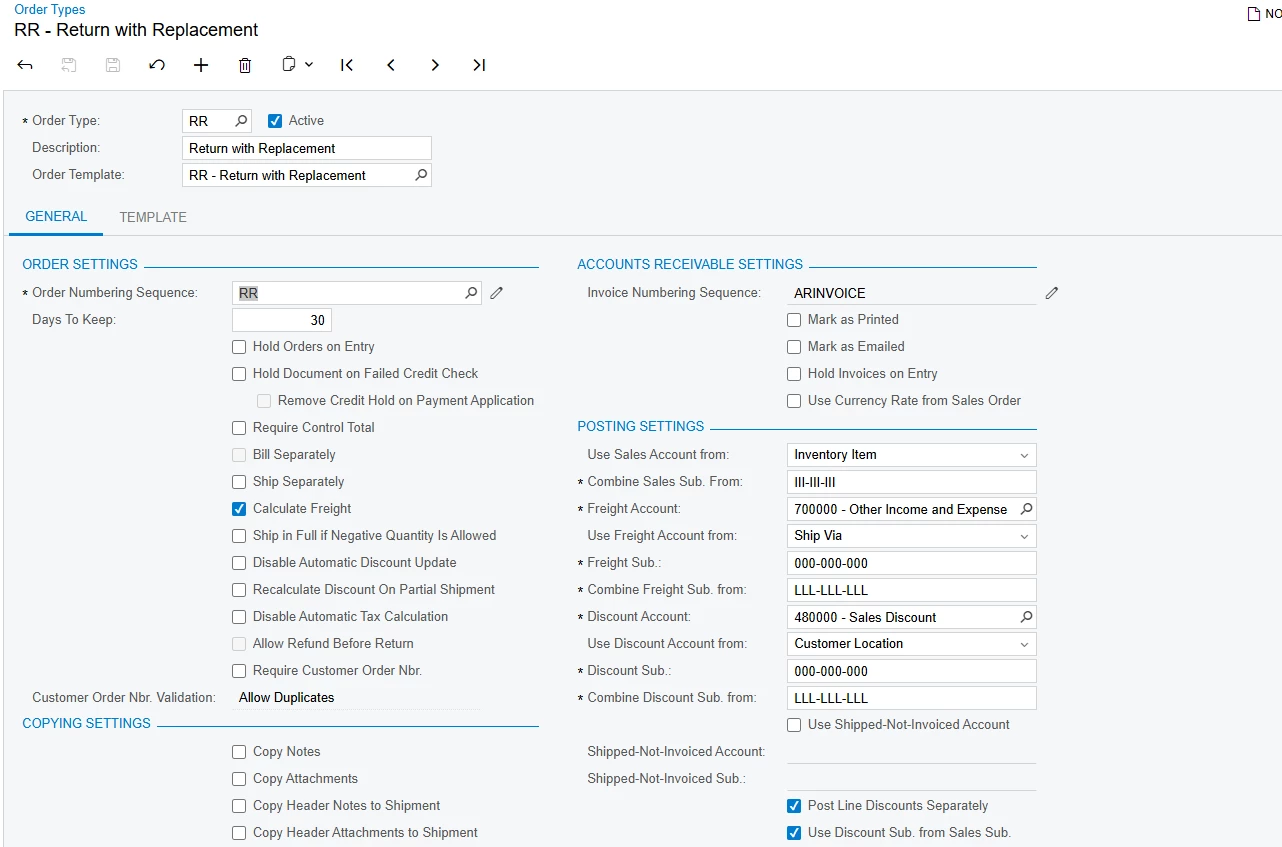
In your scenario, you are trying to create a shipment for an RR type sales order. Generally, a RR order means “Return with Replacement,” which is used to register authorized customer returns for replacement.

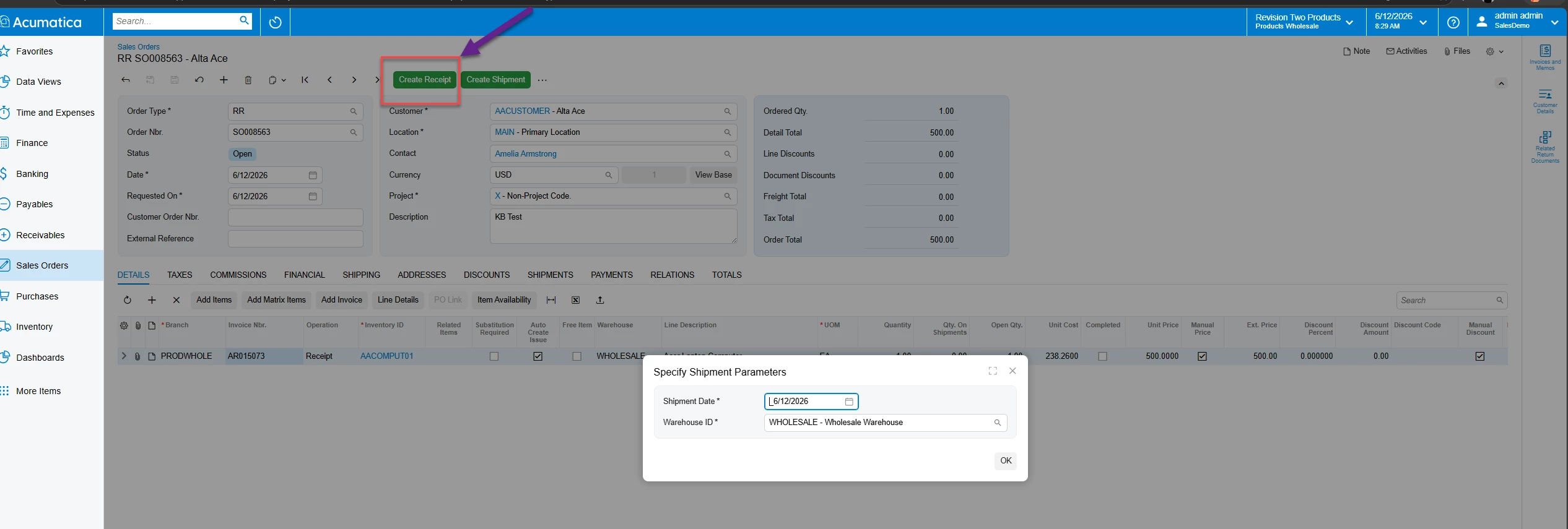
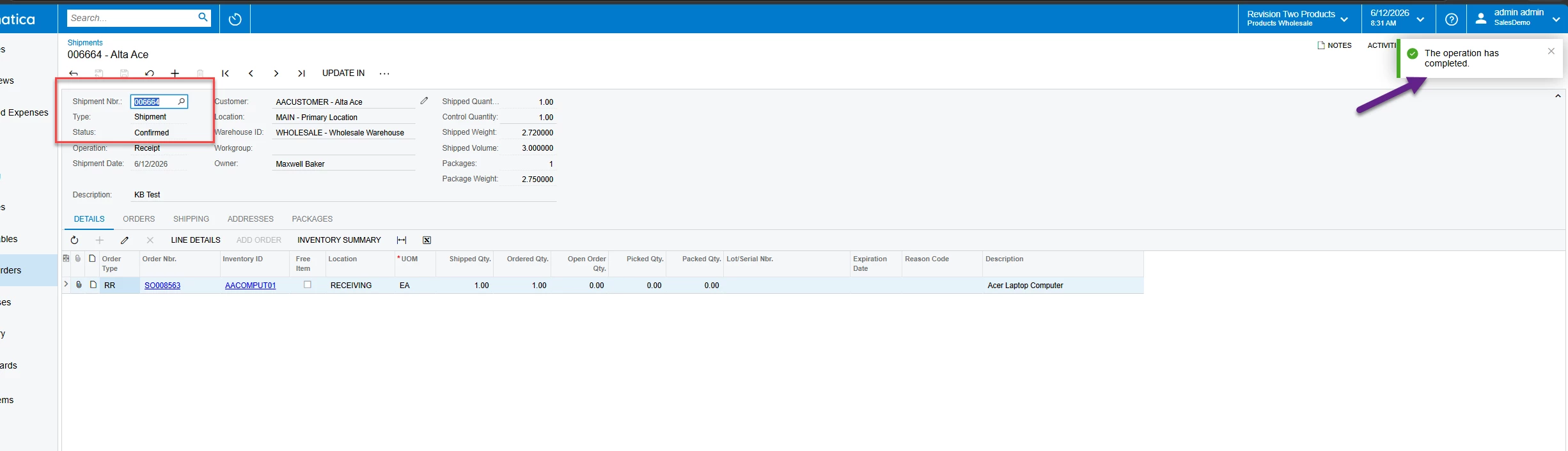
As you can see, the default operation for this order type is receipt. Therefore, you must first create the receipt, and only then will you be able to proceed with shipment creation.

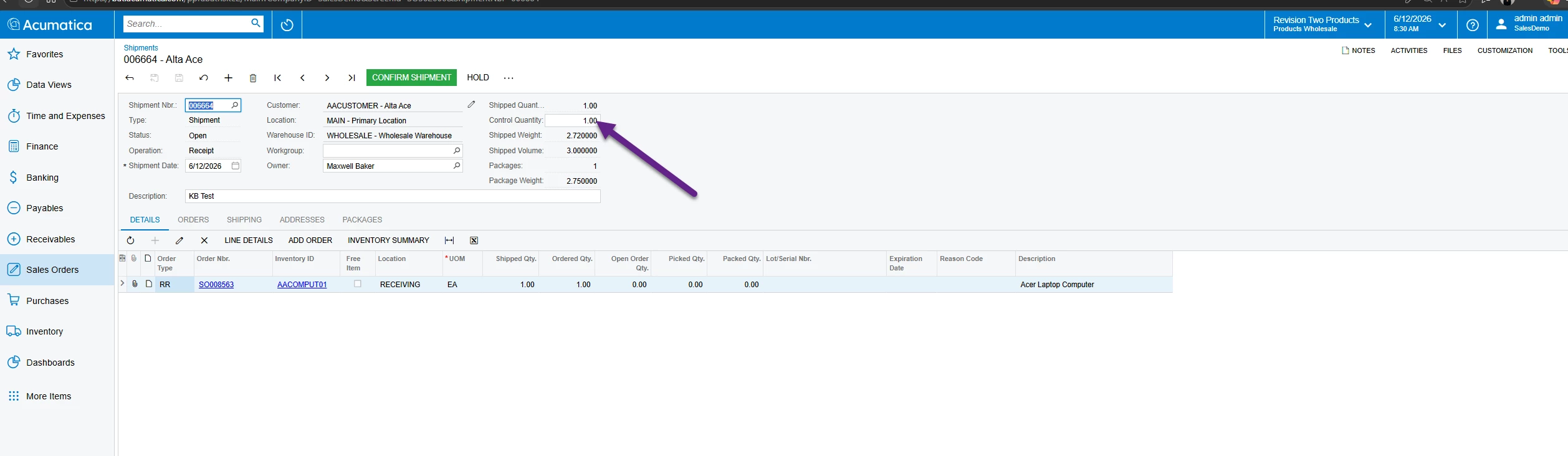
Once you create the shipment, please ensure that you fill in the control quantity as well. If this field is not completed, you will encounter another error. After filling in the required field, try saving the shipment and proceed further.

Please refer below for more detailed information.

  • RR Order with the same error
  • First create the ‘Receipt’
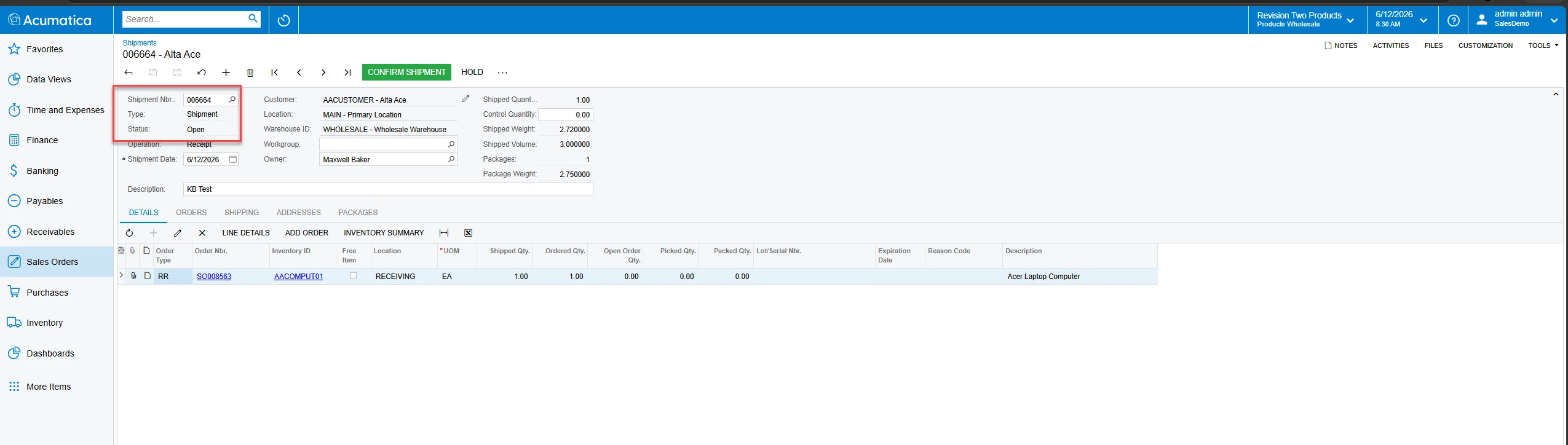
  • Then only you will be able to create the shipment
  • Check and ensure the control quantity is added
  • The shipment has been created successfully and is now in Confirmed status


Hope this helps clarify your concern and resolve the issue.


Thank You,

Kasuni Edirisinghe

Translate

Forum|alt.badge.img
  • Author
  • Freshman II
  • June 15, 2026

Hi ​@vannakheng ,

In your scenario, you are trying to create a shipment for an RR type sales order. Generally, a RR order means “Return with Replacement,” which is used to register authorized customer returns for replacement.

As you can see, the default operation for this order type is receipt. Therefore, you must first create the receipt, and only then will you be able to proceed with shipment creation.

Once you create the shipment, please ensure that you fill in the control quantity as well. If this field is not completed, you will encounter another error. After filling in the required field, try saving the shipment and proceed further.

Please refer below for more detailed information.

  • RR Order with the same error
  • First create the ‘Receipt’
  • Then only you will be able to create the shipment
  • Check and ensure the control quantity is added
  • The shipment has been created successfully and is now in Confirmed status


Hope this helps clarify your concern and resolve the issue.


Thank You,

Kasuni Edirisinghe

I try create receipt first but it still show error. this one linked to invoice status close. Can we do it with invoice close status. If I try without linked to invoice it’s working.

Translate

Forum|alt.badge.img
  • Author
  • Freshman II
  • June 15, 2026

Hi ​@vannakheng ,

In your scenario, you are trying to create a shipment for an RR type sales order. Generally, a RR order means “Return with Replacement,” which is used to register authorized customer returns for replacement.

As you can see, the default operation for this order type is receipt. Therefore, you must first create the receipt, and only then will you be able to proceed with shipment creation.

Once you create the shipment, please ensure that you fill in the control quantity as well. If this field is not completed, you will encounter another error. After filling in the required field, try saving the shipment and proceed further.

Please refer below for more detailed information.

  • RR Order with the same error
  • First create the ‘Receipt’
  • Then only you will be able to create the shipment
  • Check and ensure the control quantity is added
  • The shipment has been created successfully and is now in Confirmed status


Hope this helps clarify your concern and resolve the issue.


Thank You,

Kasuni Edirisinghe

I try create receipt first but it still show error. this one linked to invoice status close. Can we do it with invoice close status. If I try without linked to invoice it’s working.

I can do it invoice open. but I have one more question

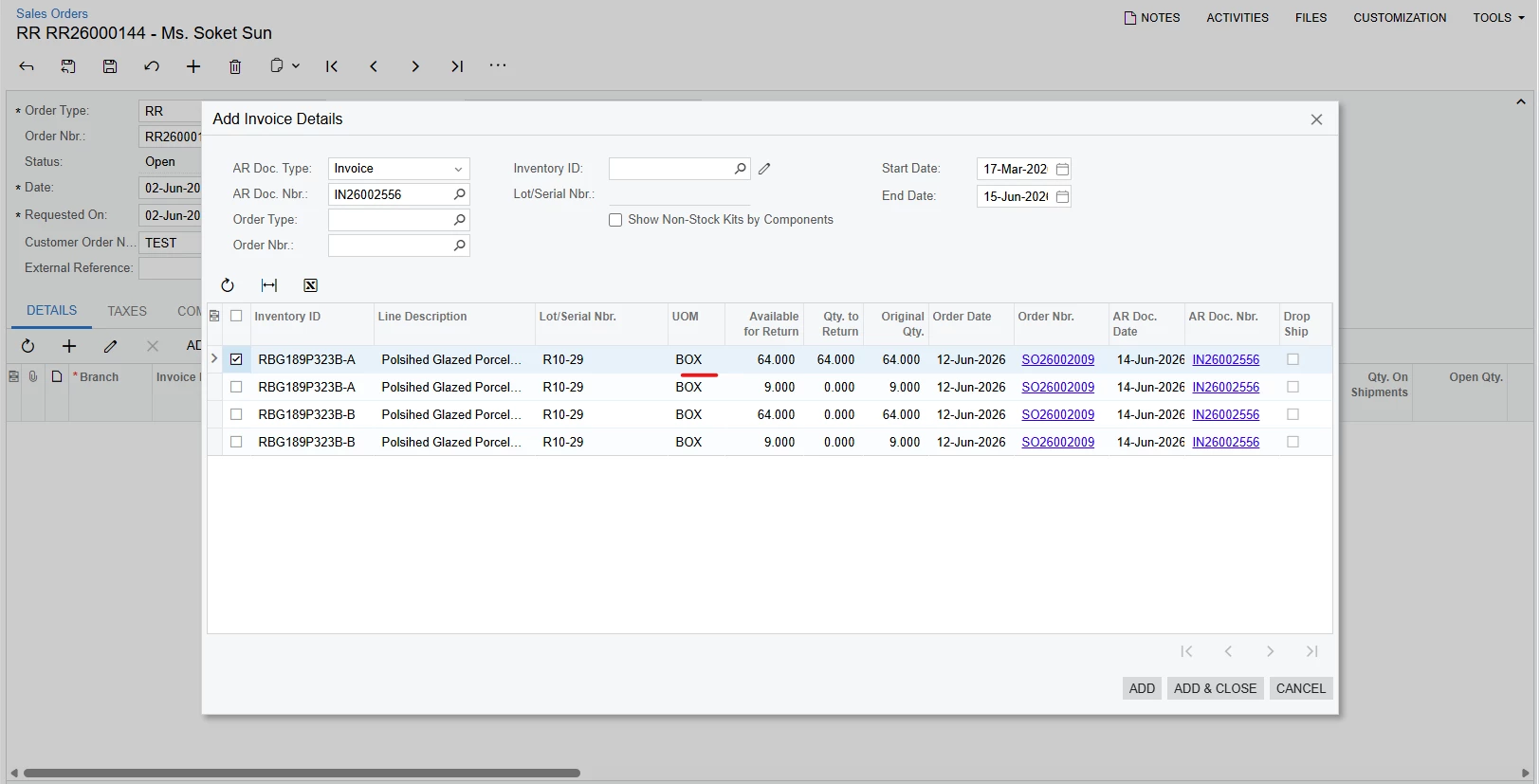
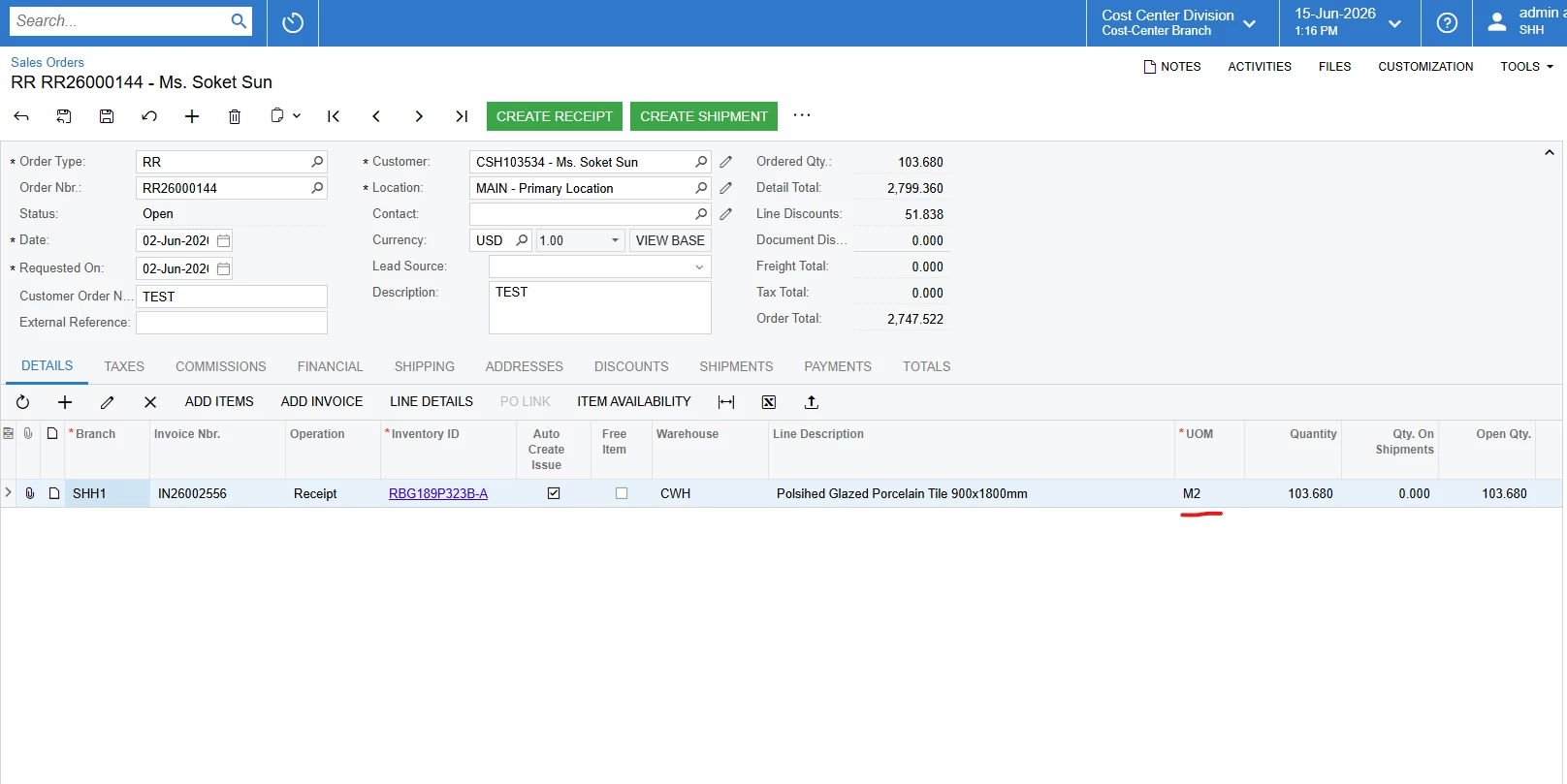
When I click add item from invoice, the item uom is Box but after added it go to M2. What’s the problem. I try to change sale unit in stock item uom, It cannot solve the problem.

Translate

Chris Hackett
Community Manager
Forum|alt.badge.img
  • Acumatica Community Manager
  • September 29, 2026

Hi ​@vannakheng were you able to find a solution? Thank you!

Translate

Forum|alt.badge.img

Hi ​@vannakheng ,

In your scenario, you are trying to create a shipment for an RR type sales order. Generally, a RR order means “Return with Replacement,” which is used to register authorized customer returns for replacement.

As you can see, the default operation for this order type is receipt. Therefore, you must first create the receipt, and only then will you be able to proceed with shipment creation.

Once you create the shipment, please ensure that you fill in the control quantity as well. If this field is not completed, you will encounter another error. After filling in the required field, try saving the shipment and proceed further.

Please refer below for more detailed information.

  • RR Order with the same error
  • First create the ‘Receipt’
  • Then only you will be able to create the shipment
  • Check and ensure the control quantity is added
  • The shipment has been created successfully and is now in Confirmed status


Hope this helps clarify your concern and resolve the issue.


Thank You,

Kasuni Edirisinghe

I try create receipt first but it still show error. this one linked to invoice status close. Can we do it with invoice close status. If I try without linked to invoice it’s working.

I can do it invoice open. but I have one more question

When I click add item from invoice, the item uom is Box but after added it go to M2. What’s the problem. I try to change sale unit in stock item uom, It cannot solve the problem.


Hi ​@vannakheng,

This behavior is usually related to Unit of Measure (UOM) conversion rules in the item setup. When Acumatica converts quantities between units, it may automatically switch to the base UOM if the quantity cannot be represented correctly in the selected UOM.

One possible scenario is that the quantity on the invoice does not convert cleanly to the BOX UOM based on the configured conversion rule. In that case, the system may default the line to the item's base UOM instead.

To help narrow this down, could you confirm:

  1. Is M2 the Base UOM of the item?
  2. Is BOX defined as a converted UOM on the Stock Item (IN202500) form?
  3. Does the invoice line quantity convert cleanly to the BOX unit (for example, whole boxes)?

If possible, please also share a screenshot of the Stock Item → Units of Measure setup for that item. That will help identify why the system is switching from BOX to M2 when the item is added from the invoice.

Hope this helps!

Translate