

Answer

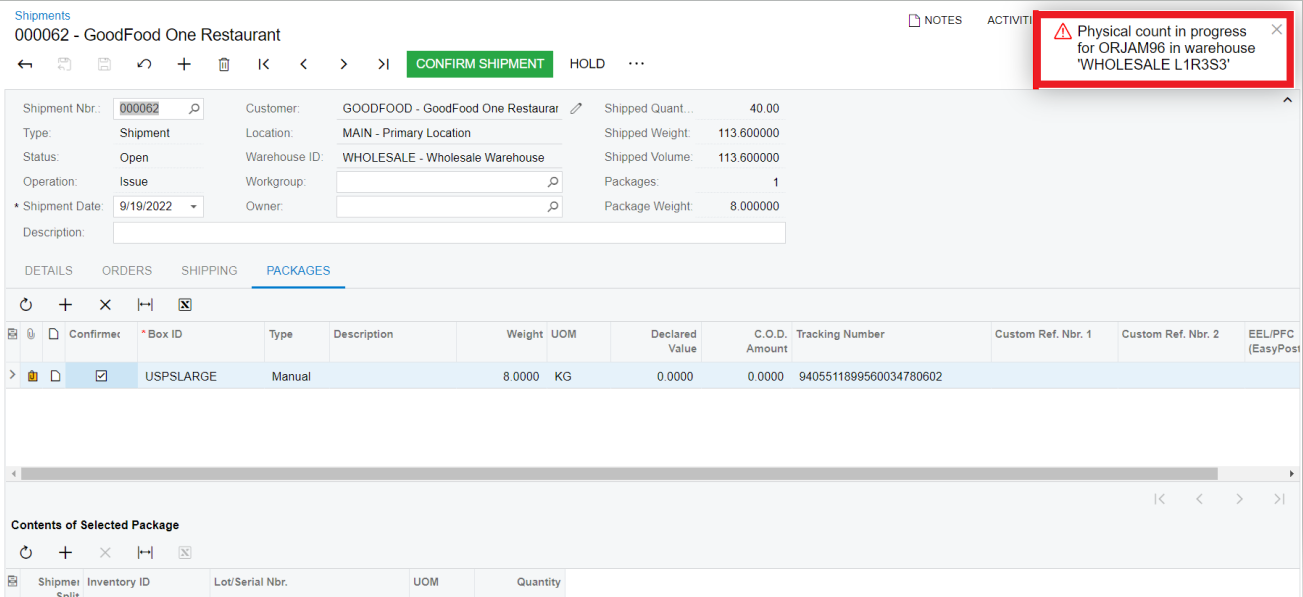
How to solve the following error error: Physical Count in progress for ORJAM96 in warehouse "WholesaleL1R3S3'.

  • October 7, 2022
  • 3 replies
  • 279 views

Forum|alt.badge.img

When i am trying to conform the shipment the above error has occurred, so can any tell me why the error was coming and what the solution for that error. 

Best answer by jinin

Hi @madhu 

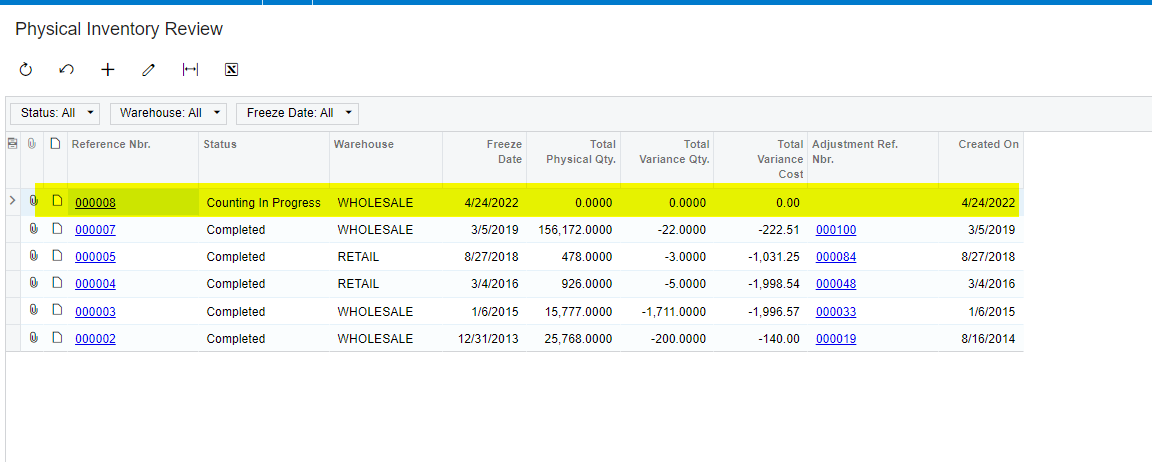
Please check in the physical inventory review screen and see if any record is not completed state. 
If any record is in progress, please open the record and complete the count. 

I think the Product which you use on the shipment screen was added to the Physical inventory.


3 replies

jinin
Pro I
Forum|alt.badge.img+11
  • Pro I
  • Answer
  • October 7, 2022

Hi @madhu 

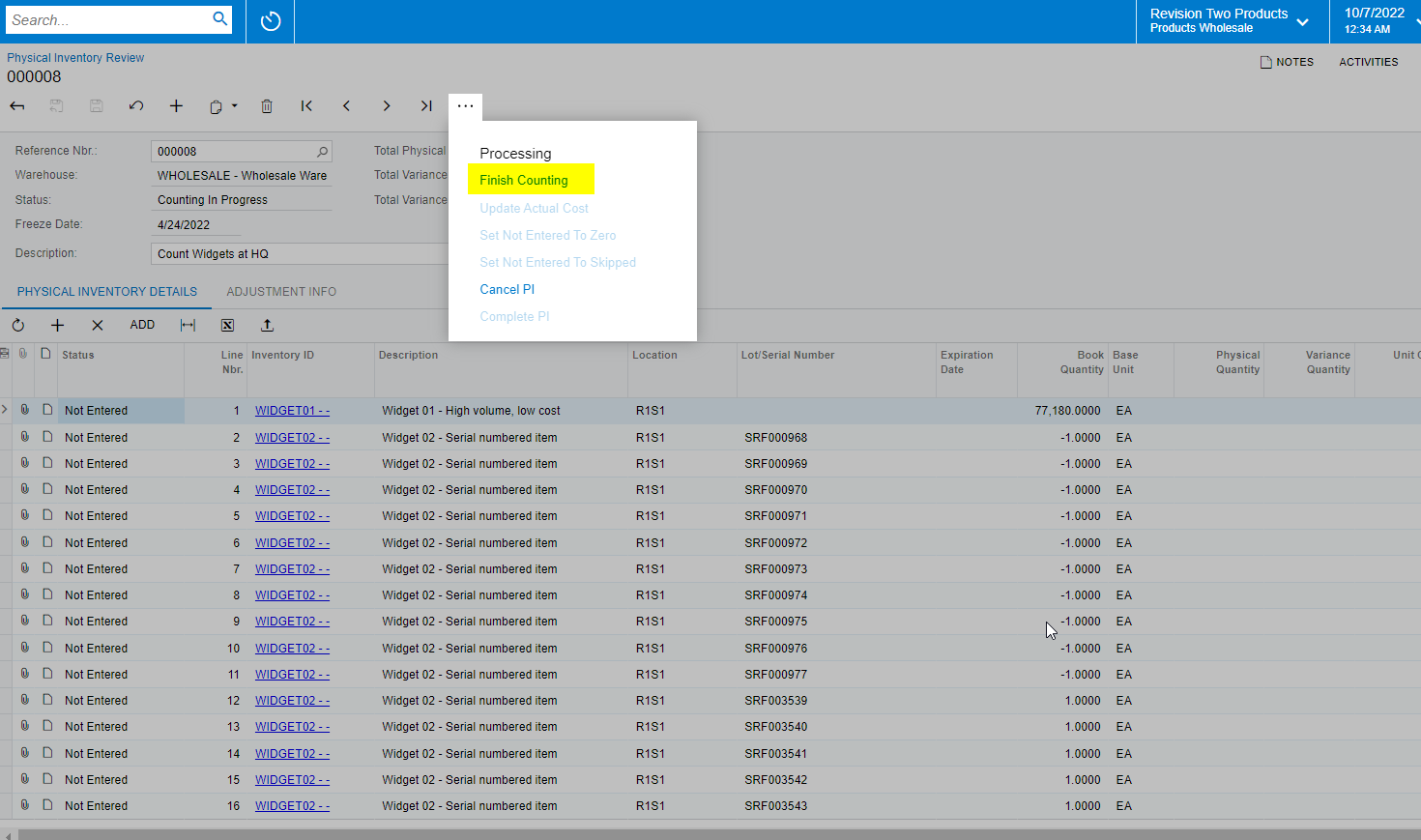
Please check in the physical inventory review screen and see if any record is not completed state. 
If any record is in progress, please open the record and complete the count. 

I think the Product which you use on the shipment screen was added to the Physical inventory.


Forum|alt.badge.img

@jinin I have no batches in any Status other than Completed, and I am still getting a similar error.  Any ideas?


jinin
Pro I
Forum|alt.badge.img+11
  • Pro I
  • July 26, 2023

Hi @kristybrooks83 

Not sure exactly but check once the warehouse Restrictions: Some warehouses may have specific restrictions or rules in place that prevent shipment confirmation if physical counts are ongoing. Check the warehouse settings to see if any restrictions apply.

