Question

How to set Grid Form View by Default

  • May 5, 2026
  • 2 replies
  • 24 views

Forum|alt.badge.img

Hello,

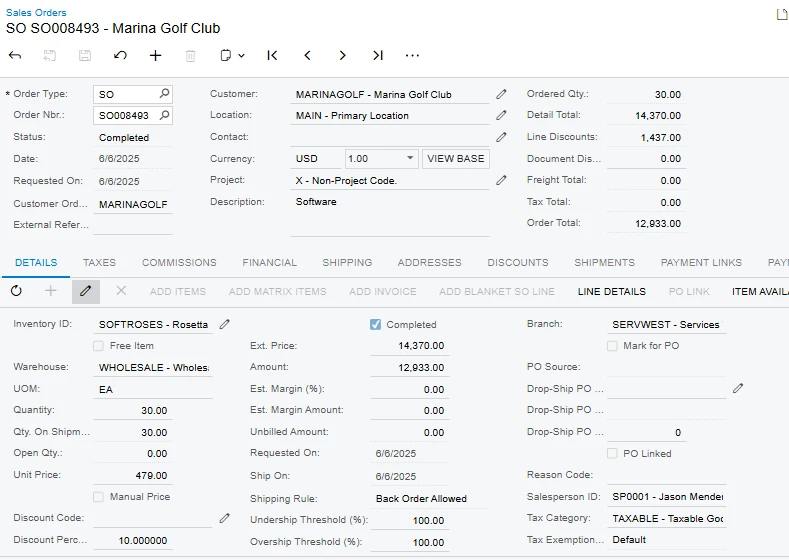
How can we set the Form View as the default view for a Grid? By default, the grid displays in Grid View, but we would like it to open in Form View instead.

Please refer to the screenshot below for reference. We are using Classic UI on Acumatica 2025 R2.

Any help would be appreciated. Thank you!


2 replies

Naveen Boga
Captain II
Forum|alt.badge.img+20
  • Captain II
  • May 5, 2026

@ckwiat46   I believe it is not possible to set Form View as the default for a grid in the Classic UI through configuration alone.

By design, the grid control always loads in Grid View, while the Form (Details) View functions as a secondary panel rather than a primary default state.

At this point, I’m not aware of a fully supported workaround. While it may be possible to explore a JavaScript-based approach, this is not recommended as it could lead to unexpected or inconsistent UI behavior.


meganfriesen37
Captain II
Forum|alt.badge.img+13

I can’t find it in the release notes now, but I’ve also observed this in my 26R1 sales demo environment that the Form View options are deprecated in the Modern UI and the Classic UI will not be available after 26R1.

There was also a recent post that Classic UI will not be compatible with Chrome/Edge Browsers starting in Novmeber.