Answer

How to process the Sales Order Partially Shipments?

  • November 2, 2021
  • 3 replies
  • 614 views

NAthukorala47
Jr Varsity III
Forum|alt.badge.img


Hi, 

We have created a sales order with 20qty and in 1st shipment we shipped 8 out of 20. 

Once Sales order status was changed as “Confirmed”. 

Then i need to ship rest of the 12 qty. Then i reopen the sales order and try it. 

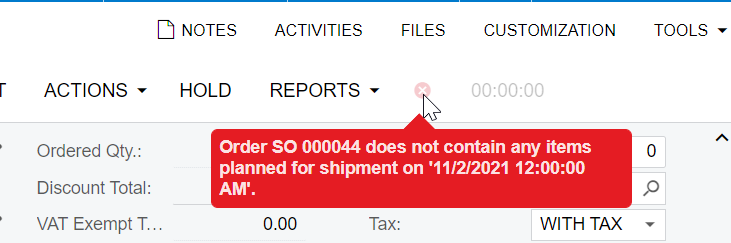
Create Shipment function is not working and showing following error.  

Mention the Clear steps need to be followed for Sales order shipping.


Best answer by mbrown30

Hi @NAthukorala47 


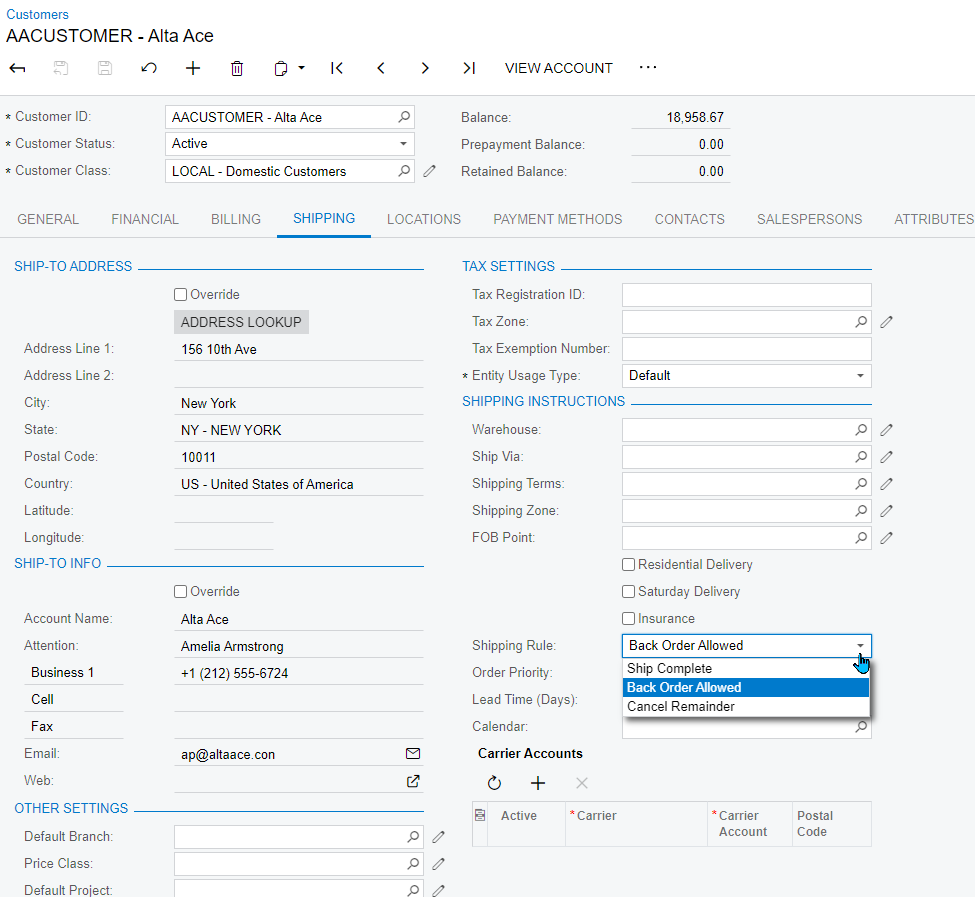
Try the changing shipping rules, on the shipping tab on the customer and customer location. 


Thanks 


Matt


3 replies

mbrown30
Jr Varsity III
Forum|alt.badge.img
  • Jr Varsity III
  • Answer
  • November 2, 2021

Hi @NAthukorala47 


Try the changing shipping rules, on the shipping tab on the customer and customer location. 


Thanks 


Matt


NAthukorala47
Jr Varsity III
Forum|alt.badge.img
  • Author
  • Jr Varsity III
  • November 2, 2021

Hi, 

Thanks for the support. 

One more Question there. 

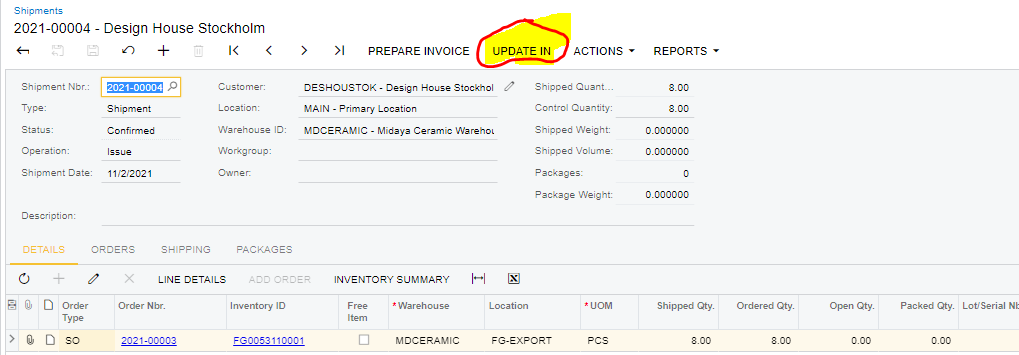
After shipping how we can schedule the Update Inventory program?


mbrown30
Jr Varsity III
Forum|alt.badge.img
  • Jr Varsity III
  • November 2, 2021

Hi @NAthukorala47 


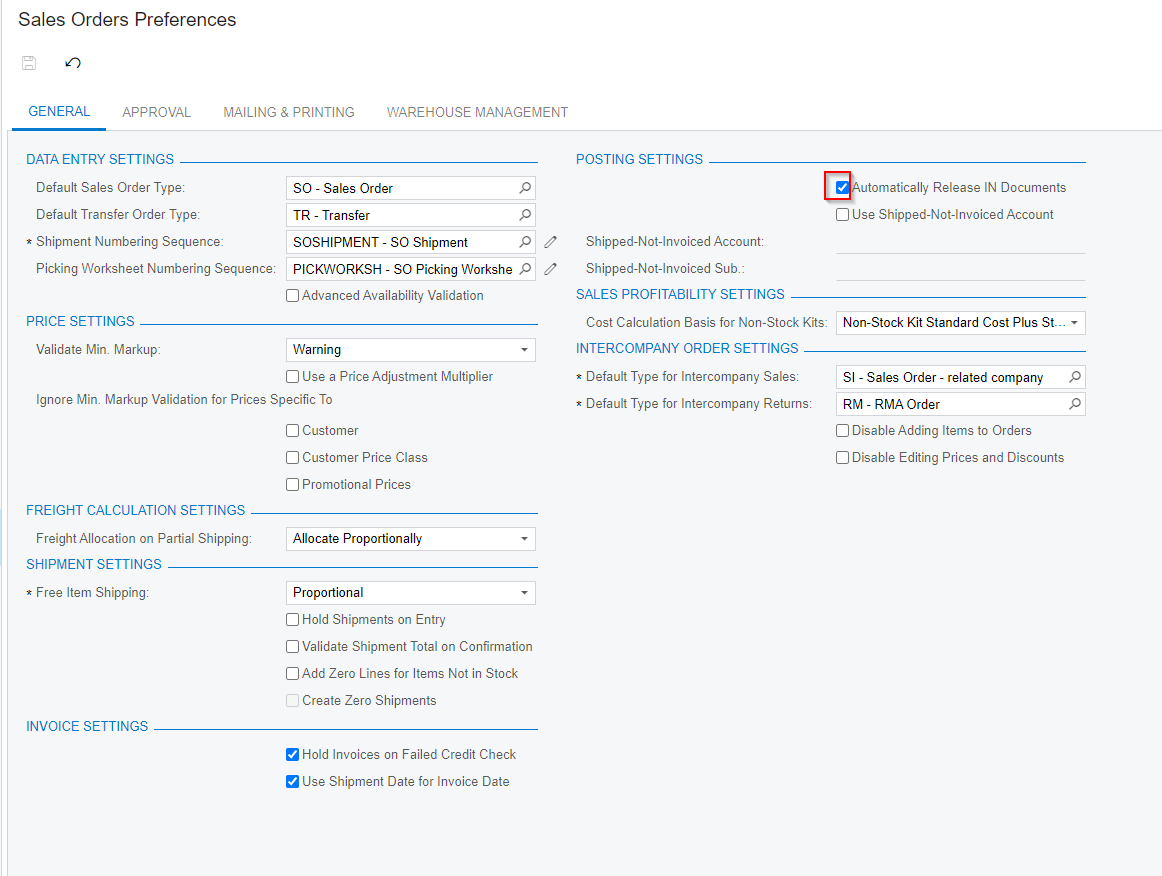
In the Sales Order Preferences you can select the Automatically Release IN Documents. 


“A check box that indicates (if selected) that the inventory documents generated on release of the sales-related documents will be automatically released. If the check box is not selected, the inventory documents generated on release of the sales-related documents should be manually released in the inventory functional area.”


Thanks


Matt