Answer

How to disable print option on sales order when it is in pending for approval status

  • October 8, 2024
  • 5 replies
  • 109 views

Forum|alt.badge.img

Hi,


We want to disable print option on sales order  whenever it is in pending approval or open status.

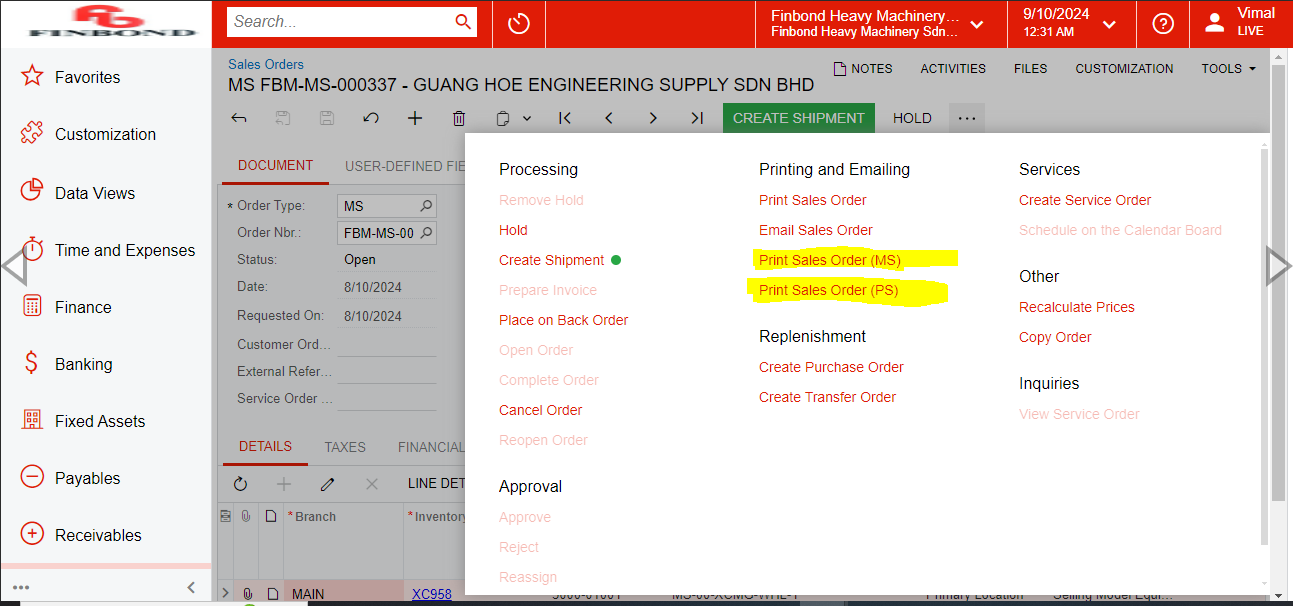
In our scenario we want to disable to print forms.


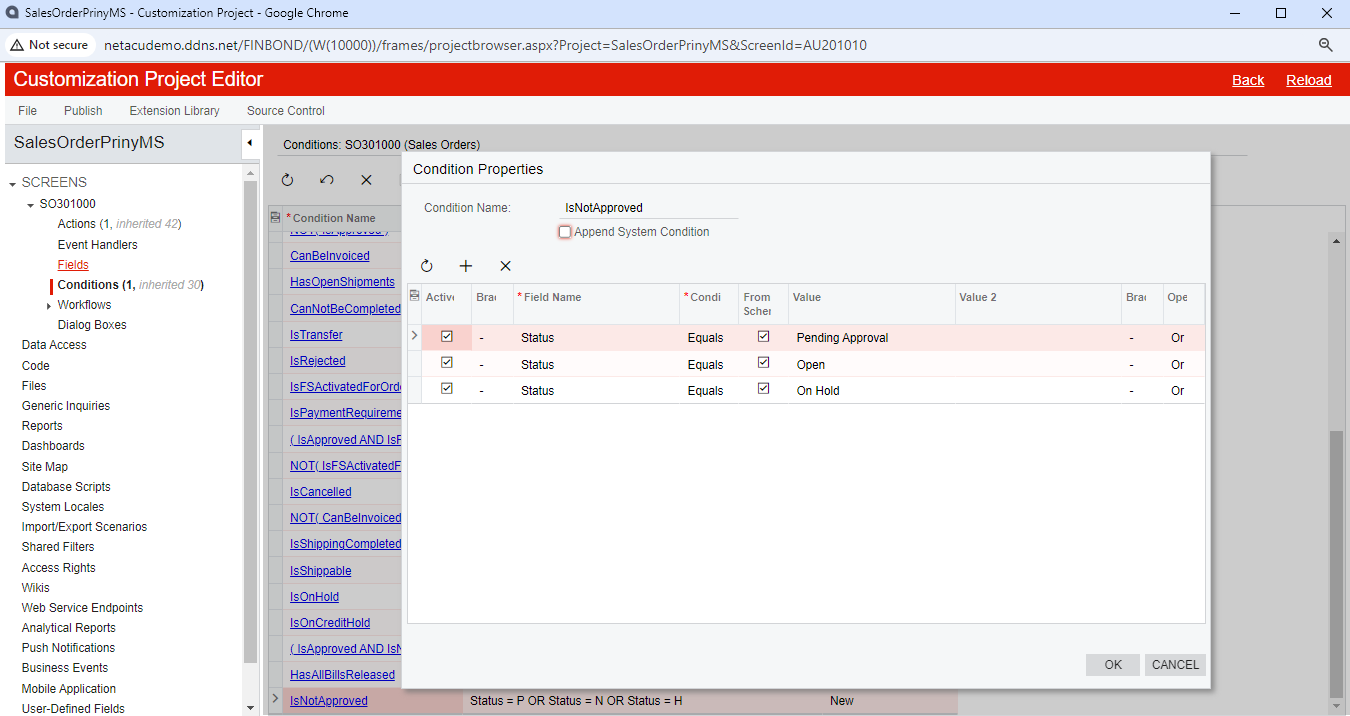
I have tried solution advised in below link but it work only disabling one print option and not both. When I tries adding second condition first print option is not visible instated of getting disable.


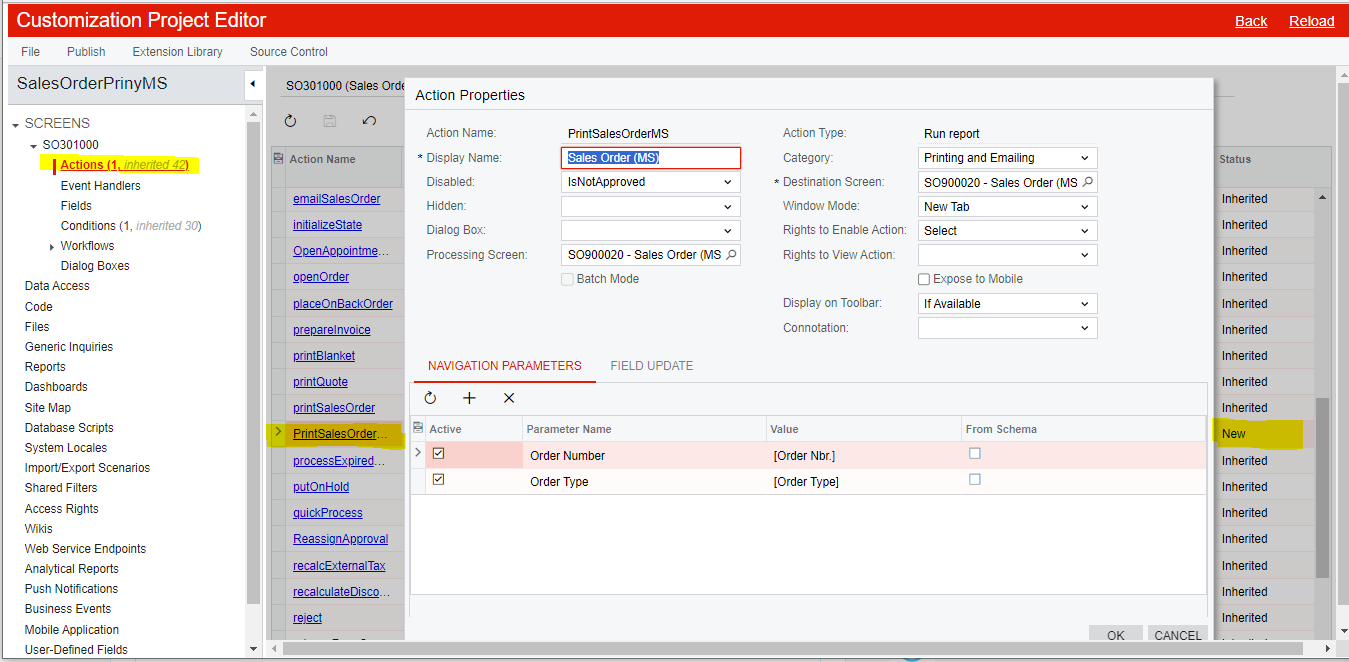
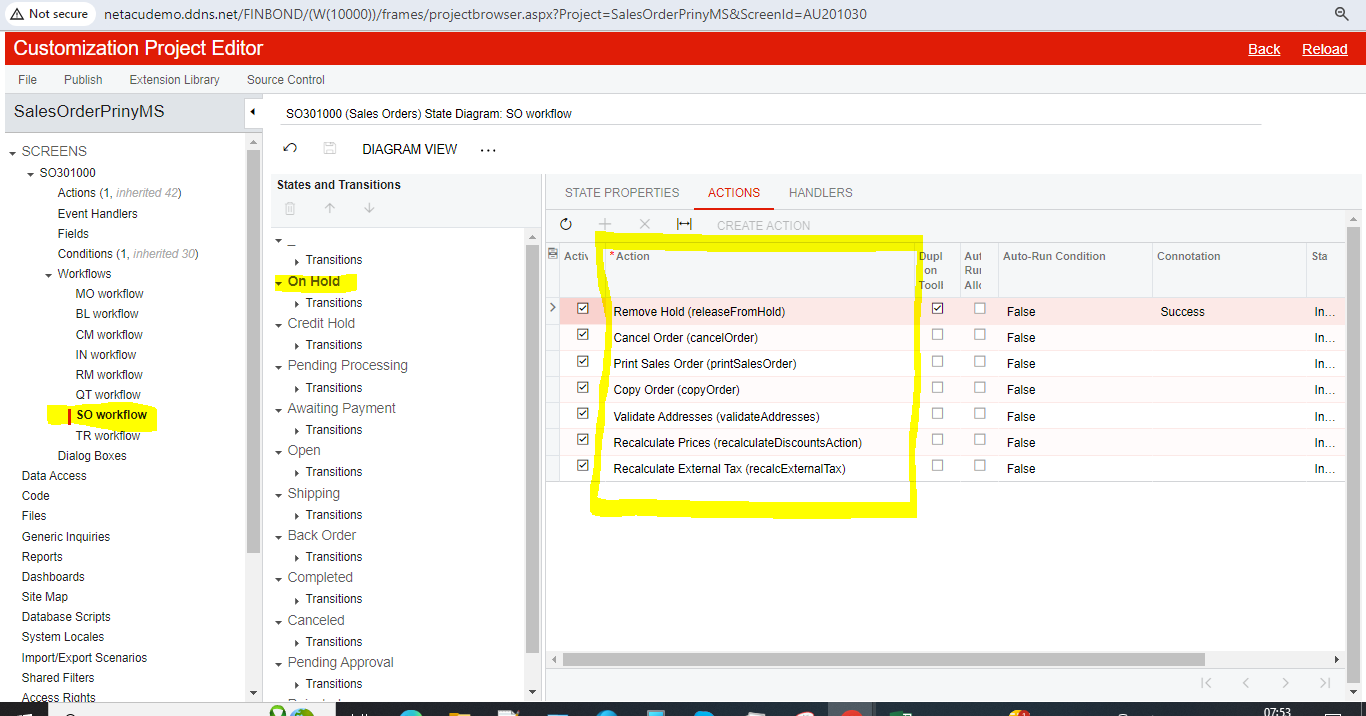
Customization project for first print form:


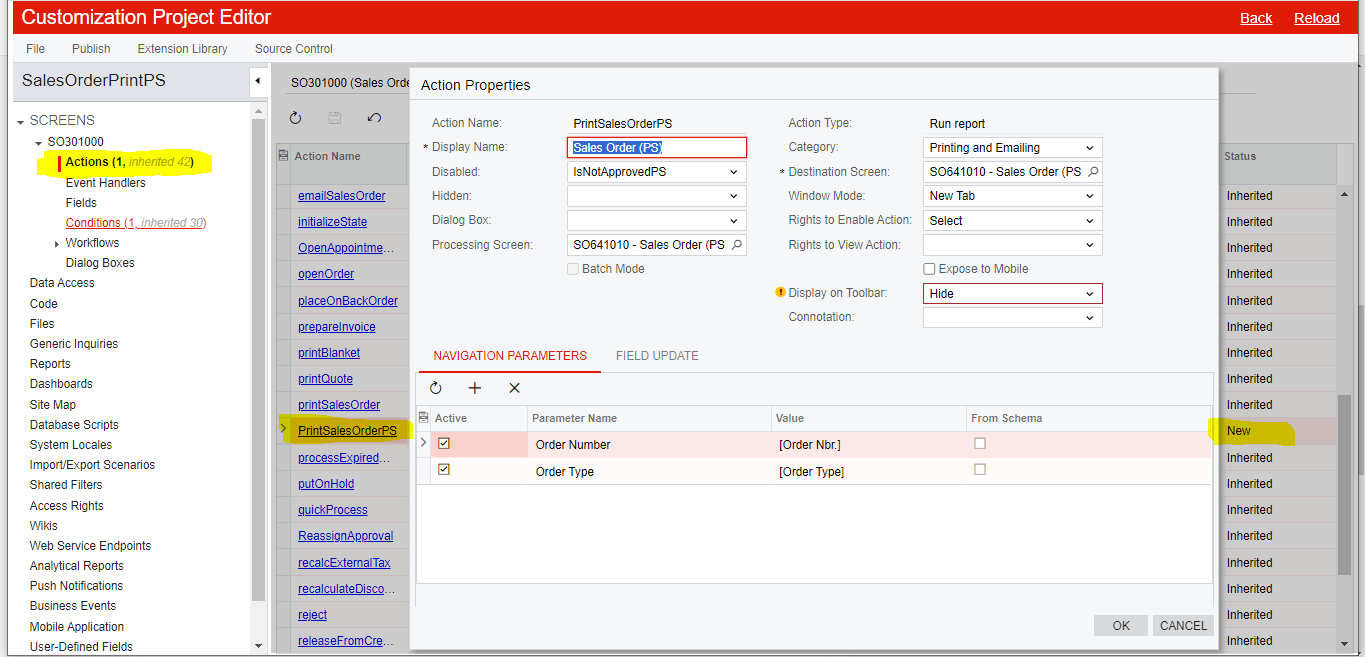
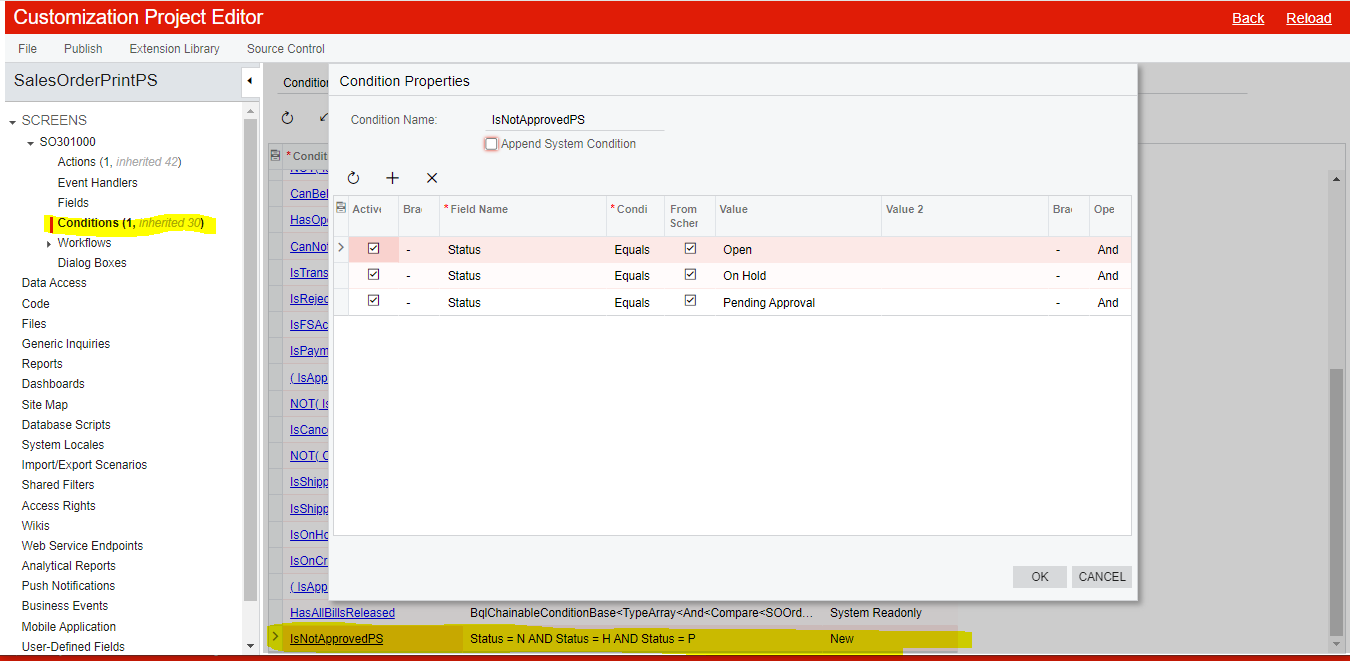
Customization project for second print form:


Best answer by aiwan

Hi @suchit39 


You should:

Create a new workflow, which you can customise, based on the SO workflow; you are unable to modify the default workflows without code.

Then add the action to the desired statuses, omitting from statuses which you don’t want the action to be available in.


Aleks

5 replies

dcomerford
Captain II
Forum|alt.badge.img+15
  • Captain II
  • October 8, 2024

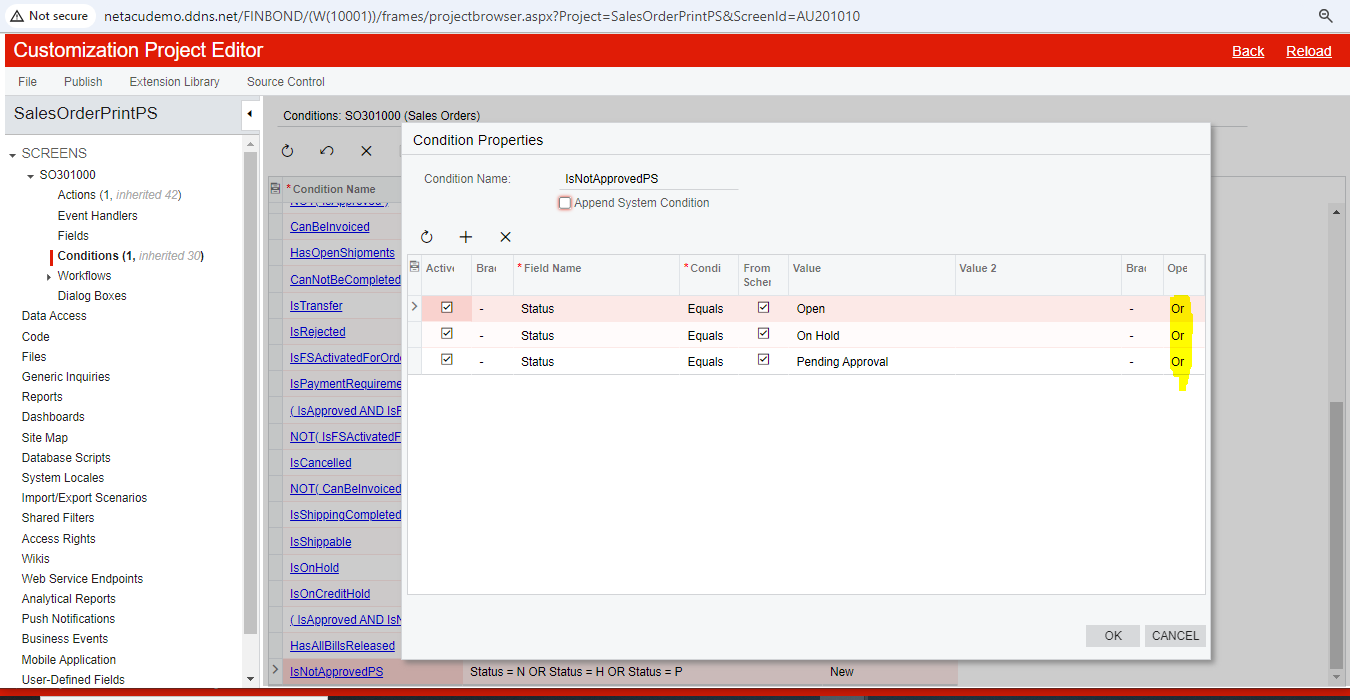
@suchit39 You conditions on the second one are set to ‘And’ not ‘Or’


Forum|alt.badge.img
  • Author
  • Freshman I
  • October 9, 2024

Hi @dcomerford 

I have change my condition from and to or but still only second print option (Sales order PS) is visible and first got disappear (Sales order MS) instated of getting disable. 


Forum|alt.badge.img+8
  • Captain II
  • October 9, 2024

Hi @suchit39 


You could amend the workflow to disable those reports within the statuses.

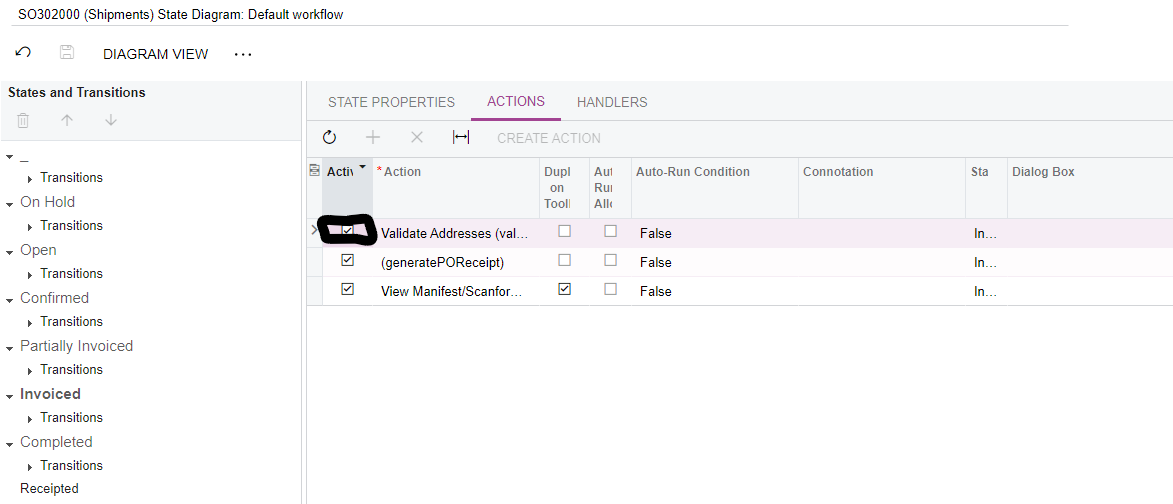
If you untick this box:

It should deactivate the action for that status.


Hope this helps,

Aleks


Forum|alt.badge.img
  • Author
  • Freshman I
  • October 10, 2024

Hi @aiwan 


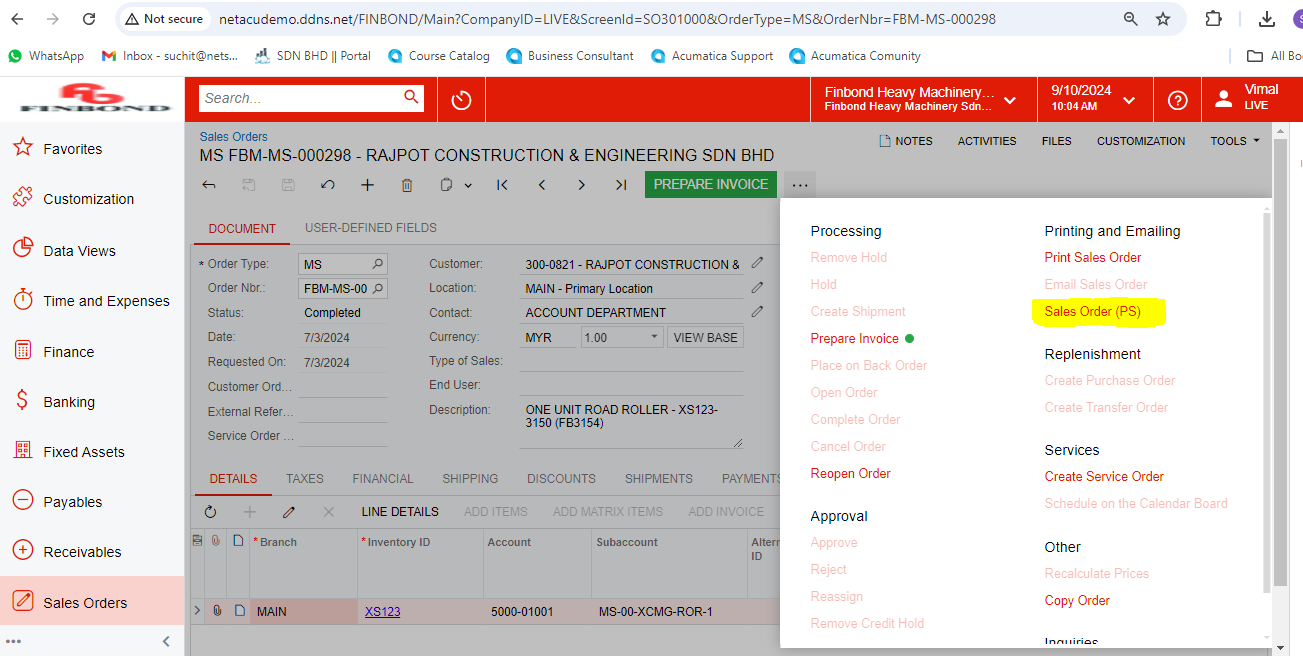
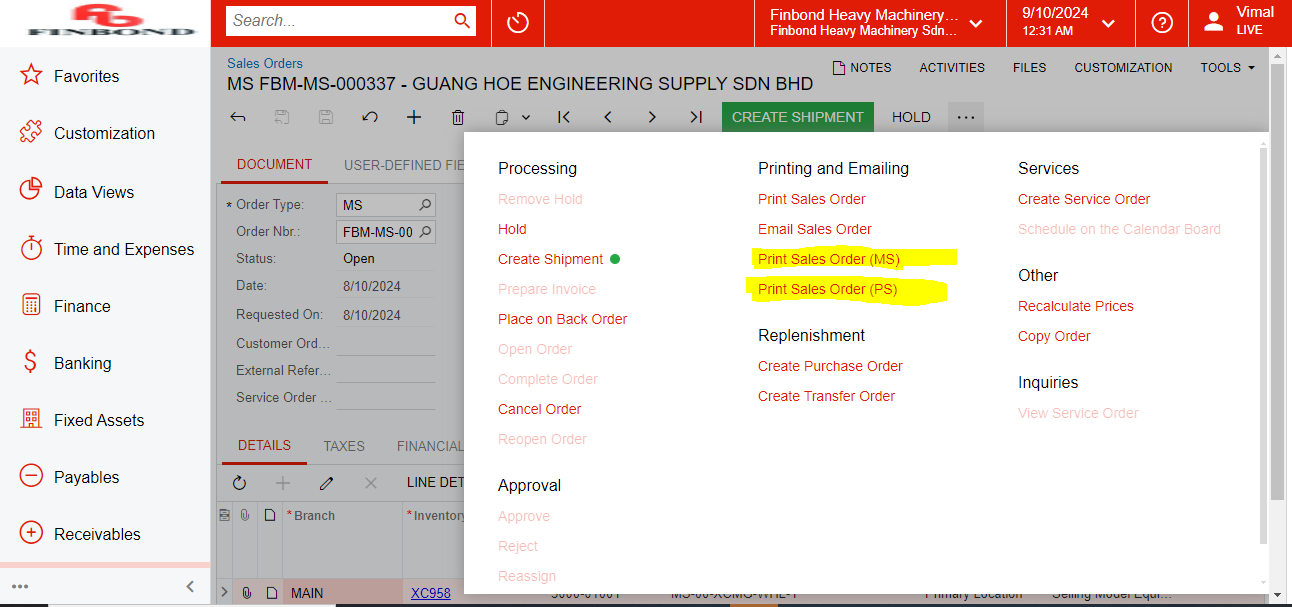
I have checked this but our print option are not listed in action screen to uncheck also I am not able to add it. Print forms I want to disable are customized forms highlighted in second screenshot.


Forum|alt.badge.img+8
  • Captain II
  • Answer
  • October 10, 2024

Hi @suchit39 


You should:

Create a new workflow, which you can customise, based on the SO workflow; you are unable to modify the default workflows without code.

Then add the action to the desired statuses, omitting from statuses which you don’t want the action to be available in.


Aleks