Answer

How to clean inventory transit expired

  • September 19, 2025
  • 6 replies
  • 72 views

Forum|alt.badge.img

How to clean inventory transit expired from item plan or can receipt it

Best answer by nhatnghetinh

Hi ​@vannakheng 

I tested again and found the following:
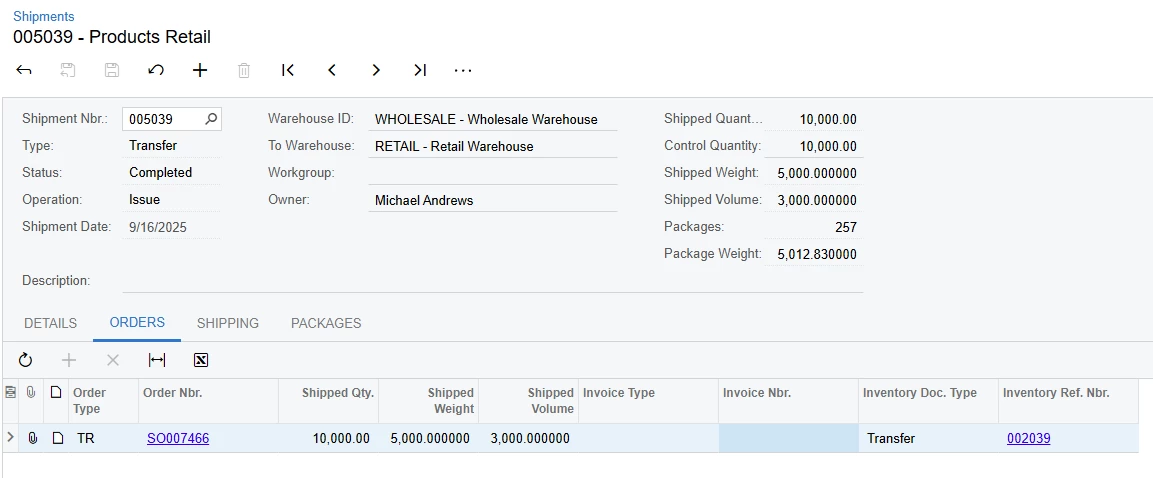
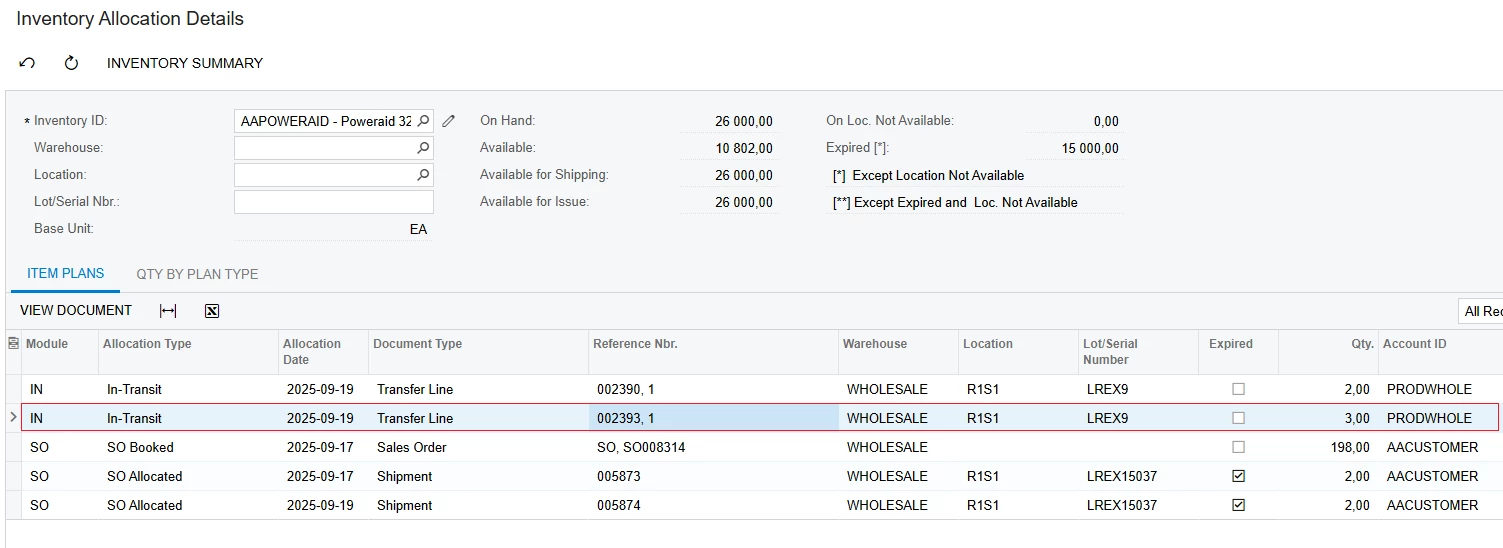
1/. When creating a Sales Order (Type: TR) => Shipment (Type: Transfer) => Transfers => you must manually create a Receipt for the items in the destination warehouse.


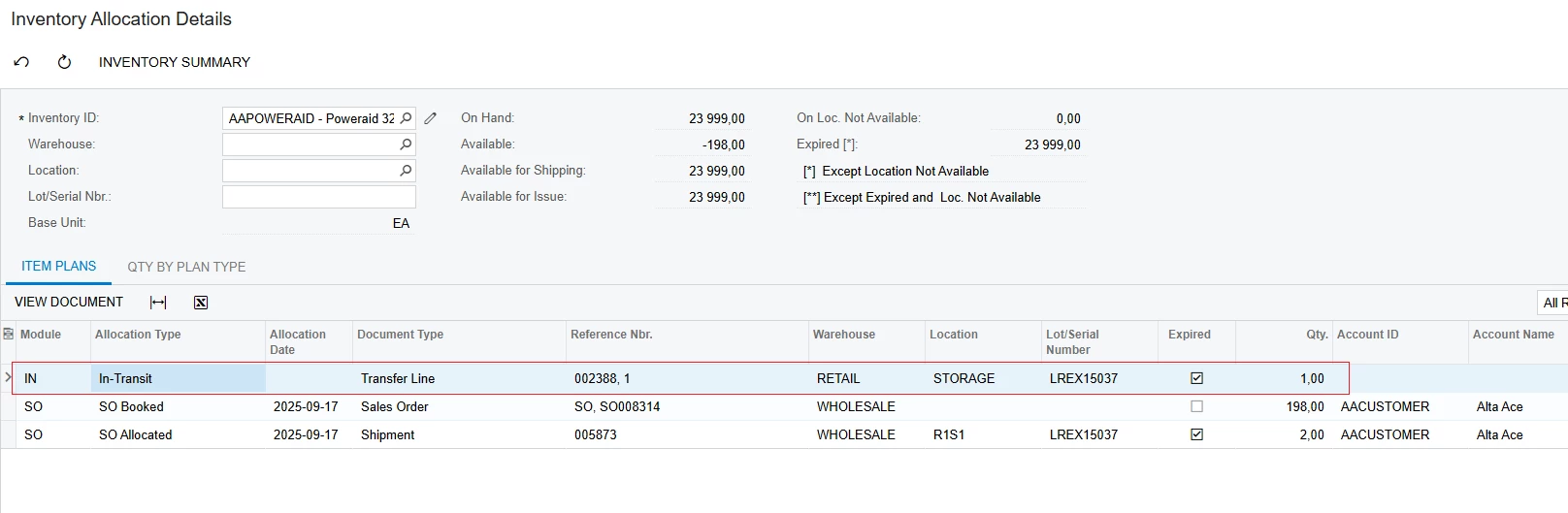
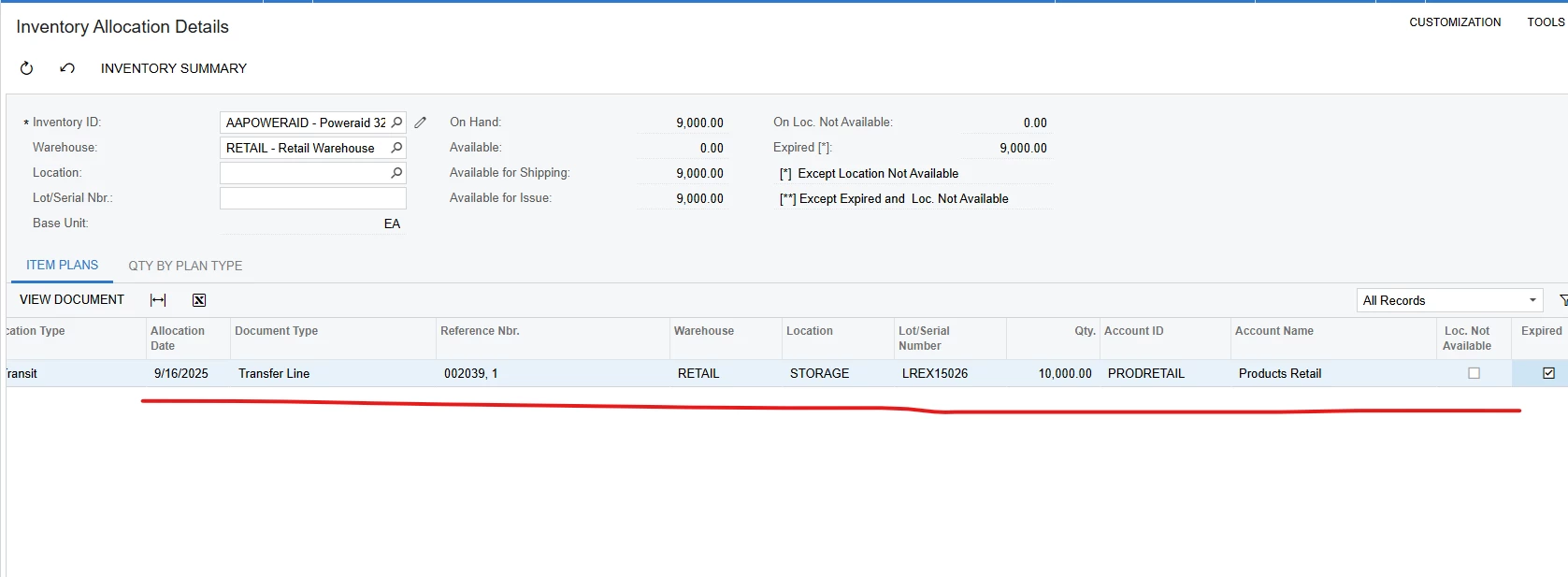
Then the "Inventory Allocation Details" screen still hangs the transaction with Allocation Type: In-Transit
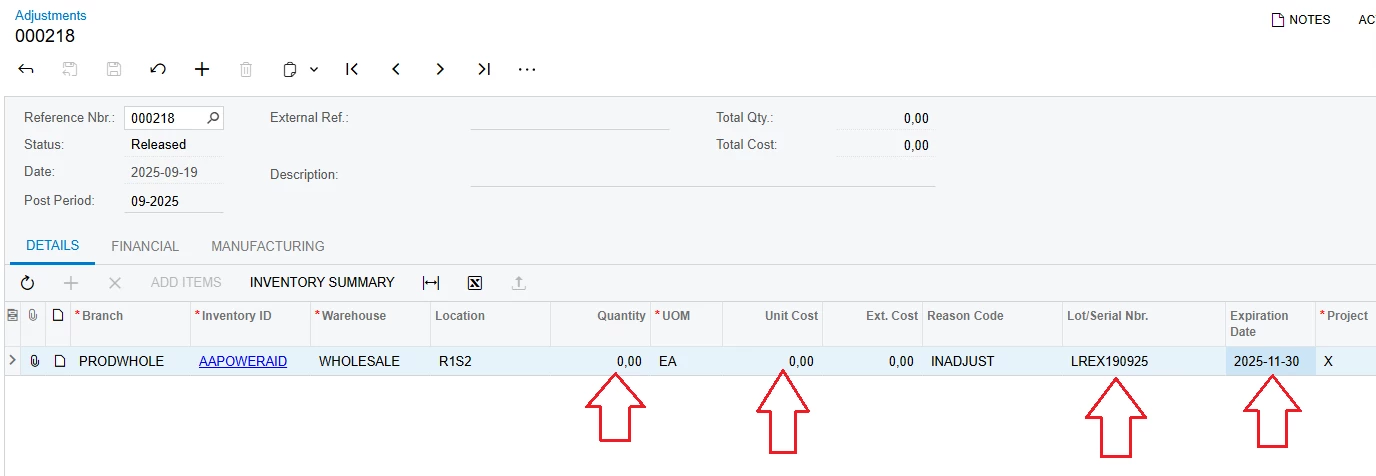
2/. For expired items => You can adjust the "Expiration Date" by entering Adjustments as below
 

Best Regards,

NNT

6 replies

nhatnghetinh
Captain II
Forum|alt.badge.img+11
  • Captain II
  • September 19, 2025

Hi ​@vannakheng 

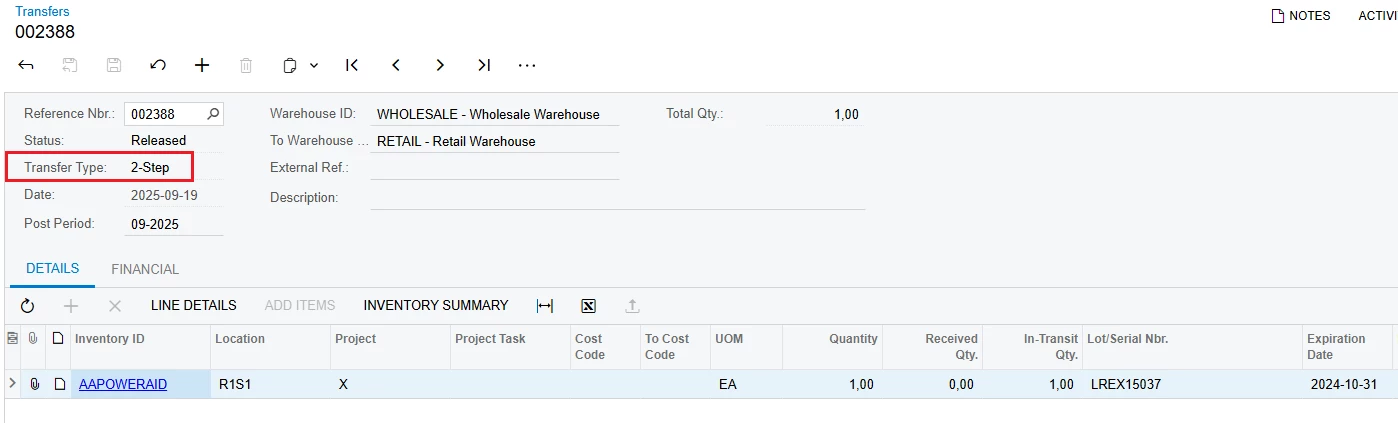
You have created a Transfer with Transfer Type: 2-Step.


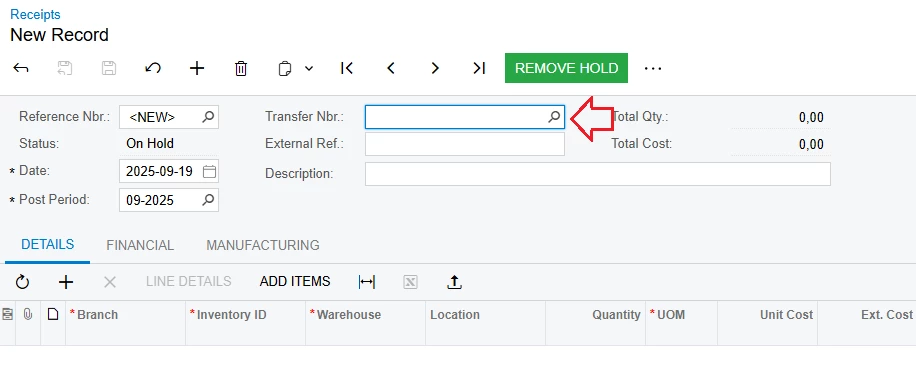
You need to perform the step of creating Receipt => At Transfer Nbr. => select the Reference Nbr. on the Transfer screen you have created.


Best Regards,

NNT


Forum|alt.badge.img
  • Author
  • Freshman II
  • September 19, 2025

Hi ​@vannakheng 

You have created a Transfer with Transfer Type: 2-Step.


You need to perform the step of creating Receipt => At Transfer Nbr. => select the Reference Nbr. on the Transfer screen you have created.


Best Regards,

NNT

When inventory expired, I cannot receipt in receipt screen


nhatnghetinh
Captain II
Forum|alt.badge.img+11
  • Captain II
  • September 19, 2025

Hi ​@vannakheng 

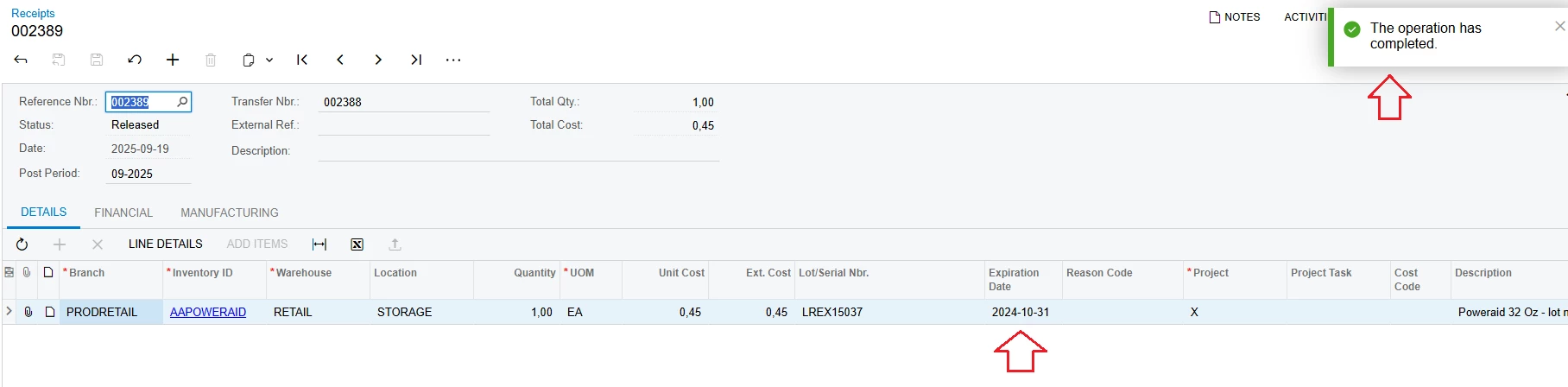
You still perform Receipt with expired items as my screenshot below.


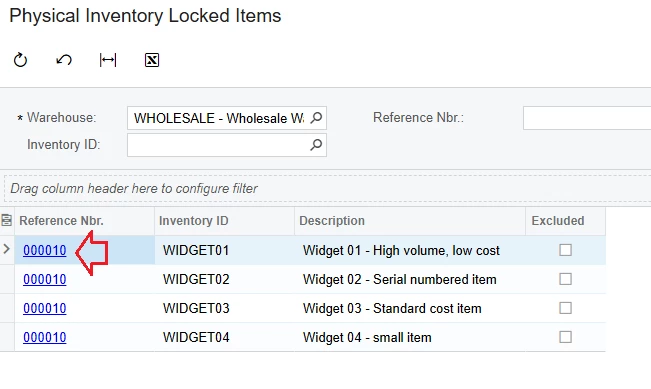
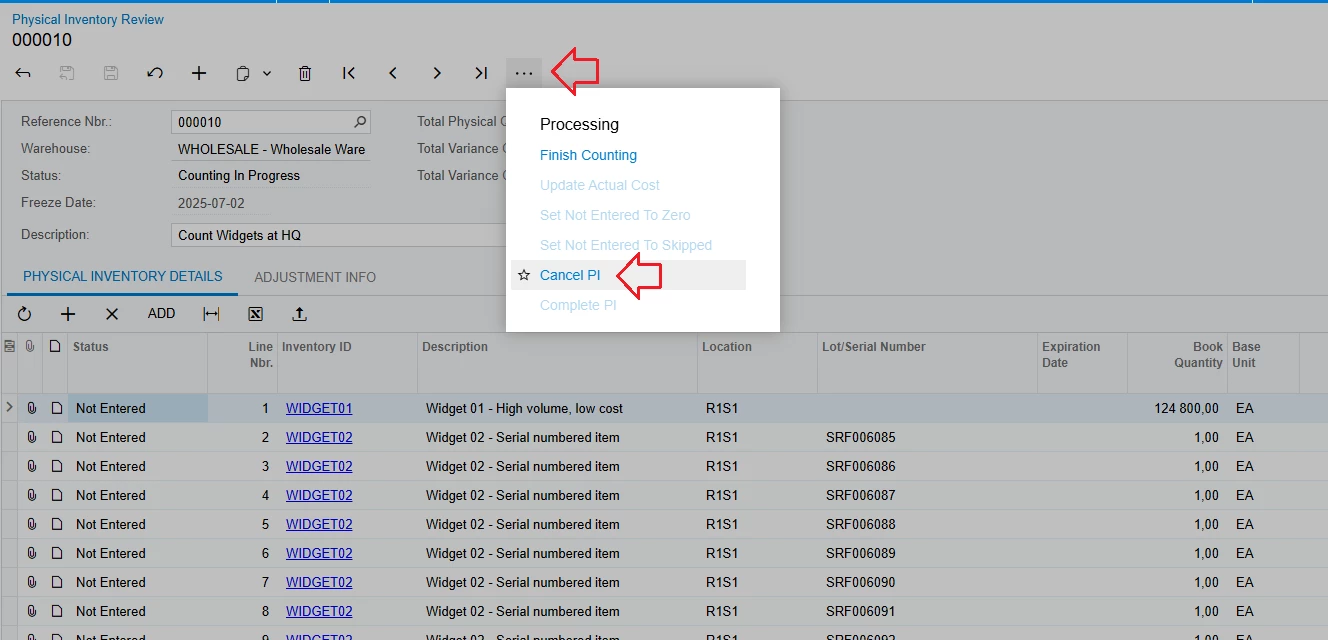
Your item may be Locked => you can unlock it by going to the "Physical Inventory Locked Items" screen => Click on "Reference Nbr." with the locked item 

On the "Physical Inventory Review" screen => click Cancel PI


If your situation is not like that => please send a screenshot of the error message when releasing the Receipt.


Best Regards,

NNT


Forum|alt.badge.img
  • Author
  • Freshman II
  • September 19, 2025

Hi ​@vannakheng 

You still perform Receipt with expired items as my screenshot below.


Your item may be Locked => you can unlock it by going to the "Physical Inventory Locked Items" screen => Click on "Reference Nbr." with the locked item 

On the "Physical Inventory Review" screen => click Cancel PI


If your situation is not like that => please send a screenshot of the error message when releasing the Receipt.


Best Regards,

NNT


I check the transit number from so shipment type TR and no inventory locked. I cannot see the reference number in receipt screen. Do I have to process another step ?


nhatnghetinh
Captain II
Forum|alt.badge.img+11
  • Captain II
  • Answer
  • September 19, 2025

Hi ​@vannakheng 

I tested again and found the following:
1/. When creating a Sales Order (Type: TR) => Shipment (Type: Transfer) => Transfers => you must manually create a Receipt for the items in the destination warehouse.


Then the "Inventory Allocation Details" screen still hangs the transaction with Allocation Type: In-Transit

2/. For expired items => You can adjust the "Expiration Date" by entering Adjustments as below


Best Regards,

NNT


Forum|alt.badge.img
  • Author
  • Freshman II
  • September 25, 2025

Hi ​@vannakheng 

I tested again and found the following:
1/. When creating a Sales Order (Type: TR) => Shipment (Type: Transfer) => Transfers => you must manually create a Receipt for the items in the destination warehouse.


Then the "Inventory Allocation Details" screen still hangs the transaction with Allocation Type: In-Transit

2/. For expired items => You can adjust the "Expiration Date" by entering Adjustments as below


Best Regards,

NNT

Can avoid it to hang out in Inventory allocation details