Answer

How to add the Project ID to the Inventory Issue Screen

  • June 4, 2025
  • 3 replies
  • 49 views

I am trying to add a column to the GI for the Inventory Issues screen. I just want to  add the Project ID so that I can filter on it. I have tried adding what I have thought was the correct table, but it is not pulling the information. This is the screen I am referring to:
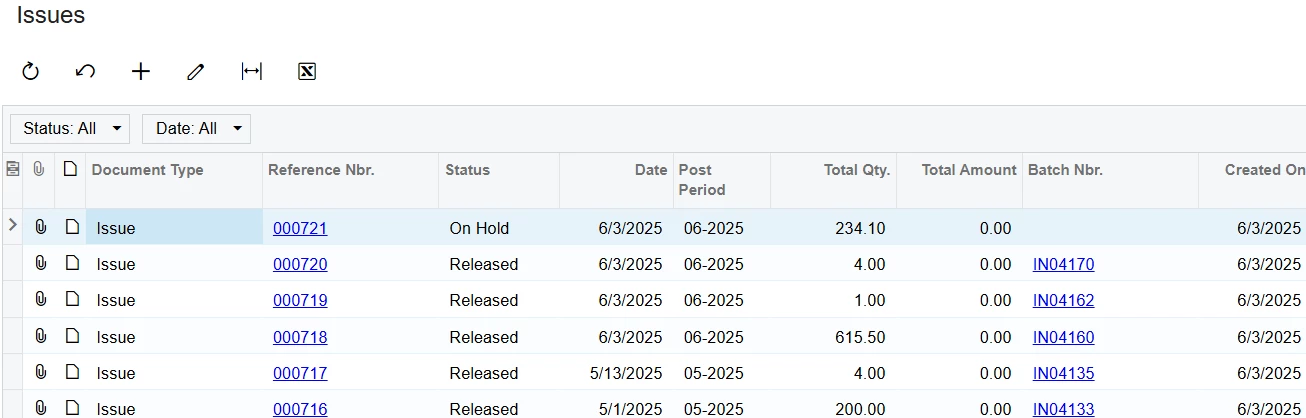
When I select an Issue, I want to following column to show up on the first screen:
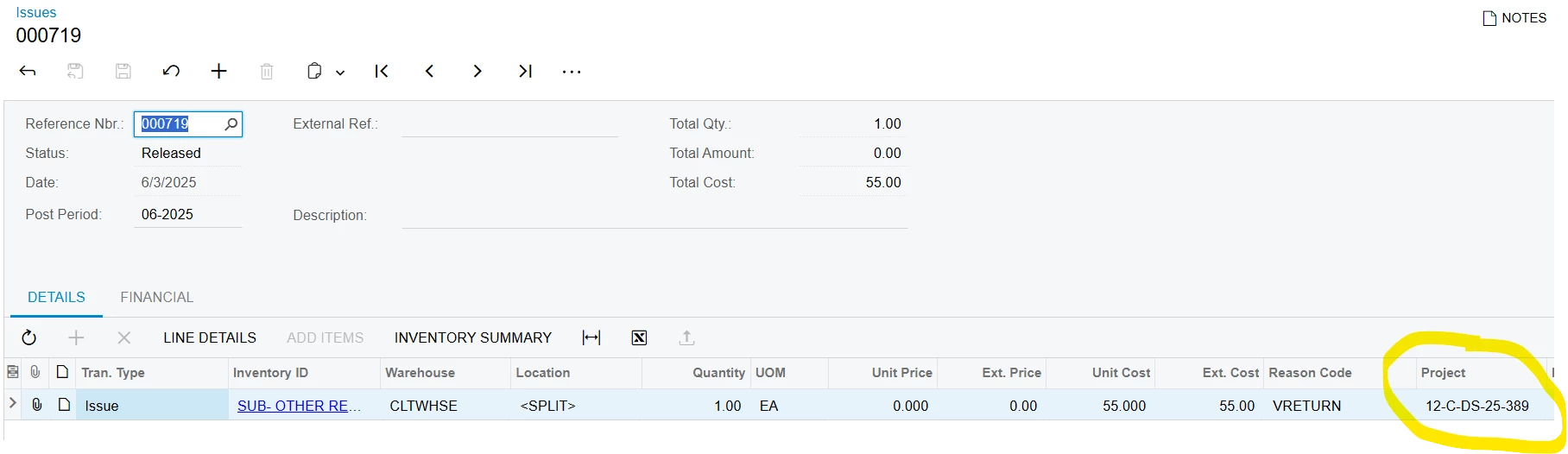
Please help!

Best answer by ricoybanez

@ambaker 

Just change the Join Type from “INNER” to “LEFT”


Thanks

3 replies

ricoybanez
Jr Varsity III
Forum|alt.badge.img+3
  • Jr Varsity III
  • June 5, 2025

@ambaker 

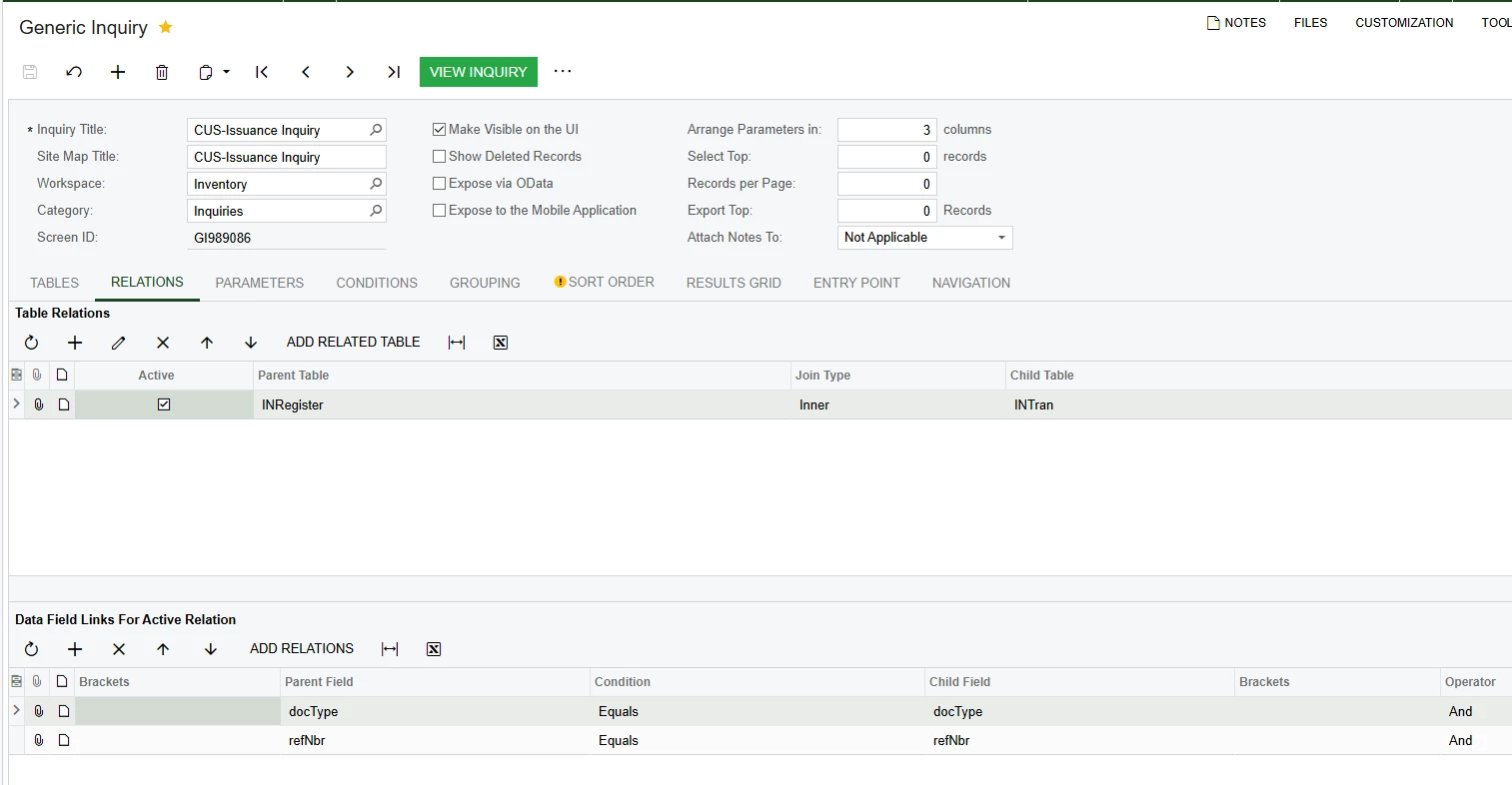
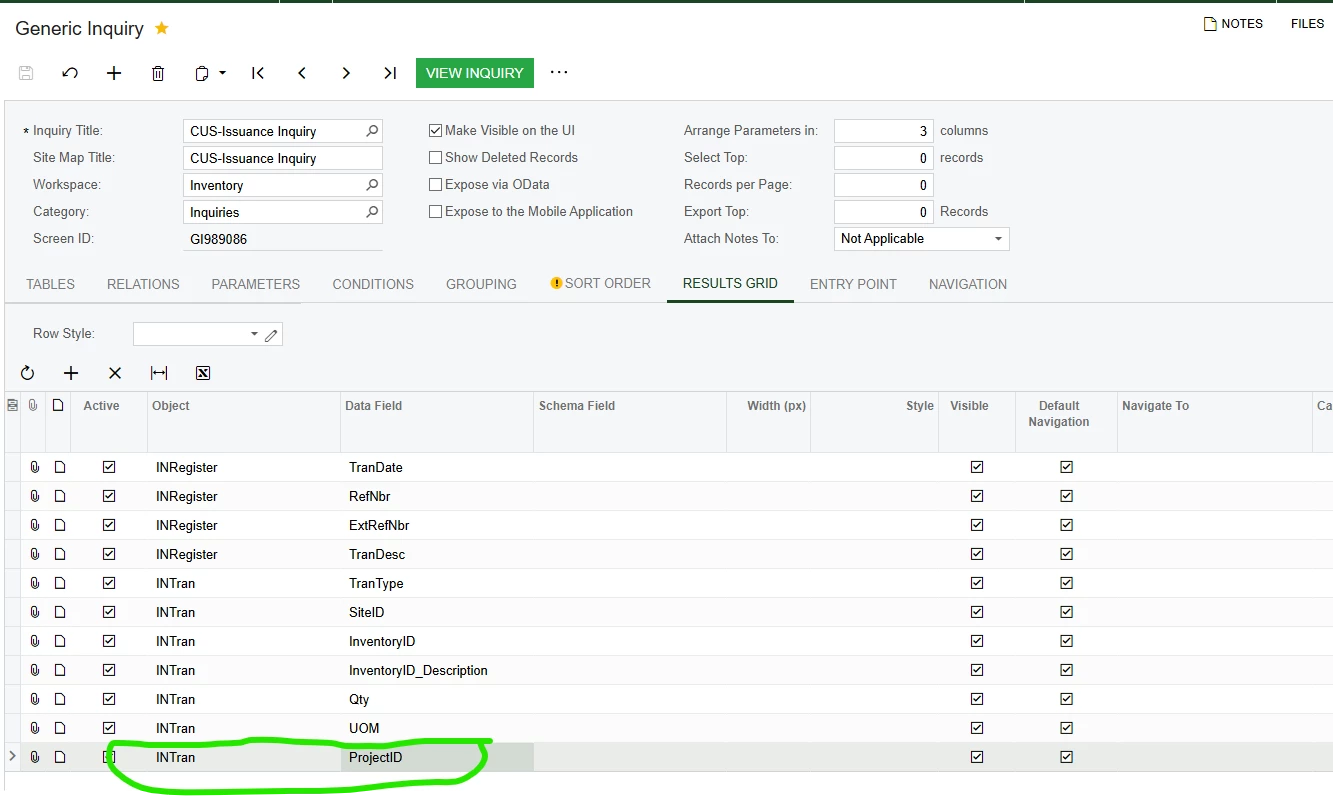
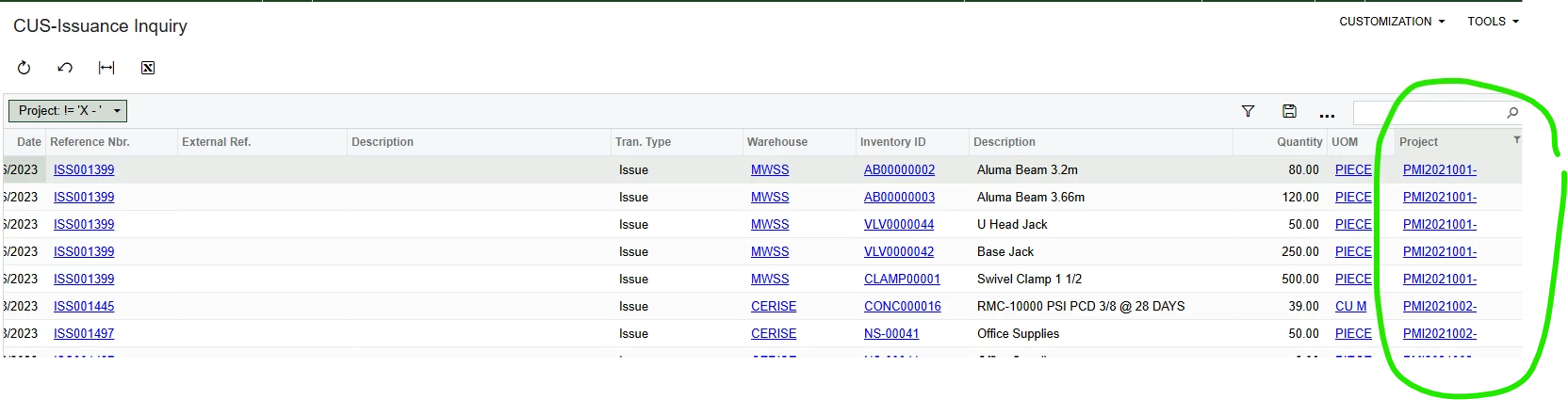
Please refer below screenshot it might help you.
 

TABLE RELATIONS


GRID


OUTPUT


ricoybanez
Jr Varsity III
Forum|alt.badge.img+3
  • Jr Varsity III
  • Answer
  • June 5, 2025

@ambaker 

Just change the Join Type from “INNER” to “LEFT”


Thanks


  • Author
  • Freshman I
  • June 5, 2025

That worked! Thank you so much!