Question

How do I clear this error in my Import Scenario?

  • December 2, 2025
  • 10 replies
  • 32 views

Forum|alt.badge.img

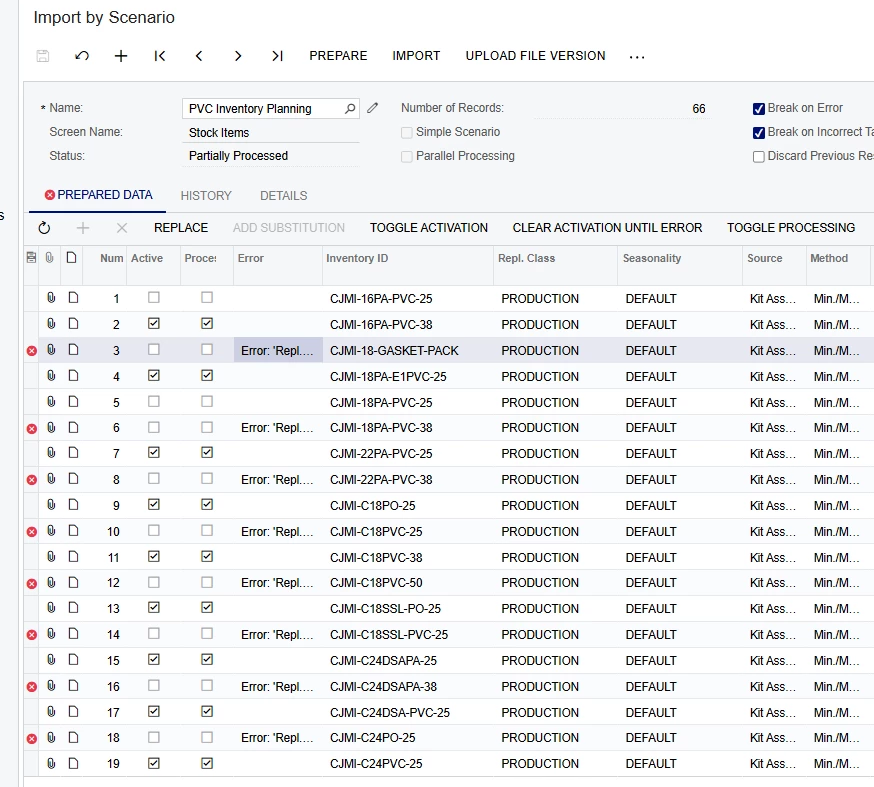
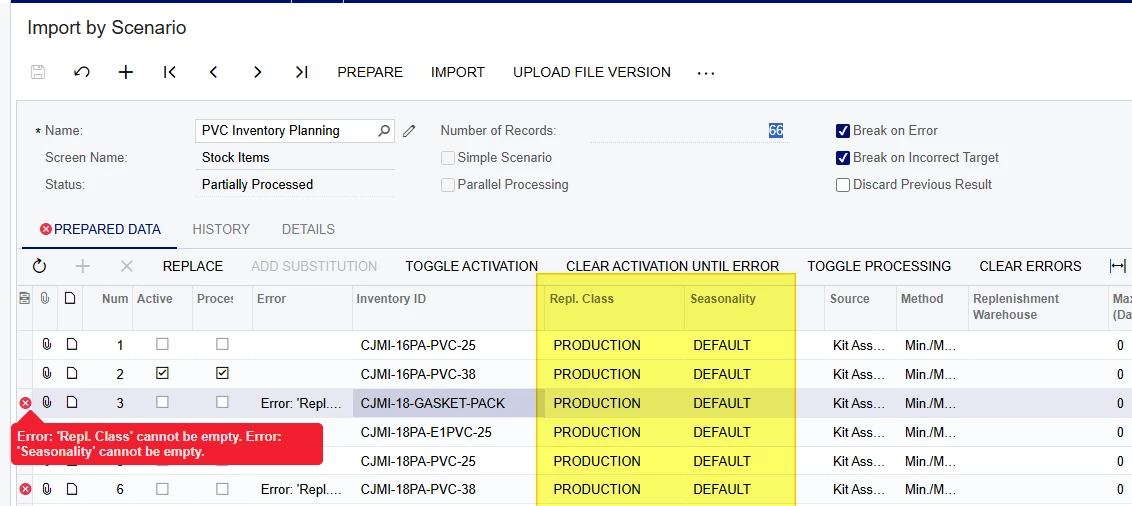
I am receiving an error message that reads “Error: ‘Replenishment Class’ cannot be empty. Error: ‘Seasonality’ cannot be empty.” I have both of these in my Data Provider and they also show in the Prepared Import. Can anyone tell me what I am missing here? 

Thank you. 
 

10 replies

mohammadnawaz51
Jr Varsity I
Forum|alt.badge.img+4

@jsudak Is this is matching with your seasonality when you manually update? Also please share the XML File once.


mohammadnawaz51
Jr Varsity I
Forum|alt.badge.img+4

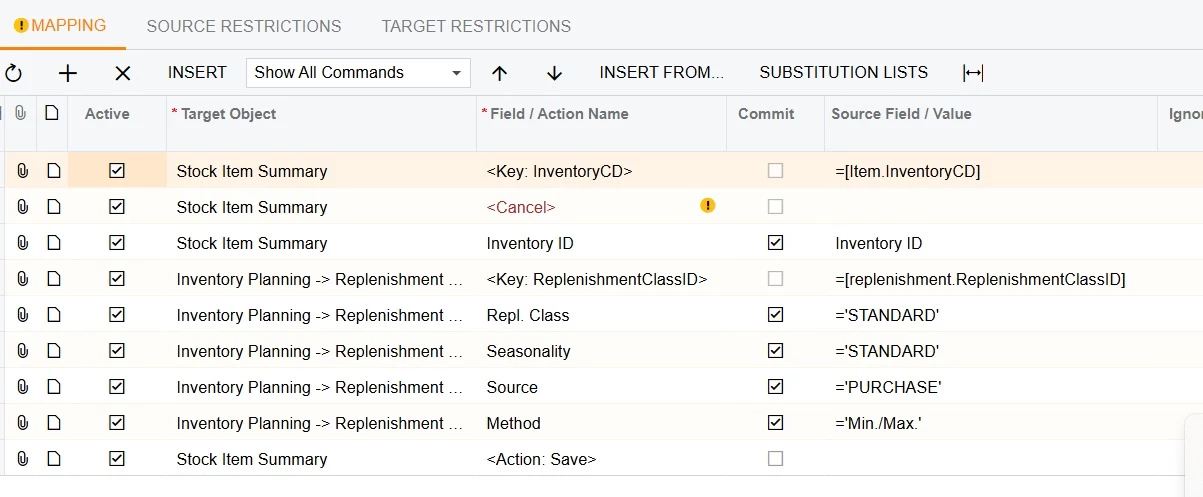
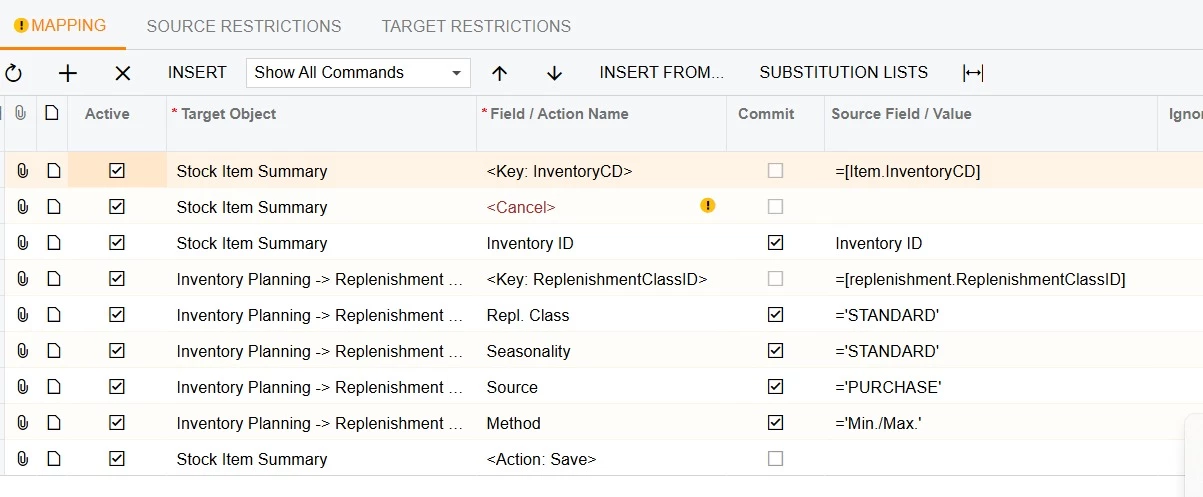
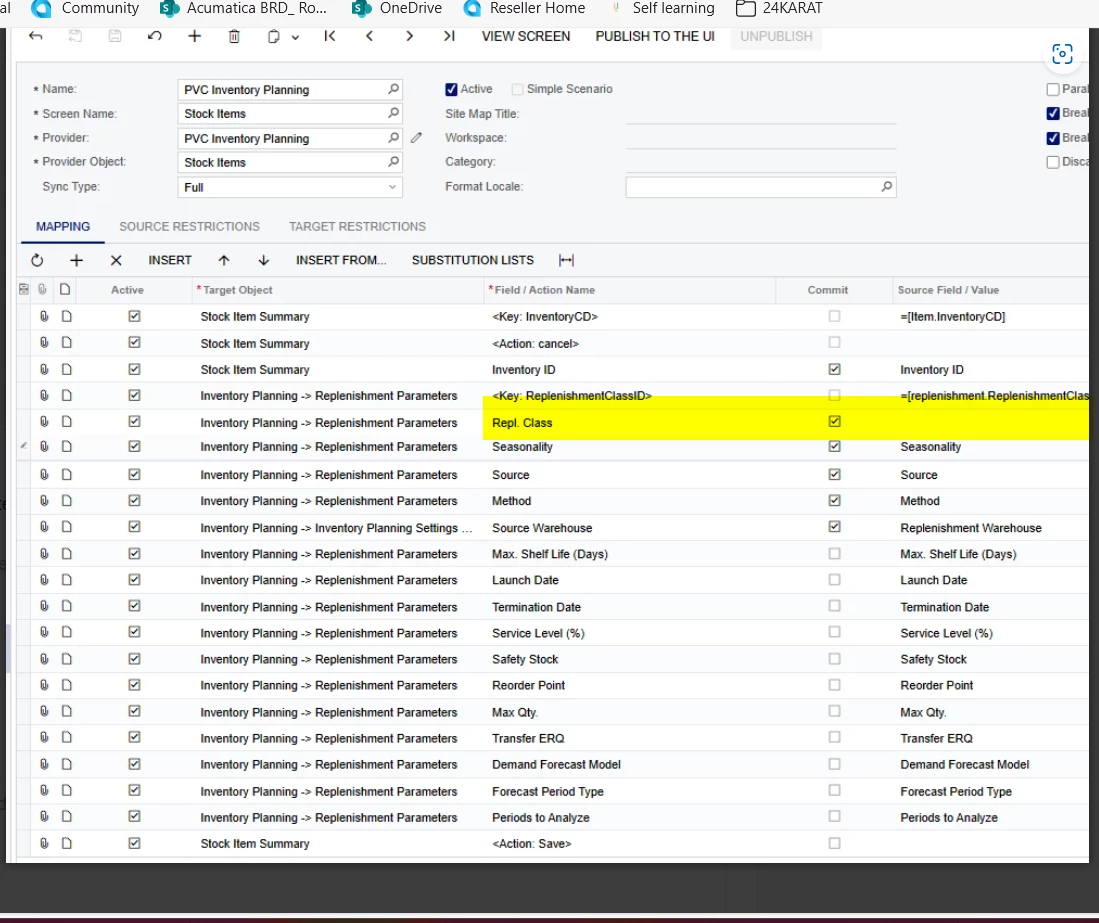
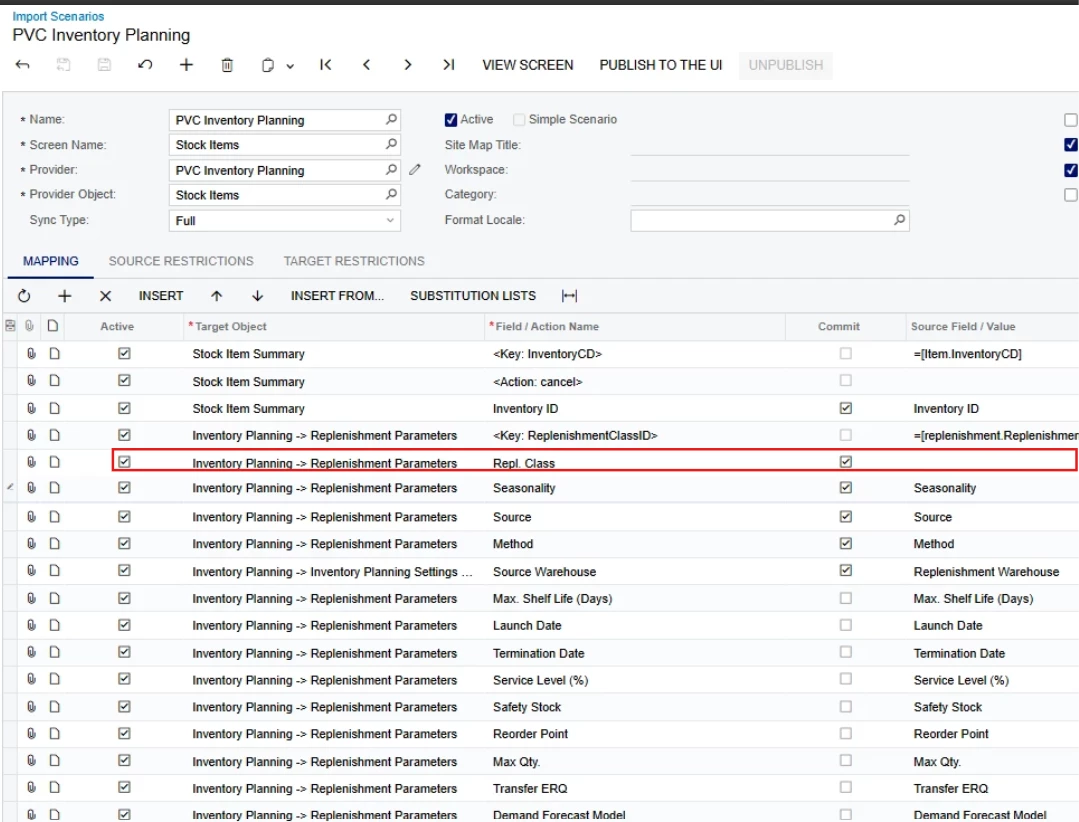
@mohammadnawaz51 Please refer the below mapping once.


Forum|alt.badge.img
  • Author
  • Varsity I
  • December 2, 2025

Yes, this matches the Seasonality when I manually update. 


PVC Inventory Planning.xlsx


Forum|alt.badge.img
  • Author
  • Varsity I
  • December 2, 2025

The intersting thing to me is that half of the items imported correctly and the other half did not. Every other line has the same error message. 


mohammadnawaz51
Jr Varsity I
Forum|alt.badge.img+4

@jsudak Please verify the import mapping once 


Forum|alt.badge.img
  • Author
  • Varsity I
  • December 2, 2025

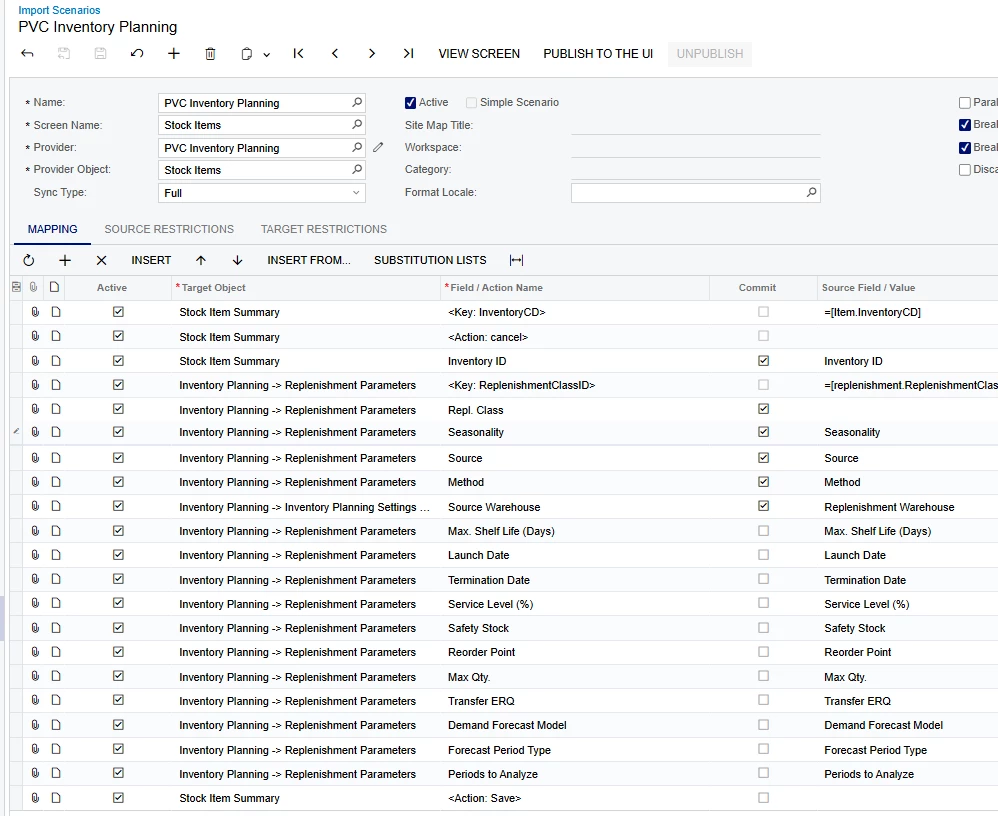
Mine looks like I overdid it...


mohammadnawaz51
Jr Varsity I
Forum|alt.badge.img+4

@jsudak I don't see any mapping 


Forum|alt.badge.img
  • Author
  • Varsity I
  • December 2, 2025

Thank you. I am using TOGGLE ACTIVATION and importing the error lines one-by-one. This is working. 


DipakNilkanth
Pro III
Forum|alt.badge.img+13

Hi ​@jsudak,
You need to add Source Field Value for Repl Class. it’s empty in your provided screenshot.


Forum|alt.badge.img
  • Author
  • Varsity I
  • December 2, 2025

Ok. Strange that they work when I manually select them. And that the first half all worked initially and every other one did not.