Solved

How Can we see the SO number on the Sales Quote

  • October 7, 2026
  • 4 replies
  • 37 views

Forum|alt.badge.img

When we create a SO from Sales Quote (QT) using the copy order option, I have noticed the Quote is updated to the Completed status. However, I was unable to find the Sales Order number anywhere on the Quote. Is there a way we can see the So number on the Quote itself.


Thank you!

Best answer by KavinduHewawasam18

Hi ​@MichelleW 

The Sales Order number is not displayed on the Sales Quote form after you create the order using the Copy Order option
What happens instead:


  • The Quote status changes to Completed once the order is created.
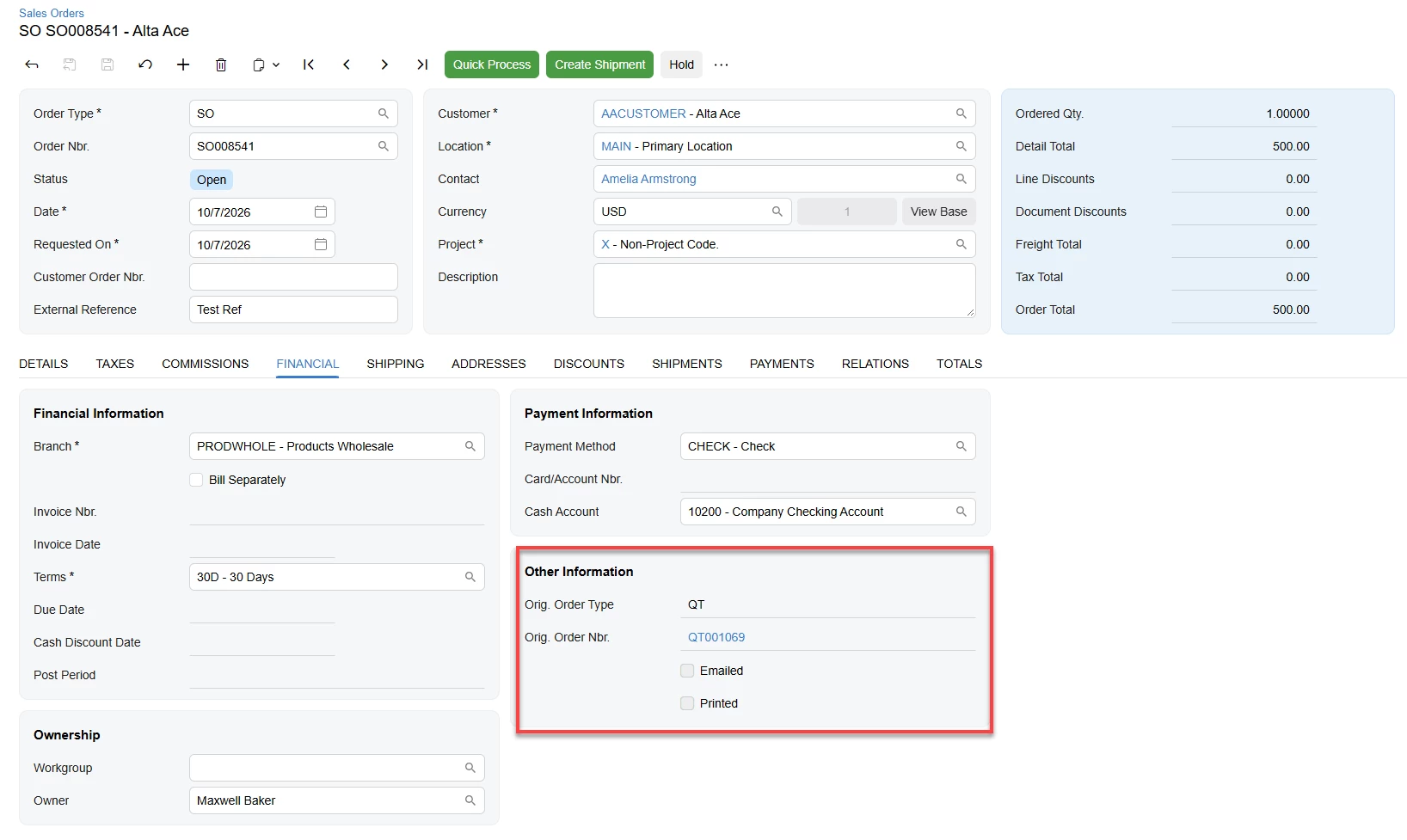
  • The Sales Order stores the Quote number as a reference.


Regards,

KH

4 replies

Forum|alt.badge.img+1

Hi ​@MichelleW 

The Sales Order number is not displayed on the Sales Quote form after you create the order using the Copy Order option
What happens instead:


  • The Quote status changes to Completed once the order is created.
  • The Sales Order stores the Quote number as a reference.


Regards,

KH


Forum|alt.badge.img
  • Author
  • Freshman I
  • October 7, 2026

Hi ​@KavinduHewawasam18 ,

Thanks for the reply. Yes, But our client requires to validate it with the Quote. Is there any other method we can use.


Forum|alt.badge.img

Hi ​@MichelleW ,

As Kavindu also mentioned and clarified, the Sales Order number is not displayed on the Sales Quote form after you create the order using the Copy Order option. This is the current standard behavior of Acumatica.

If you require the Sales Order Number to be displayed in this scenario, a customization would be required.


I hope this clarifies the behavior.


Thanks,

Kasuni E


Forum|alt.badge.img
  • Author
  • Freshman I
  • October 7, 2026

​@KavinduHewawasam18  ​@KasuniEdirisinghe58 

Thanks for the reply and for the confirmation.