

Answer

Getting Shipping Labels to Orient Correctly?

  • February 27, 2025
  • 2 replies
  • 90 views

Forum|alt.badge.img

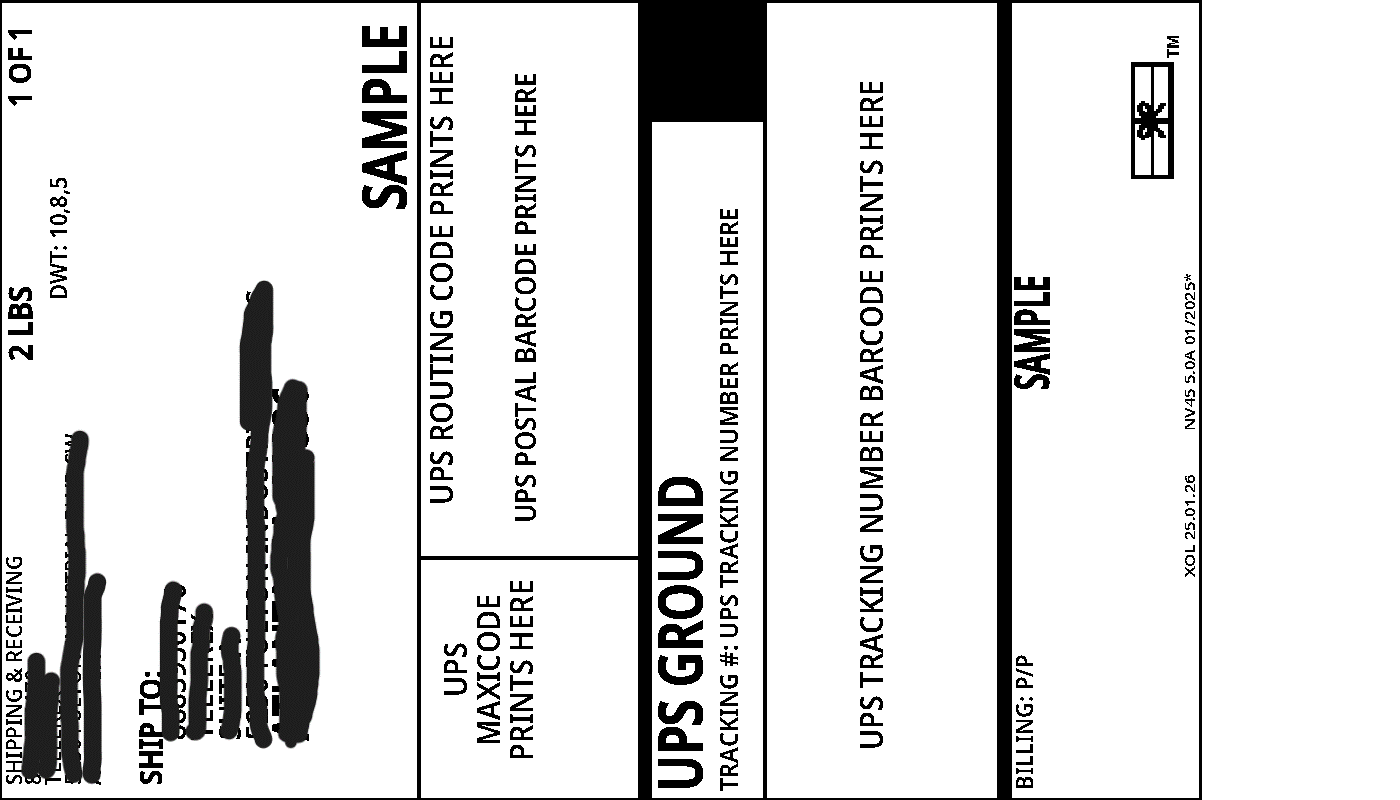
UPS integrated shipping has the option for gif files, which are great for sharing with customers, as it can be used without a Zebra Printer. However, the file comes out horizontal, as shown in the below image. Is there a way to get the UPS Gif files to print out vertically, instead of the default horizontal?

 

Best answer by yhartman

Hi, There is an (older) customization from Acumatica that solves this issue.

https://github.com/Acumatica/Acumatica-Rotate-UPS-Label

2 replies

hkabiri
Acumatica Moderator
Forum|alt.badge.img+8
  • Acumatica Support Team
  • March 14, 2025

@kkraus If there is anyway it can be on carrier side otherwise the file orientation in Acumatica Reports is same as it is being received.
Have you tried with change printer default orientation?

In windows you can access your printer's properties through the Control Panel or Devices and Printers, then navigate to Printing Preferences or Properties and modify the orientation setting. 


Forum|alt.badge.img+3
  • Jr Varsity I
  • Answer
  • March 17, 2025

Hi, There is an (older) customization from Acumatica that solves this issue.

https://github.com/Acumatica/Acumatica-Rotate-UPS-Label
