Answer

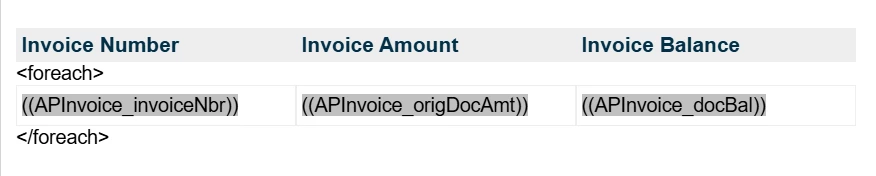
For Each Loop Update in email template

  • September 29, 2025
  • 9 replies
  • 121 views

Manikanta Dhulipudi
Captain II
Forum|alt.badge.img+15

Hi Everyone,

I prepared a sample email template to send package information when a shipment is confirmed.

Currently, our end users go to Shipment → Print Shipment Confirmation → Select Email Template → Send Email.

I have already prepared the Business Events and added the <foreach> loop in the email, which is working fine at the moment. However, due to our business requirements, we would like to send the email through the above process, but it does not work as expected.

I tested using the following syntax:


<foreach view=""> <foreach view="Transactions">

Could you please review and advise on the solutions or steps to resolve the issue.
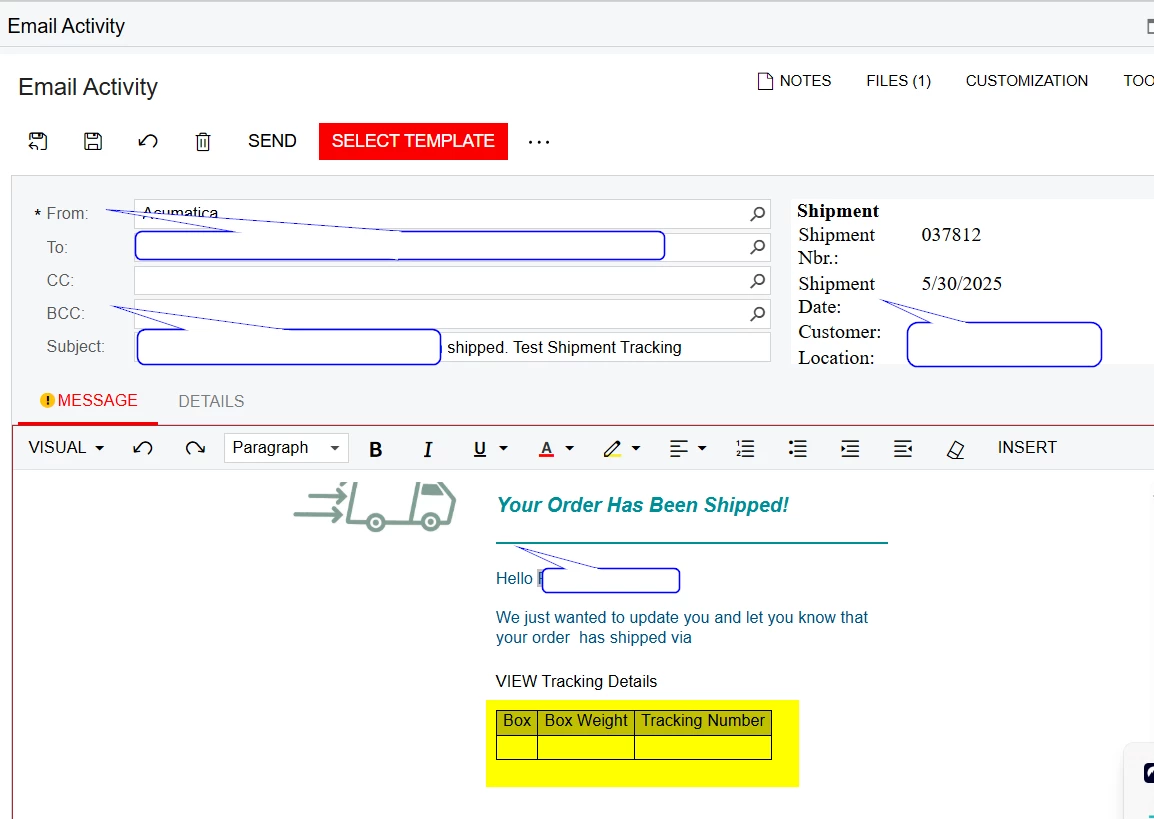
 

Same email template works when I use the Business event 
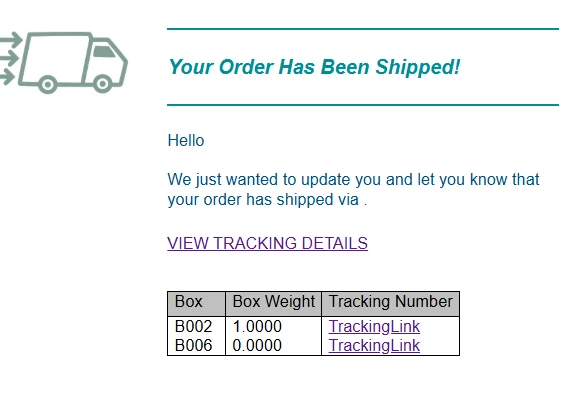
 

Best answer by bwhite49

Looks like we have made that work from the Shipment screen

This lists tracking numbers...

<p>&lt;foreach view="Packages"&gt;((Packages.TrackNumber))</p>
<p>&lt;/foreach&gt;</p>

9 replies

Manikanta Dhulipudi
Captain II
Forum|alt.badge.img+15

Any Help on this?


bwhite49
Captain II
Forum|alt.badge.img+10
  • Captain II
  • October 6, 2025

Hi Manikanta,

One solution we came up with is to create an action on the sales order that updates an integer counter field. So, every time that action is selected, the field increases in value by 1. So, one click would take it from 0 to 1, 2 clicks would take it from 1 to 2, and so on.

From there, we have a trigger by record change business event tracks that counter field. The user clicks the action, counter field gets updated, and then the email gets generated. Every time the counter field changes value, it creates a new email.

You can hide the original send email action and replace it with this new action that updates the counter. This way you can continue to use the business event that works.


Manikanta Dhulipudi
Captain II
Forum|alt.badge.img+15

@bwhite49 Thanks for the response, Our Business scenario is to trigger the notification from the print shipment confirmation report> Send email.


As I mentioned I am able to send the information with out any erros when I use the Business events.


bwhite49
Captain II
Forum|alt.badge.img+10
  • Captain II
  • October 6, 2025

I don’t think you can get it working without a business event, so what I wrote might be something you can present to the client.

BTW, I created that email template and GIF a few years ago.


bwhite49
Captain II
Forum|alt.badge.img+10
  • Captain II
  • Answer
  • October 6, 2025

Looks like we have made that work from the Shipment screen

This lists tracking numbers...

<p>&lt;foreach view="Packages"&gt;((Packages.TrackNumber))</p>
<p>&lt;/foreach&gt;</p>


Manikanta Dhulipudi
Captain II
Forum|alt.badge.img+15

@bwhite49 Let me check and get back to you shortly.


Manikanta Dhulipudi
Captain II
Forum|alt.badge.img+15

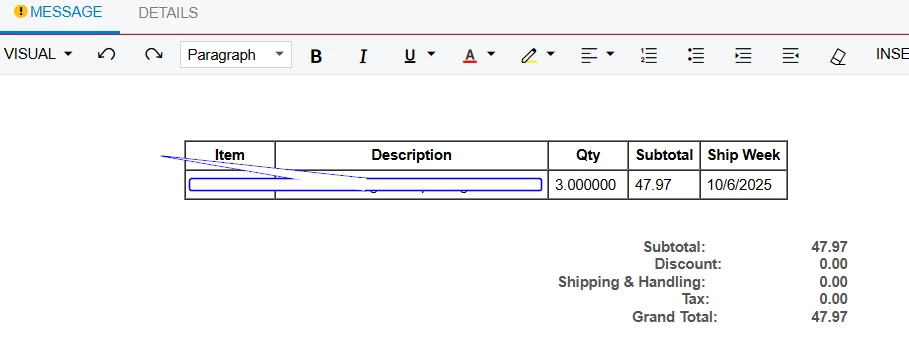
@bwhite49 For shipment it resolve the issue, But I need one more help regarding sales order.


But the sales order shows only one line items?

Item Description Qty Subtotal Ship Week

<foreach view="Transactions">

((Transactions.InventoryID.InventoryCD))

</foreach>


<foreach view="Transactions">((Transactions.InventoryID.Descr))

</foreach>

<foreach view="Transactions">((Document.OrderQty))

</foreach>

<foreach view="Transactions">((Transactions.CuryExtPrice))

</foreach>

<foreach view="Transactions">((Transactions.UsrKNSSaaSAvailablePromiseDate))

</foreach>


Manikanta Dhulipudi
Captain II
Forum|alt.badge.img+15


bwhite49
Captain II
Forum|alt.badge.img+10
  • Captain II
  • October 6, 2025

I think the issue is that you have the “For each” wrapped around each field rather than the HTML table.