

Answer

Filter or sort the Location lookup to show location with On Hand first

  • September 11, 2025
  • 2 replies
  • 53 views

When looking up a Location in forms like an Inventory Issue transaction, make it so that locations with inventory on hand show up first.  The current lookup in an inventory Issue sorts purely by Location which usually forces the user to filter on the on hand column.

One idea I had was to add a check box at the top of the Location lookup screen that is labeled something like “On Hand Only” that is checked by default, which would filter the listing down to locations that have inventory on hand.

Another idea is to just sort first by On Hand descending, and then by Location.

This idea has been in my head for years, but a new customer that is about to go-live asked me about this today.

Best answer by Kandy Beatty

Hi ​@jjones36 

I believe some of your ideas are already in place or maybe I misunderstood the ask. 

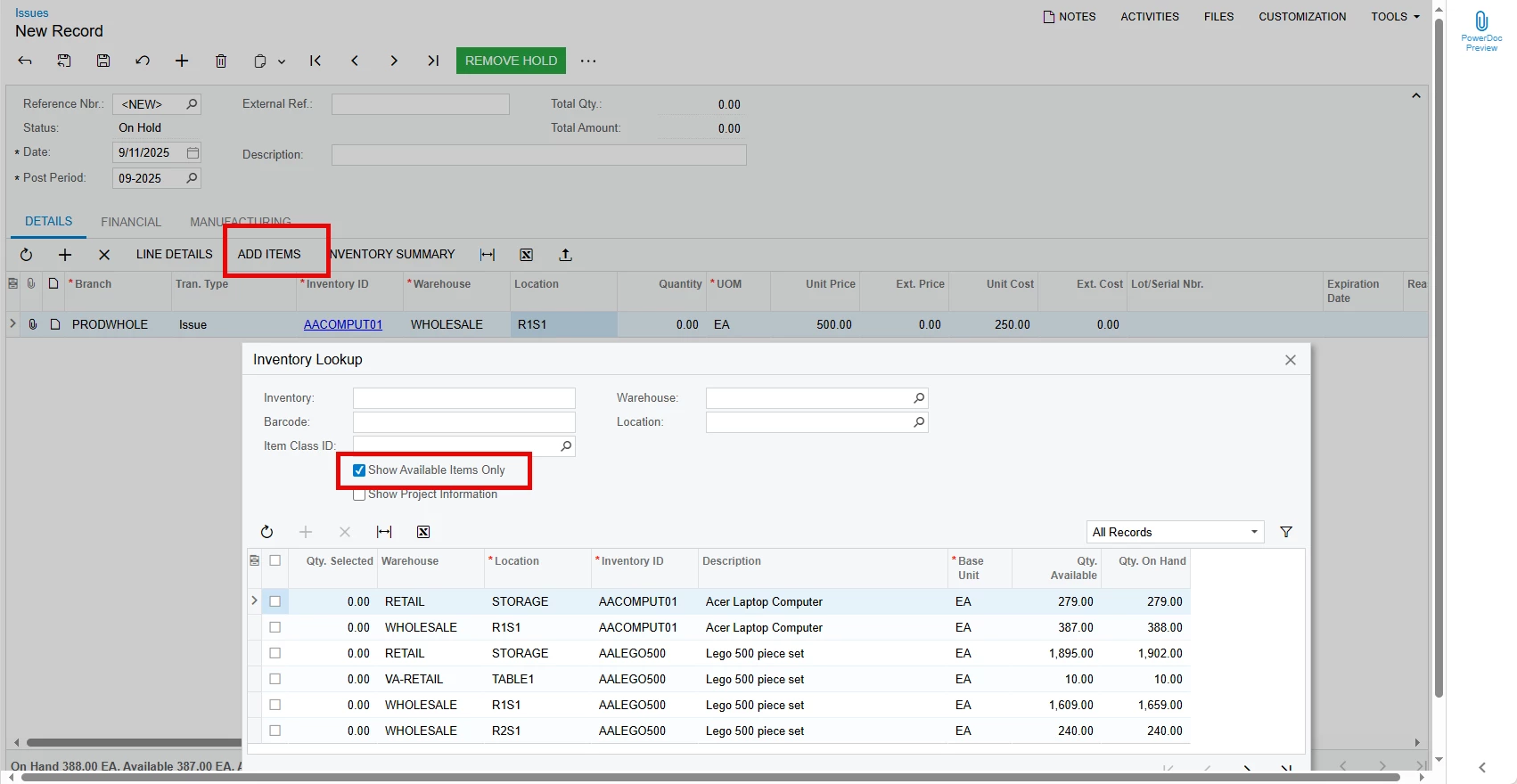
If you click the Add Items button, you can choose to see what items have qty on hand.


2 replies

  • Author
  • Freshman I
  • September 11, 2025

I meant to tag this as an idea, so I recreated this with that tag.  But if anyone knows how to accomplish this now I’d love to hear how.


Kandy Beatty
Captain II
Forum|alt.badge.img+17
  • Captain II
  • Answer
  • September 11, 2025

Hi ​@jjones36 

I believe some of your ideas are already in place or maybe I misunderstood the ask. 

If you click the Add Items button, you can choose to see what items have qty on hand.
