Answer

FIFO Valuation Method - View Cost Layers

  • August 24, 2023
  • 7 replies
  • 534 views

Denham
Jr Varsity III
Forum|alt.badge.img

Is there any way to view Cost Layers for a given inventory item? We are looking into switching to FIFO from AVG and we need a way to be able to view all cost layers for an inventory item.

Best answer by Laura03

Hello @Denham ,

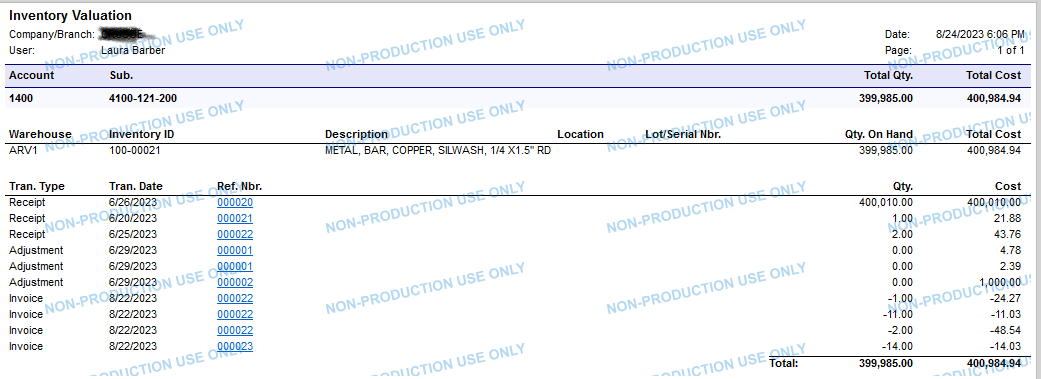
Please try the Inventory Valuation report, Detailed format.

Laura
 

7 replies

Laura03
Captain II
Forum|alt.badge.img+19
  • Captain II
  • Answer
  • August 24, 2023

Hello @Denham ,

Please try the Inventory Valuation report, Detailed format.

Laura



Denham
Jr Varsity III
Forum|alt.badge.img
  • Author
  • August 24, 2023

Thank you Laura!

I’m trying to build a GI in our Dev server to take a look at this, so Ill take a look at that report in the report designer to see what tables are being used.


dcomerford
Captain II
Forum|alt.badge.img+15
  • Captain II
  • August 25, 2023

I believe the table you are after is INCostStatus. It will add an entry in here for every items for its Cost Layer.


Forum|alt.badge.img+1

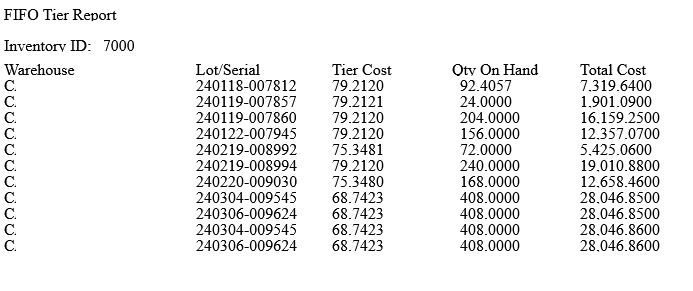
Here’s what we made.  Down and dirty FIFO tier report basically.  Just flat easier than using any of the canned inventory reports.  Just remove the .txt from the end to get the RPX. 


Forum|alt.badge.img
  • Varsity I
  • April 19, 2024

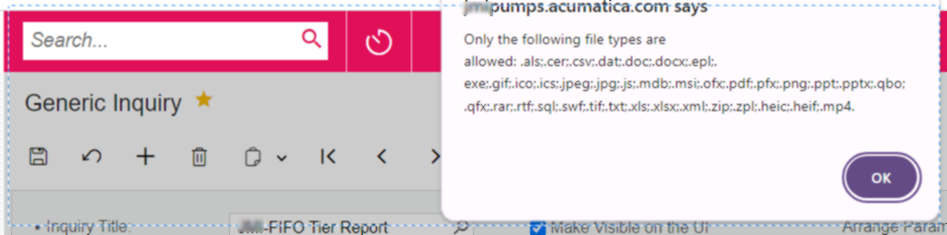
Hi travislawson - I am not having success importing the .rpx file. When I change the extension (remove the .txt) and try to import from xml, I get the following eror message: 

If I leave the .txt, it won’t accept that file either. 


dgodsill97
Varsity I
Forum|alt.badge.img+3
  • Varsity I
  • April 19, 2024

this is from one of the distribution classes long agon


  • Freshman I
  • December 20, 2024

this is awesome...much appreciated Dennis!