Answer

Error: Paperless Picking with "Single-Shipment Pick Lists" and "Confirm Shipment on Pick List Confirmation"

  • November 21, 2022
  • 6 replies
  • 208 views

priekenberg40
Varsity I
Forum|alt.badge.img

When confirming a Pick List i always get the error:
Another process has updated the 'SOPickingWorksheet' record. Your changes will be lost.

  1. Create Sales Order
  2. Create Shipment
  3. Create Pick Lists with “Create Single-Shipment Pick Lists”
    Check “Send To Picking Queue” and “Confirm Shipment on Pick List Confirmation"
  4. Start “Pick, Pack, Ship”
    - Next List
    - Scan Location, Package, Item
    - Confirm Package
    - Finish And Next
  5. Error

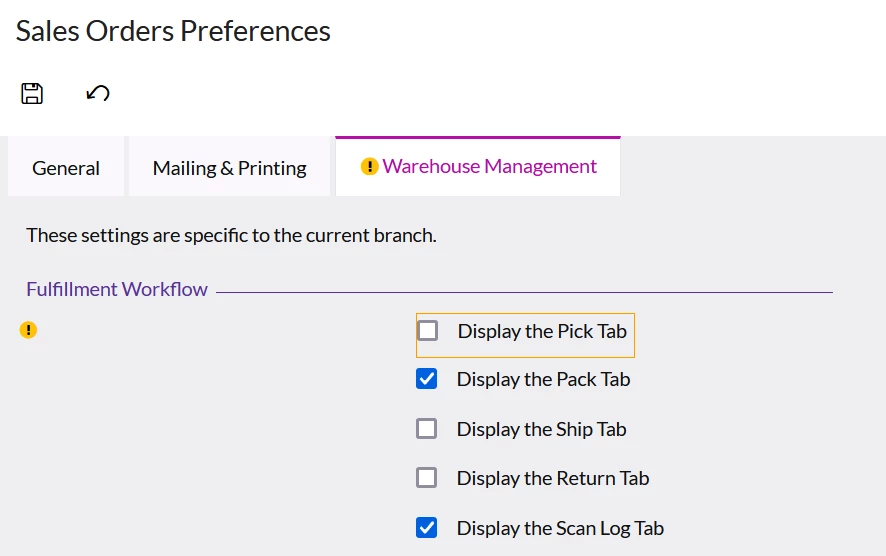
Setting: PackOnly


What am i doing wrong? In 2021 R2 it worked this way.

Best answer by Hannah Barnes

Hi @priekenberg40 ,

I did some research, and I found that this error may be due to a known issue.

The known issue is fixed in 2022R116.

What build are you using?


Thank you.

6 replies

Hannah Barnes
Captain II
Forum|alt.badge.img+4
  • Captain II
  • Answer
  • November 21, 2022

Hi @priekenberg40 ,

I did some research, and I found that this error may be due to a known issue.

The known issue is fixed in 2022R116.

What build are you using?


Thank you.


priekenberg40
Varsity I
Forum|alt.badge.img
  • Author
  • Varsity I
  • November 21, 2022

It’s 22.114.0029


priekenberg40
Varsity I
Forum|alt.badge.img
  • Author
  • Varsity I
  • November 21, 2022

Hannah Barnes
Captain II
Forum|alt.badge.img+4
  • Captain II
  • November 21, 2022

@priekenberg40 

2022R116 is scheduled for release around the end of November.

Until then this would need to be resolved through a case by the L2 Team.


I hope this helps!


priekenberg40
Varsity I
Forum|alt.badge.img
  • Author
  • Varsity I
  • November 22, 2022

@Hannah Barnes , could you lead me to the know issue? I can’t find it in the known issues for 2022 R1.
What is the AC number?


Hannah Barnes
Captain II
Forum|alt.badge.img+4
  • Captain II
  • November 22, 2022

@priekenberg40 
I have been looking for the AC number on the Community as well, but I also cannot find it.
It must not be published yet.
I have reached out to the managers of the Known Issues screens to check on it; but if it helps, internally I am seeing an AC number of AC-253463 .