Question

Error creating shipment: No stock available despite on-hand inventory

  • Nov 19, 2026 2:58 AM UTC
  • 5 replies
  • 38 views
  • Translate All

Hi everyone, 

Has anyone run into this case before? Any help would be greatly appreciated, thanks so much!

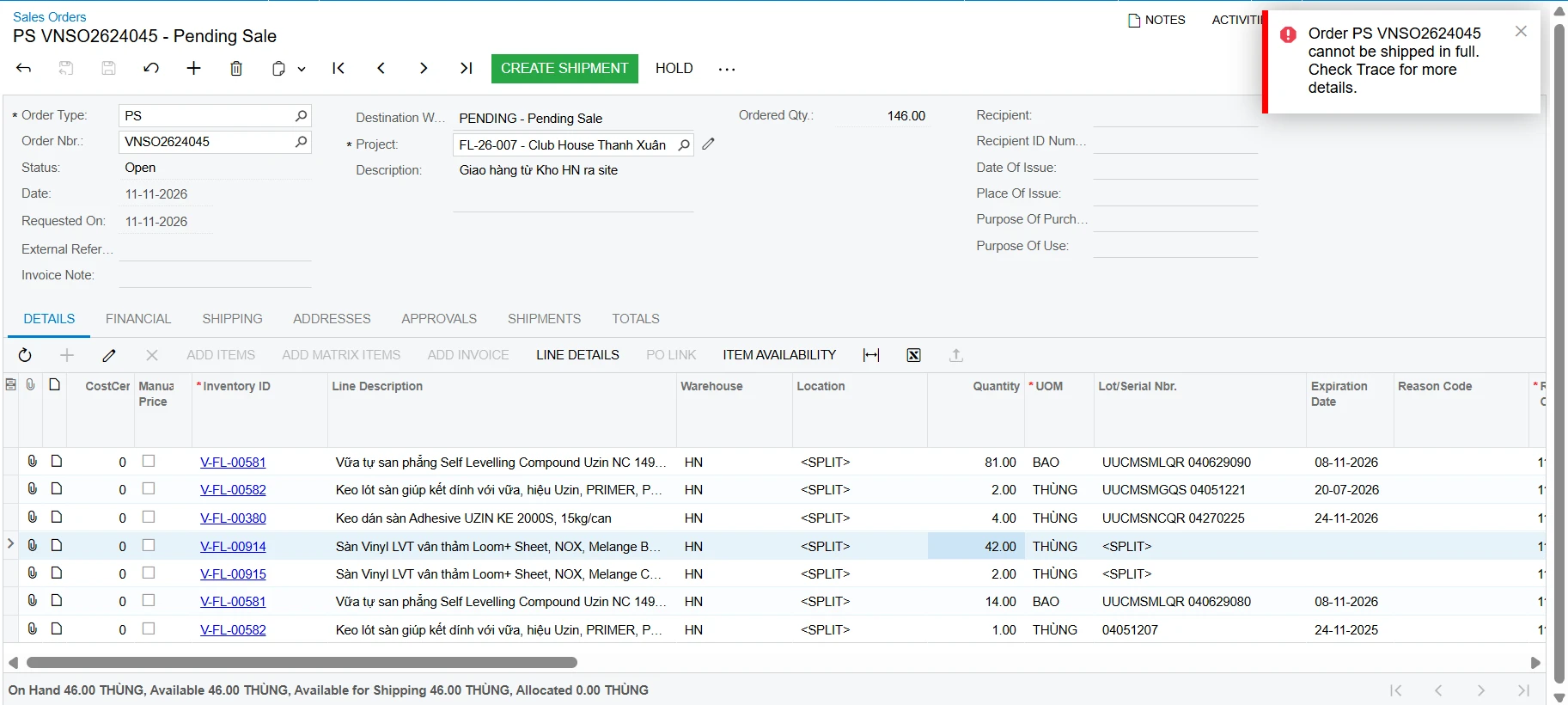
When I tried to create the shipment for SO, the system returned an error.

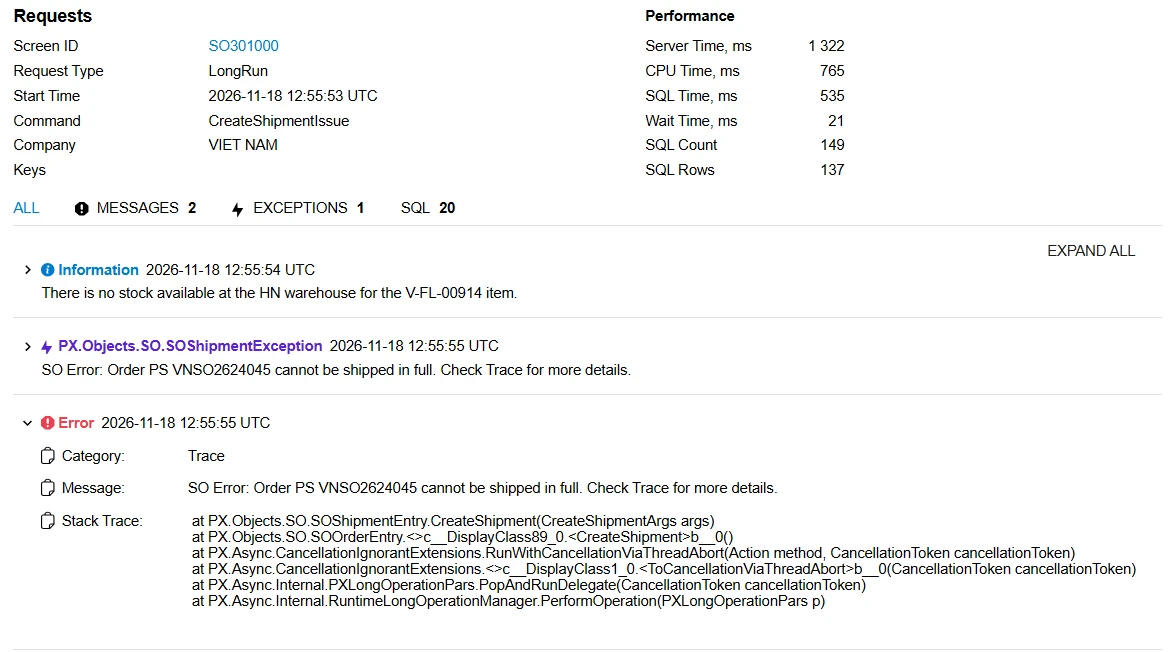
Upon checking the trace log, it states: "There is no stock available at the HN warehouse for the V-FL-00914 item."
 

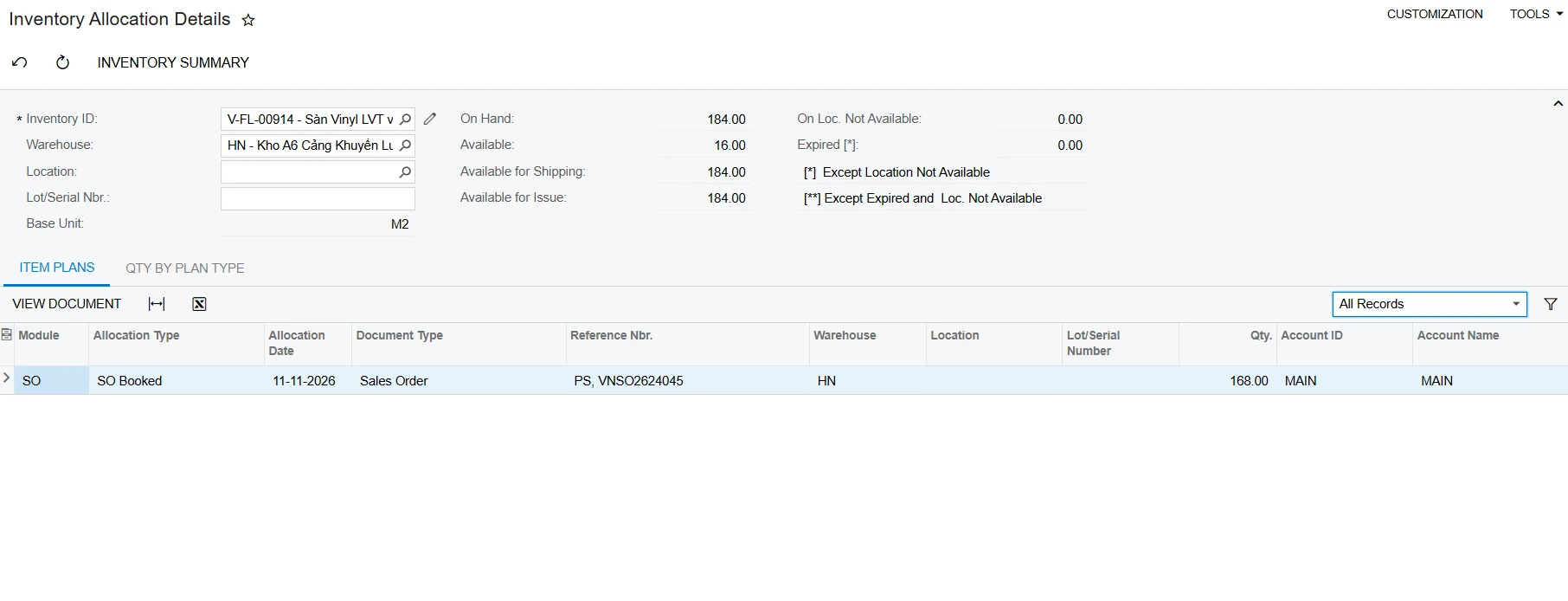
In fact, this item has sufficient stock in the warehouse and is not allocated or reserved by any other orders.


5 replies

lauraj46
Captain II
Forum|alt.badge.img+9
  • Captain II
  • Nov 19, 2026 3:43 AM UTC

Hi ​@hieutran ,

Not sure if this is your issue, but I noticed that the sales order is associated with a project.  Do you have the Project Specific Inventory feature enabled in your tenant?

If some projects have the Track by Project Quantity and Cost: or Track by Project Quantity tracking mode selected then some of the on.hand quantity of this stock item may be reserved for other projects. 

The quantity available for issuing is defined by the warehouse location, the project, and the project task.  You can also have free stock.

You can review the inventory by project using a Generic Inquiry.  More info in this post:

https://community.acumatica.com/how%2Dtos%2Dand%2Dfaqs%2D267/how%2Dto%2Dreview%2Dproject%2Dspecific%2Dinventory%2Dquantity%2Dand%2Dcost%2D18419

Hope.this helps!

Laura 

Translate

mohammadnawaz51
Varsity I
Forum|alt.badge.img+8

​@hieutran  enabled project inventory “tracking by location” and on page 298 of this release document, http://acumatica-builds.s3.amazonaws.com/builds/21.2/ReleaseNotes/AcumaticaERP_2021R2_ReleaseNotes_full.pdf, we need to link the inventory account with an account group. Please try this.

Translate

  • Author
  • Freshman II
  • Nov 19, 2026 9:23 AM UTC

Thank you all, I will take a look at it!

Translate

KrunalDoshi
Pro II
Forum|alt.badge.img+9

Hi ​@hieutran,

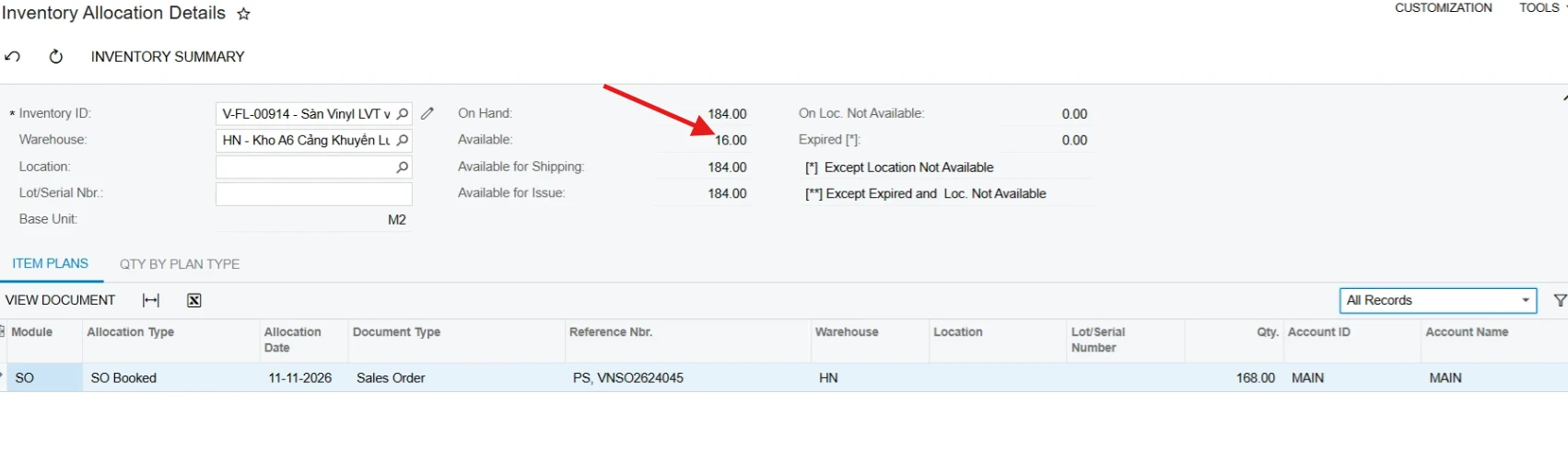
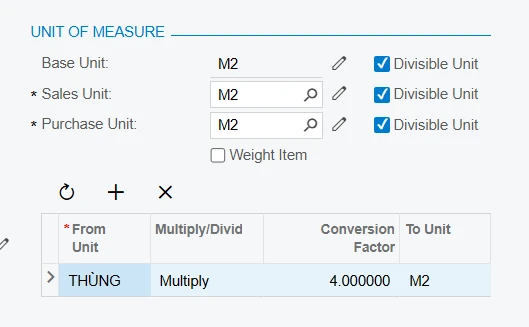
In your Inventory Allocation Details screenshot, the item says available is on 16. Not sure if your current SO is already included in as a part of allocation. Because if it does not then your conversion factor also does not add up.


Translate

Steve Milner
Varsity III
Forum|alt.badge.img+7
  • Varsity III
  • Nov 19, 2026 7:54 PM UTC

My replies are created in part with the help of proprietary AI, built with my AI skills, curated and maintained myself. Most replies are tested on local instances before they go up, and all are reviewed before posted.

@hieutran, your numbers do add up, which answers Krunal’s question. The line is 42 THÙNG at 4 M2 each, so 168 M2. That’s the SO Booked row in Inventory Allocation Details, and 184 minus 168 is the 16 shown as Available. The warehouse really does hold 46 THÙNG against the 42 you’re shipping.

Laura’s project-stock question is the right one to rule out, and your own screenshot already does it. The status bar under the grid is calculated in the line’s own cost center, and it shows 46 THÙNG on hand and available for shipping.

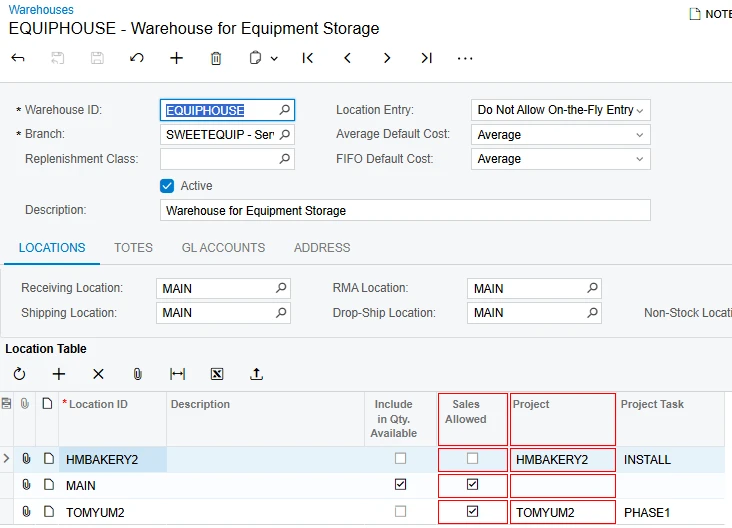
The shipment doesn’t ship from that total, though. It picks location by location and skips any location that isn’t Sales Allowed. For a line with a project and task (yours is on FL-26-007), it also skips locations linked to a different project. Locations get linked to projects through the Track by Location mode Mohammad mentioned. If the line’s splits already name lot numbers (your Lot/Serial column shows <SPLIT>), it looks only for those lots. When nothing passes those filters, or not enough for a ship-complete order, the line is dropped with exactly the message in your trace.

To see which one it is, open Inventory Summary for V-FL-00914 at HN with Expand by Lot/Serial Numbers checked. It shows which locations and lots hold the 184 M2. Check those locations on the Locations tab of the HN warehouse for Sales Allowed and Project (Project is near the far right of that grid), and compare the lots to Line Details on the order.


Translate