Answer

Entering Multiple Serial Numbers at Once in "Receive and Put Away" Screen

  • July 7, 2025
  • 2 replies
  • 98 views

FinnSystemAG
Freshman II
Forum|alt.badge.img

Hi everyone,

I placed an order for 2 units of an item.
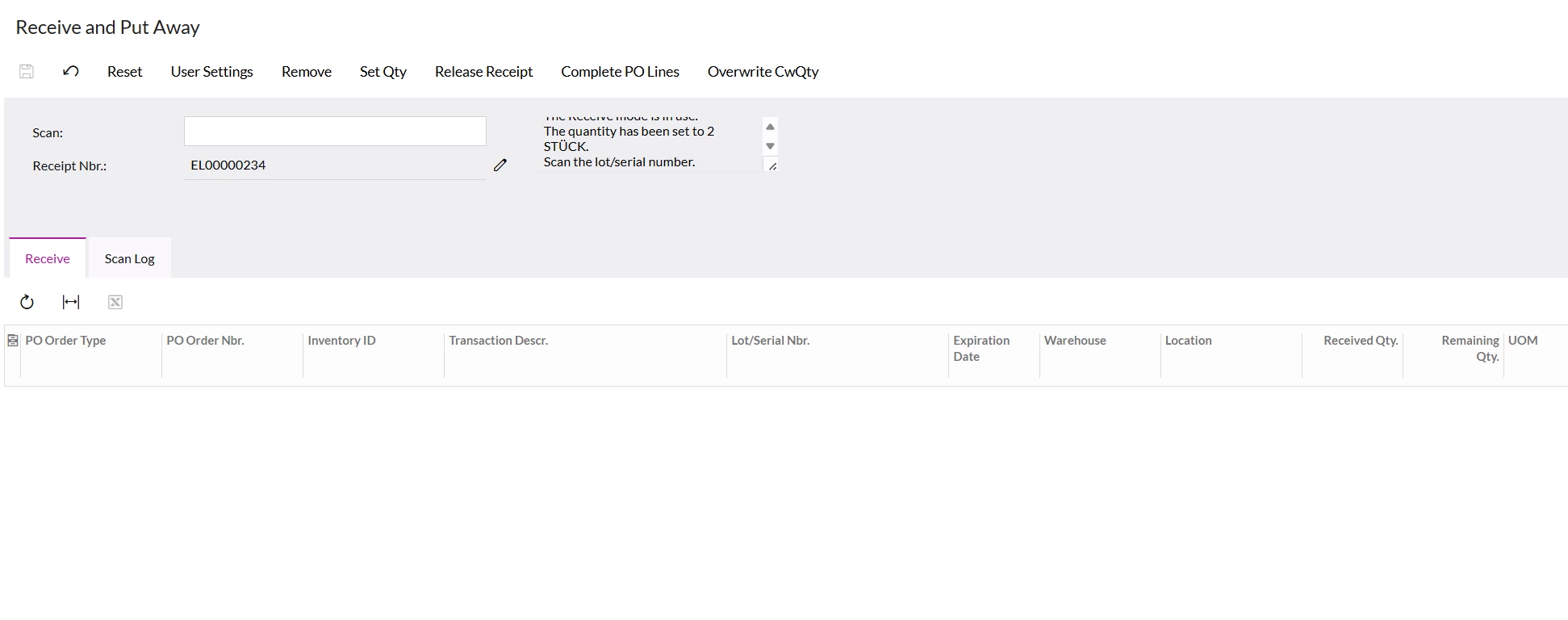
Now I’m in the Receive and Put Away screen. I entered the order number and the item number, then clicked on Quantity and entered the number 2.

I want to enter two serial numbers ( for example, 00001 and 00002 ) at the same time, instead of entering them one after the other. I’d like to know if that’s possible, and if so, how it works.

In general, when I order larger quantities of an item, I’d prefer to enter all serial numbers in one go rather than inputting each one individually.

I’d really appreciate your help with this.

Thanks in advance!


Best answer by valentynbeznosiuk

Hi ​@FinnSystemAG 

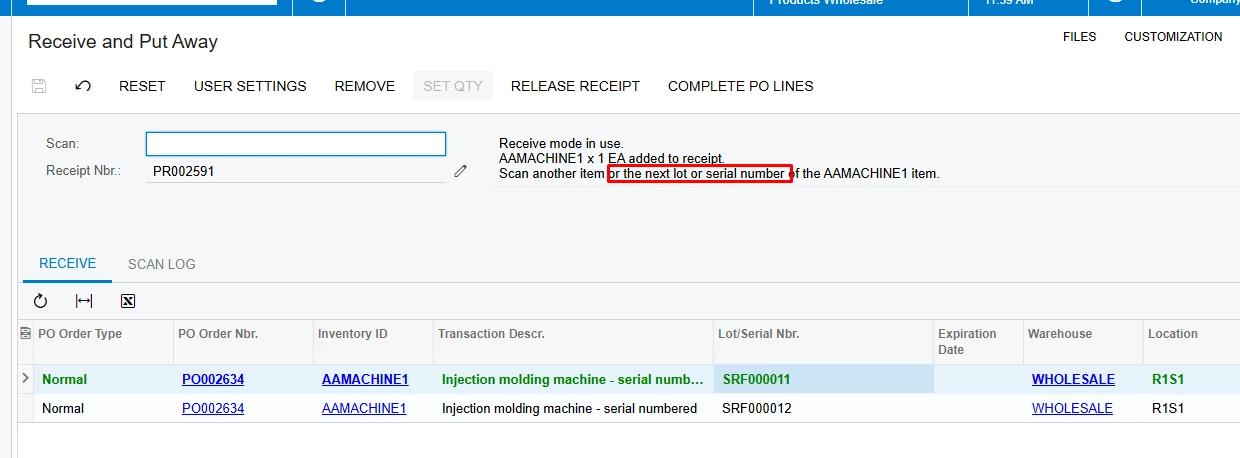
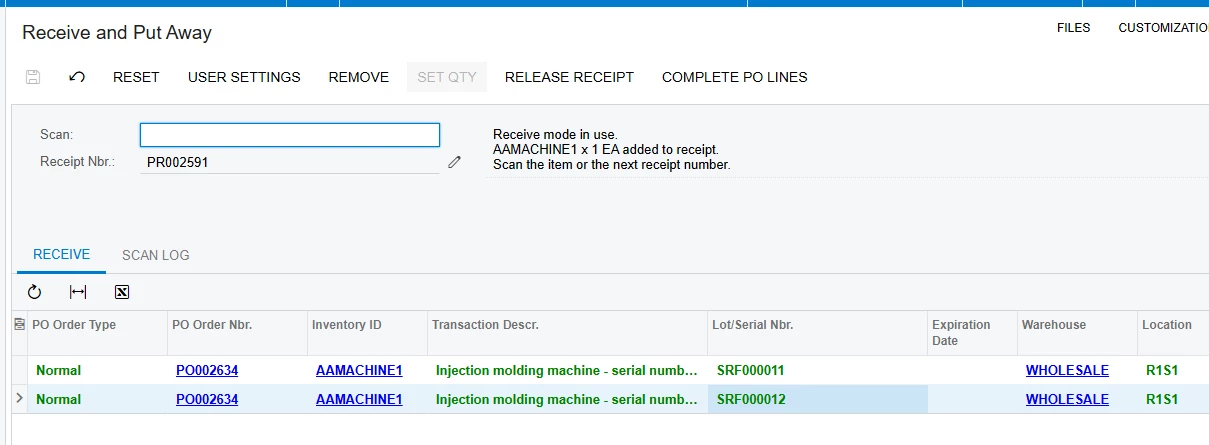
When you perform scanning after scanning first serial number system asks you to scan another item or the next lot or serial number, so you can simply scan the second serial number


2 replies

AntonDegtyarev27
Acumatica Employee

Hi! Could you please clarify how this process works and what release is used?

Do you scan serial numbers printed on barcodes, enter them manually for each item, or use auto-generated serial numbers?

I'd also like to clarify what do you exactly mean by entering multiple serial numbers at the same time.

If you're using a barcode scanner, it typically sends the carriage return (equal to pressing the "Enter" button) after each scan (unless configured otherwise), which allows you to scan serial numbers one by one without having to press any additional buttons. In this case it would be difficult to scan several serial numbers and than to press "Enter" button on the keyboard.


P.S. I found another topic related to the same question: 

Could you please clarify how this barcode looks like and what kind of items have such serial numbers. Thanks.


valentynbeznosiuk
Jr Varsity I
Forum|alt.badge.img+3

Hi ​@FinnSystemAG 

When you perform scanning after scanning first serial number system asks you to scan another item or the next lot or serial number, so you can simply scan the second serial number