Answer

Embedded Image in 2025R1 Modern UI on Stock Item Record

  • July 17, 2025
  • 3 replies
  • 75 views

josborn02
Varsity III
Forum|alt.badge.img+1

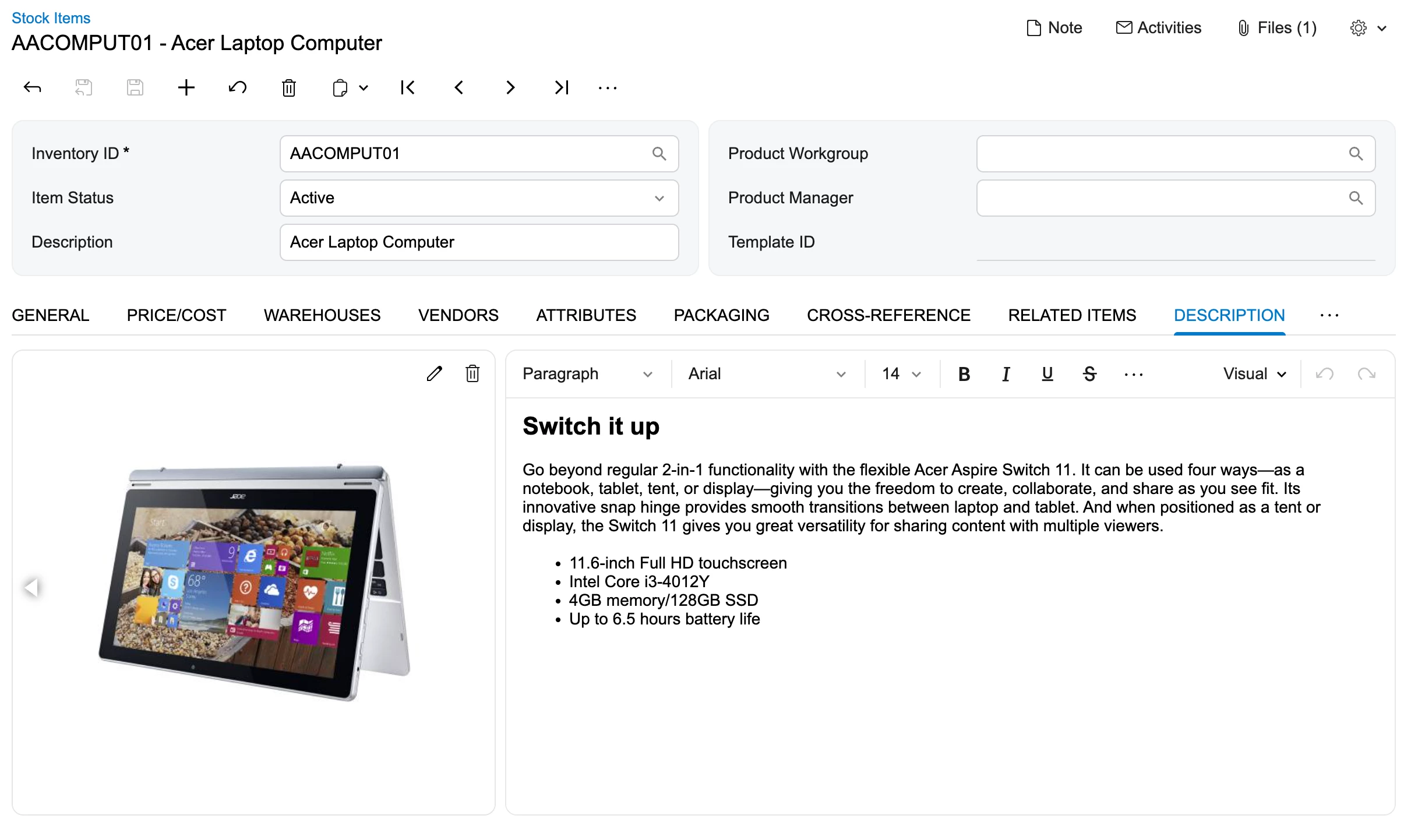
I just started using the modern UI on 2025R1 and noticed the embedded image is no longer on the attributes tab of the stock item record.  Does anyone know how to get this back?  I tried adding the Image URL using the screen configurator, but that doesn’t embed the image, it just creates a non-drillable image URL.

Best answer by vshashkova

@josborn02, hi! It’s been moved to the Description tab in the Modern UI.

Does this work, or would you like to move it back to the Attributes tab?

3 replies

vshashkova
Acumatica Moderator
Forum|alt.badge.img+1
  • Acumatica Moderator
  • Answer
  • July 18, 2025

@josborn02, hi! It’s been moved to the Description tab in the Modern UI.

Does this work, or would you like to move it back to the Attributes tab?


  • Freshman I
  • October 18, 2025

This change with 25R2 that ​@josborn02 mentions also means that the product

@josborn02, hi! It’s been moved to the Description tab in the Modern UI.

Does this work, or would you like to move it back to the Attributes tab?

@vshashkova This change to the Description tab also means that product images do not display on the mobile app (Warehouse Management > Item Lookup). We have tested multiple tenants in 25R1 and 25R2, and we cannot get the images in 25R2 to display on the mobile app like they did in 25R1. The tab change may not be a big issue, but not displaying in the mobile app is a big concern. Our clients with warehouse employees need to be able to see the product images on mobile devices when they use the lookup.


vshashkova
Acumatica Moderator
Forum|alt.badge.img+1
  • Acumatica Moderator
  • October 20, 2025

@joelc67 Thanks for the clarification. We’ll look into it.