Solved

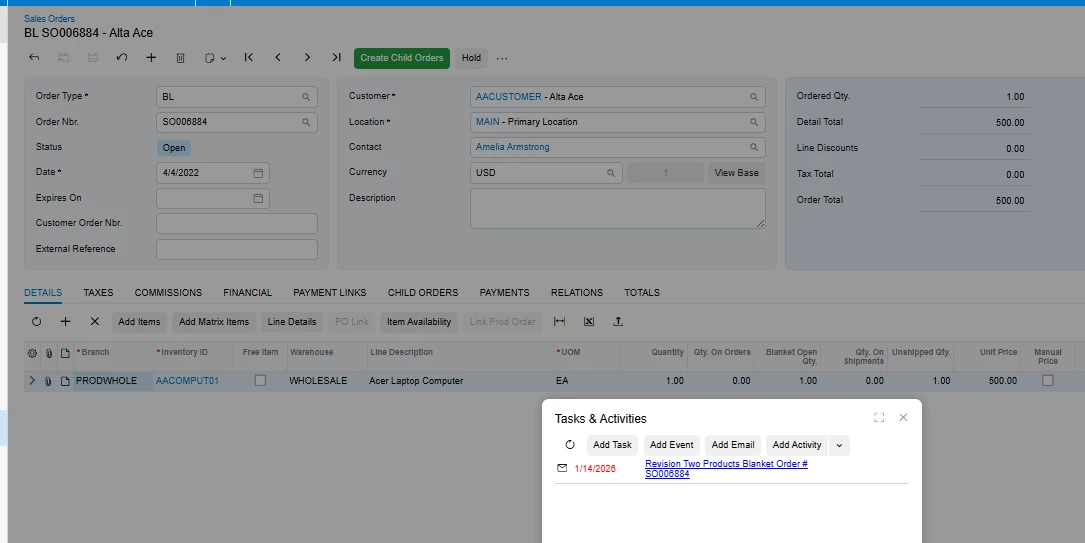
Emailing BL order

  • January 13, 2026
  • 6 replies
  • 50 views

Forum|alt.badge.img

We create a lot of BL orders and would like to email our client the full order so they know when to expect their product to be shipped to them. When we attempt to email that order. I get the following error.
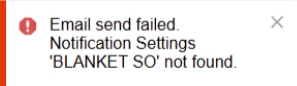
 

Is there something we are missing in our process to be able to send the whole BL order? This is just the initial BL. The ST send fine as they order is created.


Also, if we want to change the options within each line, can that be changed via the options up top or will a new line have to be created with the new information?

Thank You!
Brent
 

Best answer by SankaPeiris07

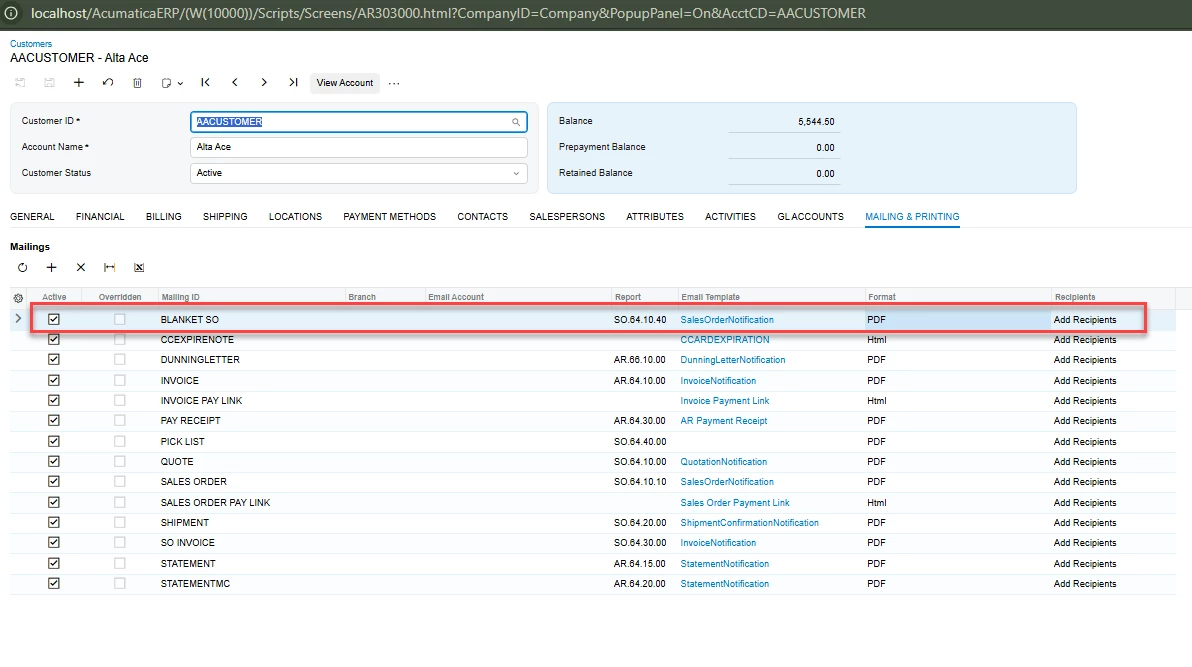
Make sure that the notification template is correctly set in the Customer Mailing Settings to avoid this error, below is an example screenshot took from my test site. 

Once I added it, it allowed me to email the Blanket order without any errors. 


6 replies

Forum|alt.badge.img
  • Author
  • Jr Varsity II
  • January 13, 2026

So is it that the integration between Acumatica and Outlook is the issue? We are doing it just like trying to send an SO. 


Forum|alt.badge.img
  • Author
  • Jr Varsity II
  • January 13, 2026

I guess I’m confused. Why does emailing other forms work fine, but trying to email the BL order won’t go and claims there isn’t a blanket order? 


Heidi Dempsey
Community Manager
Forum|alt.badge.img+3
  • Community Manager
  • January 13, 2026

@bbondura my mistake.  I was answering a different post.  I will reach out to a team member and see if I can get you an answer.


Forum|alt.badge.img
  • Author
  • Jr Varsity II
  • January 14, 2026

Thank You! It’s important so any help you can provide will be much appreciated.


Forum|alt.badge.img
  • Acumatica Employee
  • Answer
  • January 14, 2026

Make sure that the notification template is correctly set in the Customer Mailing Settings to avoid this error, below is an example screenshot took from my test site. 

Once I added it, it allowed me to email the Blanket order without any errors. 


Forum|alt.badge.img
  • Author
  • Jr Varsity II
  • January 14, 2026

That worked! I just had to make sure that the option was active. Duh…. 


Thank you! I marked your answer ‘Best Answer’