Question

Drop Down for Inventory Items When Entering a Sales Order

  • April 28, 2026
  • 5 replies
  • 42 views

I have a single user, out of 125, that does not have the drop down for inventory items when entering a sales order (see below). 

This is incredibly frustrating to the user because he is new and doesn’t know all of our products. 

How can I get this drop down to appear for him? Any ideas why it wouldn’t be showing up for just him? 
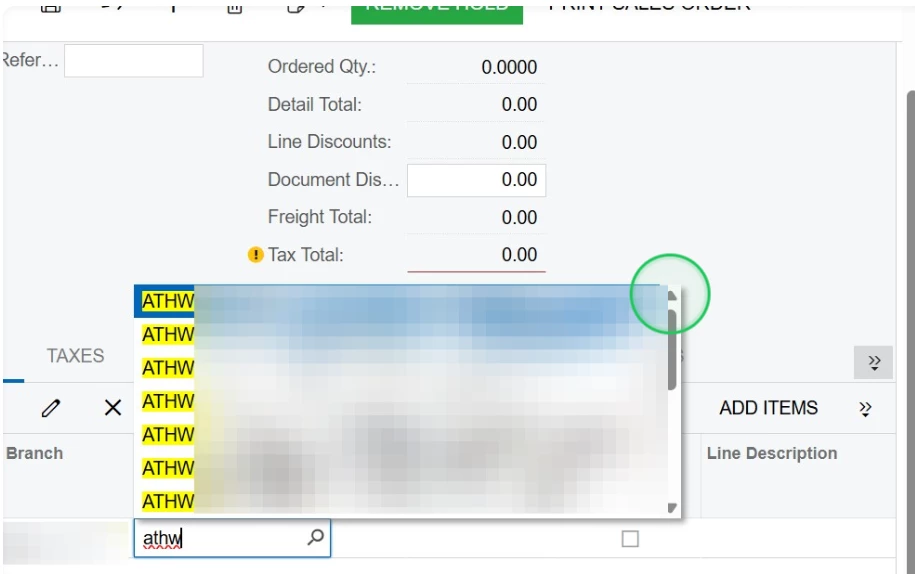
Thank you! 

5 replies

Naveen Boga
Captain II
Forum|alt.badge.img+20
  • Captain II
  • April 28, 2026

@abraun14205 This looks like a user-specific configuration issue rather than a system-wide problem.
I would start by checking the user’s access rights to Inventory Items, as well as any restriction groups or branch-level access that might be limiting visibility.
If those look correct, we can also review whether there are any customizations or selector filters affecting the InventoryID field.


  • Author
  • Freshman I
  • April 28, 2026

Thank you, ​@Naveen Boga I will work through user access rights first and go from there. I do have a case with Acumatica regarding some other issues with the user in particular. 


Thank you again!


mohammadnawaz51
Jr Varsity II
Forum|alt.badge.img+6

@abraun14205 Does this user has any configuration related to product group, product manager

Does he have access to view all stock items in the stock item screen page?


  • Author
  • Freshman I
  • April 28, 2026

@mohammadnawaz51 none of our salespeople have access to the Stock Items page. None of the other salespeople users are have the drop down inventory issue on the sales order line. 


Neil Cantral
Jr Varsity I
Forum|alt.badge.img+4
  • Jr Varsity I
  • April 28, 2026

Check the user profile setting for “Lookup Box Suggestions” - User Profile > General Info > Personal Settings. Some of my users disable this to allow for faster order entry.

Lookup Boxes