Answer

Customer Purchase History

  • January 9, 2024
  • 10 replies
  • 404 views

dougmcbride79
Semi-Pro I
Forum|alt.badge.img

Is there are report or GI in Acumatica where one can see a customers purchase history by item?

Best answer by Kandy Beatty

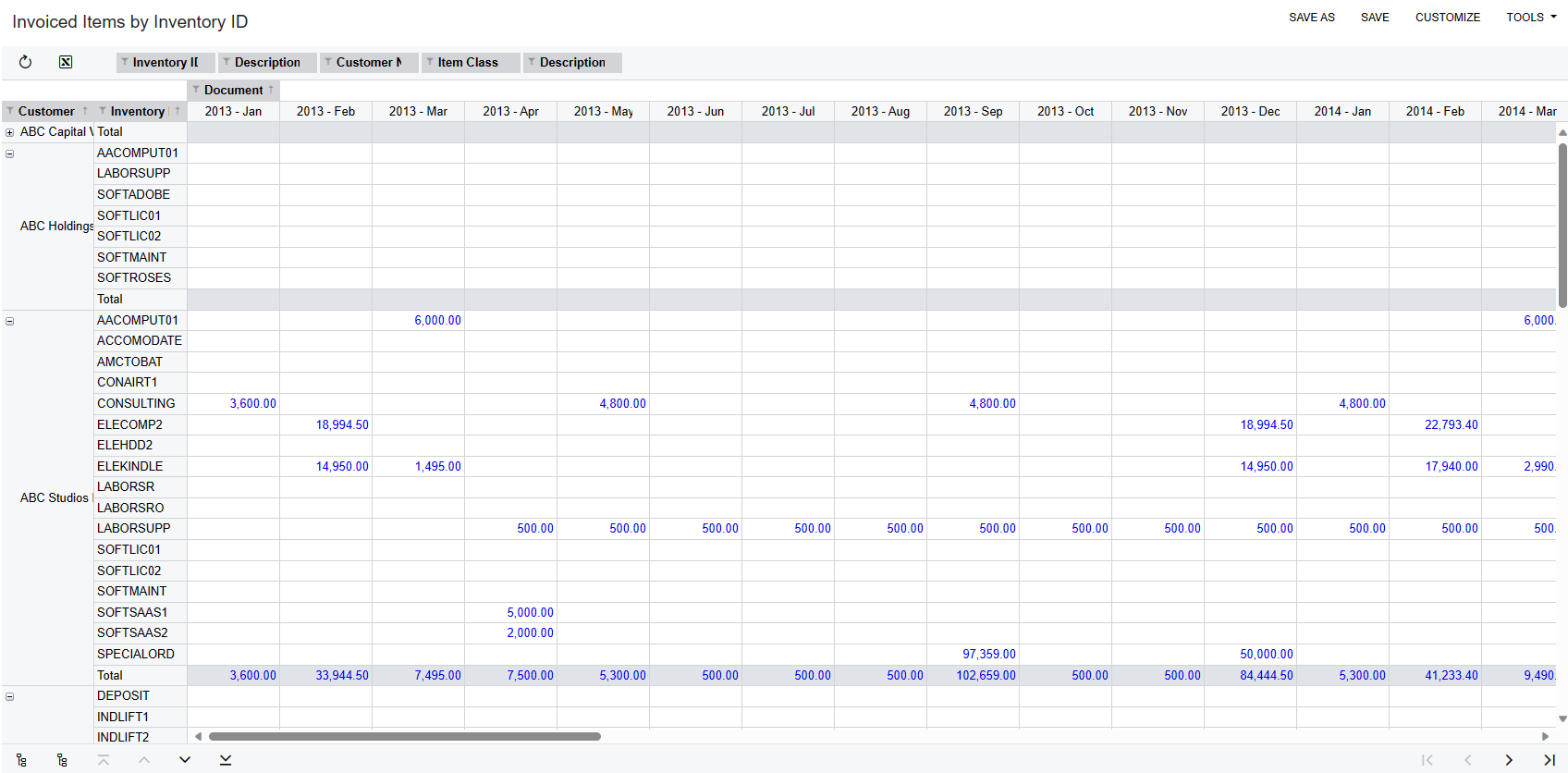
Here is what the Pivot Table looks like as well
 

10 replies

Kandy Beatty
Captain II
Forum|alt.badge.img+17
  • Captain II
  • January 9, 2024

Hi @dougmcbride79 

There is not one out of the box, but here is one that is I have used for Invoiced Items that you could use if you would like.


I made it into a Pivot Table (these are WAY under used in my opinion in Acumatica) as well!


Kandy Beatty
Captain II
Forum|alt.badge.img+17
  • Captain II
  • Answer
  • January 9, 2024

Here is what the Pivot Table looks like as well



dougmcbride79
Semi-Pro I
Forum|alt.badge.img
  • Author
  • Semi-Pro I
  • January 9, 2024

Thank you so much.  Very kind of you.  


Laura03
Captain II
Forum|alt.badge.img+19
  • Captain II
  • January 10, 2024

Hello @dougmcbride79 ,

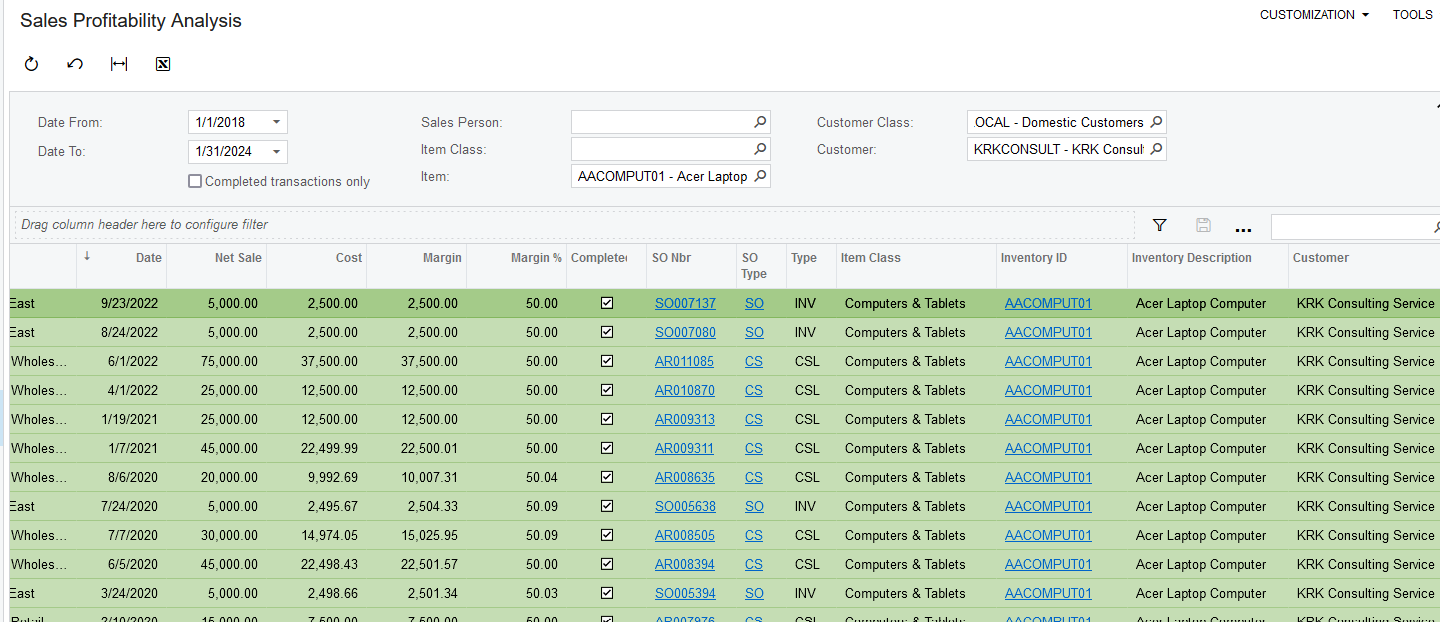
Did you consider the Sales Profitability Analysis screen? It shows sales order history by customer and item.

Laura


dougmcbride79
Semi-Pro I
Forum|alt.badge.img
  • Author
  • Semi-Pro I
  • January 10, 2024

Thank you so much.  


dougmcbride79
Semi-Pro I
Forum|alt.badge.img
  • Author
  • Semi-Pro I
  • January 13, 2024

Kandy Beatty: Thank you again.  We have installed your pivot table.  WOW. So helpful.  Our sales team began using it for a long standing issue we had.  Thank you again.  Doug


Kandy Beatty
Captain II
Forum|alt.badge.img+17
  • Captain II
  • January 13, 2024

Kandy Beatty: Thank you again.  We have installed your pivot table.  WOW. So helpful.  Our sales team began using it for a long standing issue we had.  Thank you again.  Doug

Glad to have helped @dougmcbride79. Again, I think Pivot tables are so under used in Acumatica. I’ve started showing them more recently and the feedback is that most people didn’t even know they existed. 


  • Freshman I
  • October 31, 2025

@Kandy Beatty I love the look of the pivot table. Do you happen to have another copy of that xml file?

Also, if you could share a screenshot of how you’ve set up the pivot, that would be very helpful.

The downloaded file does not work any more. I get this error when I open it in a text editor:

“This XML file does not appear to have any style information associated with it. The document tree is shown below.
<Error>
<Code>AccessDenied</Code>
<Message>Access denied</Message>
</Error>”

And this error when I try to upload the XML into the GI page:

“An unhandled exception has occurred in the function 'MoveNext'. Please see the trace log for more details.”


Thanks,
Nathan


Chris Hackett
Community Manager
Forum|alt.badge.img
  • Acumatica Community Manager
  • November 3, 2025

Hi ​@nathand - I was able to right click → save link as and open the file fine in a text editor. I have attached again in case it helps. 


  • Freshman I
  • November 3, 2025

Thanks ​@Chris Hackett, for whatever reason this file works without issue for me.