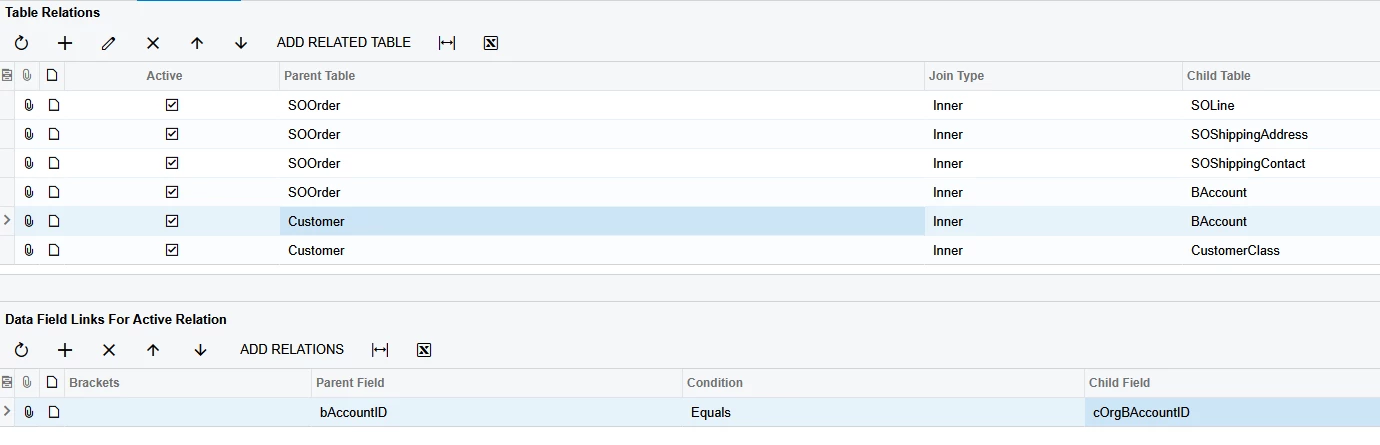
Hello; i’m struggling to activate my Price class field in my Generic Inquiry.
I’ve gotten it to work before...but i had to switch from billing to shipping addresses and having rebuilt it, i broke it and cant get it again lol.
So far, I’ve had success using the DAC browser and following what they state via the element inspector, albeit some are backwards to what the browser says.
Is there a resource that explains more thorough how to find these relation partnerships? I sorta understand but some change and i get confused.
Best answer by DrewNisley
@kdolgner You should switch the Customer and BAccount DACs around. BAccount is what needs to be connecting to Customer and not vice versa, since BAccount is connected to the SOOrder DAC above. The Table Relation should be BAccount Left Join Customer. The Field Relation should be bAccountID equals bAccountID.
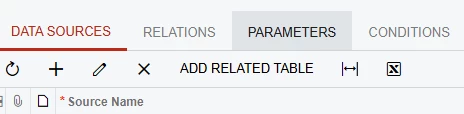
As far as resources go, you can use the Add Related Table button on the data sources tab. That will give you most joins between the DACs.
@kdolgner You should switch the Customer and BAccount DACs around. BAccount is what needs to be connecting to Customer and not vice versa, since BAccount is connected to the SOOrder DAC above. The Table Relation should be BAccount Left Join Customer. The Field Relation should be bAccountID equals bAccountID.
As far as resources go, you can use the Add Related Table button on the data sources tab. That will give you most joins between the DACs.
@kdolgner You should switch the Customer and BAccount DACs around. BAccount is what needs to be connecting to Customer and not vice versa, since BAccount is connected to the SOOrder DAC above. The Table Relation should be BAccount Left Join Customer. The Field Relation should be bAccountID equals bAccountID.
As far as resources go, you can use the Add Related Table button on the data sources tab. That will give you most joins between the DACs.
I also very much appreciate the way you explained why it wasn’t working and how to fix while also teaching. I understand how the relation between account and so order needed to be declared in a specific order so it can be read. if not declared above, it can’t be read. This is what i was missing.
Also, thank you for the link; this is now bookmarked for my many future adventures in this sea.