Solved

Credit Card Sales Order Fee

  • March 9, 2022
  • 6 replies
  • 971 views

Forum|alt.badge.img

When a customer decides to pay using a credit card, we charge an additional 2.5%. Is there a way to increase item cost by 2.5% when payment type CC is selected? I see where we can offer cash discounts by days but not an increase by term type. If not, I plan to create a Non-Stock item “Credit Card Fee” where we can calculate the 2.5% manually and add it to the order. 

Best answer by Tfahey14

@mpowell,

I can think of three possible ways of applying a 2.5% charge to the item or the invoice.

  • Set your sell price at $102.50, i.e. the credit card price. Set up a discount for 2.439024% to be applied to cash sales.  Assign the discount to cash customers.

In this case, on a sales order without the discount the unit sell will be $102.50. With the discount the unit sell will be $100.00. The 2.5% “fee” for paying by credit card will not be tracked separately.

  • Enter a negative discount percent on the line item(s). This will then calculate as a negative discount amount and be added to the line item price.

In this case, on a sales order without the -2.5% discount the unit sell will be $100.00. With the -2.5% discount the unit sell will be $102.50. The 2.5% “fee” for paying by credit card will not be tracked separately. 

  • Create a Shipping Terms that calculates as 2.5% of invoice, based on Sales Order.

In this case, the unit sell will be $100.00 and the 2.5% fee will be calculated and allocated to the Freight GL account.  If you are already using Shipping Terms to calculate freight price, this might muddy the waters w.r.t. total freight charges.  You may need to post reallocation entries to move the credit card fees to a different GL account if you need to track them separately.

6 replies

Kandy Beatty
Captain II
Forum|alt.badge.img+18
  • Captain II
  • March 9, 2022

Hi @mpowell 

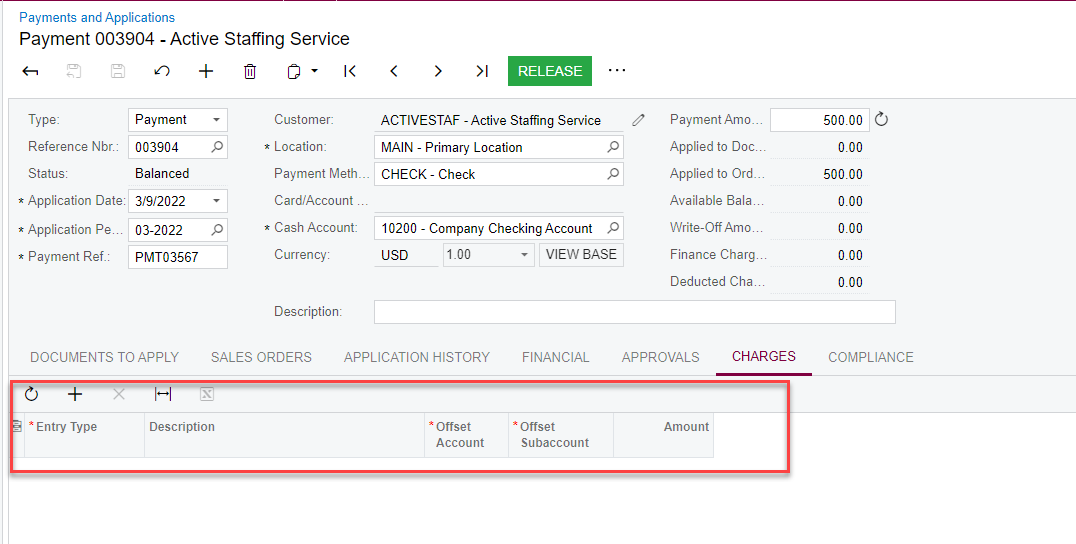
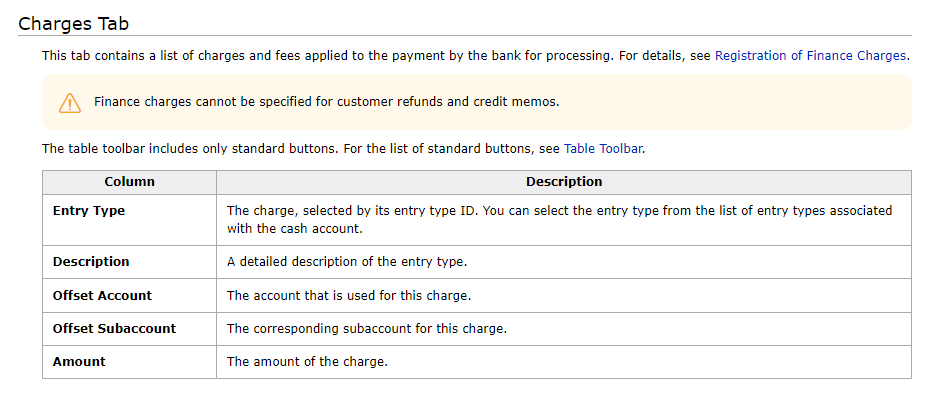
I know that on Payments, you can add a Charge with an Entry Type, but it doesn’t appear to be on the Sales Order. 


This article will help you as well:

https://help-2021r2.acumatica.com/(W(1))/Help?ScreenId=ShowWiki&pageid=ef935e3a-04a2-47a4-b999-c97eeedd8730


Forum|alt.badge.img
  • Jr Varsity II
  • Answer
  • March 14, 2022

@mpowell,

I can think of three possible ways of applying a 2.5% charge to the item or the invoice.

  • Set your sell price at $102.50, i.e. the credit card price. Set up a discount for 2.439024% to be applied to cash sales.  Assign the discount to cash customers.

In this case, on a sales order without the discount the unit sell will be $102.50. With the discount the unit sell will be $100.00. The 2.5% “fee” for paying by credit card will not be tracked separately.

  • Enter a negative discount percent on the line item(s). This will then calculate as a negative discount amount and be added to the line item price.

In this case, on a sales order without the -2.5% discount the unit sell will be $100.00. With the -2.5% discount the unit sell will be $102.50. The 2.5% “fee” for paying by credit card will not be tracked separately. 

  • Create a Shipping Terms that calculates as 2.5% of invoice, based on Sales Order.

In this case, the unit sell will be $100.00 and the 2.5% fee will be calculated and allocated to the Freight GL account.  If you are already using Shipping Terms to calculate freight price, this might muddy the waters w.r.t. total freight charges.  You may need to post reallocation entries to move the credit card fees to a different GL account if you need to track them separately.



Forum|alt.badge.img
  • Jr Varsity II
  • February 12, 2026

The charge type does not show up in payments because it only shows up if you deduct from the payment. 


Forum|alt.badge.img
  • Jr Varsity II
  • February 12, 2026

This is now supported in Acumatica Payments (for US Merchant accounts).

The the Surcharge customization “allows you to apply credit card surcharges to invoices and sales orders in Acumatica, helping you recover processing fees with ease while staying compliant with regulations.”

Here’s the link to the Community post where the customization packages for versions 2024 R1 to 2025 R2 are available for download.  There is also a link on that post to the Surcharge Customization User Guide post.

Acumatica Surcharge Customization


Forum|alt.badge.img
  • Jr Varsity II
  • February 12, 2026

Thank you for the information, but the customer does not have Acumatica payments. This only works with Acumatica pay


Forum|alt.badge.img
  • Jr Varsity II
  • February 12, 2026

@kwilson03 - Check with the ISV for the integrated credit card payments application used by the customer.  I believe the Repay APS and the EBizCharge integrated credit card payment solutions support surcharges. The Nuvei credit card payment solution may also support surcharges. Not embedded within the Acumatica ERP but as far as I can tell it is supported within Nuvei’s terminals or externally in the Nuvei platform.