

Solved

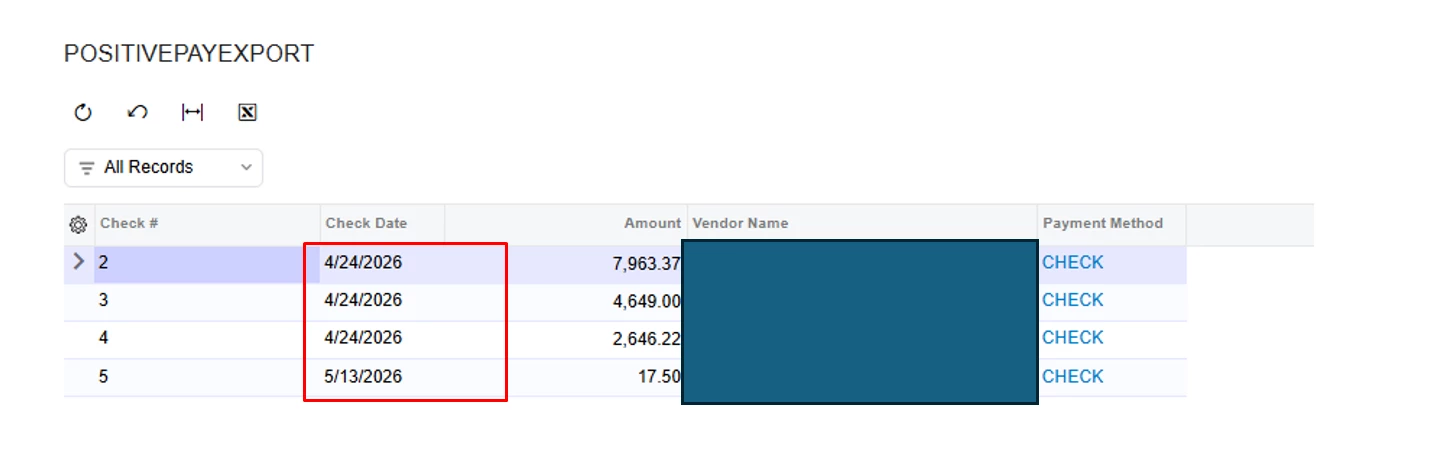
create an EXPORT SCENARIO to generate a CSV including the details from the file. Check # Check Date Amount Vendor Name 15409 06-08-2026 475 ABC Company. Date is in MM/DD/YYYY

  • June 12, 2026
  • 2 replies
  • 14 views


GI

Date MM/DD/YY

Export Scenario
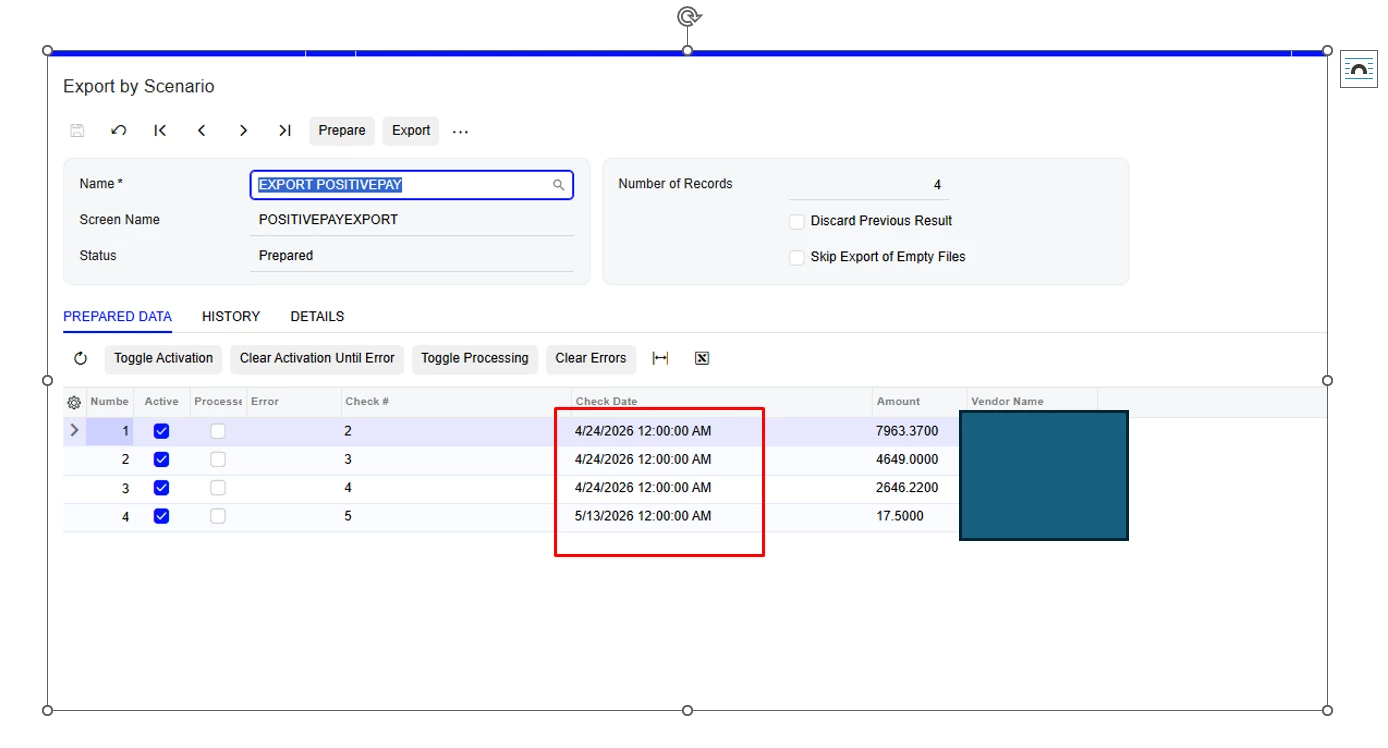
Export Scenario Date format is adding time. I want it in date in MM/DD/YYYY


Best answer by bwhite49

For the date, you will need to use this formula to get MM/DD/YYYY

=PADLEFT(CSTR(MONTH([APPayment.DocDate])),2,'0')+PADLEFT(CSTR(DAY([APPayment.DocDate])),2,'0')+CSTR(YEAR([APPayment.DocDate]))

Do the decimals matter in the amount field?

2 replies

bwhite49
Captain II
Forum|alt.badge.img+12
  • Captain II
  • Answer
  • June 12, 2026

For the date, you will need to use this formula to get MM/DD/YYYY

=PADLEFT(CSTR(MONTH([APPayment.DocDate])),2,'0')+PADLEFT(CSTR(DAY([APPayment.DocDate])),2,'0')+CSTR(YEAR([APPayment.DocDate]))

Do the decimals matter in the amount field?


  • Author
  • Freshman II
  • June 12, 2026

@bwhite49 

This was very helpful and resolved the date formatting issue in the export file.

Thanks for your assistance.

