Question

Convert Non-base currency Sales Prices to Base Currency

  • February 1, 2025
  • 3 replies
  • 48 views

Forum|alt.badge.img

Hello!


We have a scenario where we define the Sales Prices in Non-Base Currency (USD) but require it to be converted to Base Currency (LKR) in some instances. 

Specifically, if the customer is USD the USD prices need to be loaded and if the customer is LKR, we have to convert the USD price to LKR on an agreed rate. 

There is an option to convert Base currency prices to a non-base but any possibility of other way around?

Best Regards!

3 replies

nhatnghetinh
Captain II
Forum|alt.badge.img+11
  • Captain II
  • February 2, 2025

Hi ​@apallawala21 

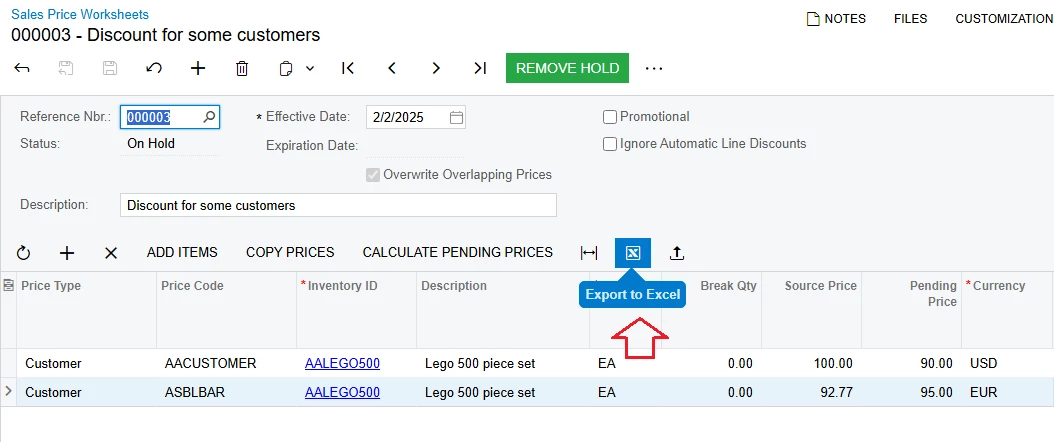
Please use the “Sales Price Worksheets” screen > Export to Excel > Enter the sales price information in the currency you want for some instances as you said.


You can save this excel template file for later use.


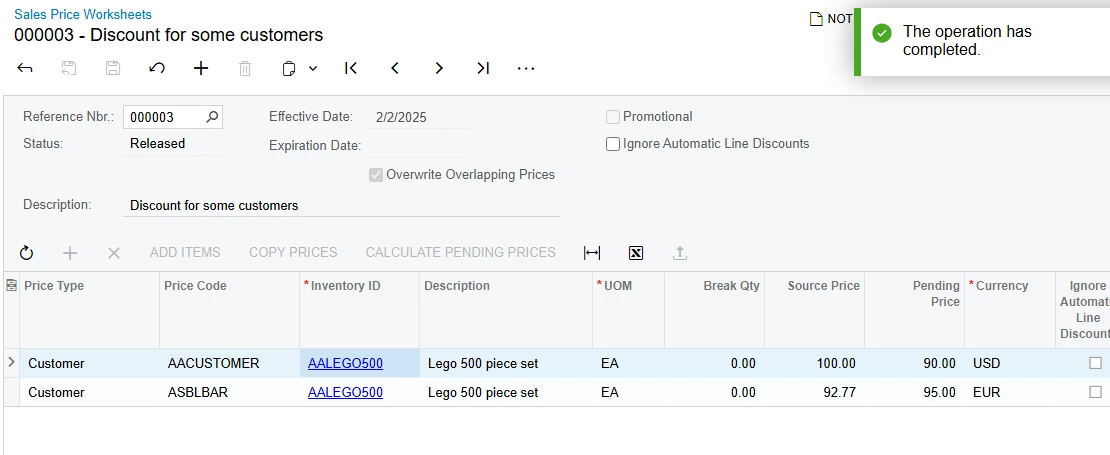
Load Records from File > REMOVE HOLD > RELEASE


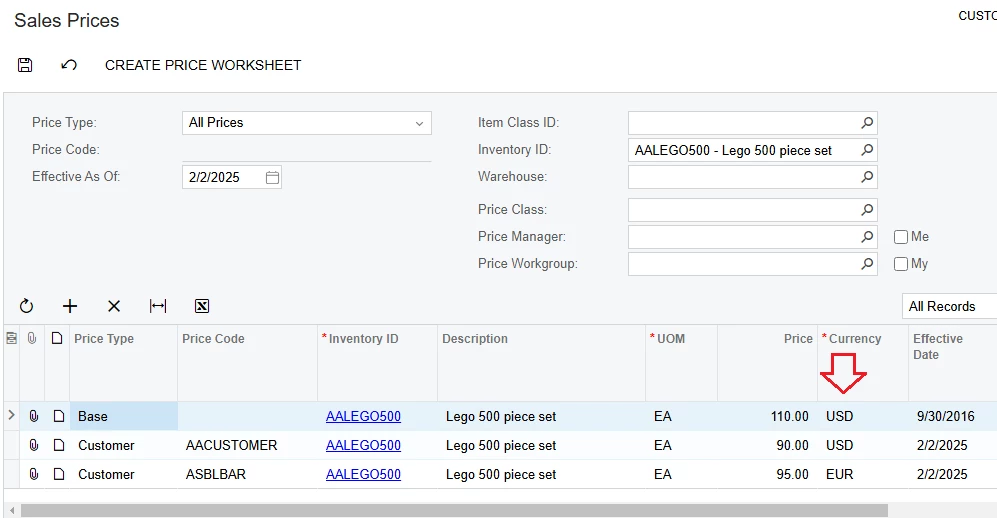
When you create a sales price table on the “Sales Price Worksheets” screen > The resulting price will be displayed on the “Sales Prices” screen.


Best Regards,

NNT


Forum|alt.badge.img
  • Author
  • Jr Varsity II
  • February 2, 2025

Hi ​@nhatnghetinh 

I cannot maintain prices in two currencies as the LKR price needs to be changes according to the currency rate. And the currency rate changes frequently. 

I want the conversion happens automatically, same as how non-base currency price changes to base currency based on the currency rate provided. 

Amanda


Chris Hackett
Community Manager
Forum|alt.badge.img
  • Acumatica Community Manager
  • April 28, 2025

Hi ​@apallawala21 were you able to find a solution? Thank you!