Solved

Changing the order of the TABS in the sales order entry screen

  • May 24, 2021 5:45 PM UTC
  • 9 replies
  • 839 views
  • Translate All

stacy16
Varsity I
Forum|alt.badge.img+1

Hello everyone!

Is there anyway i can change the order of the tabs in the sales order screen?

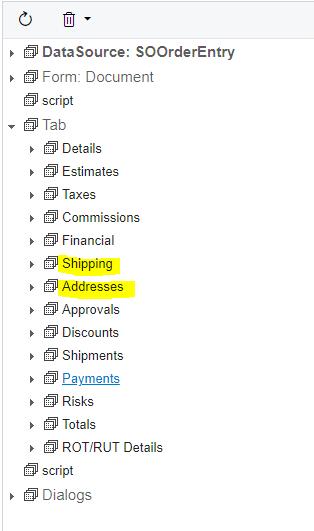
We are wanting to move the “ADDRESSES” tab to be in between the “SHIPPING” tab and “DISCOUNTS” tab. 

 

When i look in the customization screen, it appears that the order in the screen editor is correct but it does not display in ACM that way?
Any ideas?

Thanks! :)

Best answer by Nayan Vadher

@stacy16, check to see if there is another customization that is changing the order.


View original

9 replies

Naveen Boga
Captain II
Forum|alt.badge.img+20
  • Captain II
  • May 24, 2021 6:15 PM UTC

Hi @stacy16 

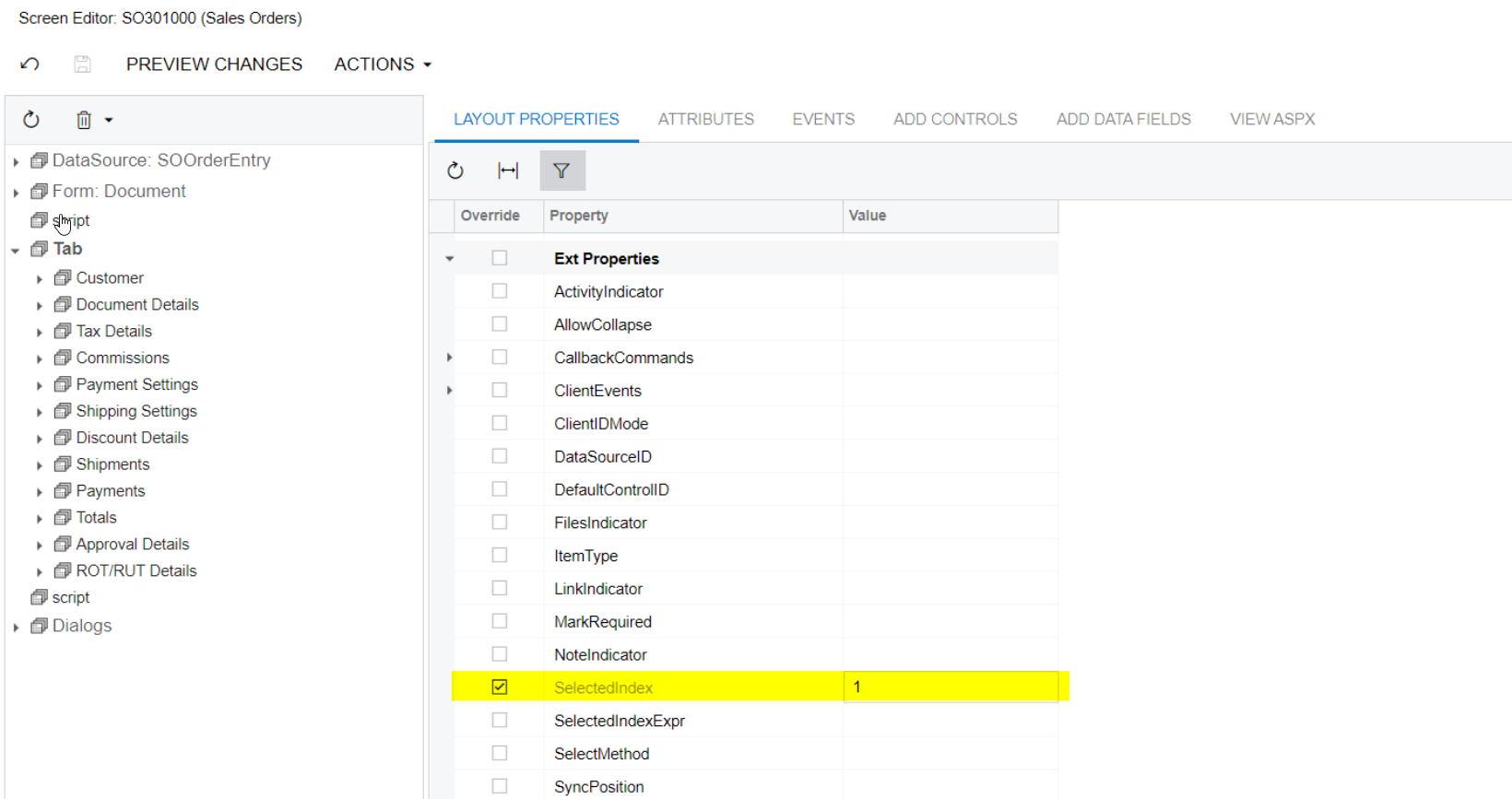
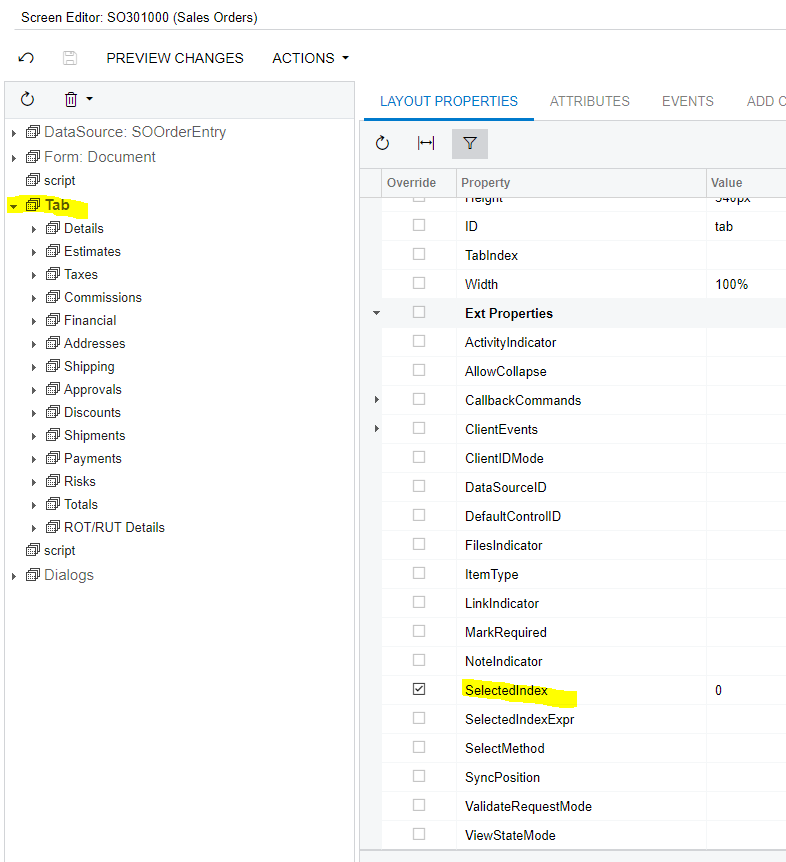
Yes, you can do this by giving the Selected Index property value, just like below, and check once. 

SelectedIndex will start zero “0”.

  • Details  → 0
  • Estimates → 1
  • Taxes → 2
  • Commissions → 3
  • Financial → 4
  • Shipping → 5
  • ADDRESSES → 6
  • Discounts → 7 and etc


Hope this helps!!


Translate

Nayan Vadher
Community Manager
Forum|alt.badge.img+2
  • Acumatica Developer Support
  • May 24, 2021 6:19 PM UTC

One can just drag and drop the tabs in the Layout window, Save and Publish.

As for SelectedIndex property, its purpose is to set given tab as the default tab.

Translate

stacy16
Varsity I
Forum|alt.badge.img+1
  • Author
  • Varsity I
  • May 24, 2021 6:44 PM UTC

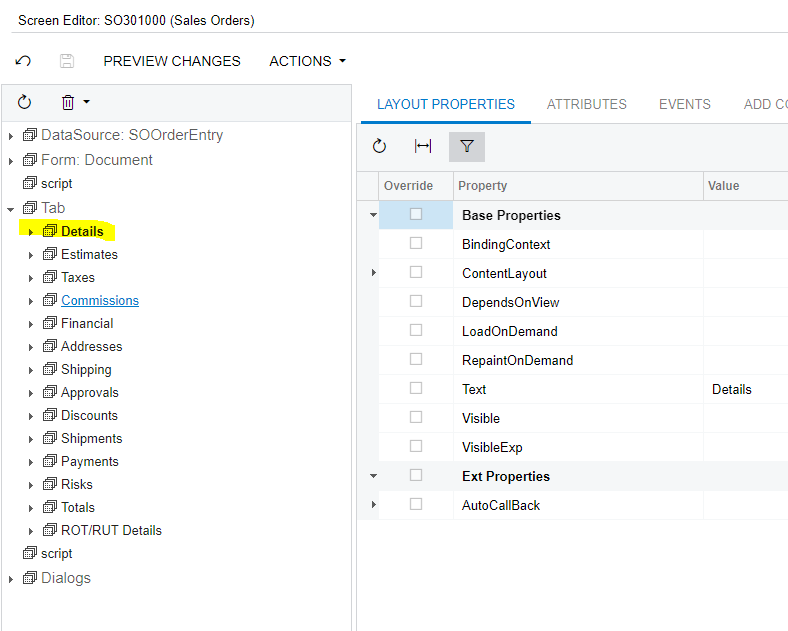
@Naveen B - i see what you are looking at but the “Selected Index” field is only visible when i am on the actual “tab” tab.. when i am on the other tabs (Details, Taxes, Etc...) i dont have selectedindex as a field to enter..


@nmansinha - it already shows in the place that i want it to be in the screen editor so there is no need for me to move it there.. it just doesn’t show up on the website in the same order :/

Translate

Nayan Vadher
Community Manager
Forum|alt.badge.img+2
  • Acumatica Developer Support
  • Answer
  • May 24, 2021 6:56 PM UTC

@stacy16, check to see if there is another customization that is changing the order.


Translate

Naveen Boga
Captain II
Forum|alt.badge.img+20
  • Captain II
  • May 24, 2021 7:21 PM UTC

Hi @stacy,  

As Nayan indicated just drag and drop the tab wherever it is required and along with that give the highest level to your customization package and verify once.

Translate

stacy16
Varsity I
Forum|alt.badge.img+1
  • Author
  • Varsity I
  • Jun 1, 2021 12:25 PM UTC

Thank you!

Translate

Naveen Boga
Captain II
Forum|alt.badge.img+20
  • Captain II
  • Jun 1, 2021 12:55 PM UTC

@stacy16   Is this resolved?

Translate

stacy16
Varsity I
Forum|alt.badge.img+1
  • Author
  • Varsity I
  • Jun 1, 2021 1:05 PM UTC

@Naveen B yes, thank you so much!

Translate

Naveen Boga
Captain II
Forum|alt.badge.img+20
  • Captain II
  • Jun 1, 2021 1:07 PM UTC

Great :) Thanks for the update 

Translate