


Hi all.
Currently, the system uses the “Available” quantity to validate stock when creating a Sales Order. As a result, a warning message is triggered when there is insufficient “Available” stock (please refer to the attached screenshot).
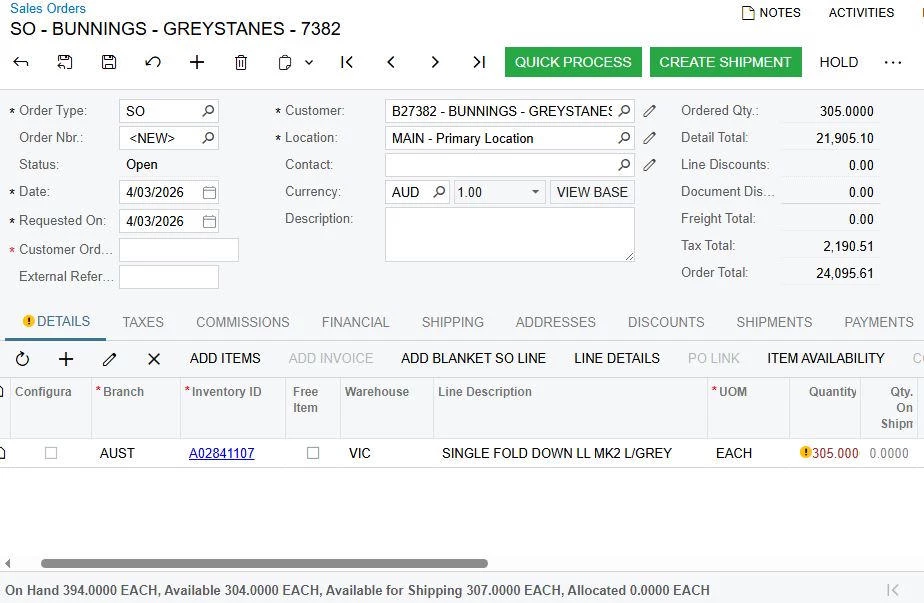
However, the internal process is based on the “Available to Ship” quantity rather than “Available”.
Could you please confirm if it is possible to modify the warning logic to reference “Available to Ship” instead of “Available”? This would ensure the system behavior aligns with our operational workflow.
I have tried it adjust this with “Availability Calculation Rules” but was unsuccessful.
Appreciate your guidance on this.
Thanks in advance!






