Question

Available Serials on the SO, Line Details, Serial Lookup screen

  • March 13, 2025
  • 4 replies
  • 75 views

Forum|alt.badge.img+1

v2023R1 currently.  It sounds like 25R1 will change our world on this topic, but we’re not there yet.  Even 23R2 would probably help because that’s where they introduced Allocation management.

We typically allocate serials of heavy equipment and accessories that we sell at the sales order, rather than waiting for the shipment.  I select the line in the sales order, click Line Details, check Allocate and then browse for a serial, *every* serial in the warehouse shows in the lookup window.  I select one, and I’m told that inventory quantity will go negative because it’s already allocated to another sales order.

Right now we do this dance down the list until it doesn’t error any longer.  What’s strange to me is that the lookup screen lists Qty On Hand (1), Qty Available (1) and Qty Hard Available (1) for every item in the list.  I would have expected one of the Qty Available values to be 0 when it’s allocated to another sales order, but unfortunately nothing on this screen shows that it is allocated.

I want to believe there is some way to have this lookup screen tell me what serials are not available.
4 replies

asmith50
Jr Varsity III
Forum|alt.badge.img+1
  • Jr Varsity III
  • March 5, 2026

@lairdtim Have you found any solution to this?


arpine08
Jr Varsity I
Forum|alt.badge.img+1
  • Jr Varsity I
  • March 6, 2026

HI @lairdtim,


In v.2025 R2 Acumatica has provided exactly this functionality - 

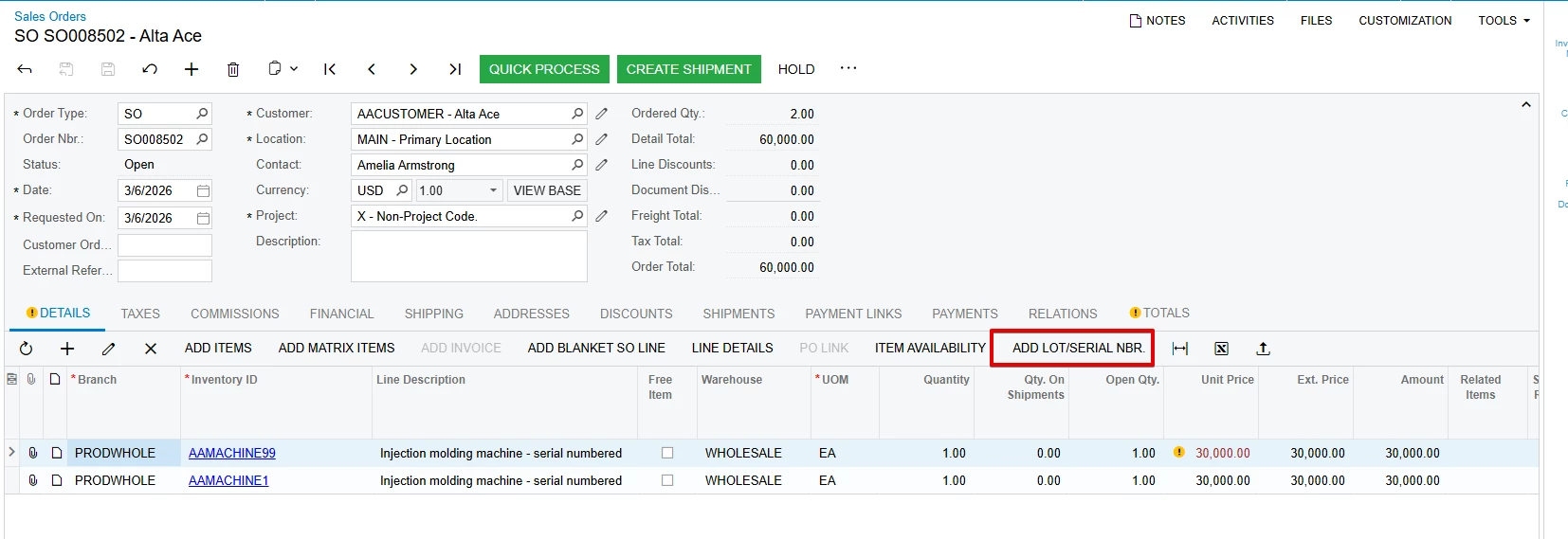
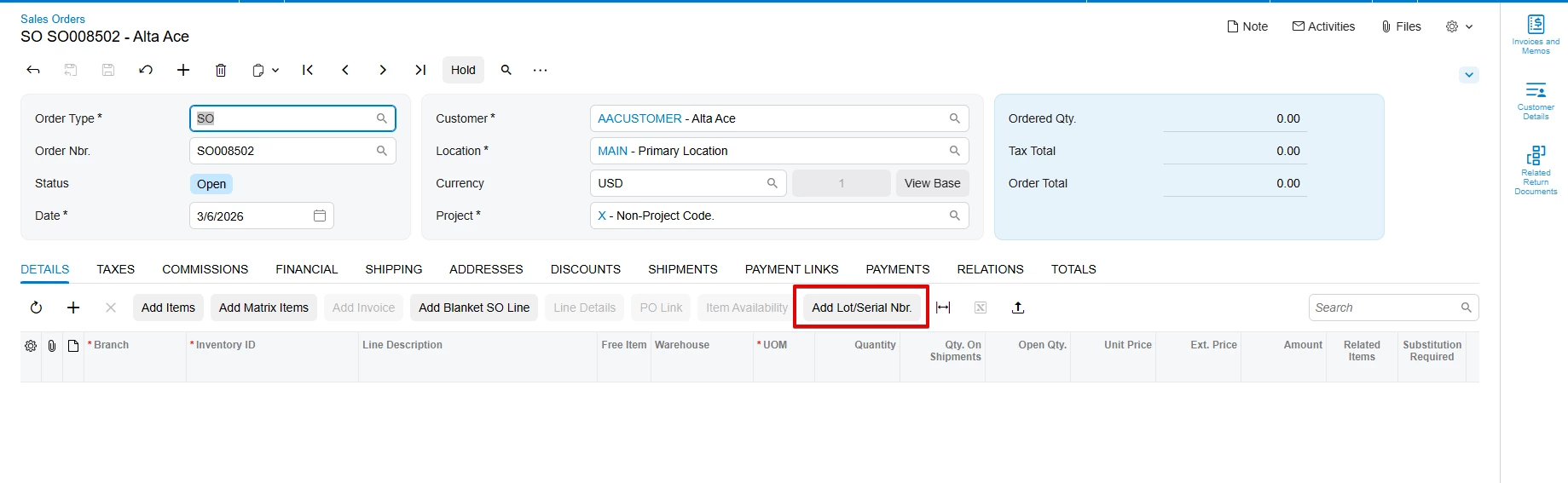
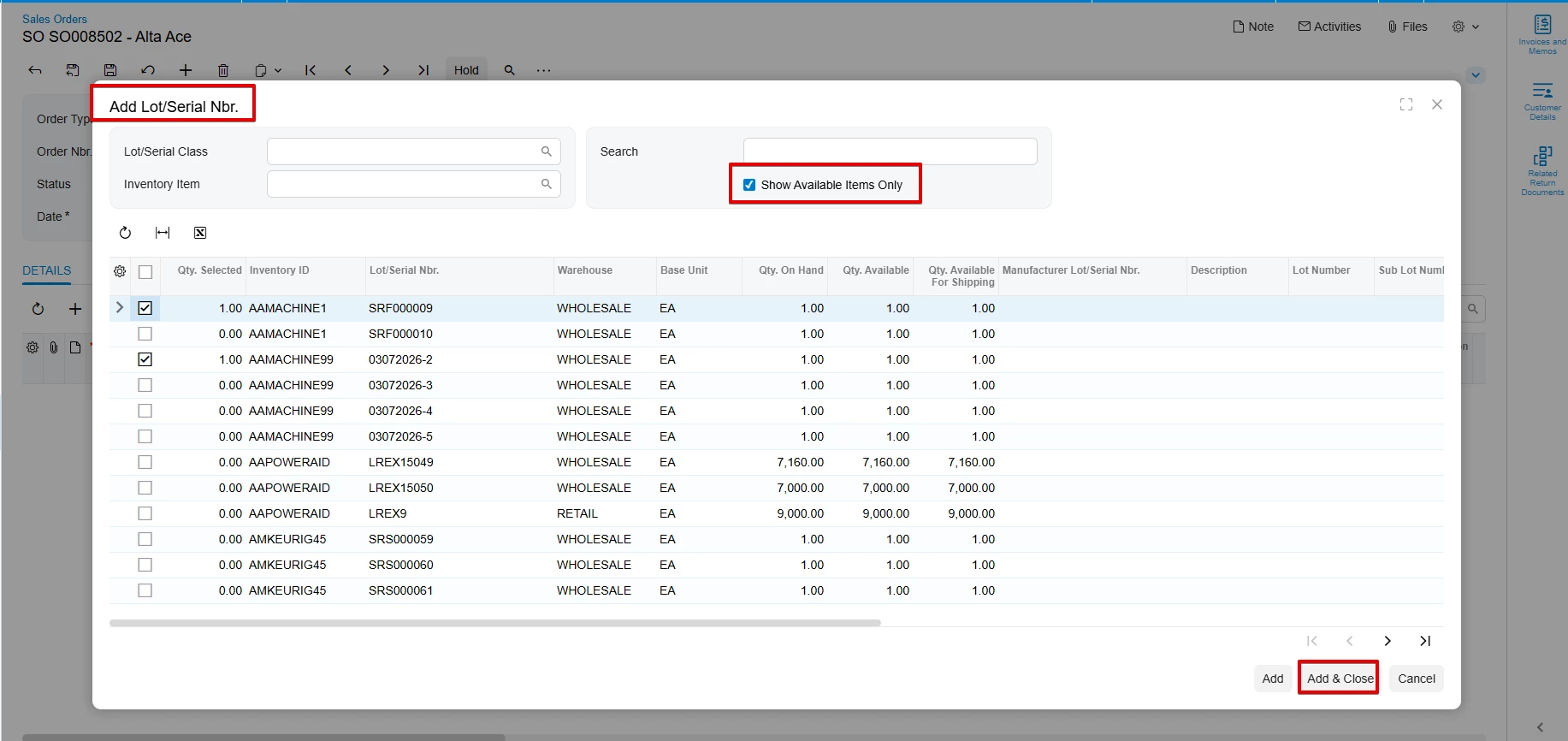
a new Add Lot/Serial Nbr. button has been added directly to the Document Details tab of the Sales Order screen:


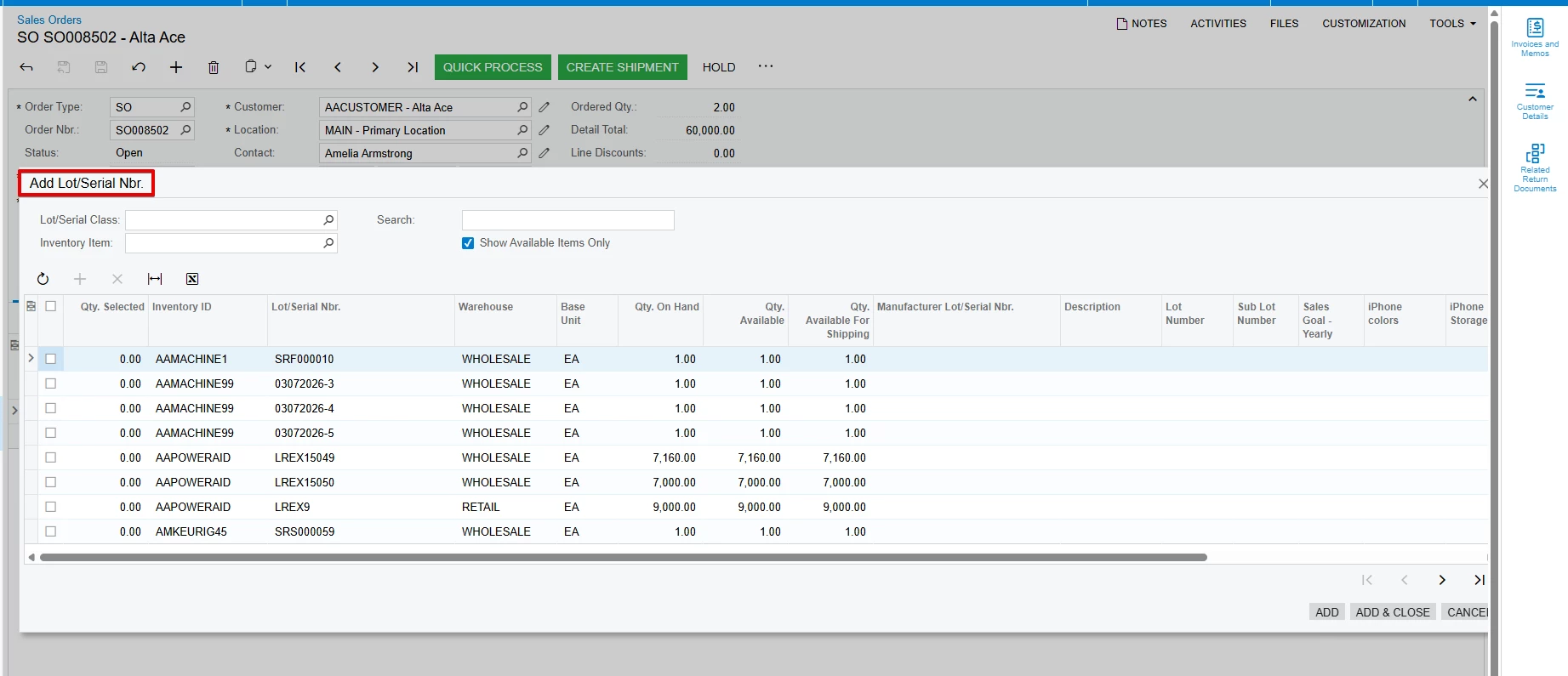
When you click this button, a lookup pop-up screen appears with the items/serials.

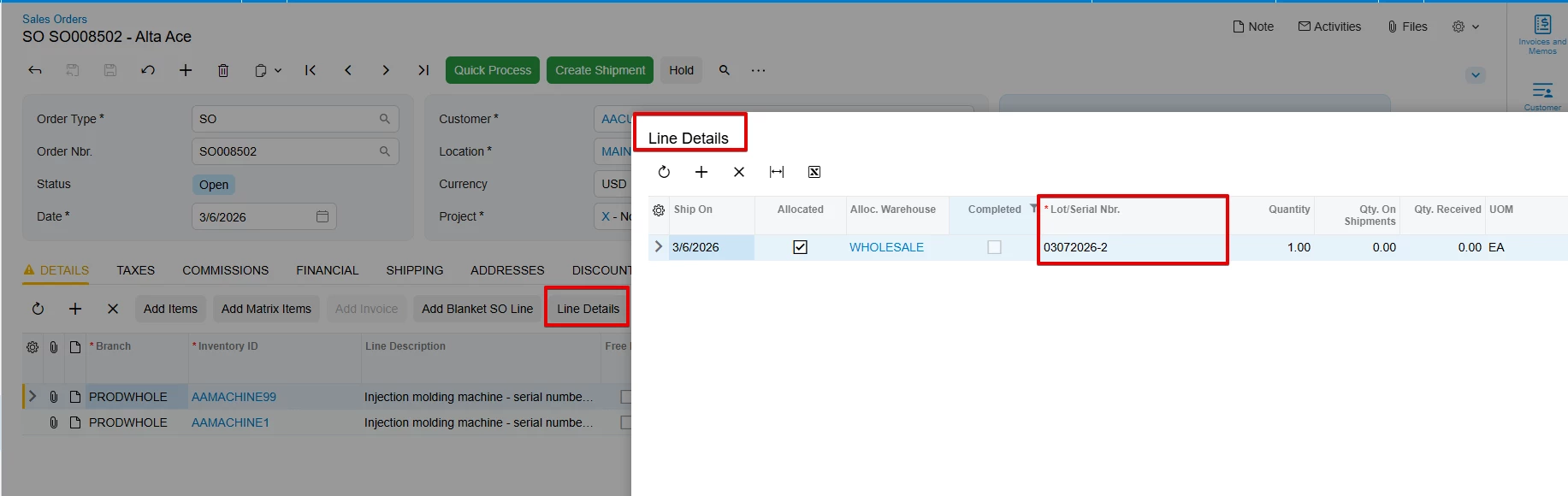
The Show Available Items Only checkbox—when selected—filters the grid to load only truly available serial numbers, excluding serials already allocated to other Sales Orders or processed in shipments. Once the serial(s) are selected and Add & Close is clicked, they are automatically added to the

SO Line→ Line Details→ Lot/Serial Nbr:


Forum|alt.badge.img+1
  • Author
  • Semi-Pro II
  • March 6, 2026

HI @lairdtim,


In v.2025 R2 Acumatica has provided exactly this functionality - 

a new Add Lot/Serial Nbr. button has been added directly to the Document Details tab of the Sales Order screen:


When you click this button, a lookup pop-up screen appears with the items/serials.

The Show Available Items Only checkbox—when selected—filters the grid to load only truly available serial numbers, excluding serials already allocated to other Sales Orders or processed in shipments. Once the serial(s) are selected and Add & Close is clicked, they are directly added to the

SO Line→ Line Details→ Lot/Serial Nbr:


Is that in legacy UI as well, or just Modern UI?


Either way, there are a lot of good reasons for us to move to 25R2 from 25R1.


arpine08
Jr Varsity I
Forum|alt.badge.img+1
  • Jr Varsity I
  • March 6, 2026

lairdtim

this functionality is available in the Classic UI as well:


(screenshots are taken from Sales Demo data)