On the Sales Order page. We want to be able to open a sales order, then once in that sales order, click on the location
and then add a new location. When the pop up window shows up, we don’t have the “+” sign to add a new location.
I’ve spent a ton of time looking for the option to add it, and cannot find it. Can someone please show me the way? :)
Thank You all! Have a great weekend!
Brent
Best answer by LauraBarber24
Hello,
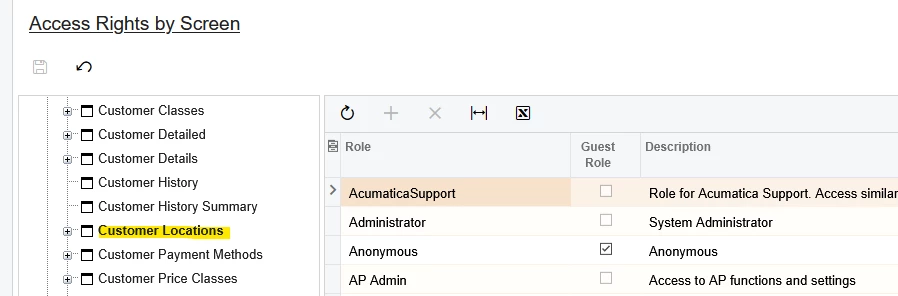
Please check the rights to Customer Locations under Receivables node.
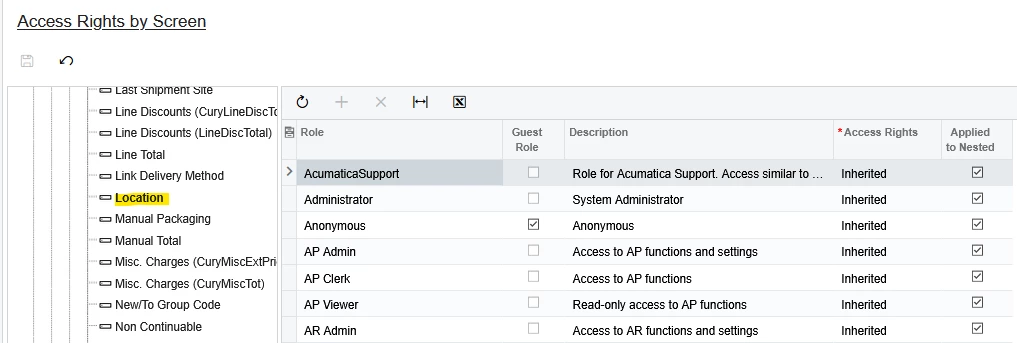
Also, under Sales Orders → Sales Orders → Sales Order, look for Location node and make sure rights are at least Insert. If the rights say “Inherited” like the following screenshot, go to the parent node (the one directly above) to make changes, all the way up to the first “inherited” branch and then back down to the Location node.
I can think of two reasons for the behavior you describe.
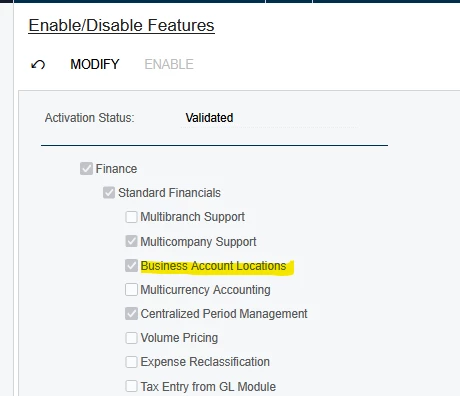
First, Business Account Locations must be activated in your site, in System Management → Enable/Disable Features screen:
Second, it’s possible locations are activated, but you don’t have access rights to change the Location on Sales Orders.
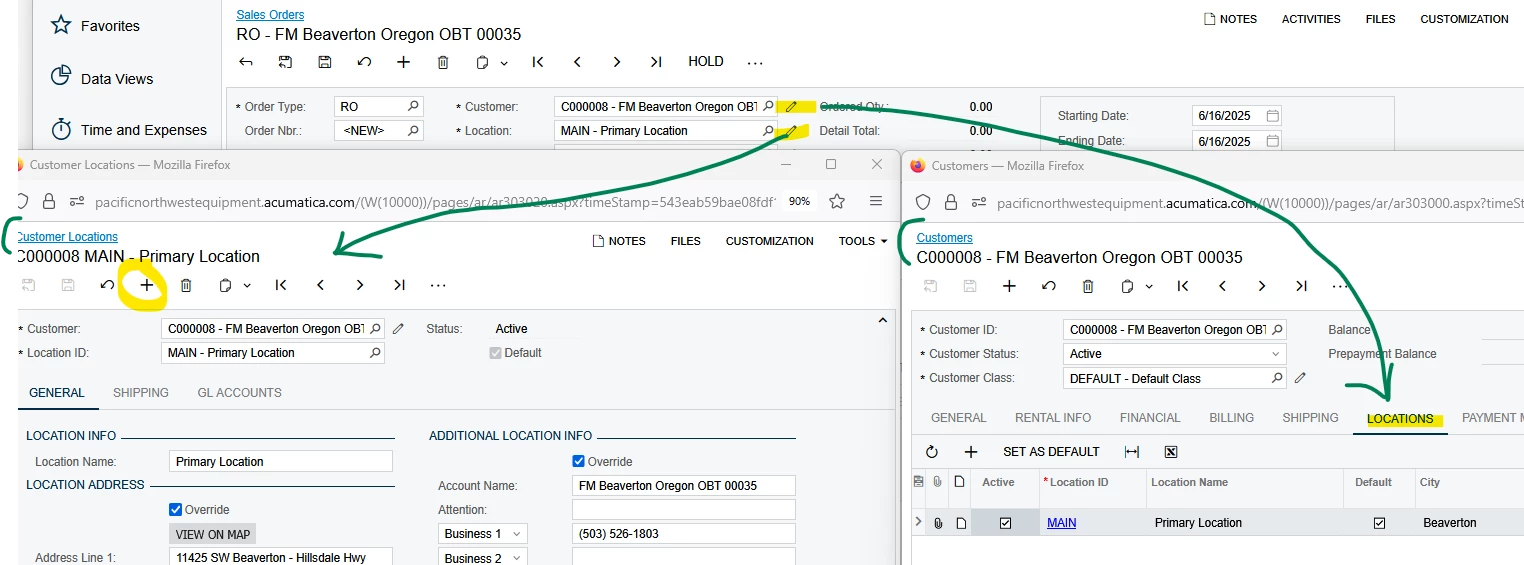
I have administrator privileges in the tenant shown below, and I’m able to add locations two ways from the Sales Order: Using the pencil icon beside Customer and using the pencil icon beside Customer Location:
You will need Insert-level rights to add customer Locations.
Exactly, I’m looking for the permissions. I have admin privileges and I have the option. A group of our users needs the option without being an admin. I need to know where those permissions are to enable being able to add locations. Sorry if I wasn’t clear on the previous post.
Please check the rights to Customer Locations under Receivables node.
Also, under Sales Orders → Sales Orders → Sales Order, look for Location node and make sure rights are at least Insert. If the rights say “Inherited” like the following screenshot, go to the parent node (the one directly above) to make changes, all the way up to the first “inherited” branch and then back down to the Location node.