Answer

Adding comments to POs

  • October 6, 2022
  • 5 replies
  • 145 views

How can we add a comment to all POs?  Ex., “We are closed on …………..”

Best answer by Manikanta Dhulipudi

Yes, but I would like the same comment to default on all POs.

Hi 

You can add Notes on all the Purchase orders,

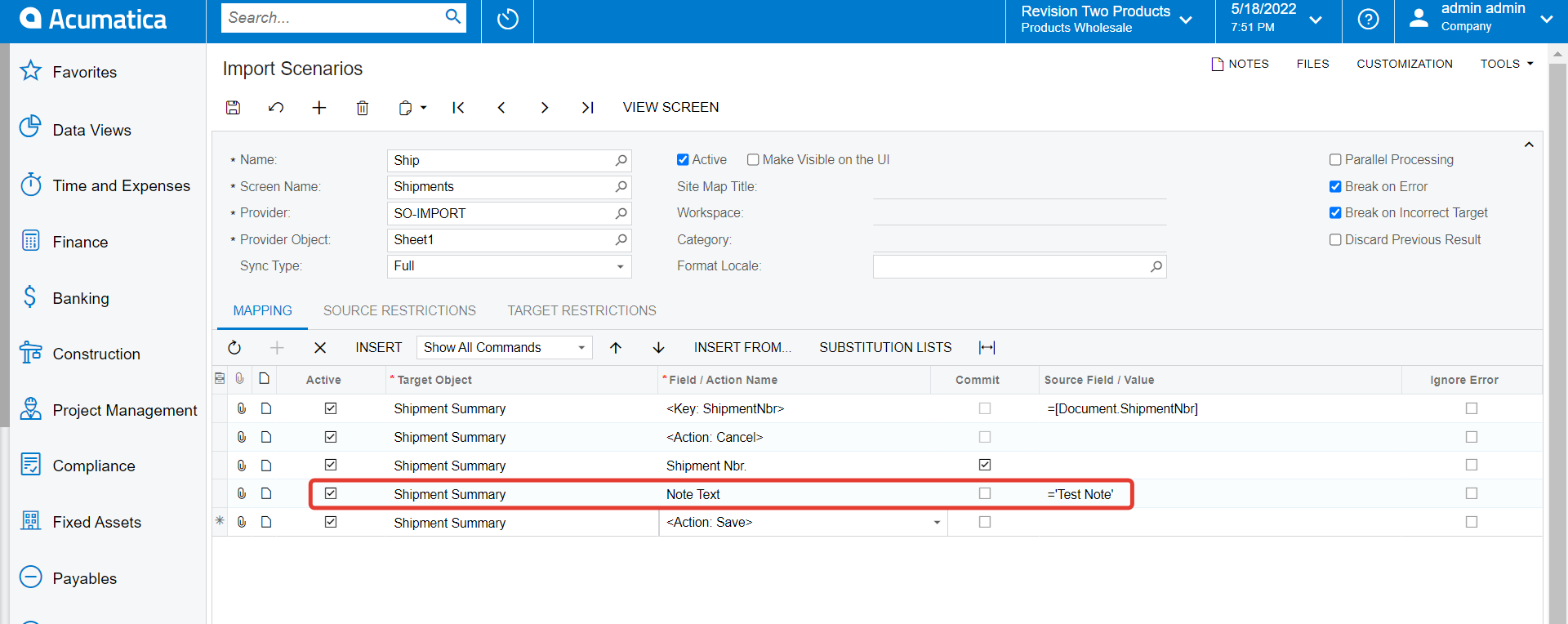
If you need PO notes for all the existing purchase orders use an import scenario like as below Mapping


Replace Purchase order summary in shipping sumamry
Thanks

5 replies

Manikanta Dhulipudi
Captain II
Forum|alt.badge.img+15

Hi @kbedillion08 

Could you please help with more details?

Are you looking to add notes to all PO? 

Provide us sample Business scenario to help here.

Thanks


Kandy Beatty
Captain II
Forum|alt.badge.img+17
  • Captain II
  • October 6, 2022

HI @kbedillion08 

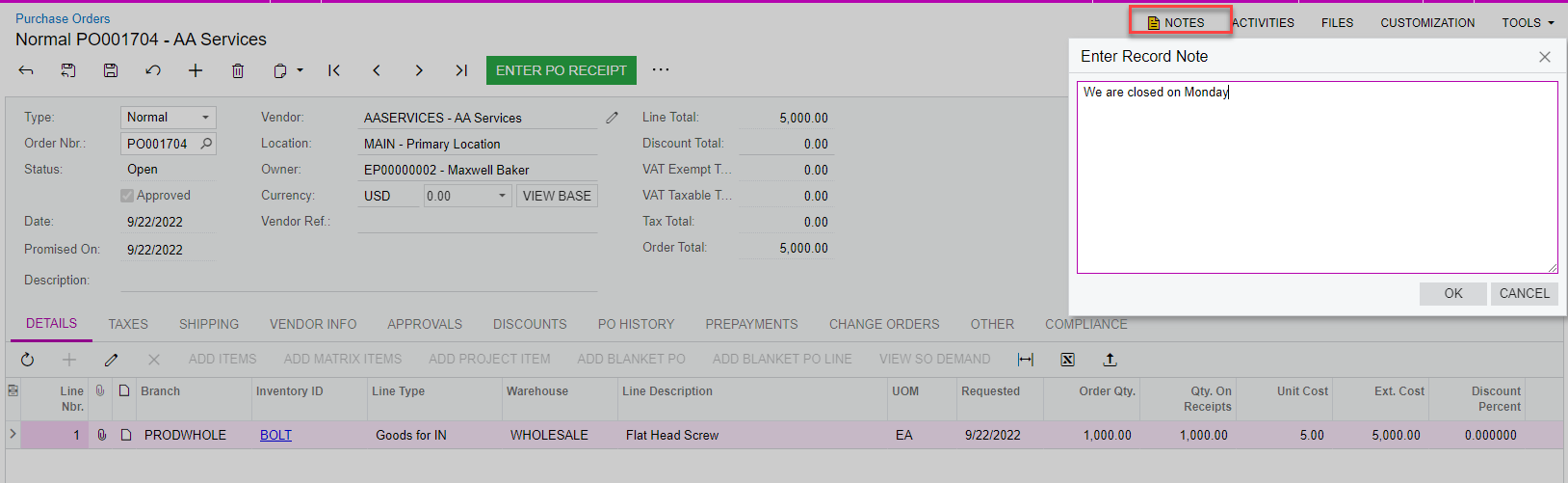
Are you trying to add it to the Notes section of the PO?

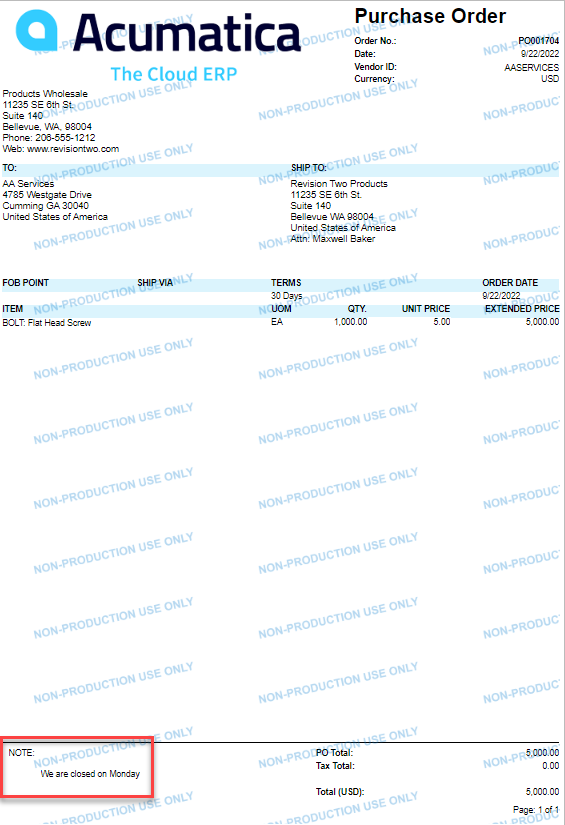
You can simply do that by adding a Note on the document, please see the screenshots below:


  • Author
  • Freshman I
  • October 6, 2022

Yes, but I would like the same comment to default on all POs.


Kandy Beatty
Captain II
Forum|alt.badge.img+17
  • Captain II
  • October 6, 2022

Yes, but I would like the same comment to default on all POs.

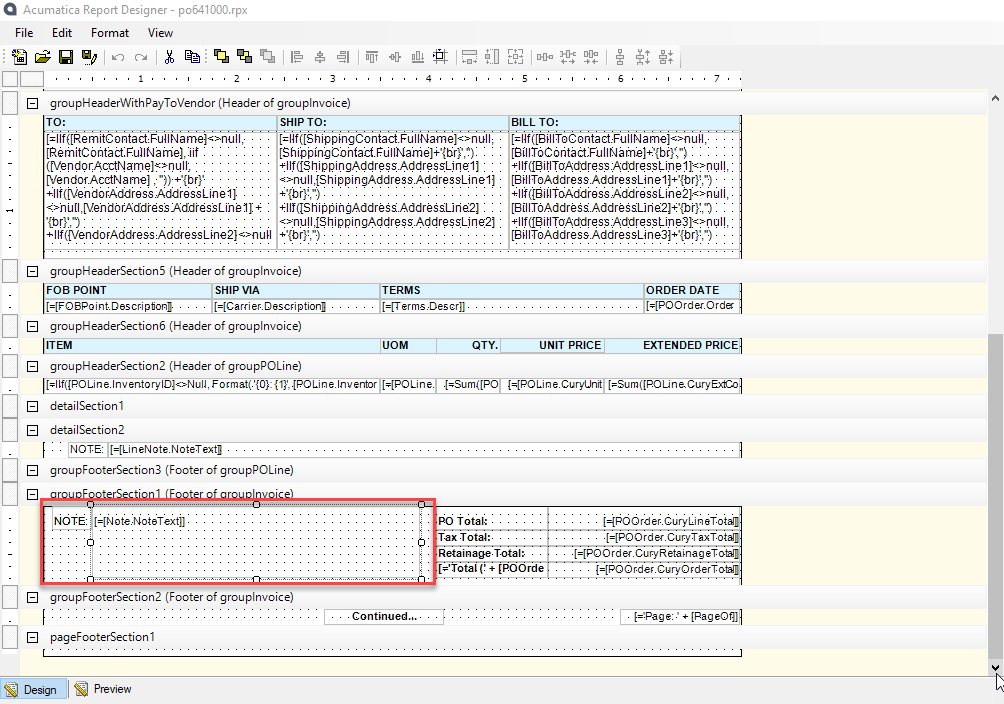
You would need to adjust it on the report writer then. 

Then Save to Server:


Manikanta Dhulipudi
Captain II
Forum|alt.badge.img+15

Yes, but I would like the same comment to default on all POs.

Hi 

You can add Notes on all the Purchase orders,

If you need PO notes for all the existing purchase orders use an import scenario like as below Mapping


Replace Purchase order summary in shipping sumamry

Thanks