Solved

Unable to make Customer Contact as primary except for the First record through API call

  • Aug 19, 2022 11:47 AM UTC
  • 8 replies
  • 524 views
  • Translate All

jinin
Pro I
Forum|alt.badge.img+12


Hello Everyone,

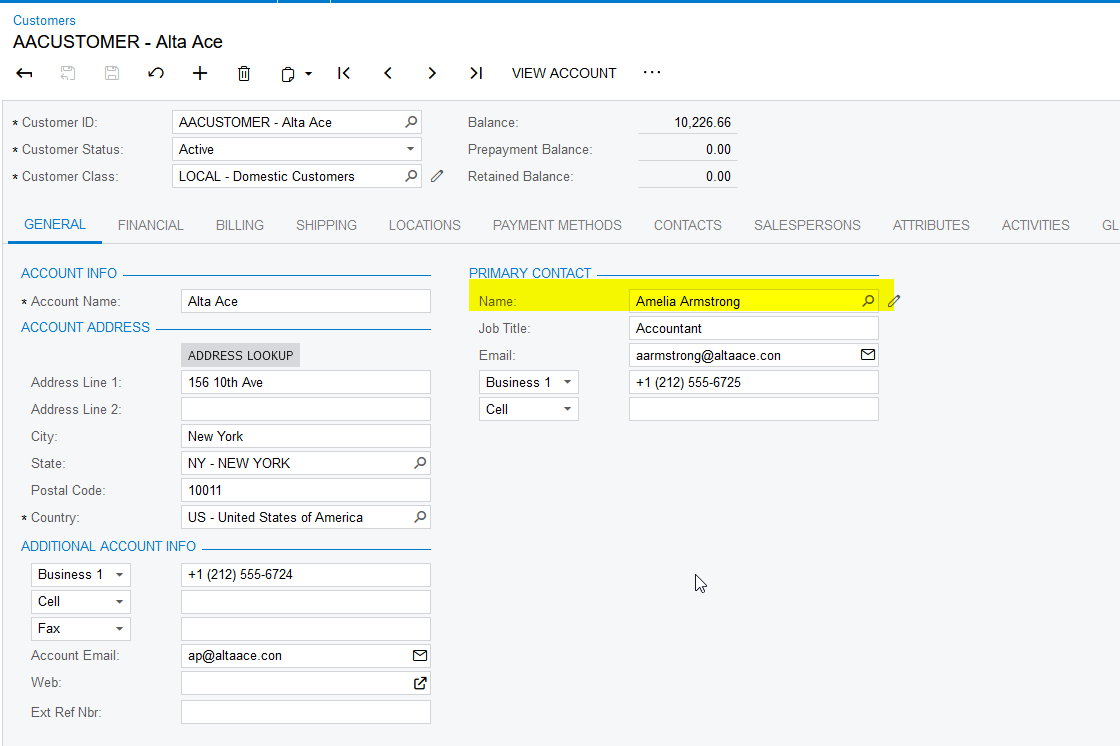
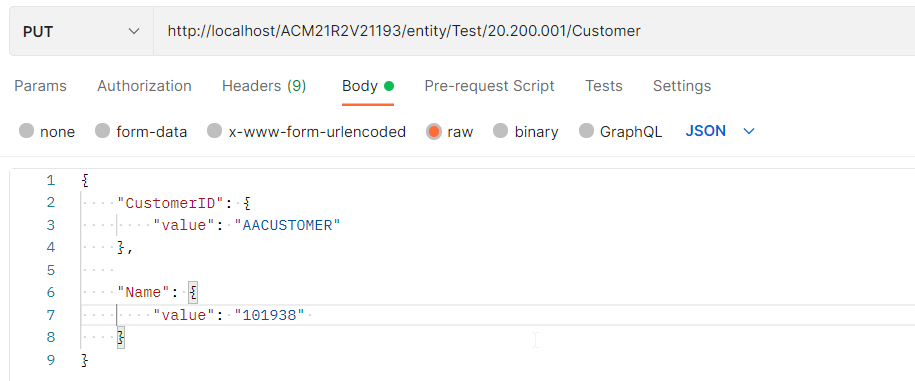
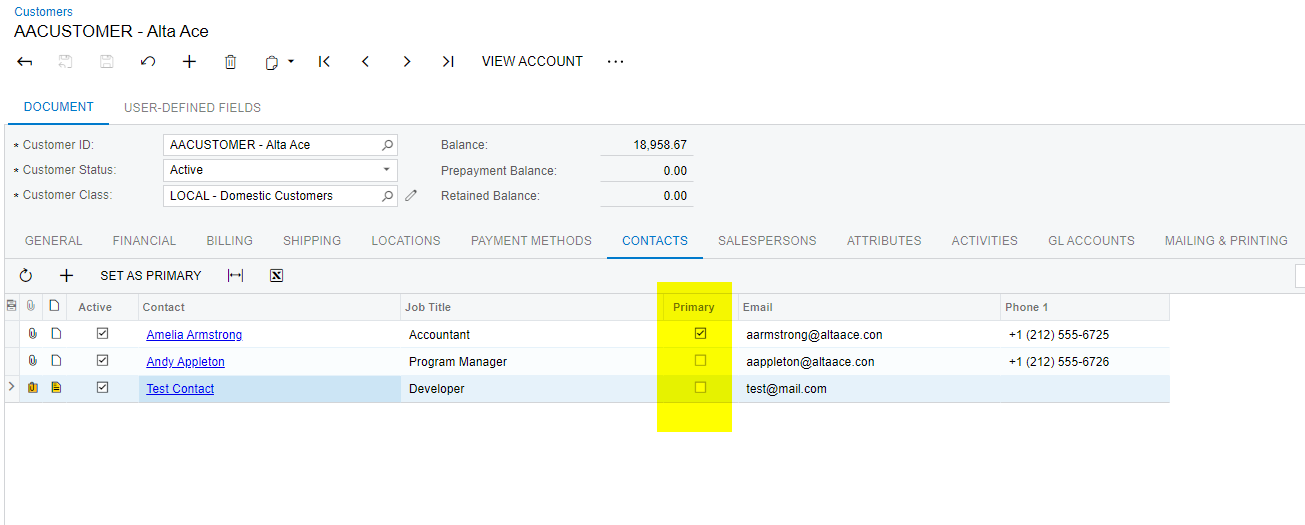
I am trying to make a  customer contact as primary through API call. But it is working for the first entered contact. Unable to set another contact. 

Could you please review and share your feedback?


Best answer by jinin

Hi @Chris Hackett 

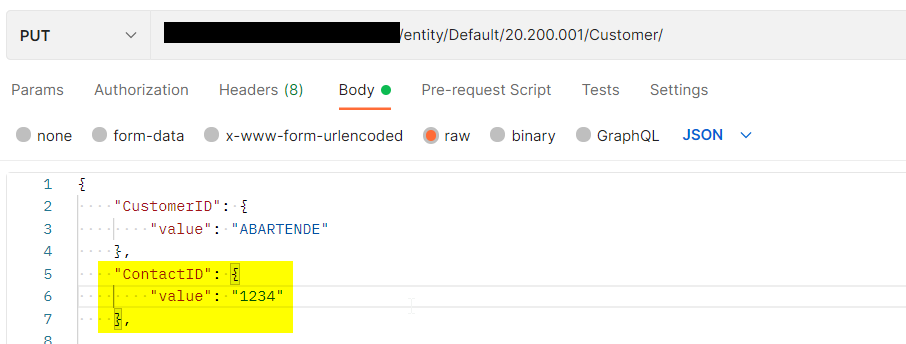
We did an alternate solution to fix the issue. Instead of using Contact Name in the request, used contactID, 
 

View original

8 replies

jinin
Pro I
Forum|alt.badge.img+12
  • Author
  • Pro I
  • Aug 19, 2022 11:52 AM UTC

I tried like below,

Url :/entity/Test/20.200.001/Customer/makeContactPrimary
Method: POST

Request:
{

    "entity": {

        "CustomerID": {

            "value": "AACUSTOMER"

        }

    },

    "parameters": {

        "Contact": {                     // Tried with contactID too

            "value": "Andy Appleton"

        },
         "Primary": {

            "value": true

        }


    }

}

Translate

Naveen Boga
Captain II
Forum|alt.badge.img+20
  • Captain II
  • Aug 19, 2022 3:19 PM UTC

Hi @jinin  Have you tried by setting the Name under the Primary Contact section? instead setting Primary = true at the Contacts tab.


Translate

jinin
Pro I
Forum|alt.badge.img+12
  • Author
  • Pro I
  • Aug 19, 2022 4:00 PM UTC

Yes Naveen already verified,   If we use the Primary name as the  ContactID with customer update call, It will work. But the Primary name as the Contact name is not working. 


Translate

Chris Hackett
Community Manager
Forum|alt.badge.img
  • Acumatica Community Manager
  • Oct 31, 2022 9:04 PM UTC

Hi @jinin - were you able to find a solution? Thank you!

Translate

jinin
Pro I
Forum|alt.badge.img+12
  • Author
  • Pro I
  • Answer
  • Nov 1, 2022 12:25 PM UTC

Hi @Chris Hackett 

We did an alternate solution to fix the issue. Instead of using Contact Name in the request, used contactID, 


Translate

abrunner78
Jr Varsity III
Forum|alt.badge.img
  • Jr Varsity III
  • Mar 18, 2025 12:31 PM UTC

​@jinin, I’m trying to do the same thing you have done, select a customer’s contact and set them as the primary, could you give a bit more detail about how you got it to work?

You are using a PUT? Does that mean you aren’t using the action makePrimaryContact and if not what are you setting?

Did you have to add anything to you endpoint?

Translate

jinin
Pro I
Forum|alt.badge.img+12
  • Author
  • Pro I
  • Mar 18, 2025 1:23 PM UTC

Hi ​@abrunner78 ,

I used the PUT method and included the Primary Contact ID in the request.

Method: PUT
Url: .../entity/Default/24.200.001/Customer

Sample Request:
{

    "CustomerID": {

        "value": "CUST000027"

    },

    "PrimaryContactID": {

        "value": 101043

    }

}

Translate

abrunner78
Jr Varsity III
Forum|alt.badge.img
  • Jr Varsity III
  • Mar 18, 2025 4:39 PM UTC

​@jinin, Thanks for you help. I was trying to do this on an older endpoint that didn’t include the “PrimaryContactID”. 

Now it’s working as expected. Thanks for your response. 

Translate