Solved

OpenAPI login error

  • December 28, 2020
  • 4 replies
  • 283 views

Forum|alt.badge.img+1

Hello Everyone,

I’m trying to use OpenAPI to connect to Acumatica.

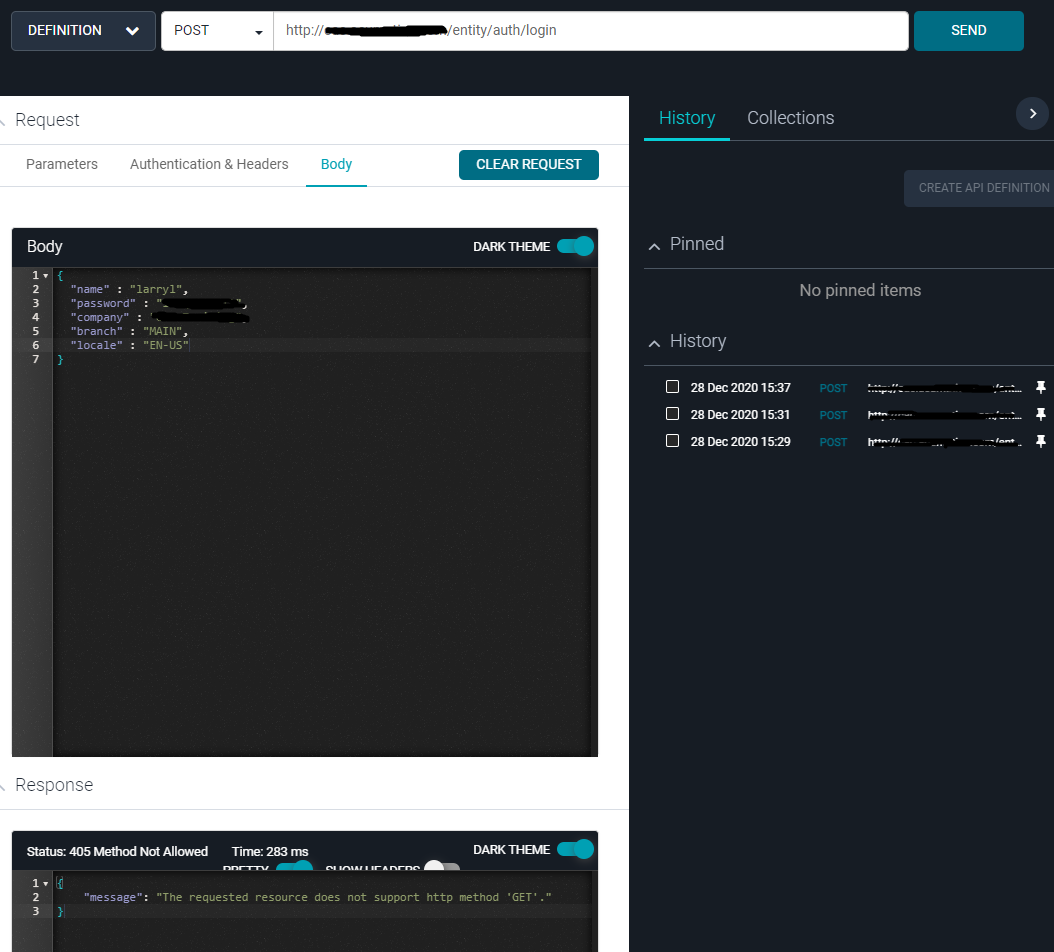
To follow below guideline to login Acumatica. I got a error message. 

https://help-2019r1.acumatica.com/Help?ScreenId=ShowWiki&pageid=0322492a-de9b-4443-b256-923c48aff31d 

Does anyone know how to fix it? I tried to post to http and https. Both returned same message. 

Error message:

{
    "message": "The requested resource does not support http method 'GET'."
}

Best answer by larryly

Post login request to HTTPS. Will response a 204 code with no content and cookie-set.  This is a success sign. Add those cookies in your next request.  Now your OpenAPI is ready to use. 

4 replies

John Masi
Jr Varsity I
Forum|alt.badge.img
  • Jr Varsity I
  • December 28, 2020

I am far from a programmer but are you using GET when you should be using POST?


-John


Forum|alt.badge.img+1
  • Author
  • Semi-Pro II
  • December 28, 2020

I am far from a programmer but are you using GET when you should be using POST?


-John

I’m also confused with this. I’m sure it’s a POST.  


Forum|alt.badge.img+1
  • Author
  • Semi-Pro II
  • January 4, 2021

Working on solution


Forum|alt.badge.img+1
  • Author
  • Semi-Pro II
  • Answer
  • January 14, 2021

Post login request to HTTPS. Will response a 204 code with no content and cookie-set.  This is a success sign. Add those cookies in your next request.  Now your OpenAPI is ready to use.