Answer

Missing references for

  • September 1, 2025
  • 7 replies
  • 71 views

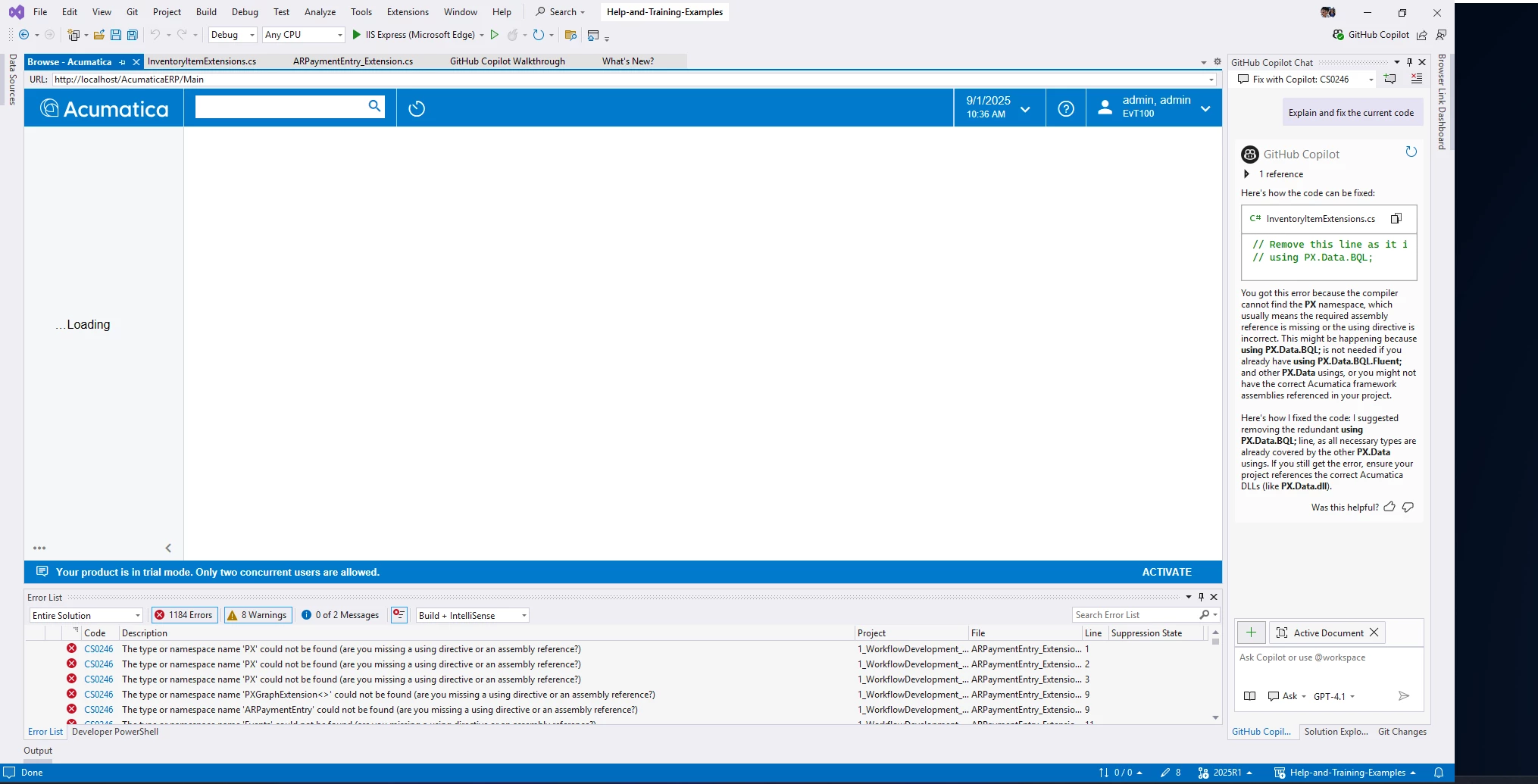
After I downloaded the example from Acumatica/Help-and-Training-Examples: Examples from the Acumatica ERP developer guides and training courses while I am running code, I get an error message. 

The type or namespace name 'PX' could not be found (are you missing a using directive or an assembly reference?)

definitely I am missing the references which is clear, from where should I get these. 

here is the version I got installed
Acumatica Cloud ERP 2025 R1
Build 25.100.0054

Best answer by aiwan

@rraichooti 


No problem at all, we all start somewhere!

You might be experiencing issues because you have it downloaded to C:\Program Files.

You should try to create an instance in just C:\


Yes those are the ones! They guide you through environment set up too.

7 replies

Forum|alt.badge.img+8
  • Captain II
  • September 1, 2025

@rraichooti 


If you have not opened a local website in your VS instance, you will get namespace errors.


You should create an extension library from a customisation project, then open the .sln file from that customisation project.


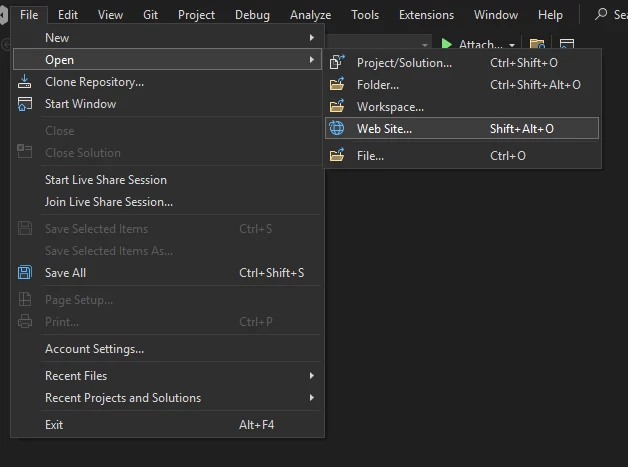
Alternatively, you can open the instance as a local website from VS.


  • Author
  • Freshman I
  • September 1, 2025

@aiwan I tried opening the local instance in the Visual Studio integrated browser, am I doing something wrong? and did I understand you correctly. 


Forum|alt.badge.img+8
  • Captain II
  • September 1, 2025

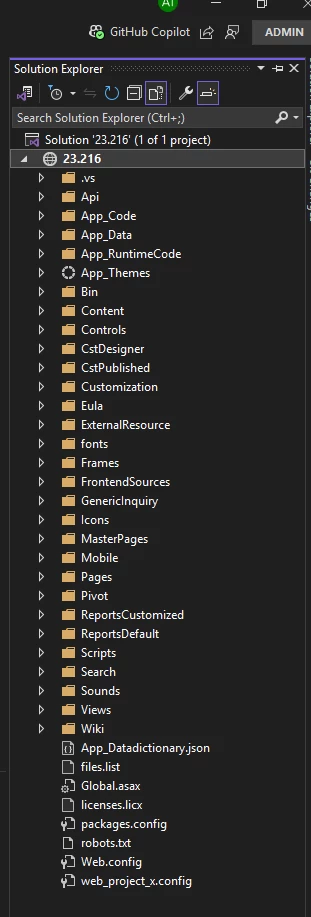
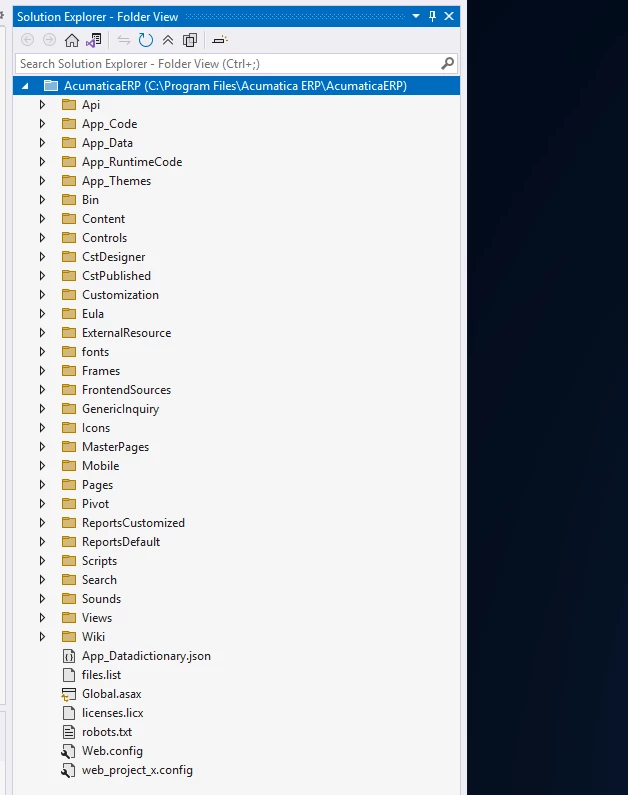
Could oyu share your ‘Solution Explorer’ please?


Also, by opening the website I meant this:

Then you should select the instance of Acumatica that you want to open:


​​​​​

Which then lets you access the Bin folder, and reference the .dll files


Forum|alt.badge.img+8
  • Captain II
  • September 1, 2025

Also, I suggest you follow the Open University T-series courses for Acumatica development, you will learn a lot.


  • Author
  • Freshman I
  • September 1, 2025

@aiwan Again sorry to ask the basic question or getting clarifications.. 
after I Installed the ERP which is actually referencing under IIS i opened the folder.. 

but in your screenshot i see the proper sln is loaded. 
when trying to open any of these i get error
C:\Program Files\Acumatica ERP\AcumaticaERP\App_Data\WebsiteSolution\Site : error  : Error opening web C:\Program Files\Acumatica ERP\AcumaticaERP\App_Data\WebsiteSolution\Site\. Unable to open the Web site 'C:\Program Files\Acumatica ERP\AcumaticaERP\App_Data\WebsiteSolution\Site'.  The Web site 'C:\Program Files\Acumatica ERP\AcumaticaERP\App_Data\WebsiteSolution\Site' does not exist.


do you mean these courses” 
https://openuni.acumatica.com/learning-paths/developer-learning-paths/development/


Forum|alt.badge.img+8
  • Captain II
  • Answer
  • September 2, 2025

@rraichooti 


No problem at all, we all start somewhere!

You might be experiencing issues because you have it downloaded to C:\Program Files.

You should try to create an instance in just C:\


Yes those are the ones! They guide you through environment set up too.


RohitRattan88
Acumatica Moderator
Forum|alt.badge.img+4
  • Acumatica Moderator
  • September 15, 2025

@rraichooti 

You should create an extension library from a customisation project, then open the .sln file from that customisation project.

Here’s what ​@aiwan  is referring to:

To Move a Code Item to the Extension Library


Correct. I would start with T190: T190 Quick Start in Customization 2025 R1

It is more of a crash course/bootcamp kind of course but will set to up for T2xx pathway.

Next continue with T200 through T250.

Welcome to the community and happy learning.