Solved

How to get Customer Address via API?

  • March 18, 2022
  • 7 replies
  • 685 views

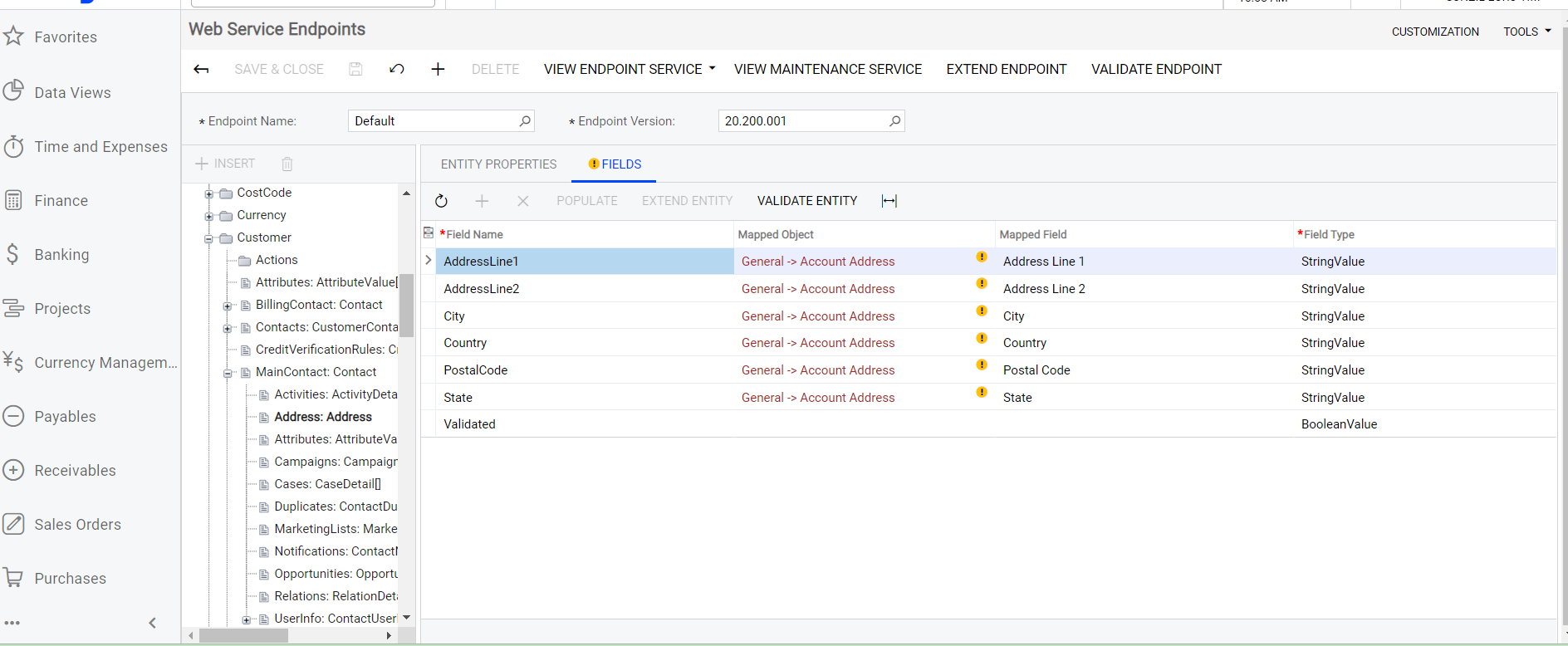
Fail to   get customer address via Api ,  when i checked the endpoind I found entity properties “Address” has yellow exclamation point .Please help.
 

Best answer by jinin

Hi @Fredj and @SadokHanini ,

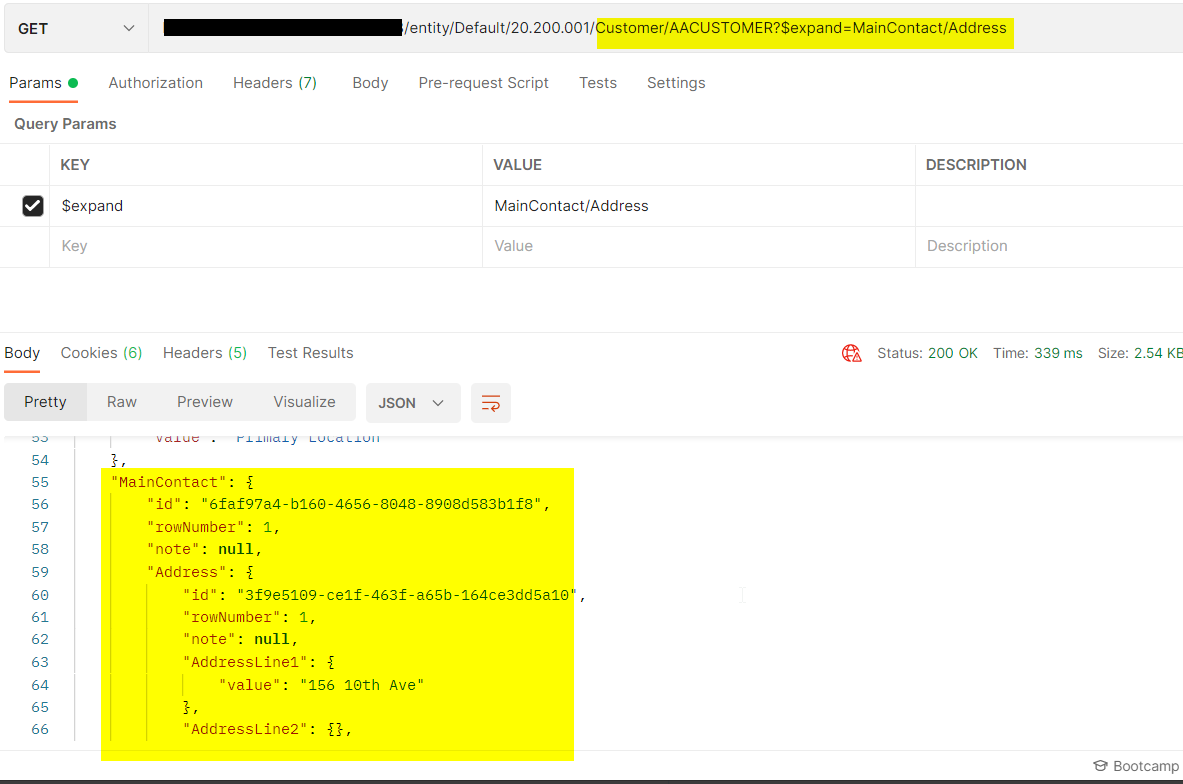
To get the Address for the customer, you should use the endpoint like below,
entity/Default/20.200.001/Customer/AACUSTOMER?$expand=MainContact/Address


7 replies

SadokHanini
Freshman II
  • Freshman II
  • March 18, 2022

Hello,

I have the same issue !!


jinin
Pro I
Forum|alt.badge.img+11
  • Pro I
  • Answer
  • March 22, 2022

Hi @Fredj and @SadokHanini ,

To get the Address for the customer, you should use the endpoint like below,
entity/Default/20.200.001/Customer/AACUSTOMER?$expand=MainContact/Address


  • Author
  • Freshman I
  • March 22, 2022

Thanks so much for response, I did this  but its same issue.maybe is not same version of acumatica.Please check your Web Service Endpoints “Address” has yellow exclamation point or not  .


jinin
Pro I
Forum|alt.badge.img+11
  • Pro I
  • March 22, 2022

Hi @Fredj 

I tried with version 21.193.0119. The address not showing on yellow exclamation.
 

Which version you are using?


  • Author
  • Freshman I
  • March 23, 2022

Version 2020 R2


jinin
Pro I
Forum|alt.badge.img+11
  • Pro I
  • March 23, 2022

Hi @Fredj ,

I reviewed the endpoint on the 20 R2 version as well. Am not seen any warning message. Did you check with 18 version endpoint?


Chris Hackett
Community Manager
Forum|alt.badge.img
  • Acumatica Community Manager
  • April 26, 2022

Hi @Fredj were you able to resolve your issue? Thank you!