Answer

How to change field name

  • November 12, 2025
  • 6 replies
  • 61 views

Forum|alt.badge.img

Hello Support Team,

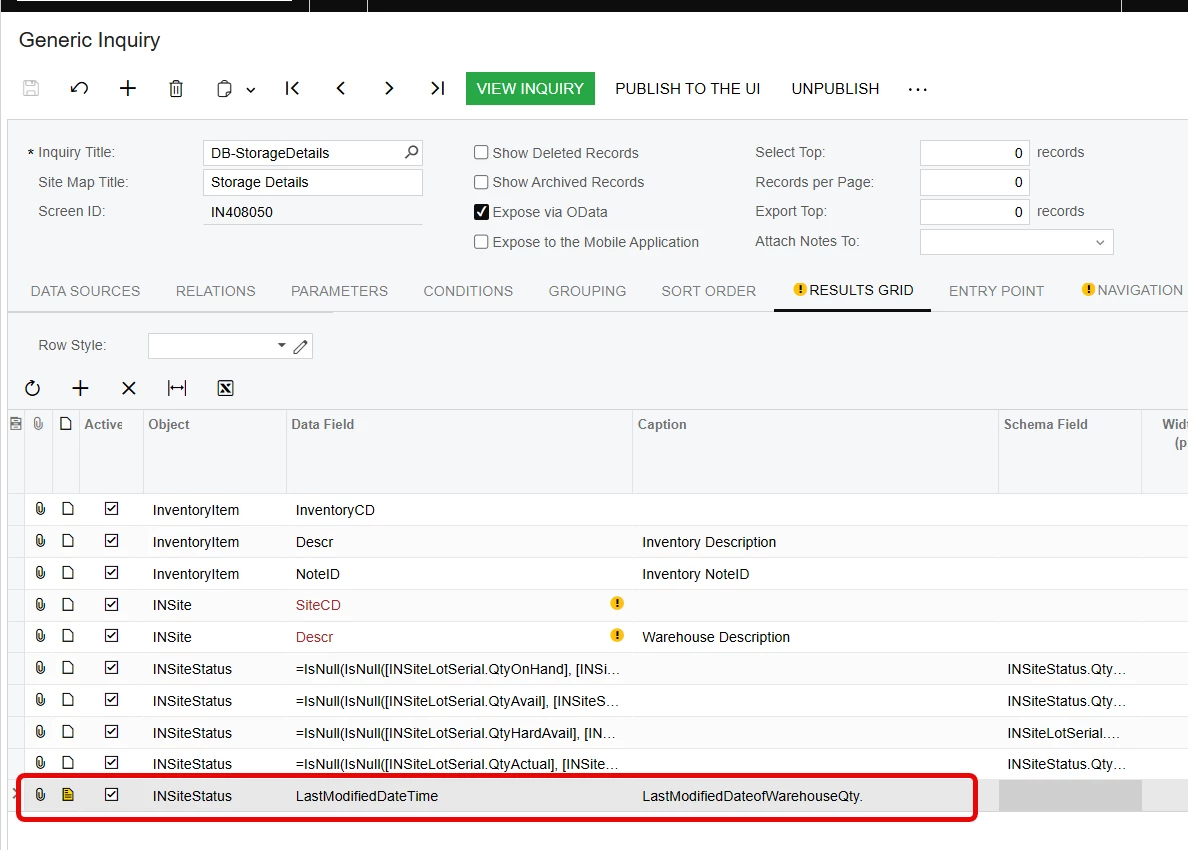
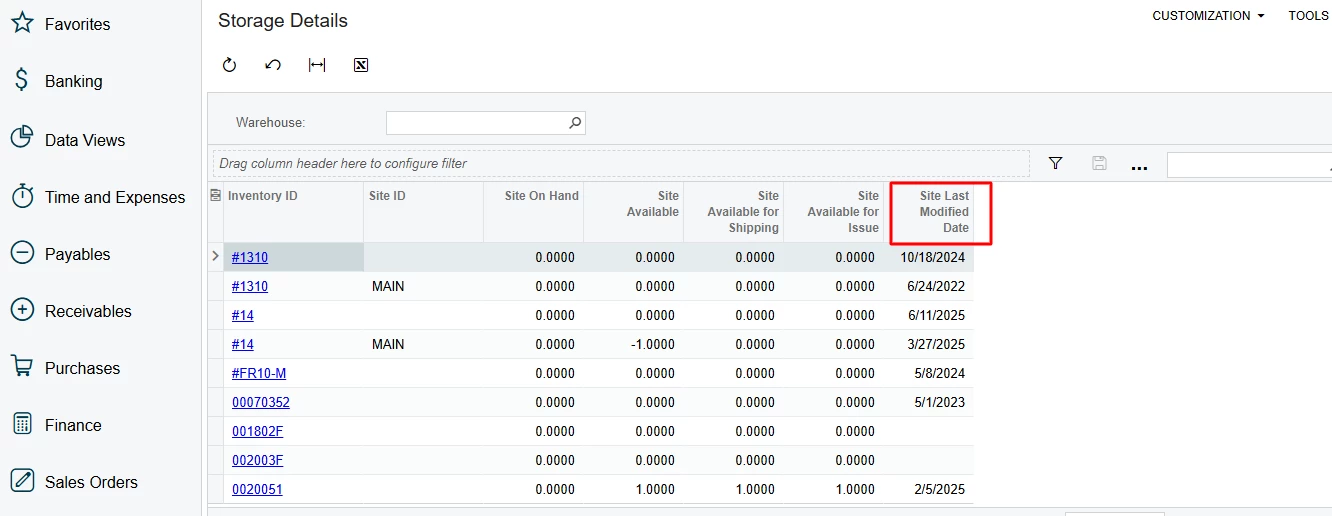
I’m working on a Generic Inquiry named “DB-StorageDetails” (Screen ID: IN408050) and trying to rename the column currently showing as “Site Last Modified Date” to “LastModifiedDateofWarehouseQty.”

However, when I attempt to rename it, I receive the following error:

“A field with the name LastModifiedDateofWarehouseQty cannot be found.”

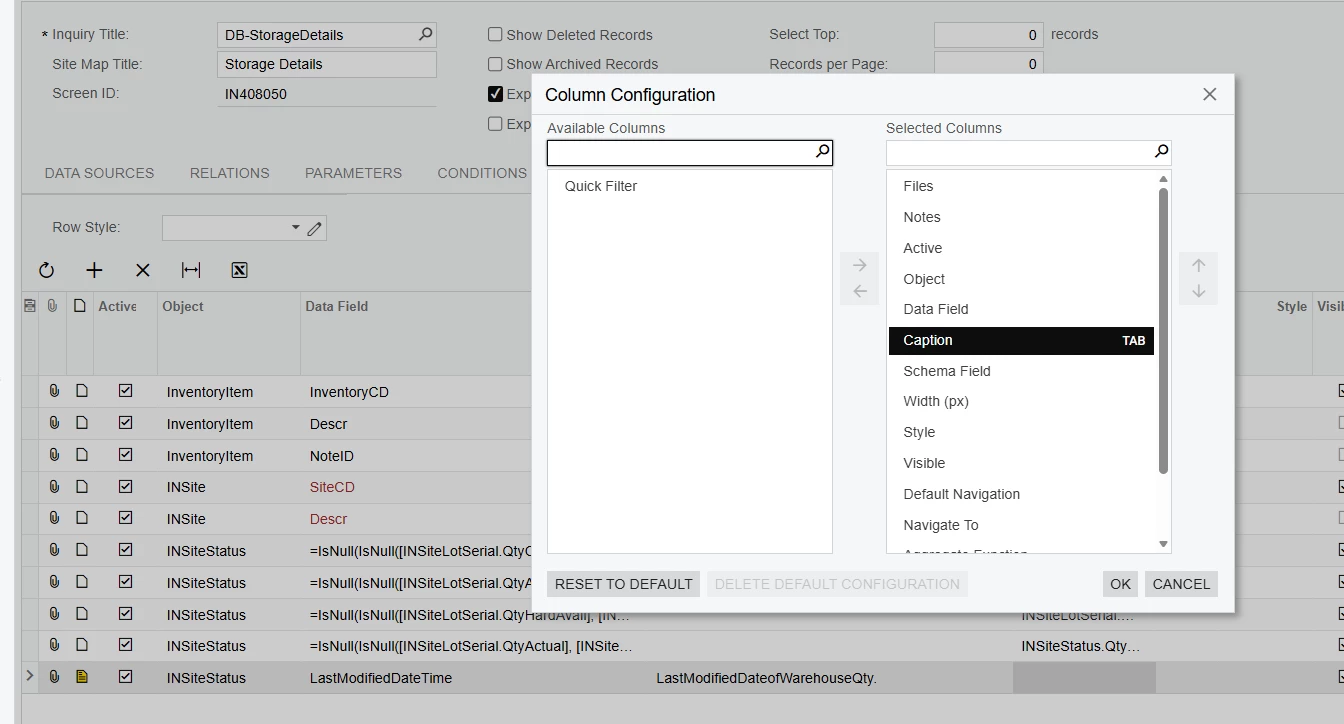
Additionally, the Caption / Display Name field does not appear anywhere in the column editor. The column is based on the field INSiteStatus.LastModifiedDateTime (and may be part of a calculated field), so I’m unable to edit its visible label.

Could you please advise how to properly rename this column in the Generic Inquiry results grid or through customization?
If this limitation exists for calculated or expression-based fields, please confirm whether it can be done via the Alias property or through a customization project.

Thank you,
Namrata


Best answer by nickcerri32

@Namrata13 - And you said you checked the column configurator and it wasn’t there? The only other thing I can think of is that the Caption field is somehow not included in your access rights, but that seems odd if you have access to GI’s in the first place.  


6 replies

nickcerri32
Jr Varsity III
Forum|alt.badge.img+1
  • Jr Varsity III
  • November 12, 2025

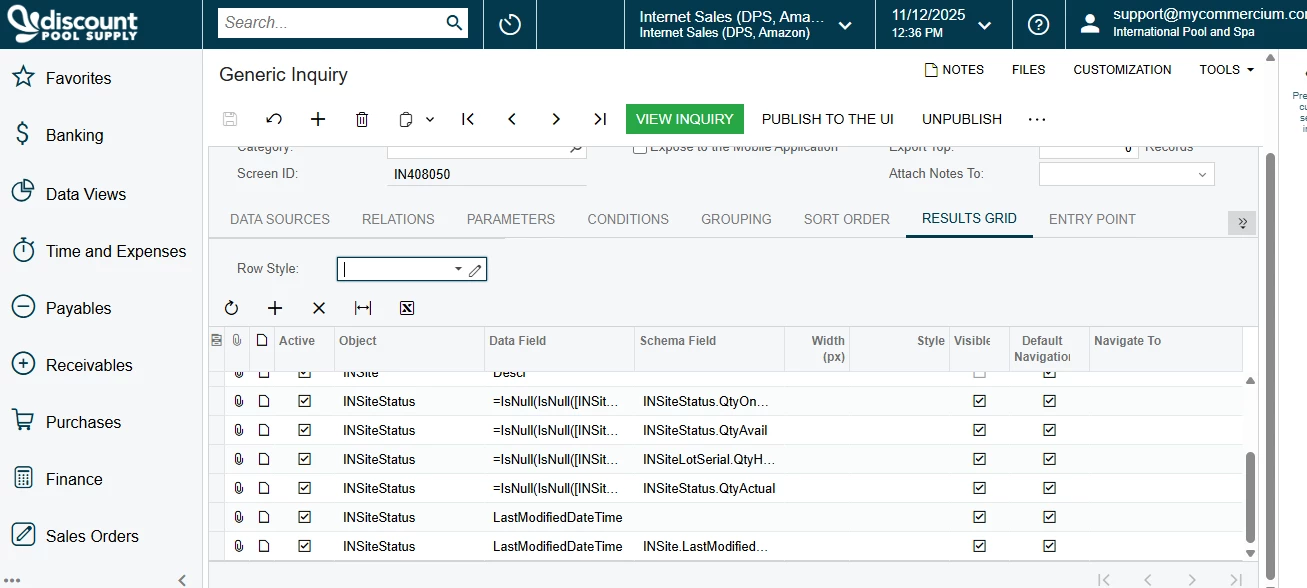
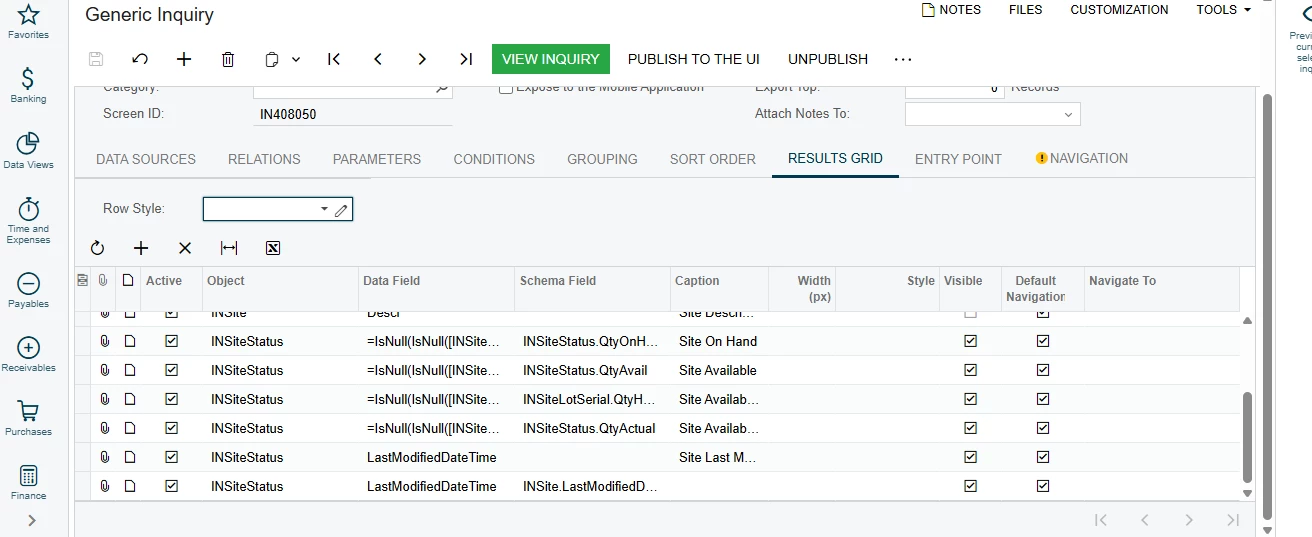
@Namrata13 - What version are you on? It may help to show a screenshot of the Results Grid.  That error sounds like you attempted to update the Data Field. You may need to verify your joins and check once more that the Caption field is just minimized rather than not present.  I was able to update the GI as you’ve outlined with no issues.


Forum|alt.badge.img
  • Author
  • Jr Varsity II
  • November 12, 2025

Hello ​@nickcerri32 
I am not able o see that caption field
and version is Acumatica Cloud ERP 2024 R1


nickcerri32
Jr Varsity III
Forum|alt.badge.img+1
  • Jr Varsity III
  • Answer
  • November 12, 2025

@Namrata13 - And you said you checked the column configurator and it wasn’t there? The only other thing I can think of is that the Caption field is somehow not included in your access rights, but that seems odd if you have access to GI’s in the first place.  


Forum|alt.badge.img
  • Author
  • Jr Varsity II
  • November 12, 2025

@nickcerri32 what next I can do here? If you suggest something. Also can you please remove above image because its showing company details


Forum|alt.badge.img
  • Author
  • Jr Varsity II
  • November 12, 2025

@nickcerri32  Okay I have added caption from column configuration it was not there before. thanks for your guidance


nickcerri32
Jr Varsity III
Forum|alt.badge.img+1
  • Jr Varsity III
  • November 12, 2025

@Namrata13 - No worries.  Glad to help!