Hello Support Team,
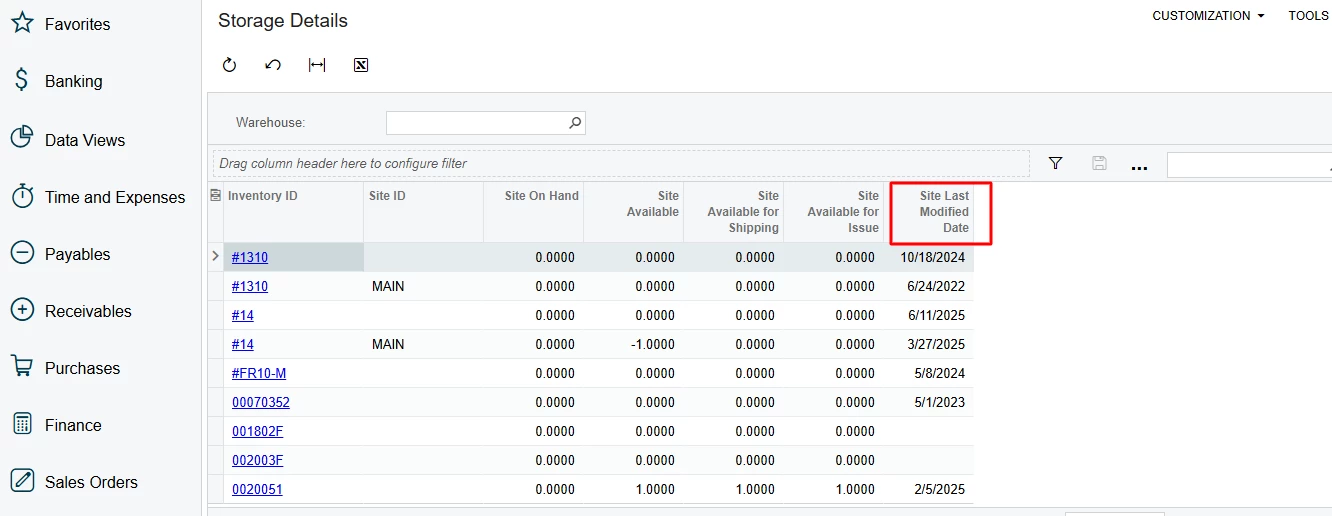
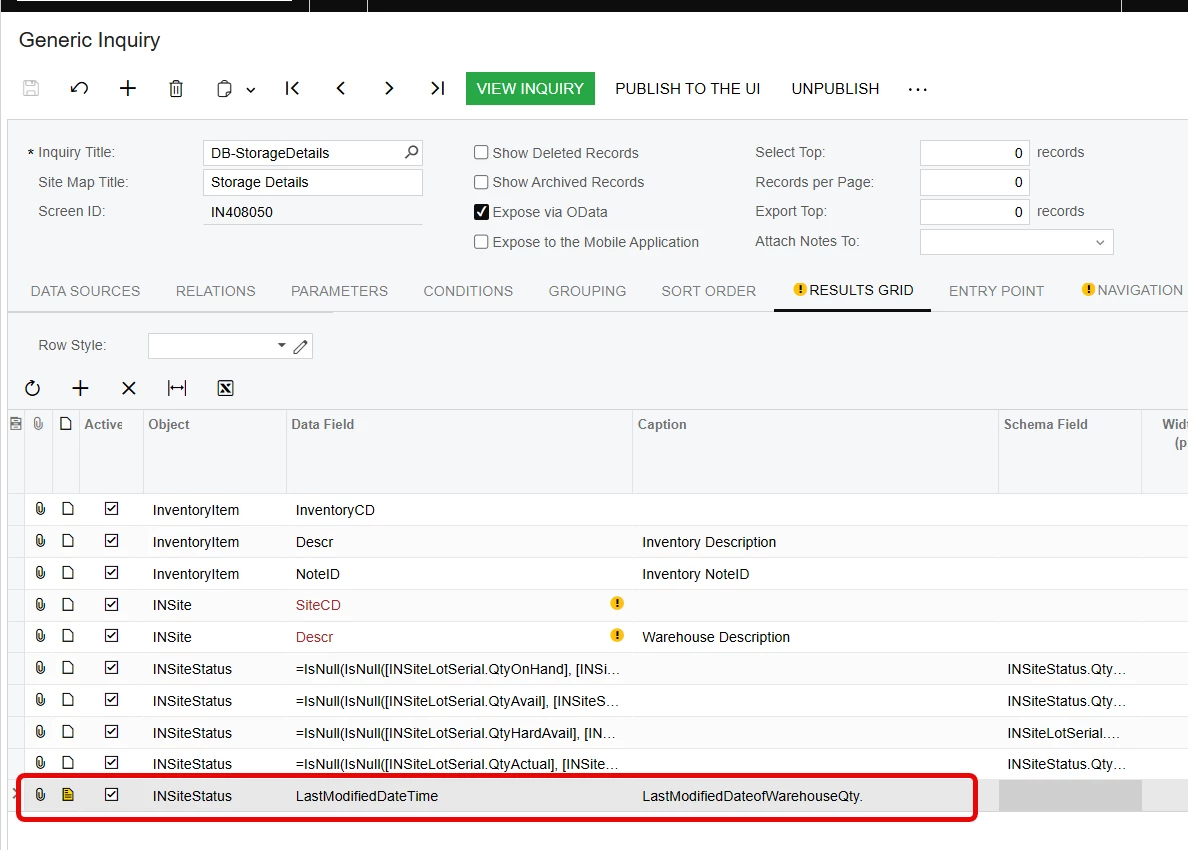
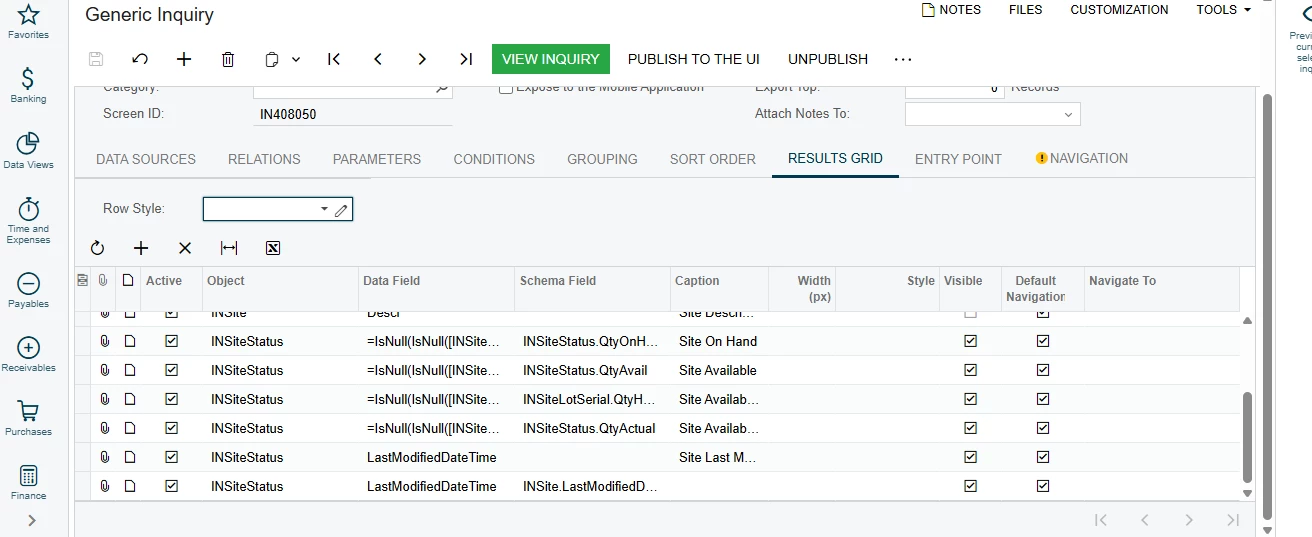
I’m working on a Generic Inquiry named “DB-StorageDetails” (Screen ID: IN408050) and trying to rename the column currently showing as “Site Last Modified Date” to “LastModifiedDateofWarehouseQty.”
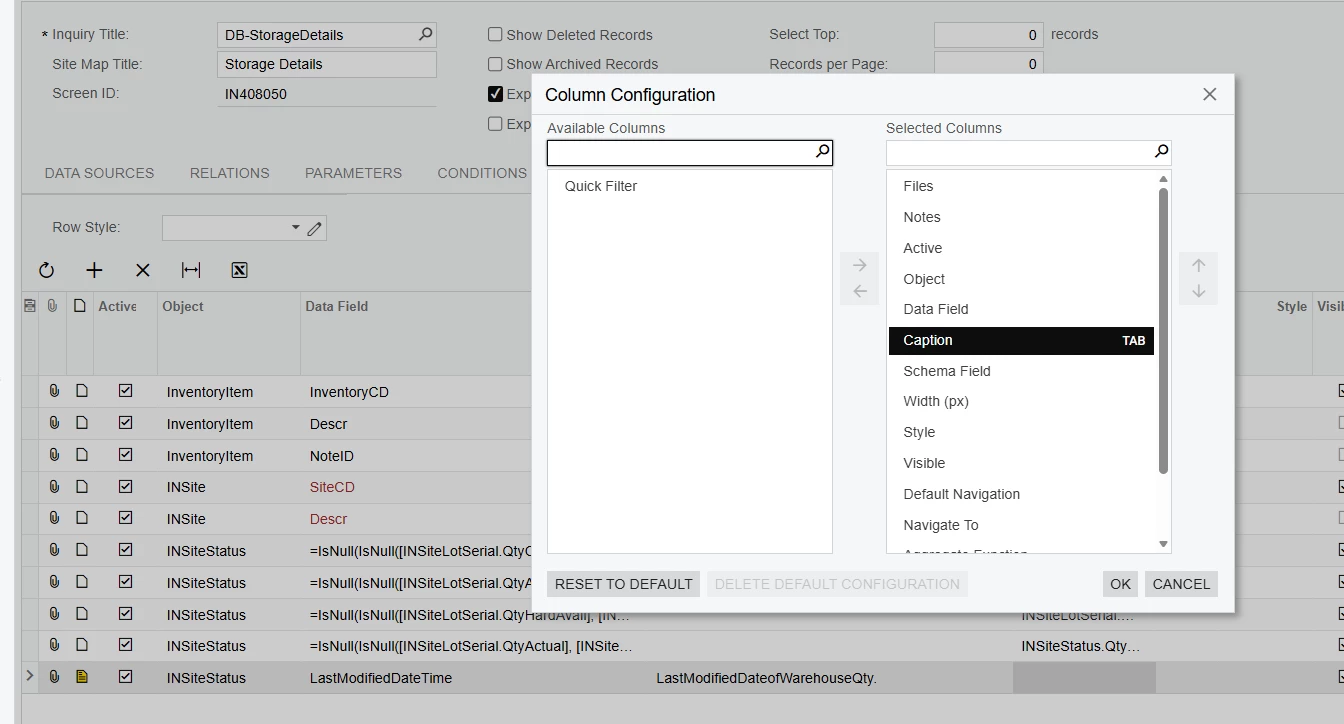
However, when I attempt to rename it, I receive the following error:
“A field with the name LastModifiedDateofWarehouseQty cannot be found.”
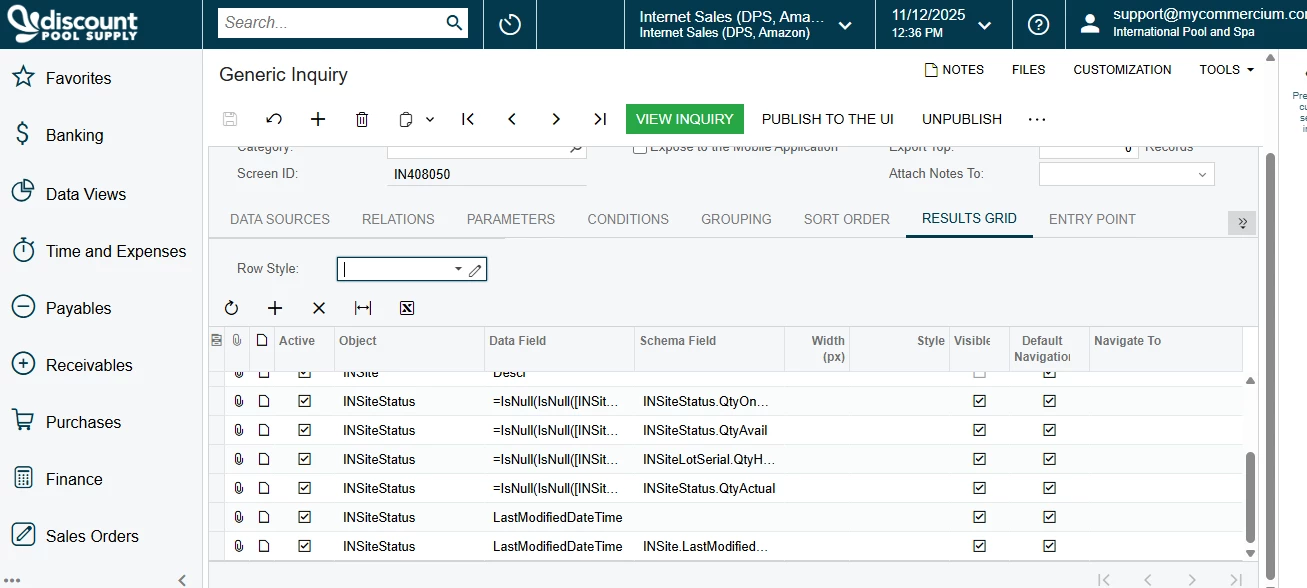
Additionally, the Caption / Display Name field does not appear anywhere in the column editor. The column is based on the field INSiteStatus.LastModifiedDateTime (and may be part of a calculated field), so I’m unable to edit its visible label.
Could you please advise how to properly rename this column in the Generic Inquiry results grid or through customization?
If this limitation exists for calculated or expression-based fields, please confirm whether it can be done via the Alias property or through a customization project.
Thank you,
Namrata