Solved

Get the PDF files using Postman.

  • Dec 15, 2023 4:03 PM UTC
  • 5 replies
  • 792 views
  • Translate All

Forum|alt.badge.img

Hi guys,
Any ideas, maybe one of us has had a similar problem to mine.
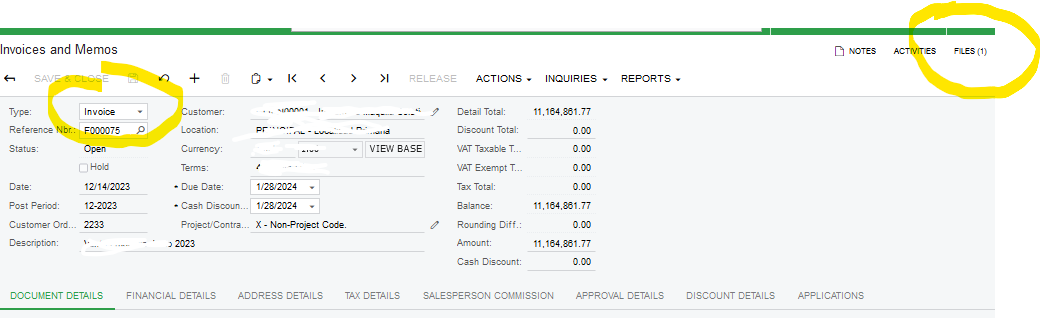
I want to obtain the PDF file that I have uploaded on the Invoices and Notes screen "AR301000" by consulting through postman, the acumatic version is 2019R2

1.- I was able to insert using postman, here is the result.
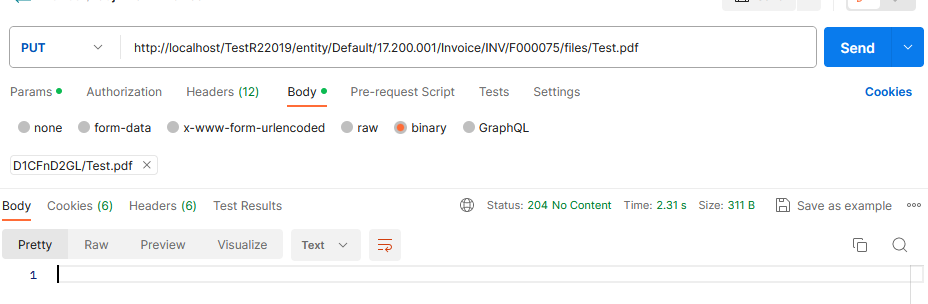
 

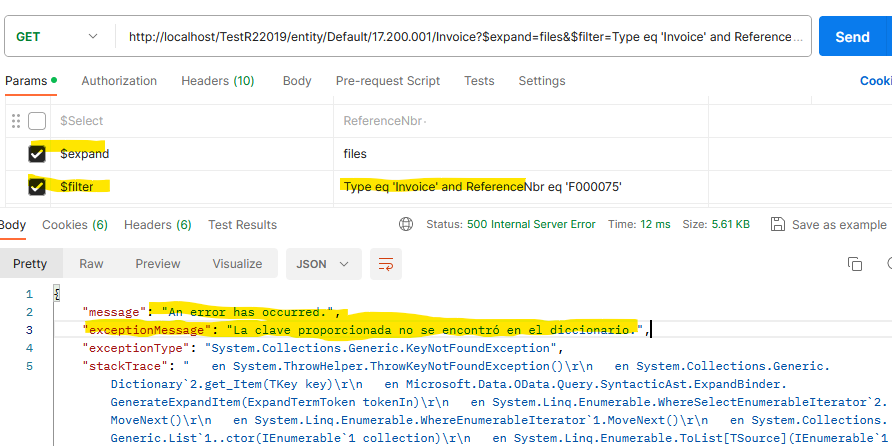
The postman's query and response failed.
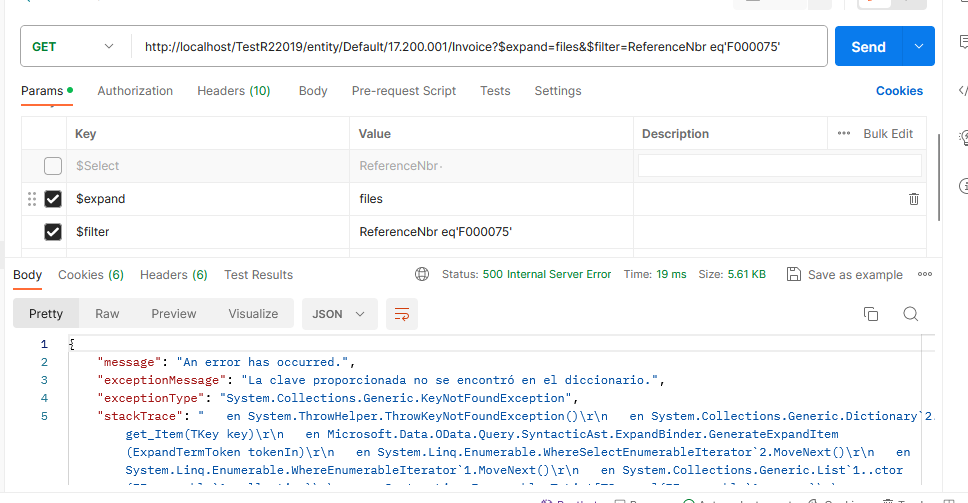
I hope I have been clear, maybe my English is not correct.

Could you tell me what I'm doing wrong, I would appreciate it, thank you very much.
Best answer by RohitRattan88

@SaulGomez61 

Couple of suggestions I would have on this one.

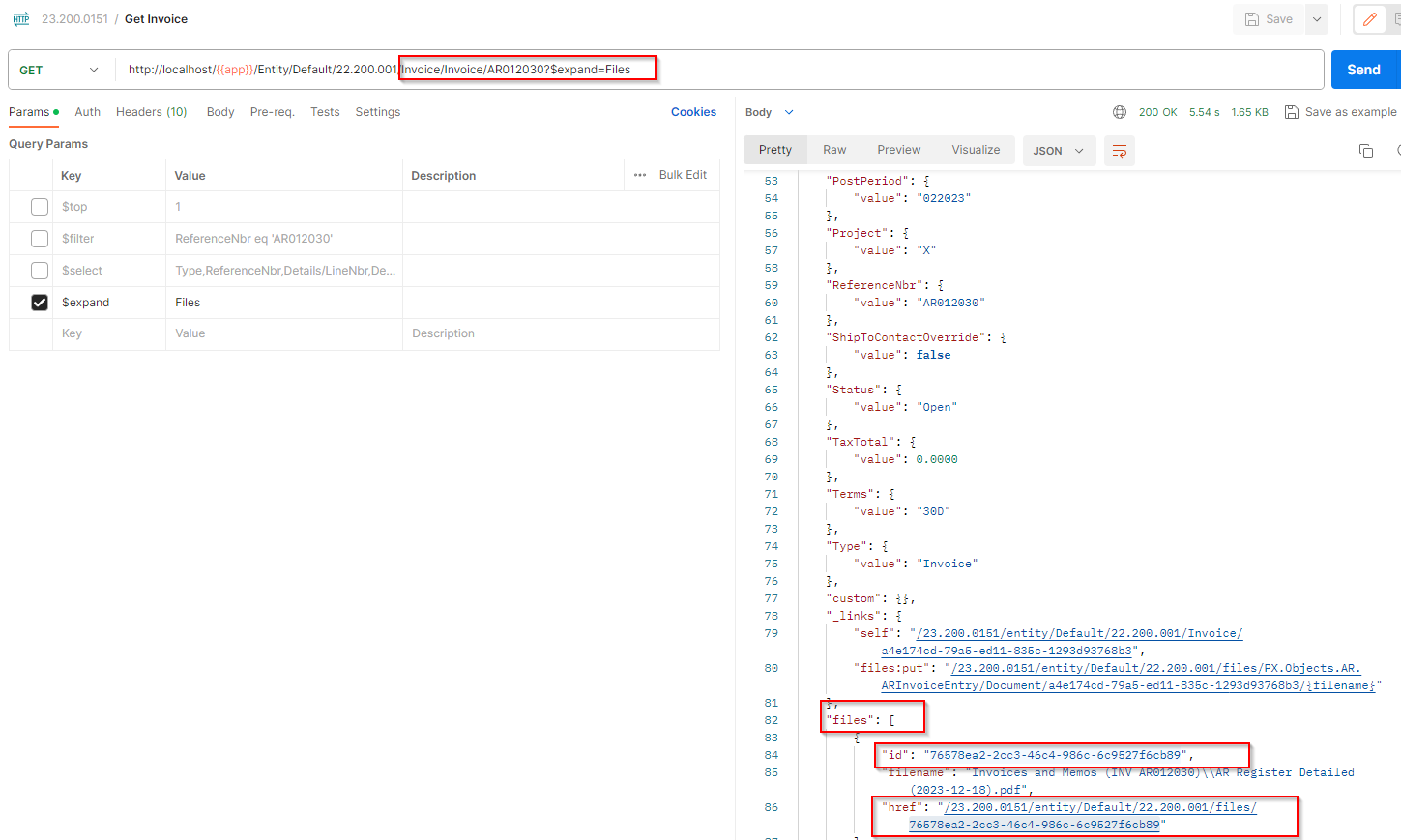
  1. try to use get items via ID/Key field and expand Files to get file id to be retrieved
    ref: Retrieve a Record by ID
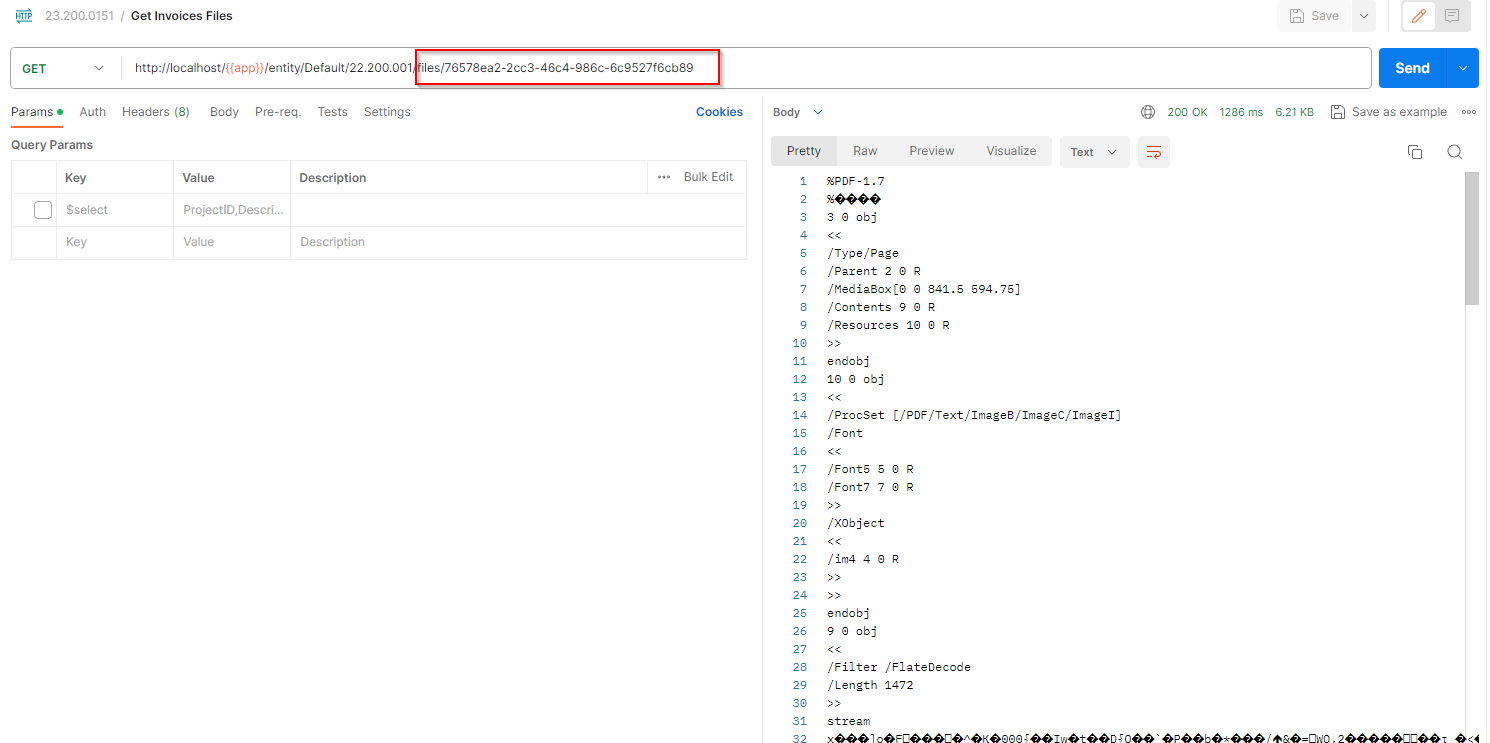
  2. Once you have the file id, make a GET request on Files entity
    ref: Retrieve a File Attached to a Record

Here’s an example:

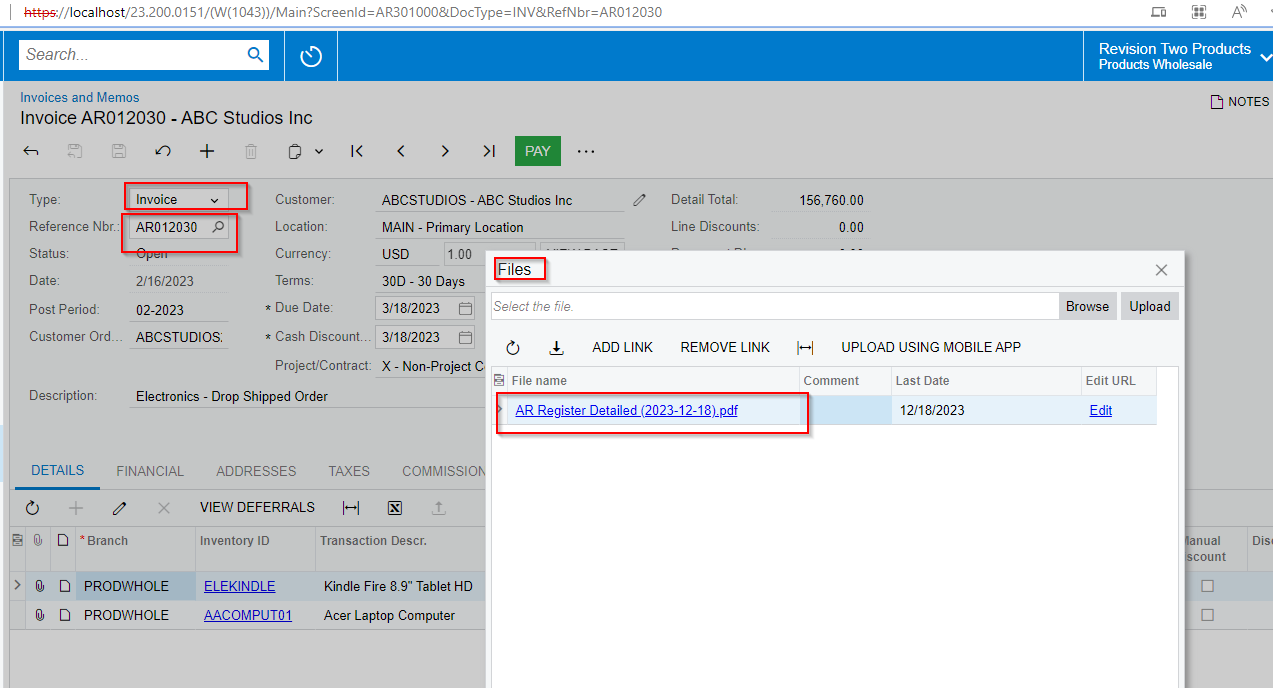
Document with file
Get file id
Retrieve file

Hopefully it helps

View original

5 replies

darylbowman
Captain II
Forum|alt.badge.img+17

Have you visited the help?

Translate

Forum|alt.badge.img+8
  • Captain II
  • Dec 15, 2023 5:11 PM UTC

From here it looks correct. Can you uncheck $expand and confirm that your $filter parameter is working properly?

You’ll also want to include the Type field in your filter because you could have multiple document types with that document number.


Translate

Forum|alt.badge.img
  • Author
  • Freshman II
  • Dec 15, 2023 7:43 PM UTC

The current version is 2019R2, which is where I cannot perform the query, this example replicates the 2022R1 version if it works without any problem, same use process.


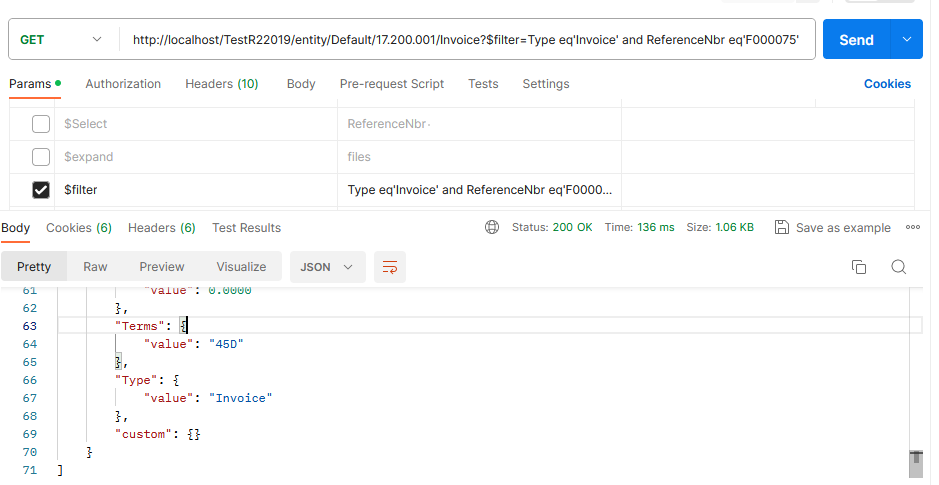
look here is the test without using expand only filter.

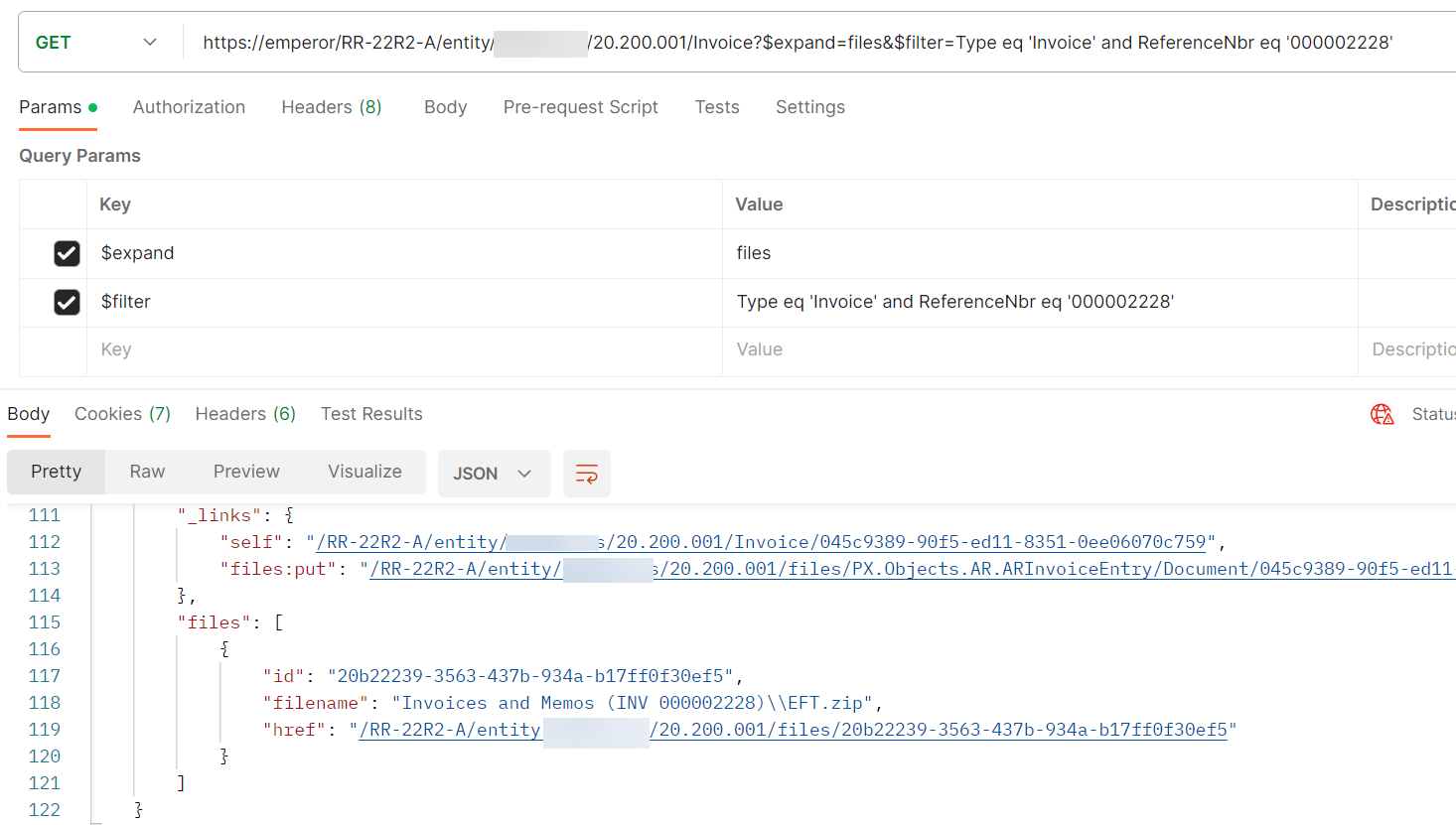
response when I add expand=files.


Translate

RohitRattan88
Acumatica Moderator
Forum|alt.badge.img+5
  • Acumatica Moderator
  • Answer
  • Dec 18, 2023 6:22 PM UTC

@SaulGomez61 

Couple of suggestions I would have on this one.

  1. try to use get items via ID/Key field and expand Files to get file id to be retrieved
    ref: Retrieve a Record by ID
  2. Once you have the file id, make a GET request on Files entity
    ref: Retrieve a File Attached to a Record

Here’s an example:

Document with file
Get file id
Retrieve file

Hopefully it helps

Translate

Forum|alt.badge.img
  • Author
  • Freshman II
  • Dec 19, 2023 4:38 PM UTC

@SaulGomez61

Thank you very much, it has helped me with the answer you gave me.


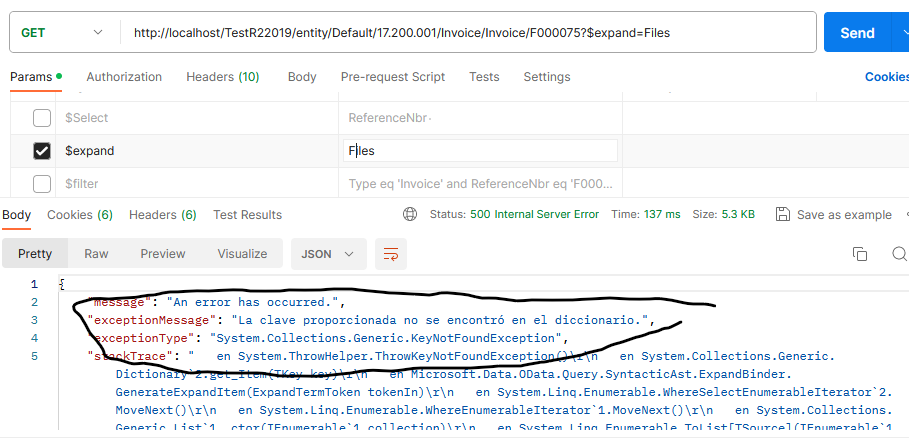
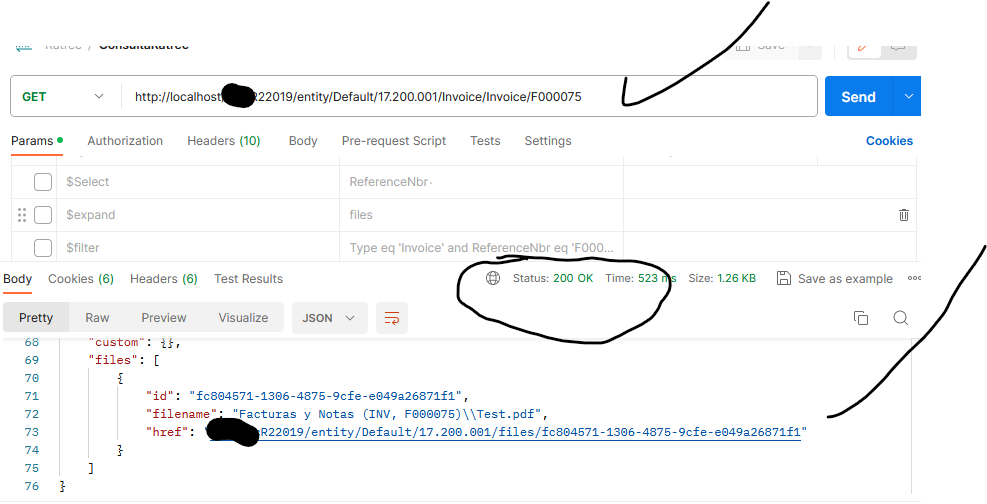
example and result, even if it is strange but the important thing is that you were able to obtain the attached file.

example 1:


Example 2:

without having to expand it works fine. I don't know if it's correct.


Translate