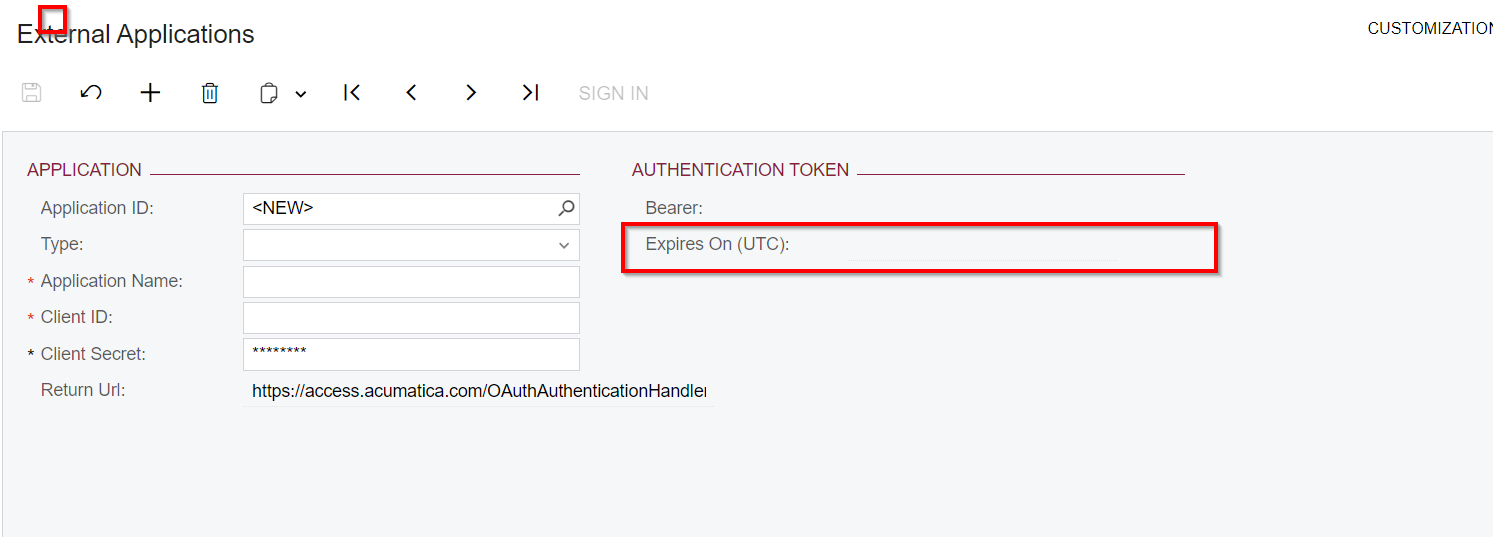
I have set up Google Workspace for email in Acumatica. I’m required to log in several times a day, otherwise emails sharing getting failed.
I noticed that there is an expiry set on the Authentication token under the external applications. How can I extend this expiration or set this not to expire?
Thank You,
Dulanjana
Best answer by dsenevirathne54
Hi @meganfriesen37 ,
I was able to figure out that one tenant should have a one separate project in the google workspace. I did not know that and once I setup separate projects and accounts in google it works refreshing without an issue.
Basically one tenant needs to have a separate google project. Then It runs without any issue.
I’m not as familiar with the Gmail side of things, but for the Microsoft emails, we were able to set an expiry on the Token of up to 18 months I think and this was on the Azure side when we were configuring the settings of the email account.
I was able to figure out that one tenant should have a one separate project in the google workspace. I did not know that and once I setup separate projects and accounts in google it works refreshing without an issue.
Basically one tenant needs to have a separate google project. Then It runs without any issue.
we have client ID and secret set to expire October 2027, but when I refresh application token in Acumatica the date is still today. Any thoughts on why this is? Thanks!