Expected Behavior:
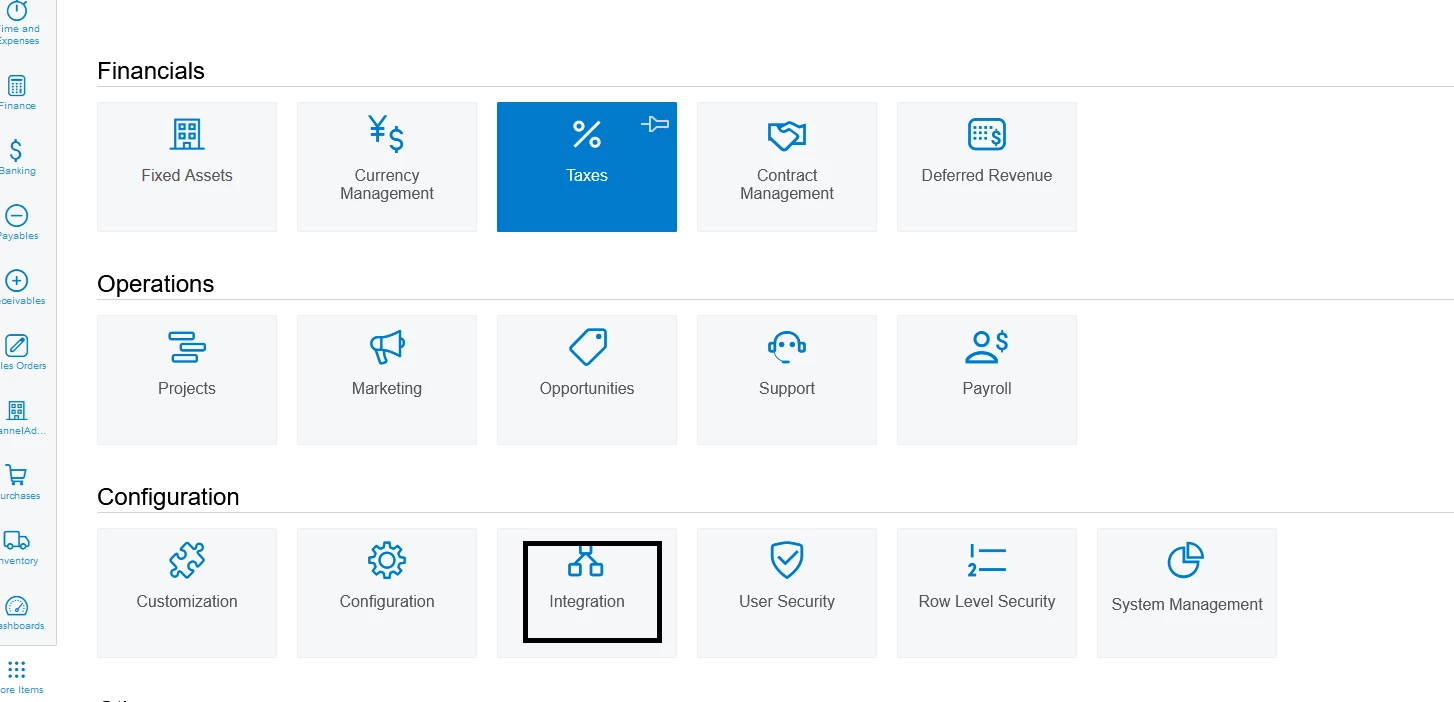
- I expected to see the "Integration" tab in the Acumatica menu as it should be a standard feature of the ERP system.
Actual Behavior:
- The "Integration" tab is missing or not visible in the menu.
Screenshots or Error Messages:
- Unfortunately, there are no error messages displayed. However, I have attached a screenshot of the Acumatica dashboard where the "Integration" tab should be located. Additionally, I have provided a screenshot of my user interface to illustrate that the tab is not present.
-
Troubleshooting Steps Taken:
- I have cleared browser cache and cookies.
- I have tried accessing Acumatica from a different browser (Firefox) to rule out browser-specific issues, but the problem persists.
- I reviewed the Acumatica documentation to see if there were any additional steps required to enable the "Integration" tab, but I couldn't find any relevant information.
-
Request for Help: I would greatly appreciate any assistance or guidance on resolving this issue. If there are any specific settings, configurations, or permissions that need to be adjusted to enable the "Integration" tab, please let me know.