

Solved

Adding field to Customization Project

  • April 16, 2026
  • 1 reply
  • 37 views

Forum|alt.badge.img+2

Hi,

The aim of this case is to figure out how to save a field in the endpoint so that, when I import the customization project, this new field will be available for use. I need to add OrderNbr for PurchaseReceipt.
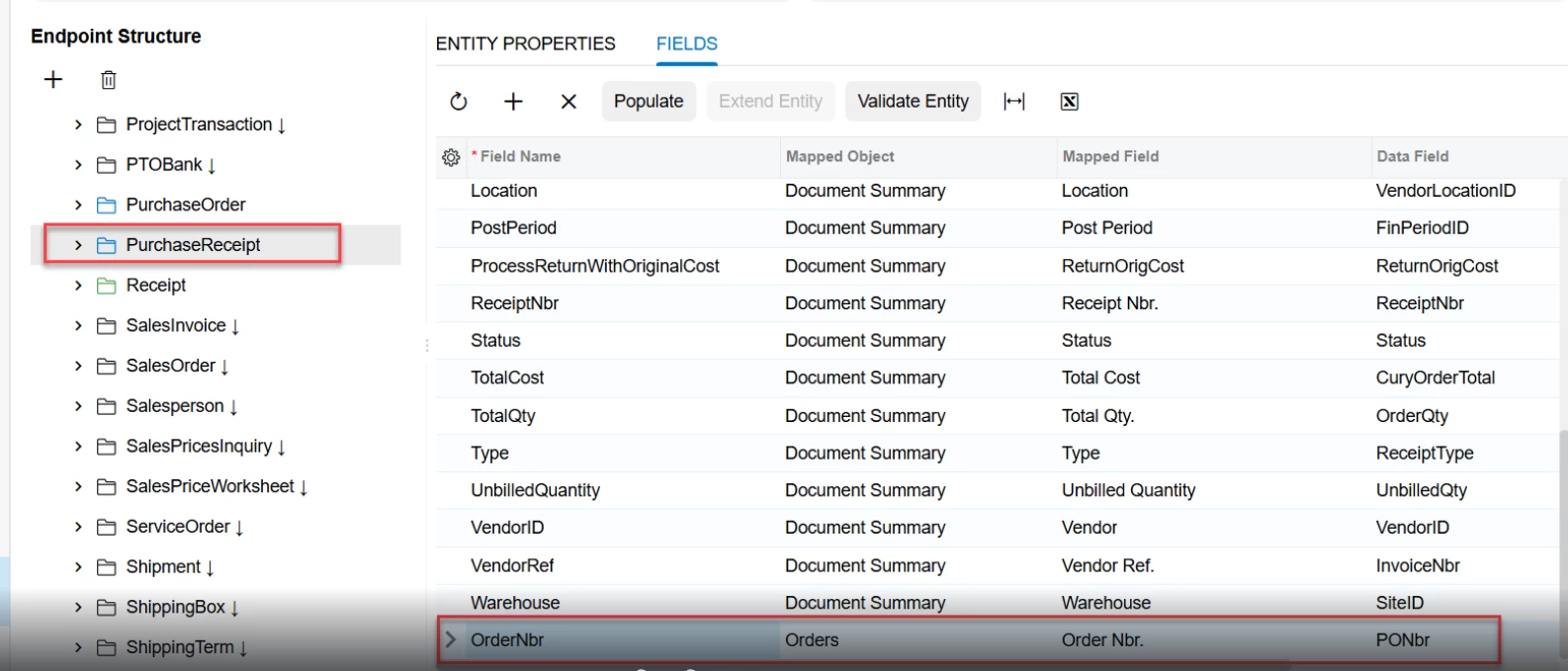
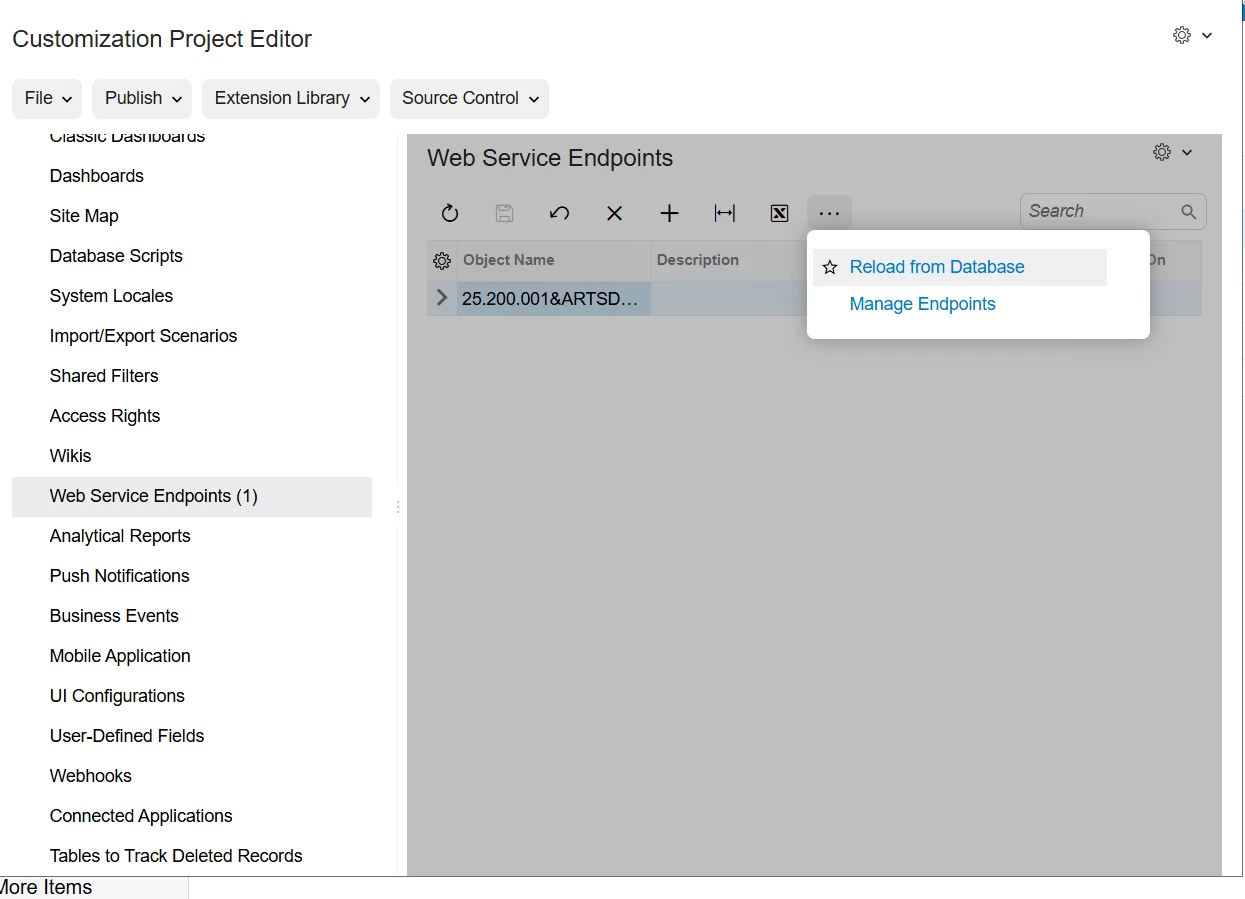
After I added the field to the endpoint, I pressed Validate Entity. Then, in the customization project, I selected my package and pressed Reload from Database.
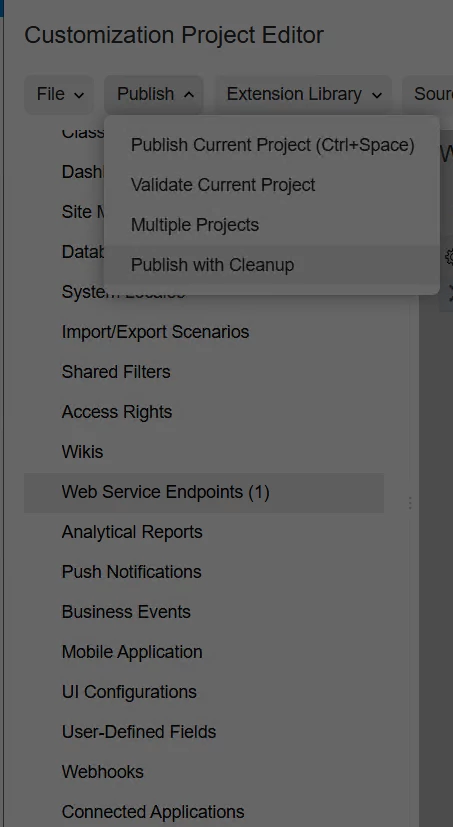
After that, I selected Publish with Cleanup and exported my customization package.
During testing, I imported my customization project, but the OrderNbr field was not available in the endpoint.
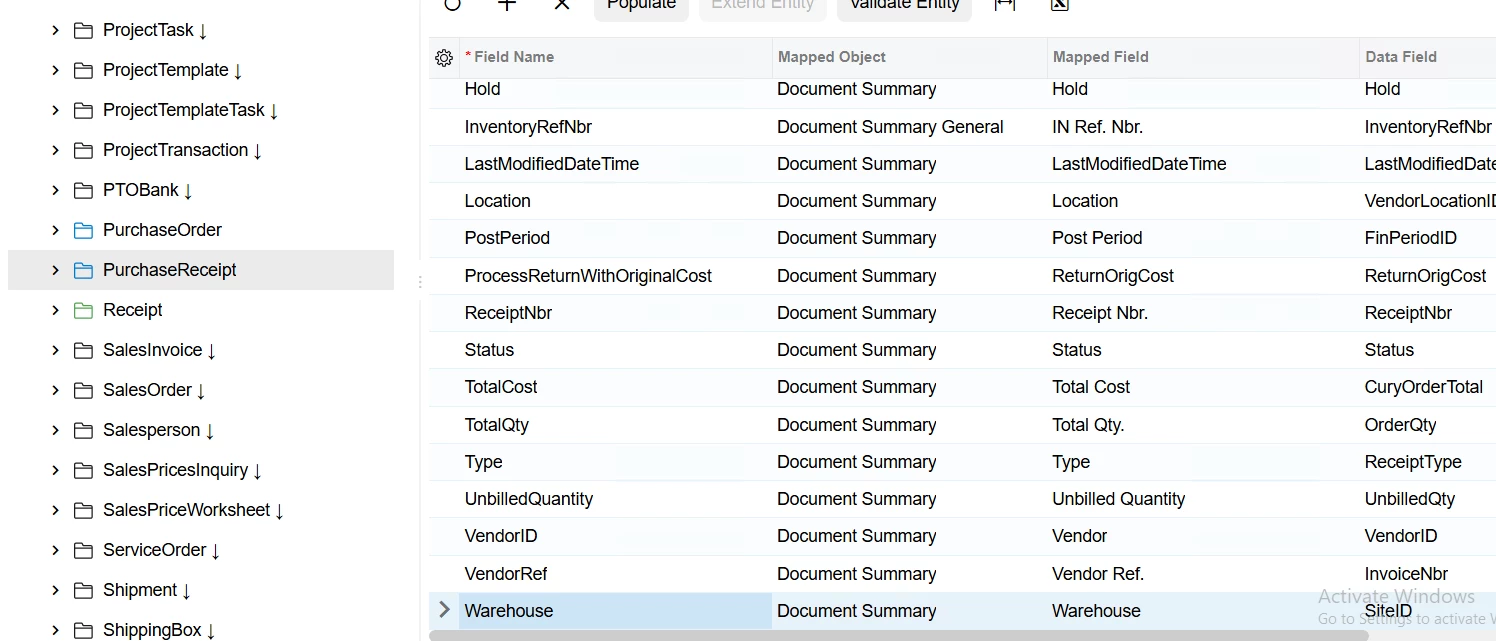
Acumatica 2026R1. I tried without reloading from the database and publishing with cleanup, but result remains the same

Best answer by FarhanaM60

Correct Way to Include Endpoint Changes

 Step 1: Add Endpoint to Customization Project

 Customization Project → Web Service Endpoints

Then:

Click + Add Existing

Select your endpoint (e.g., Default / Custom endpoint)

Save

 Step 2: Verify Your Field

Inside the endpoint in customization project:

Expand:

PurchaseReceipt

Ensure:

OrderNbr is visible and mapped

 Step 3: Publish Again

 Publish (no need for cleanup unless required)

Export package

 Step 4: Import on Target Instance

Import package

Publish

 Now the endpoint will include your new field

1 reply

Forum|alt.badge.img
  • Varsity I
  • Answer
  • April 16, 2026

Correct Way to Include Endpoint Changes

 Step 1: Add Endpoint to Customization Project

 Customization Project → Web Service Endpoints

Then:

Click + Add Existing

Select your endpoint (e.g., Default / Custom endpoint)

Save

 Step 2: Verify Your Field

Inside the endpoint in customization project:

Expand:

PurchaseReceipt

Ensure:

OrderNbr is visible and mapped

 Step 3: Publish Again

 Publish (no need for cleanup unless required)

Export package

 Step 4: Import on Target Instance

Import package

Publish

 Now the endpoint will include your new field