Solved

Adding endpoint to Acumatica

  • February 2, 2023
  • 6 replies
  • 173 views

Forum|alt.badge.img+2

Hi,

I mistakenly deleted one of endpoints.

I tried to load customization project again, I unpublished, and removed the project. Imported and published again, but it did not help, endpoint is absent.

What should I do ?

Best answer by Dmitrii Naumov

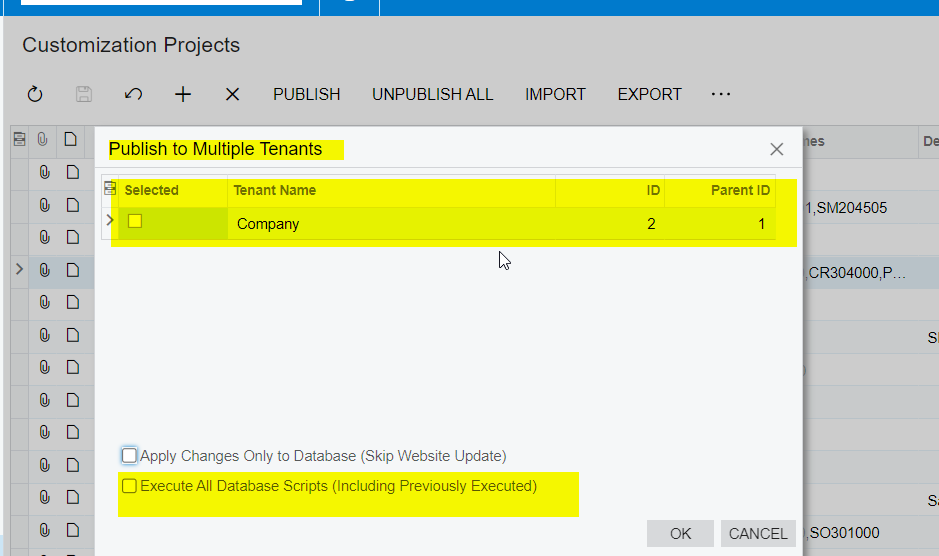
Try using ‘Publish with Cleanup’ option from inside customization project

6 replies

Dmitrii Naumov
Acumatica Moderator
Forum|alt.badge.img+7
  • Acumatica Moderator
  • Answer
  • February 2, 2023

Try using ‘Publish with Cleanup’ option from inside customization project


jinin
Pro I
Forum|alt.badge.img+11
  • Pro I
  • February 2, 2023

Hi @Ivan 

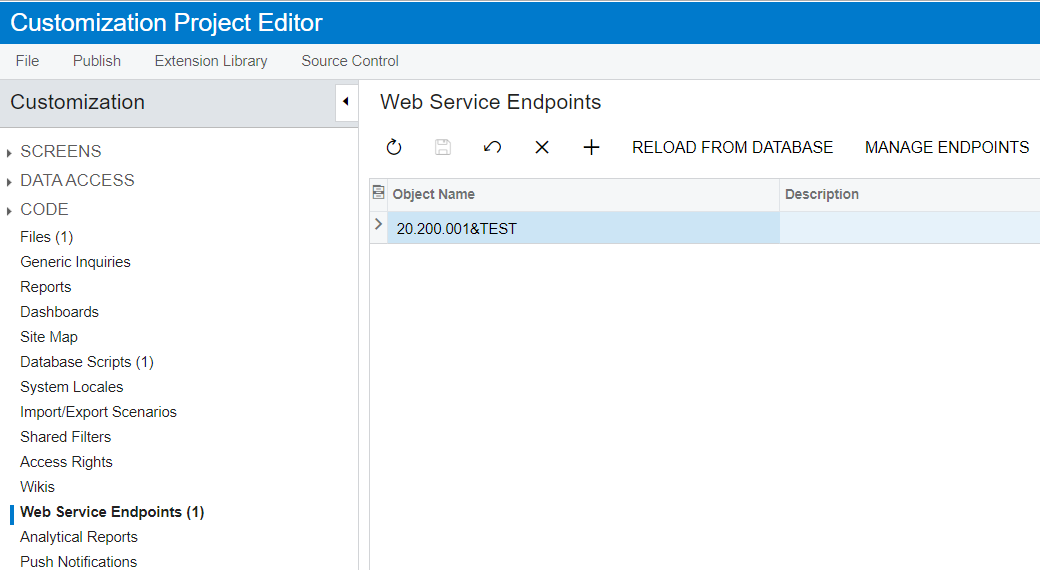
  • Open the customization package and check whether the endpoint is available in the package.
  • If the endpoint does not exist in the package, we can't retain the endpoint again.
  • If it's available, then publish the package with the cleanup option and check.


Forum|alt.badge.img+2
  • Author
  • Varsity I
  • February 2, 2023

Try using ‘Publish with Cleanup’ option from inside customization project

@Dmitrii Naumov 

How to publish with cleanup, I do not see such option 


Forum|alt.badge.img+2
  • Author
  • Varsity I
  • February 2, 2023

Hi @Ivan 

  • Open the customization package and check whether the endpoint is available in the package.
  • If the endpoint does not exist in the package, we can't retain the endpoint again.
  • If it's available, then publish the package with the cleanup option and check.


@jinin How to publish with cleanup, I do not see such option


Dmitrii Naumov
Acumatica Moderator
Forum|alt.badge.img+7
  • Acumatica Moderator
  • February 2, 2023

@Ivan you need to open the project and find the action there. 

See the screenshot in  https://help-2022r2.acumatica.com/Help?ScreenId=ShowWiki&pageid=4ee2a834-c0df-4112-8417-b139d927a3fa 


Forum|alt.badge.img+2
  • Author
  • Varsity I
  • February 2, 2023

@Ivan you need to open the project and find the action there. 

See the screenshot in  https://help-2022r2.acumatica.com/Help?ScreenId=ShowWiki&pageid=4ee2a834-c0df-4112-8417-b139d927a3fa 

Thank you

I will check it and let you know