

Solved

Why does trying to capture a Stripe payment in a sales order result in an incomplete dialog and I am unable to proceed?

  • May 20, 2026
  • 2 replies
  • 13 views

Forum|alt.badge.img+1

We are trying to enable Stripe processing for our sales orders and despite setting up the processing center and it testing OK when we click the Test Credentials button we get what looks like an incomplete dialog after clicking capture on the Create Payment dialog.
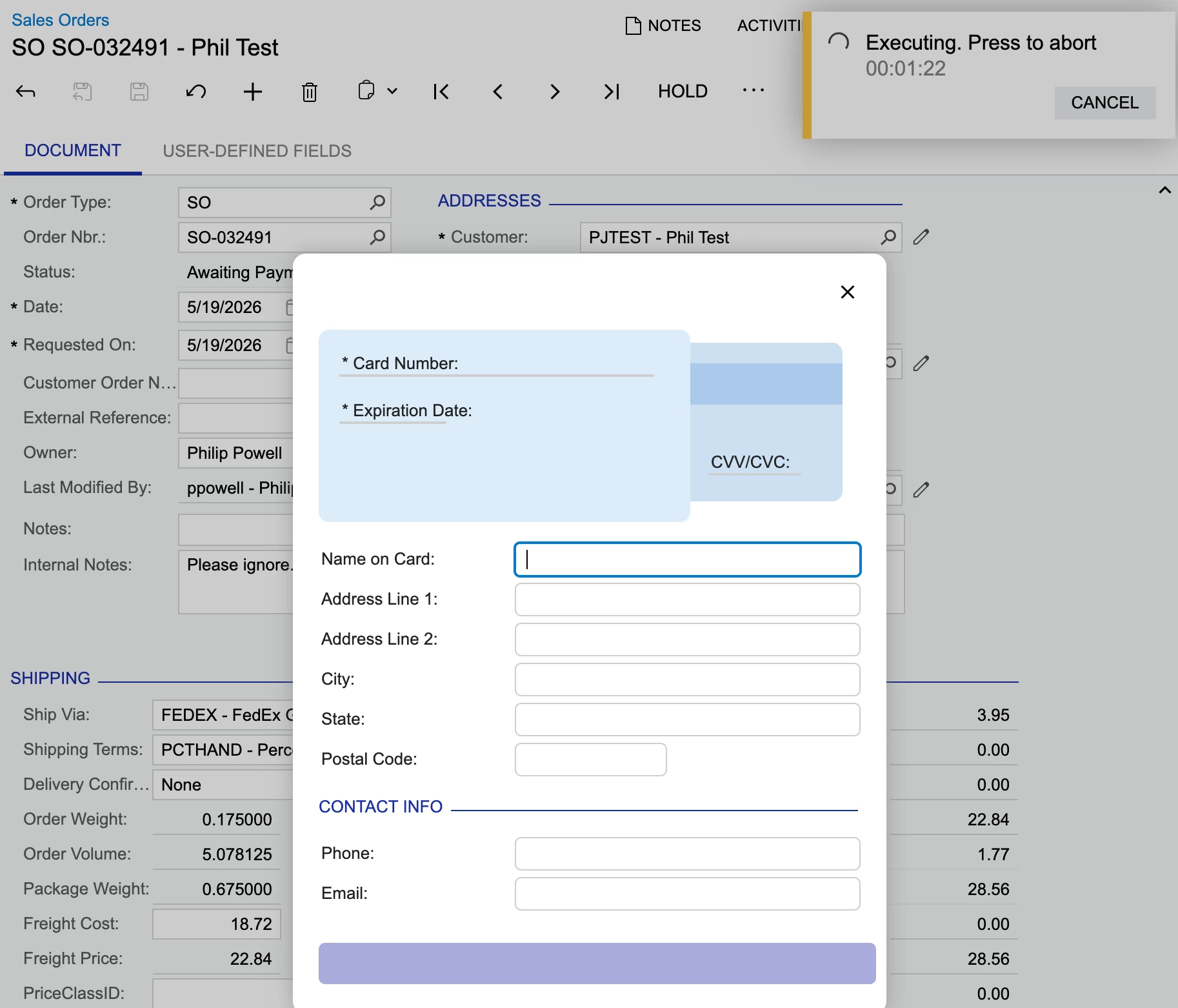
The bottom section for the address and contact info can be filed in but the bottom button remains blank and does nothing when clicked.

The top section for the credit card info seems to just be labels with no fields that can be edited.

This remains until we click the cross.

The connection to Stripe seems to be working as I can see a transaction with the matching amount which says Incomplete along with two other entries of $1.00 each time under Transactions>Payments on the Stripe website. The $1.00 entries say cancelled.


Any ideas of how/where to troubleshoot this would be much appreciated as I’m stumped.

Thanks,

Phil

Best answer by ppowell

We discovered that there was error thrown in the console:

In case anyone runs into this, it seems that the wrong key was used and even though Test Credentials worked the key was restricted somehow.  After changing keys it is working now.


Phil

2 replies

Forum|alt.badge.img+1
  • Author
  • Semi-Pro II
  • Answer
  • May 20, 2026

We discovered that there was error thrown in the console:

In case anyone runs into this, it seems that the wrong key was used and even though Test Credentials worked the key was restricted somehow.  After changing keys it is working now.


Phil


Chris Hackett
Community Manager
Forum|alt.badge.img
  • Acumatica Community Manager
  • May 20, 2026

Thank you for sharing your solution with the community ​@ppowell!
