Answer

User-defined field "selector" - does it work on mobile app?

  • August 20, 2021
  • 4 replies
  • 321 views

sean21
Varsity III
Forum|alt.badge.img+1

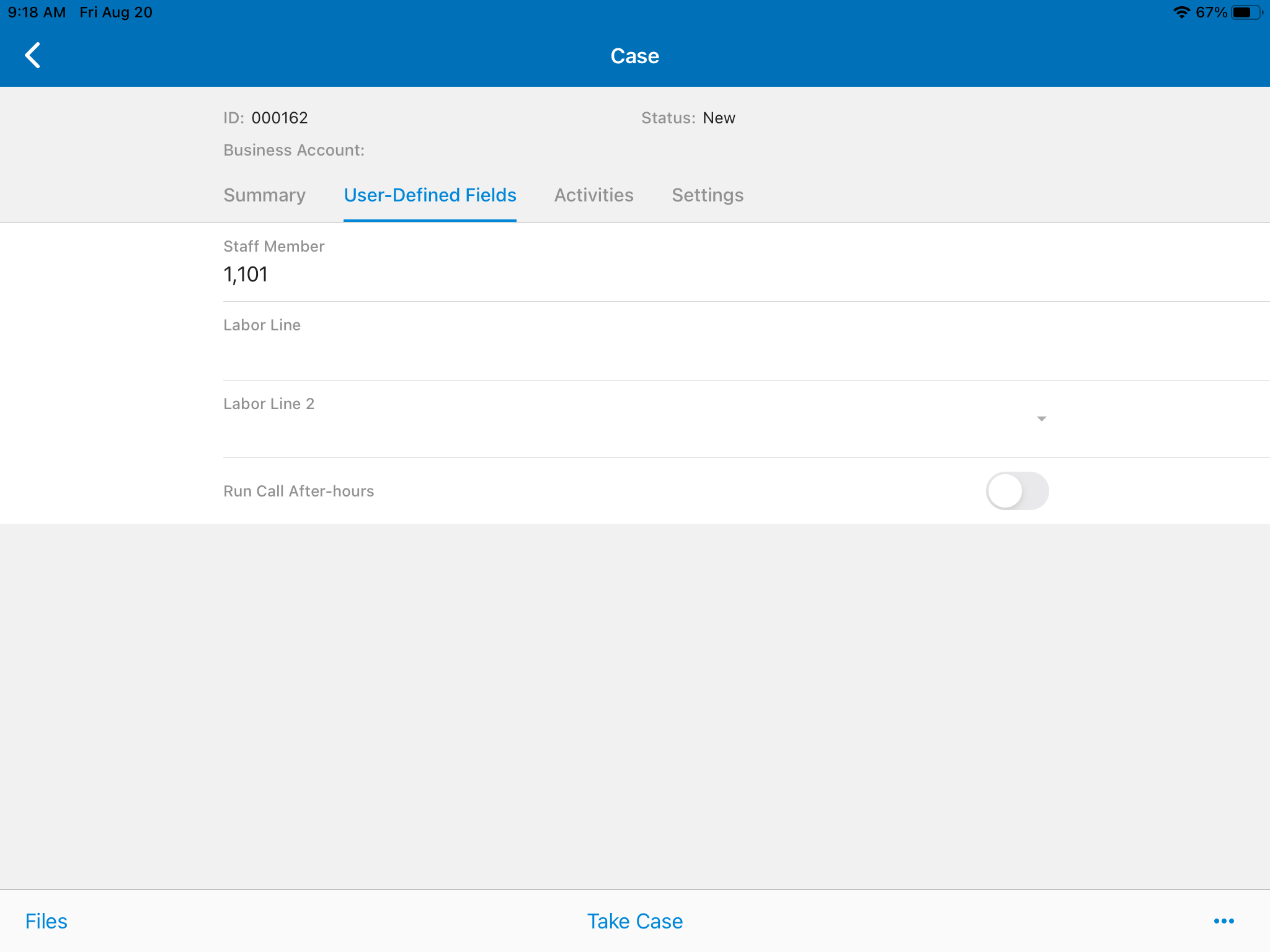
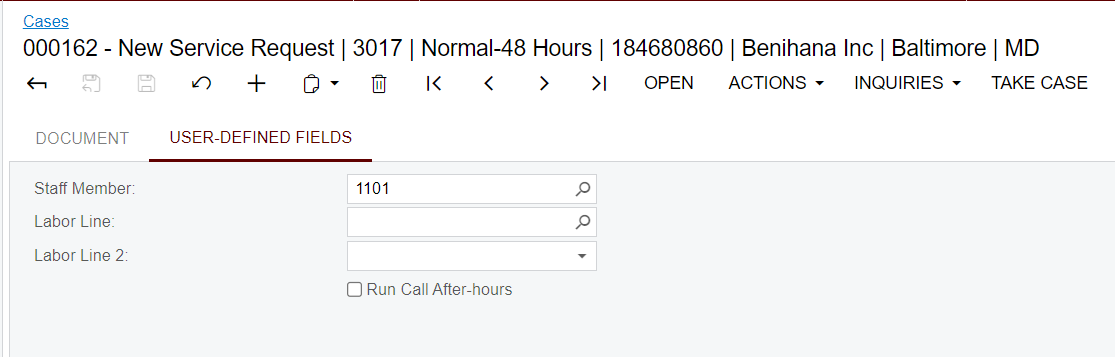
I added a few selector fields as UDFs in Cases. As you can see in the screenshots, when accessing in the web, the selector field works. But in the mobile app, there is no magnifying glass icon for me to select the options. Instead, it’s just a text type field… Am I missing something easy or does this functionality require customization to the mobile app? 
 

Best answer by Cesar Betances

Hi,


It seems that selector udf fields are not currently supported in the Mobile Framework.

Please create a Support Case to have Acumatica review this behavior.

4 replies

  • Freshman II
  • August 24, 2021

It sounds like it was not defined as a selector when adding to the mobile screen. Could you provide the code for the the DAC, and the MSDL code you are using to add the fields to the mobile app?


sean21
Varsity III
Forum|alt.badge.img+1
  • Author
  • Varsity III
  • August 24, 2021

@Sean Prouty I just created the user-defined fields via web browser. They appeared in the mobile app as seen in my screenshots without customization. So that’s how they appeared out-of-the-box. I did some digging in the wikis and I’m assuming that for those UDFs to be workable selectors, I need to customize the mobile app. Is that consistent with your understanding? 


Forum|alt.badge.img+2
  • Acumatica Moderator
  • Answer
  • December 15, 2021

Hi,


It seems that selector udf fields are not currently supported in the Mobile Framework.

Please create a Support Case to have Acumatica review this behavior.


APistorius
Jr Varsity II
Forum|alt.badge.img+1
  • Jr Varsity II
  • April 19, 2023

Has anything been done with this?  It’s problematic when trying to make the experience on the mobile app resemble that of the web interface.