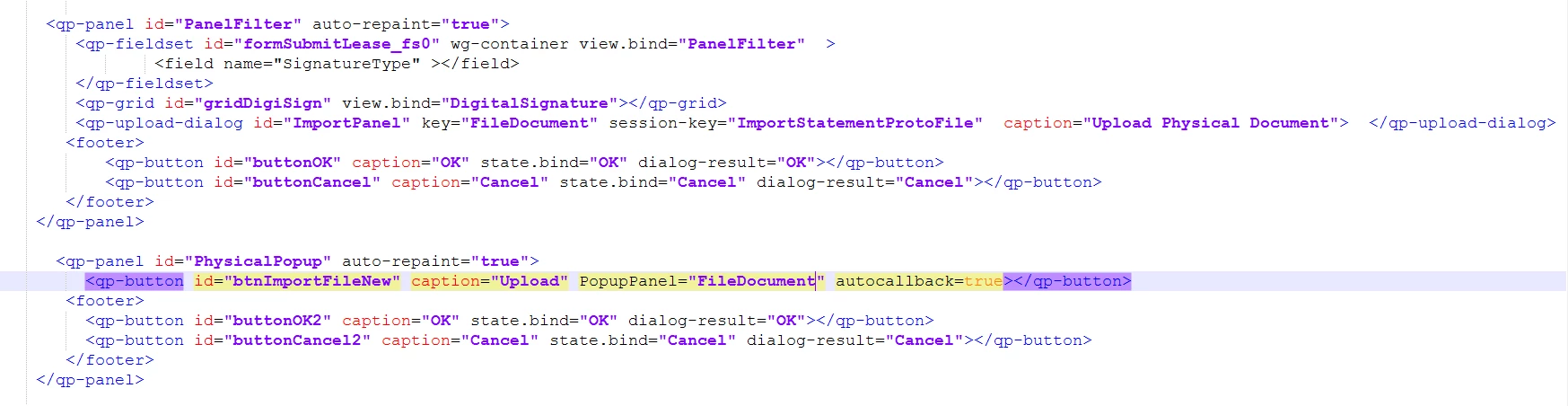
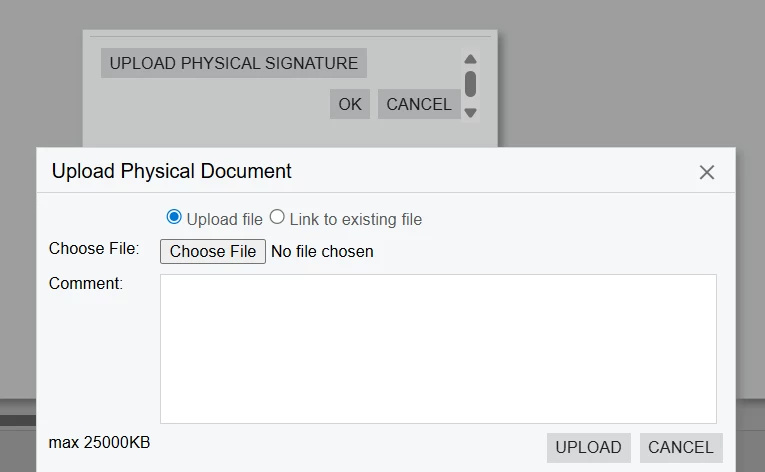
I am working in Acumatica Modern UI customization and I have a Smart Panel with an Upload button. When the user clicks the Upload button, a file upload dialog (<qp-upload-dialog>) should appear.
Here is the code I currently have:
When I click the Upload button, the file upload dialog does not appear in Modern UI. But it was working as expected in Classic UI.
Thanks in advance for your time and support.
Best answer by RohitRattan88
@nimmip43
You must have an action associated with upload button as described in the documentation:
To display the dialog box, you need to invoke the dialog box in the graph code (in an action delegate) by doing the following:
Calling the Ask or AskExt method of the view or the DialogManager class
Specifying the dialog box properties in the method parameters.
Hi @RohitRattan88 I hate to ask. Don’t want to be a code leech, but can you provide the code you did to get this working? I’ve spent a lot of time and this would save me hours of frustration and I honesty don’t know what I am doing here. I am trying to do the EXACT same thing on a Catalog item in the Modern UI Self Service Portal.
HOLD OFF… I opened the link you provided. I’ll work from there and see if I can get it working.
If anyone needs to upload a file to any ERP screen using the MUI, here is my final code. I did it to add the ability to upload a file to the ERP Inventory Item screen from a Catalog item in the MUI SSP.
THANK YOU @RohitRattan88 for that link! It was exactly what I needed.